
















Sheet 05.822

AV Access · Switchers and KVM
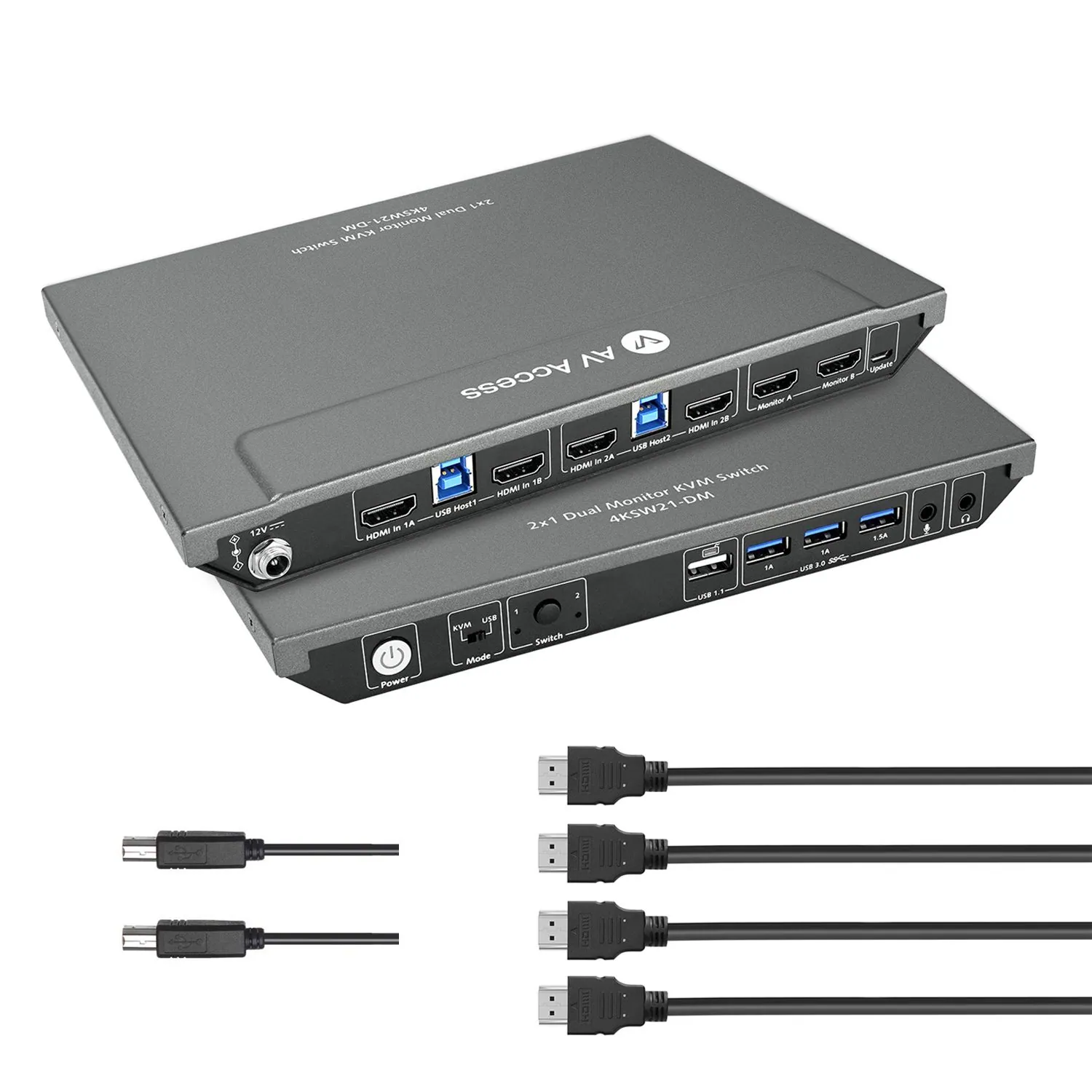
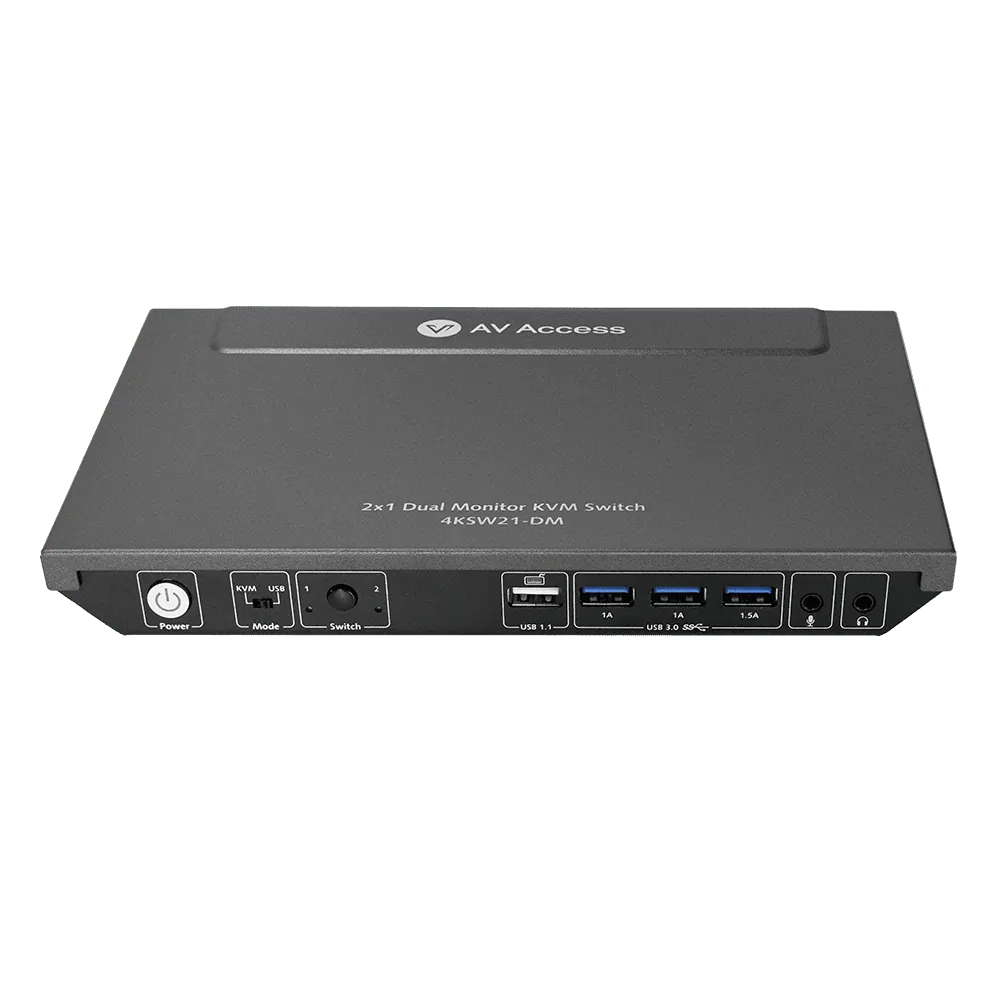
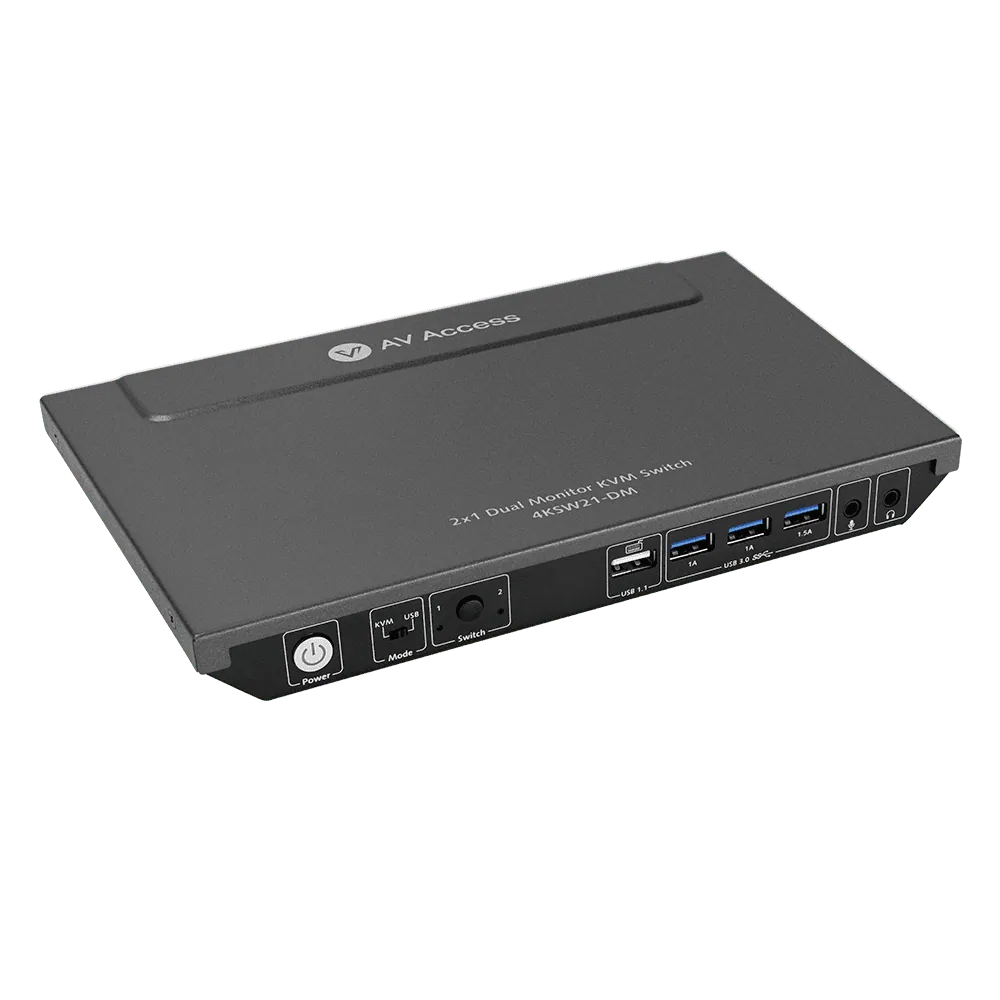
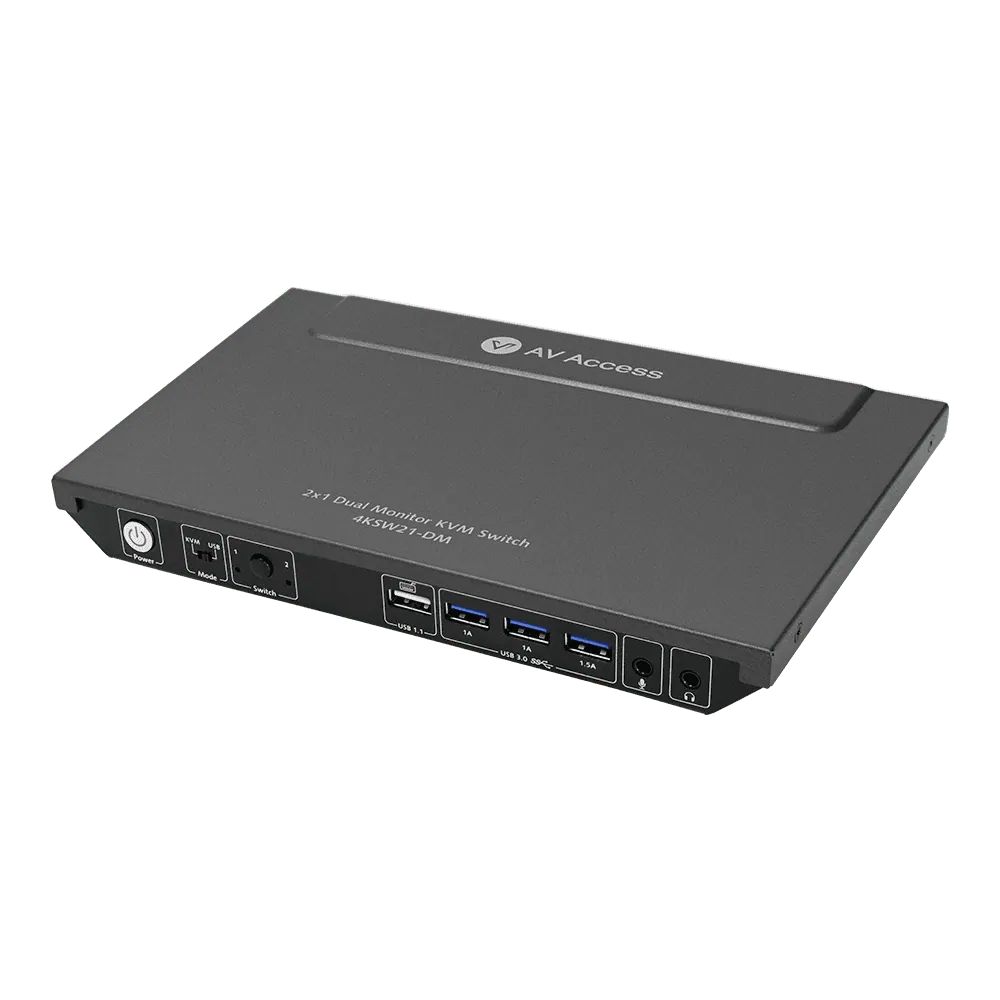
2×1 4K dual-monitor HDMI KVM switch, USB 3.0 hub, with cables
Model4KSW21-DM-C
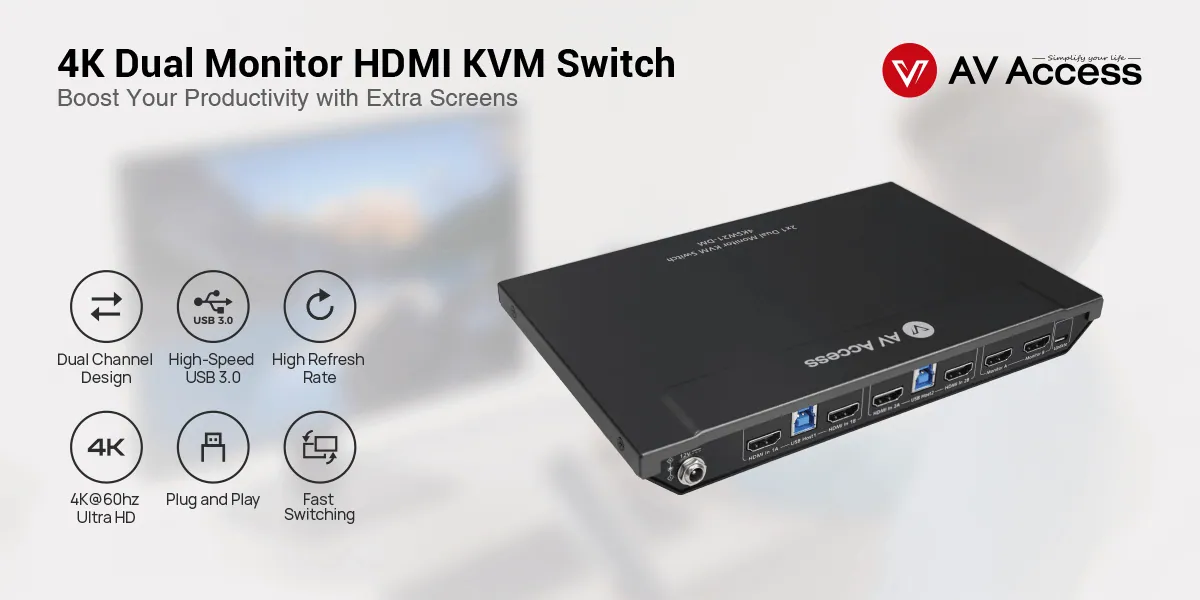
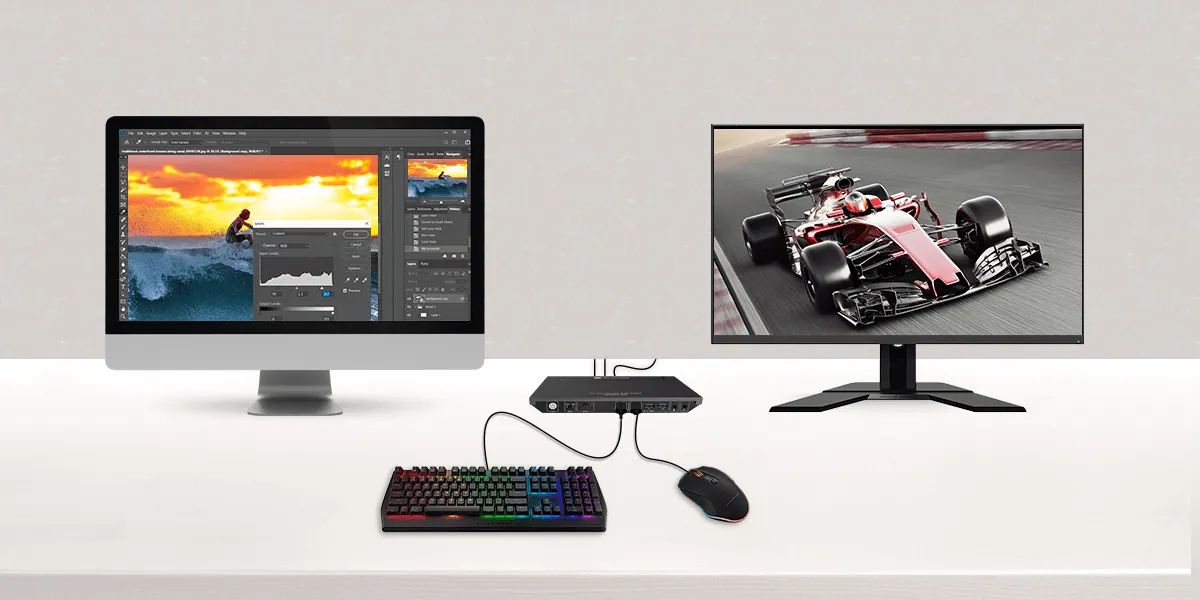
● 2×1 Dual Monitor KVM Switch: Control two PCs with only one set of keyboard, mouse and two monitors (extended or mirror mode). It allows you to view extra screens, boosting your productivity in office work, gaming or learning.
2×1 4K dual-monitor HDMI KVM switch, USB 3.0 hub, with cablesPrice on request Request a quotation
01SpecificationManufacturer's data · 7 groups · 22 values
What this product is, in numbers.
PDFUser Manual16 pages · 13 MB
The manufacturer's published values. We confirm the configuration and the values that matter for your project before an order.
01General3
- Product type
- iDock D23: For 2 Desktop PCs & Triple Monitors / iDock C20: For 2 Latops & Dual Monitors / iDock C10: For 1 Desktop PC, 1 Laptop & Dual Monitors / iDock B30: For 2 Desktop PCs, 1 Laptop & Dual Monitors / 4KSW21-DM: For 2 Desktop PCs & Dual Monitors / 8KSW21DP-DM: For 2 Desktop PCs & Dual Monitors / 8KSW21-KVM: For 2 Desktop PCs & Single Monitor
- Switching method
- iDock D23: Panel Button, Keyboard Hotkey, Wired Remote Controller (not included) / iDock C20: Panel Button, Wired Remote Controller (not included) / iDock C10: Panel Button / iDock B30: Panel Button, Keyboard Hotkey, IR Remote / 4KSW21-DM: Panel Button, Keyboard Hotkey / 8KSW21DP-DM: Panel Button, Keyboard Hotkey, IR Remote / 8KSW21-KVM: Panel Button, Keyboard Hotkey
- Automatic PC wake-up
- iDock D23: Yes / iDock C20: Yes / iDock C10: Yes / iDock B30: Yes / 4KSW21-DM: Yes / 8KSW21DP-DM: Yes / 8KSW21-KVM: Yes
02Video8
- Supported video resolution
- iDock D23: up to 8K@60 Hz / iDock C20: up to 4K@60 Hz 4:4:4 / iDock C10: up to 4K@60 Hz 4:4:4 / iDock B30: up to 4K@60 Hz 4:4:4 / 4KSW21-DM: up to 4K@60 Hz 4:4:4 / 8KSW21DP-DM: up to 8K@60hz / 8KSW21-KVM: up to 10K@120hz 4:2:0
- HDMI
- iDock D23: No, DP 2.0 / iDock C20: 2.0 / iDock C10: 2.0 / iDock B30: 2.0 / 4KSW21-DM: 2.0 / 8KSW21DP-DM: No, DP 1.4 / 8KSW21-KVM: 2.1
- HDCP
- iDock D23: 2.3 / iDock C20: 2.2 / iDock C10: 2.2 / iDock B30: 2.2 / 4KSW21-DM: 2.2 / 8KSW21DP-DM: 2.3 / 8KSW21-KVM: 2.3
- EDID emulation
- iDock D23: No / iDock C20: Yes / iDock C10: Yes / iDock B30: Yes / 4KSW21-DM: Yes / 8KSW21DP-DM: No / 8KSW21-KVM: Yes
- Video signal
- HDMI: HDMI with 4K@60 Hz 4:4:4, HDCP 2.2
- Input/Output resolution supported
- SMPTE: / 1280 × 720P1,2,3,4,5,6,7,8, 1920 × 1080I6,8, 1920 × 1080P1,2,3,4,5,6,7,8,9, 2560 × 10809, 3840 × 10809, 3840 × 21602,3,5,6,8, 4096 × 21602,3,5,6,8 / VESA: / 800 × 6008, 1024 × 7688, 1280 × 7688, 1280 × 8008, 1280 × 9608, 1280 × 10248, 1360 × 7688, 1366 × 7688, 1400 × 10508, 1440 × 9008, 1600 × 9008, 1600 × 12008, 1680 × 10508, 1920 × 12008, 2560 × 144010 / 1 = at 23.98 Hz, 2 = at 24 Hz, 3 = at 25 Hz, 4 = at 29.97 Hz, 5 = at 30 Hz, 6 = at 50 Hz, 7 = at 59.94 Hz, 8 = at 60 Hz, / 9 = 120 Hz, 10 = 144 Hz
- HDR format supported
- All HDR formats, including HDR 10, HLG, HDR 10+ and Dolby Vision
- Max data rate
- 18 Gbps
03Audio1
- Audio format supported
- HDMI: Fully supports audio formats in HDMI 2.0 specification, including PCM 2.0 / 5.1 / 7.1, Dolby TrueHD, Dolby Atmos, DTS-HD Master Audio and DTS:X / MIC IN: Stereo / LINE OUT: Stereo
04Control and interfaces4
- Video interface
- iDock D23: 6x DP in (3 in 1 Group) and 3x DP out / iDock C20: 2x USB-C in, 2x HDMI out / iDock C10: 1x HDMI in, 1x DP in (HDMI & DP in 1 Group), 1x USB-C in, 2x HDMI out / iDock B30: 4x HDMI in, 2x HDMI out (2 HDMI in 1 Group), 1x USB-C in / 4KSW21-DM: 4x HDMI in, 2x HDMI out (2 HDMI in 1 Group) / 8KSW21DP-DM: 4x DP in, 2x DP out (2 DP in 1 Group) / 8KSW21-KVM: 2x HDMI in, 1x HDMI out
- USB-C support
- iDock D23: No / iDock C20: Yes, USB-C MST / iDock C10: Yes, USB-C MST / iDock B30: Yes, USB-C MST / 4KSW21-DM: No / 8KSW21DP-DM: No / 8KSW21-KVM: No
- USB peripheral interface
- iDock D23: 3x USB 3.0, 1x USB 2.0, 1x USB 1.1, 1x USB-C (also built with 1x LAN, 1x SD card port) / iDock C20: 2x USB 3.0, 4x USB 2.0, 1x USB-C (also built with 1x LAN, 1x SD card port) / iDock C10: 3x USB-A 3.0, 2x USB-A 2.0, 1x USB-C / (also built with 1x SD card port, 1x LAN, 1x Toslink out) / iDock B30: 3x USB 3.0, 1x USB 2.0, 1x USB 1.1 / (also built with 1x LAN) / 4KSW21-DM: 3x USB 3.0, 1x USB 1.1 / 8KSW21DP-DM: 3x USB 3.0, 1x USB 2.0, 1x USB 1.1 / 8KSW21-KVM: 4x USB 3.0, 1x USB 1.1
- USB data
- USB 3.0, up to 5 Gbps data transfer rate. With one high- power of 5 V / 1.5 A port included.
05Power1
- Power consumption (maximum)
- 3.6 W
06Physical2
- Device dimensions (W × H × D)
- 230 × 26.2 × 142.6 mm/ 9.06’’ x 1.03’’ x 5.61’’
- Product weight
- 0.83 kg / 1.83lbs
07Environment3
- Operating temperature
- 0 °C to + 45 °C (32 to + 113 °F)
- Storage temperature
- -20 to +70 °C (-4 to + 158 °F)
- Humidity
- 20% to 90%, non-condensing
Show the full specificationHide the rest of the specification0 more groups · 0 values
02DescriptionManufacturer's description
What it is.
● 2×1 Dual Monitor KVM Switch: Control two PCs with only one set of keyboard, mouse and two monitors (extended or mirror mode). It allows you to view extra screens, boosting your productivity in office work, gaming or learning. ● Two Application Modes: In addition to the “KVM mode” mentioned above, you can also toggle the switch to “USB Mode” to stream two different video sources onto the two monitors simultaneously. It lets you handle multiple tasks on two screens easily. ● Built-in USB 3.0 Hub: The two PCs can share up to three USB 3.0 peripherals like a 4K webcam, speakerphone, printer, scanner and hard disk, with a data transfer rate up to 5Gbp/s. ● 4K UHD & High Refresh Rate: Supports up to 4K@60Hz (4:4:4) 18Gbps input/output. Also supports 1080P@240Hz/165Hz/144Hz/120Hz/60Hz, and 2560×1440@144Hz/120Hz/60Hz, perfect for switching between game consoles. ● Fast and Flexible Switching: Supports switching via the front button and keyboard hotkey. Switch faster with the automatic PC wake-up and EDID emulation functions. ● Important Notes:This product kit is composed of 1x 4KSW21-DM KVM switch and 4x HDMI 2.0 cables (1.5m/5ft). If you don’t need HDMI cables, please refer to 4KSW21-DM.
4KSW21-DM dual monitor HDMI KVM switch is specially designed for users who have more than one PC and one monitor. It is plug and play, perfect for home office, gaming and learning. The KVM switch allows you to control two PCs with only one set of keyboard, mouse and two monitors at the same time. With just a press of the front button or a tap on the keyboard hotkey, you can easily switch between two PC sources. The two PCs can share up to three USB 3.0 peripherals. Whether in office work, gaming or learning, the dual monitor KVM switch allows you to view extra screens and maximize your productivity.
*Notes:* *1. If you need keyboard hotkey switching, please connect a keyboard to the KVM switch via the dedicated USB 1.1 port.* *2. The KVM switch supports two application modes: KVM mode and USB mode. It can be set through DIP switch on the front panel. The device is in KVM mode by default.*
Main Features
- Dual-channel design; two input groups (each group is built with two HDMI ports).
- Video, analog audio, mouse, keyboard and other USB peripherals can be switched all at the same time.
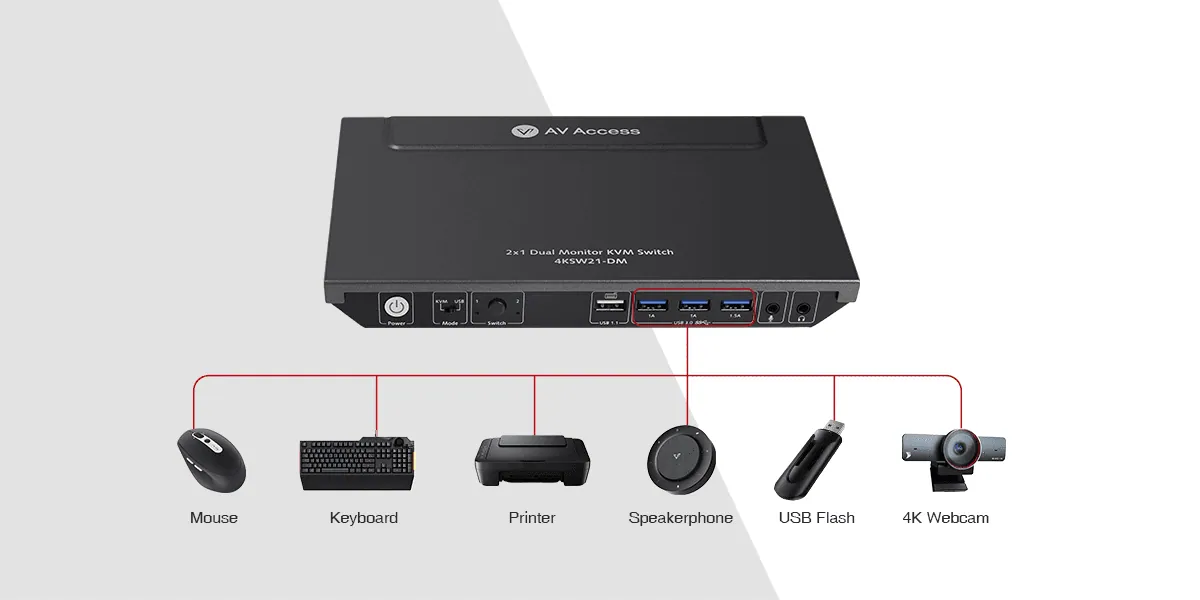
- Built-in 3x USB 3.0 port; supports high-speed data transfer rate up to 5Gbp/s.
- Supports two application modes: KVM mode and USB mode.
- HDMI 2.0 & HDCP 2.2 compliant; support video resolution up to 4K@60Hz 4:4:4 8bit.
- Supports all HDR format, such as HDR 10, HLG, HDR 10+ and Dolby Vision.
- Supports high refresh rate, like 1080P@120hz and 2560×1440@144hz.
- Supports new-generation automatic PC wake-up function.
- Supports fast switching, based on the EDID emulation function.
- Supports front button switching and hotkey switching.
- 2x 3.5 mm audio jack for microphone input and headphone output.
- Supports CEC trigger on HDMI outputs.
- Works with various operating systems, like windows 10/8/7/XP, Mac OS and Linux.
- No driver required, plug and play.
- Dual-channel design; two input groups (each group is built with two HDMI ports).
- Video, analog audio, mouse, keyboard and other USB peripherals can be switched all at the same time.
- Built-in 3x USB 3.0 port; supports high-speed data transfer rate up to 5Gbp/s.
- Supports two application modes: KVM mode and USB mode.
- HDMI 2.0 & HDCP 2.2 compliant; support video resolution up to 4K@60Hz 4:4:4 8bit.
- Supports all HDR format, such as HDR 10, HLG, HDR 10+ and Dolby Vision.
- Supports high refresh rate, like 1080P@120hz and 2560×1440@144hz.
- Supports new-generation automatic PC wake-up function.
- Supports fast switching, based on the virtual interaction function.
- Supports front button switching and hotkey switching.
- 2x 3.5 mm audio jack for microphone input and headphone output.
- Supports CEC trigger on HDMI outputs.
- Works with various operating systems, like windows 10/8/7/XP, Mac OS and Linux.
- No driver required, plug and play.
Brand-New Dual Channel Design
The dual monitor KVM switch is built with four HDMI input ports (two HDMI in one group) and two HDMI output ports, so you can easily switch between your work PC and gaming PC, and view two monitor screens at the same time. Whether in office work, gaming or learning, it allows you to view extra screens and maximize your productivity.
Two PCs Share Three USB 3.0 Devices
The HDMI KVM switch can work as a USB 3.0 hub. It allows you to control two PCs with only one set of USB devices, such as mouse, keyboard, USB flash, 4K webcam, speakerphone, printer, scanner or other USB 3.0 devices. The data transfer rate can reach up to 5Gbp/s, 10 times faster than USB 2.0. Thus, you can easily build a powerful workstation while working from home.
The HDMI KVM switch can works as a USB 3.0 hub. It allows you to control two PCs with only one set of USB devices, such as mouse, keyboard, USB flash, 4K webcam, speakerphone, printer, scanner or other USB 3.0 devices. The data transfer rate can reach up to 5Gbp/s, 10 times faster than USB 2.0. Thus, you can easily build a powerful workstation while working from home.
Wake up Your “Sleeping” PC
You might set your personal PC to sleep or hibernate mode when it is not in use. When you switch to the PC, you don’t have to move your mouse or type on the keyboard to wake it up. The HDMI KVM switch is designed with a new-generation wake-up engine, so it can automatically wake up the PC with no manual operation required.
Switch Faster with EDID Emulation
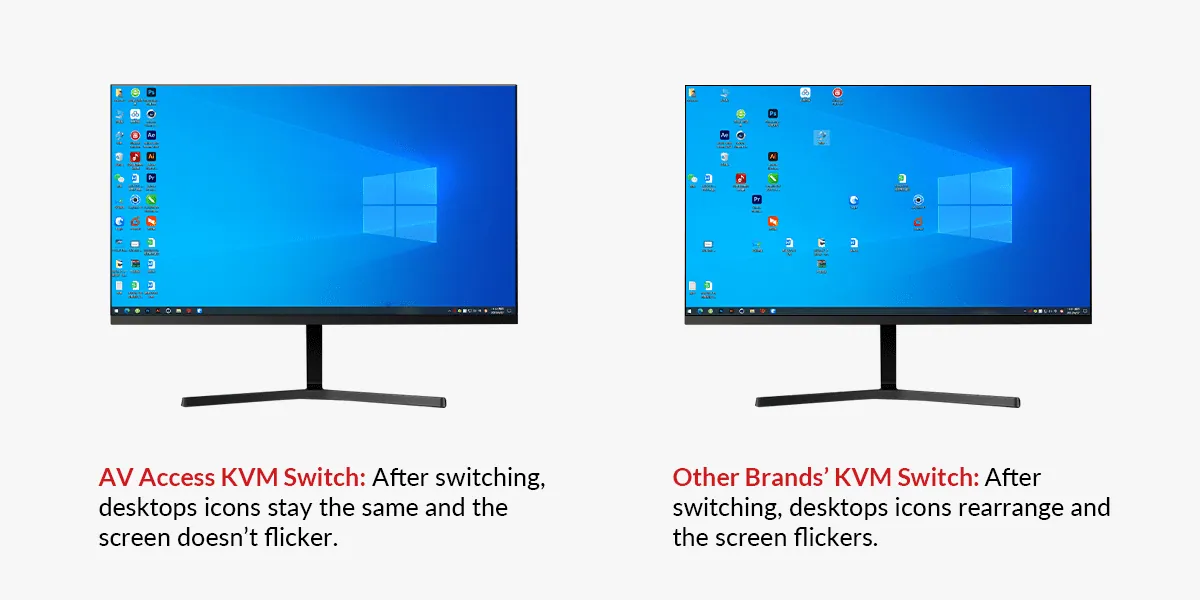
AV Access’s new KVM switches are all built with an EDID emulator in each input port. Whenever you switch between different sources, it ensures stable communications between the video sources and the display device. No screen flickering, no desktop icon rearrangement. It only takes you about 3 seconds to complete switching!
Switch Faster with Virtual Interaction
The dual monitor KVM switch also boasts the advanced virtual interaction function. It can automatically simulate the EDID and HDCP information of the two connected monitors. Whenever you switch between two PC sources, the virtual interaction function allows you to switch faster and work more efficiently.
Enjoy the Finest Image and Sound
With HDMI 2.0 and HDCP 2.2 compatibility, the HDMI KVM switch supports video input/output resolution up to 4K@60Hz 4:4:4 8bit. It also supports fantastic audio formats like PCM 7.1, Dolby TrueHD, Dolby Atmos, DTS-HD Master Audio, DTS:X.
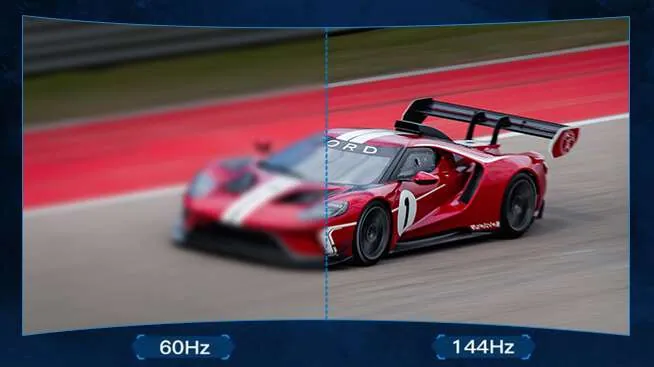
Wonderful Gaming Experience with 120Hz & 144Hz
For e-sports games where every second counts, low refresh rate can cause picture lag, greatly affecting the player’s performance. The KVM switch supports 1080P@120Hz and 2560×1440@144Hz video input/output, ensuring your game sources can be effectively switched. With the KVM switch, you can have an unprecedentedly enjoyable gaming experience.
Easily Switch Between Work And Life
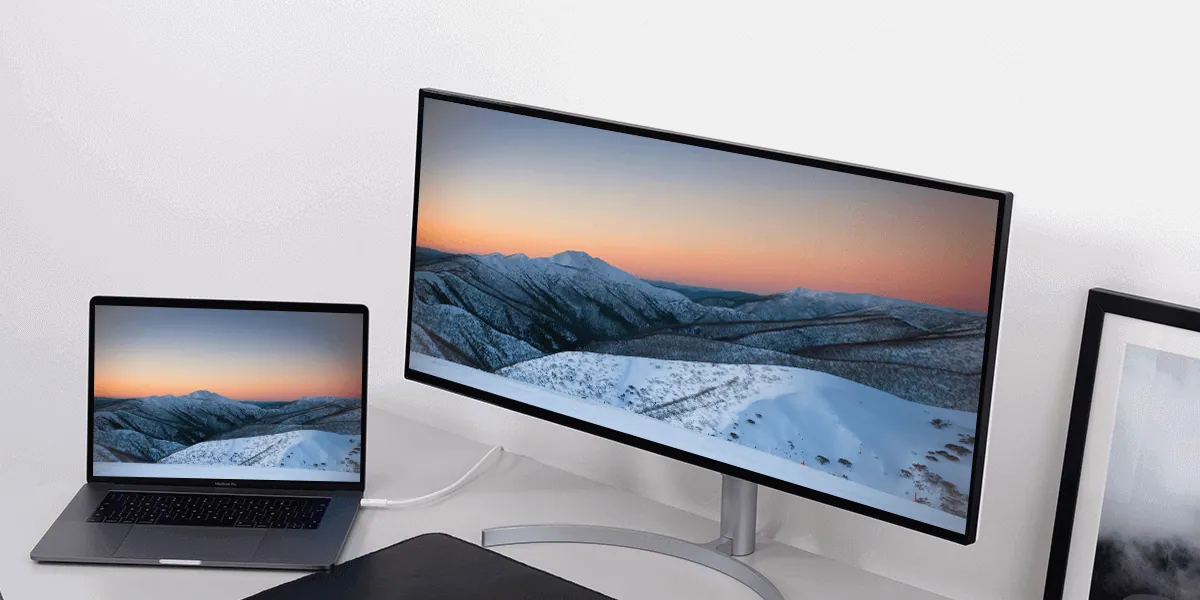
The dual monitor KVM switch connects to 2 servers and easily switches by pressing a hotkey or the panel button. When you are working from home, a KVM switch makes it easy to alter from your office computer for work to your personal computer for entertainment. The dual HDMI output is designed for your dual monitor setup.
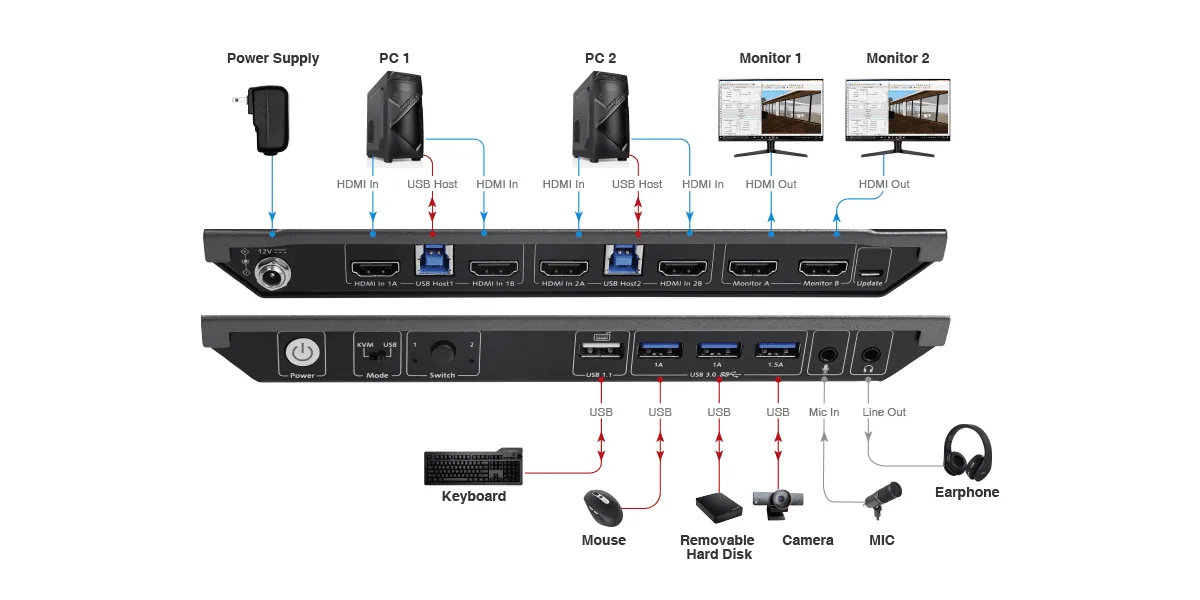
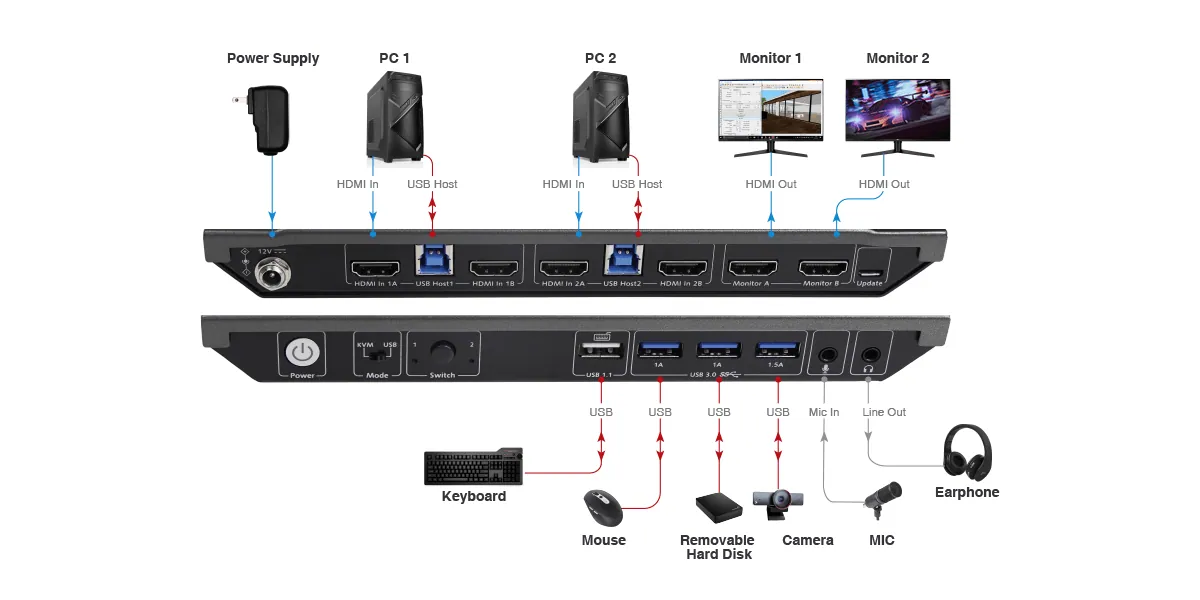
Connection Diagram
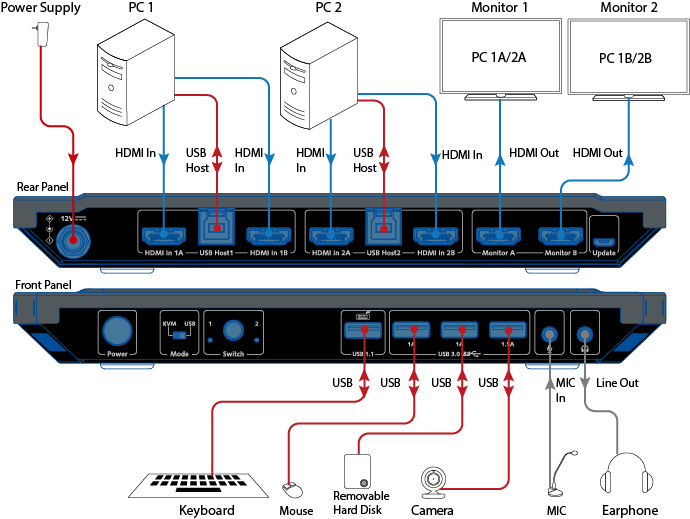
KVM Mode
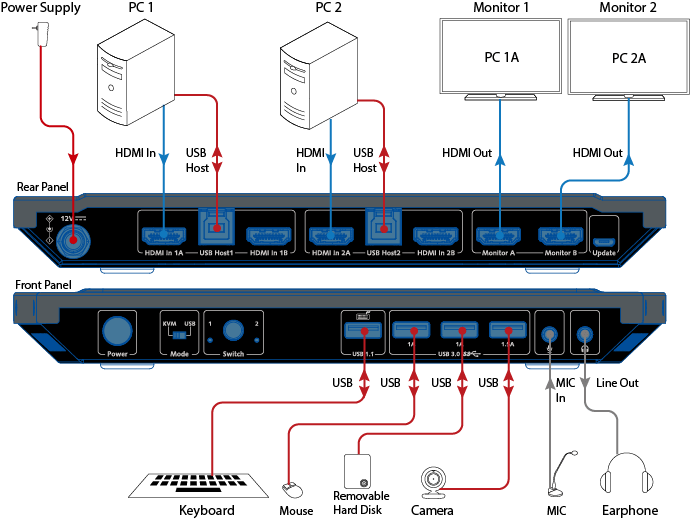
USB Mode
*Notes:* *1. The device is in KVM mode by default.* *2. When you switch to group 1, the displays connected to “Monitor A port” and “Monitor B port” will output video from HDMI In 1A and HDMI In 1B respectively. When you switch to group 2, the display connected to “Monitor A port” and “Monitor B port” will output video from HDMI In 2A and HDMI In 2B respectively.* *3. You can press the front switch button or use your keyboard hotkey for both HDMI and USB signal switching.*
*Notes:* *1. You can also toggle the switch to “USB Mode”.* *2. When using this mode, you must connect your two PC sources respectively to the “HDMI in 1A” port and the “HDMI in 2A” port. The KVM switch does not support matrix switching. “Monitor A” port can only output the source connected to the “HDMI in 1A” port. Likewise, “Monitor B” port can only output the source connected to the “HDMI in 2A port”.* *3. You can press the front switch button or use your keyboard hotkey for USB signal switching. HDMI signal switching is not supported in this USB mode.*
03Documents3 files · 13 MB
Documents and files.
Datasheets, manuals, drawings and certificates as the manufacturer publishes them.
04Related products
In the same range.
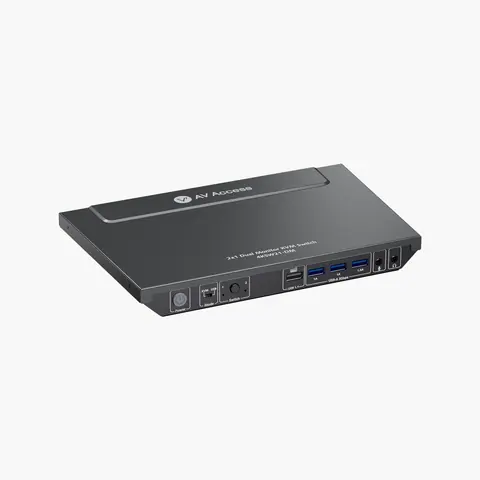 EQ-821AV Access4K dual-monitor HDMI KVM switch, 2-port4KSW21-DM · Switchers and KVM
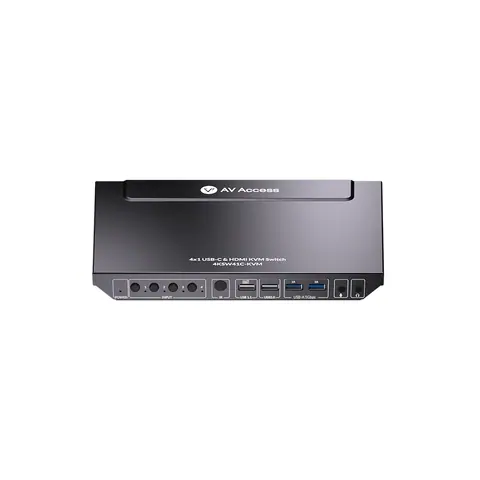 EQ-823AV Access4×1 4K USB-C and HDMI KVM switch, USB 3.0, 60 W charging4KSW41C-KVM · Switchers and KVM
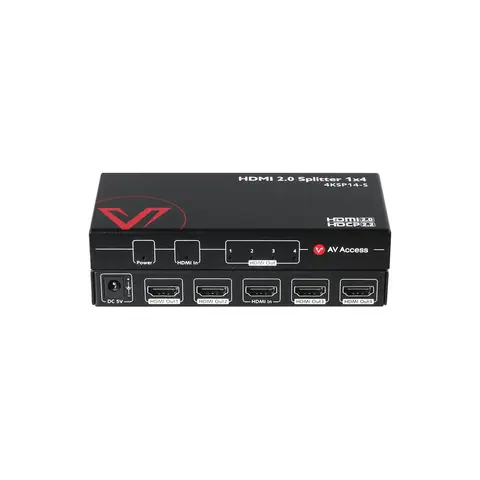 EQ-820AV Access4K60 HDMI splitter, 1 in 4 out, auto downscaler4KSP14-S · Switchers and KVM
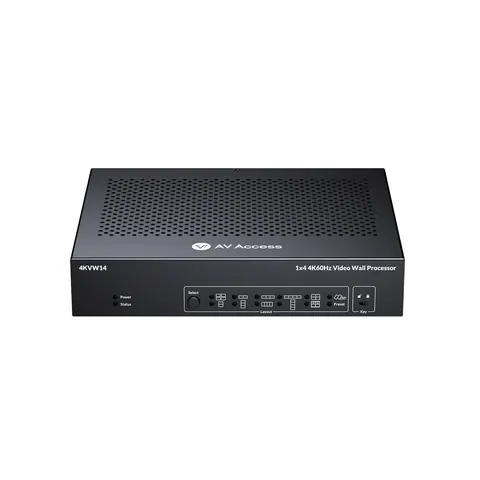 EQ-824AV Access1×4 4K HDMI video wall processor, bezel correction4KVW14 · Video wall processors
05Talk to us
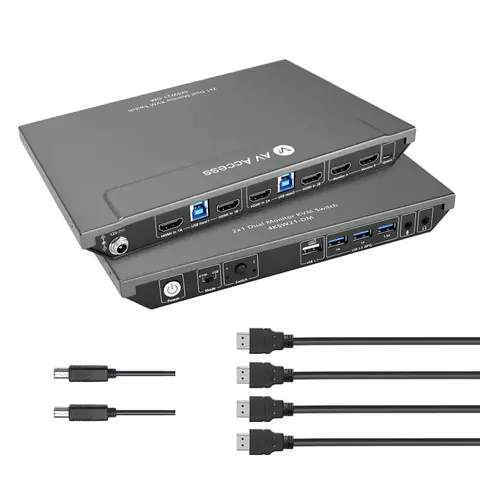 2×1 4K dual-monitor HDMI KVM switch, USB 3.0 hub, with cablesAV Access · EQ-822
Need this priced for your project?
- Quantity and site
- Configuration and interfaces
- Quotation