
















Sheet 05.4736
ChamSys · Control and signal
MagicQ Stadium Connect
ModelMagicQ Stadium Connect
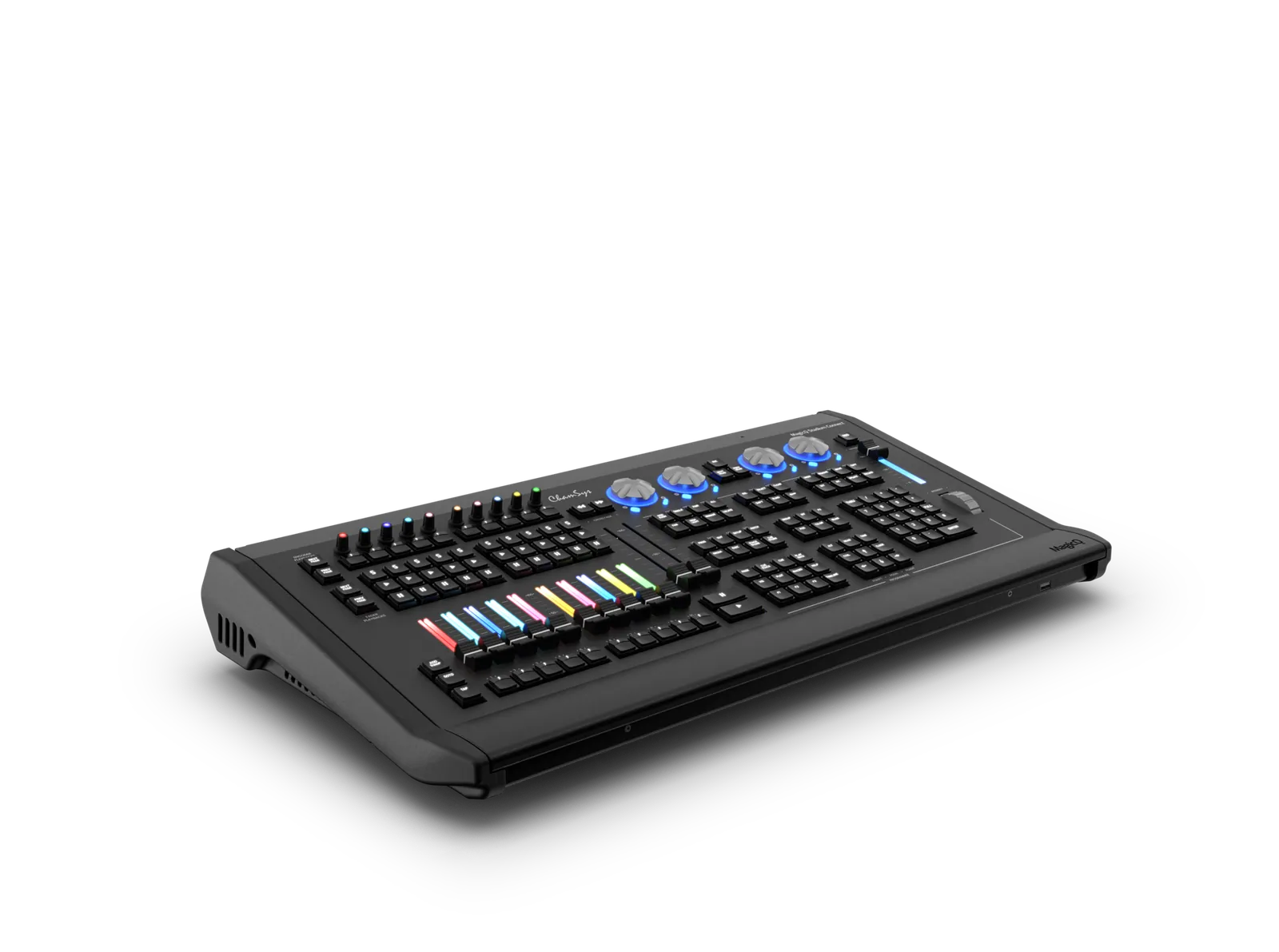
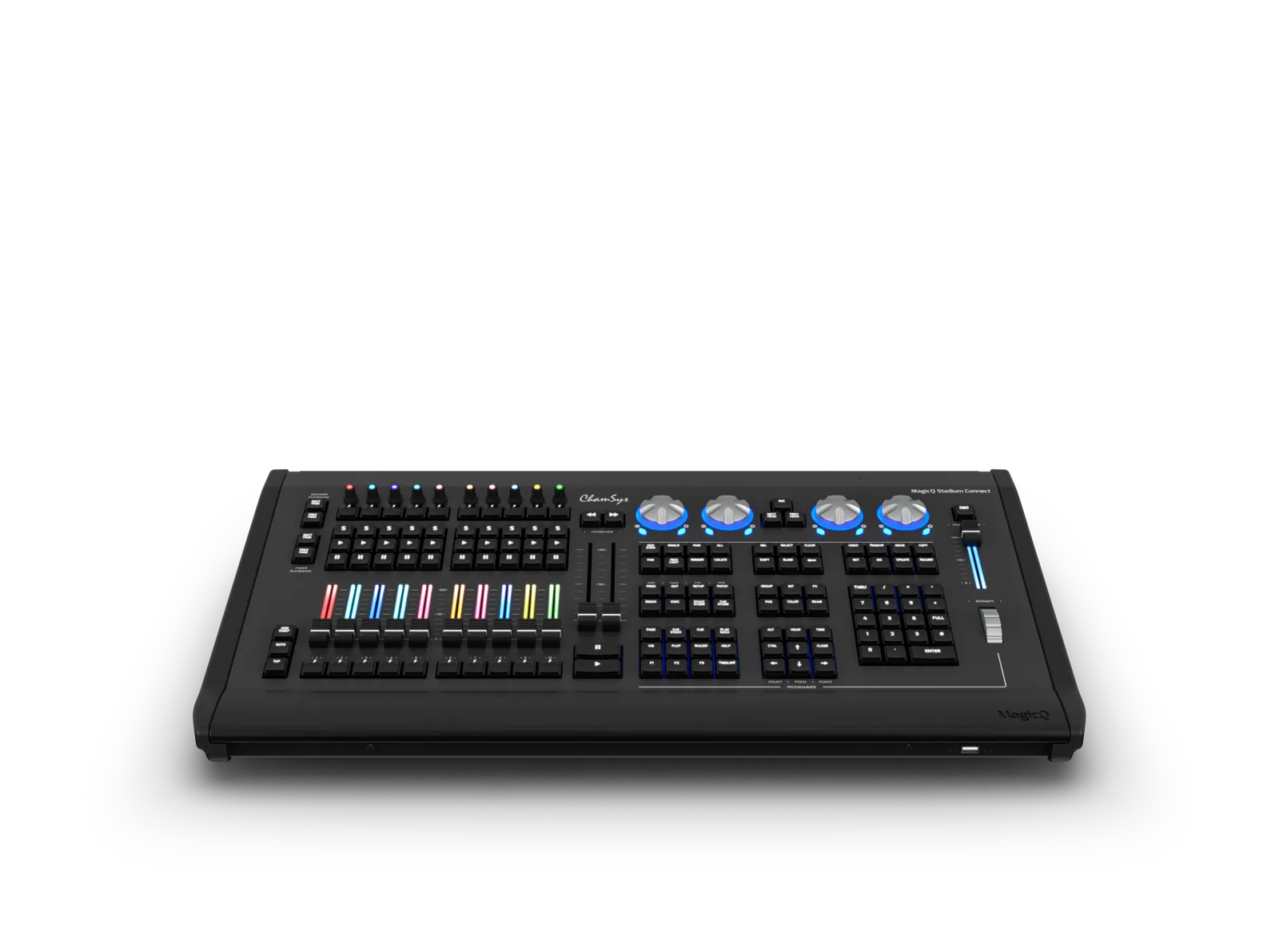
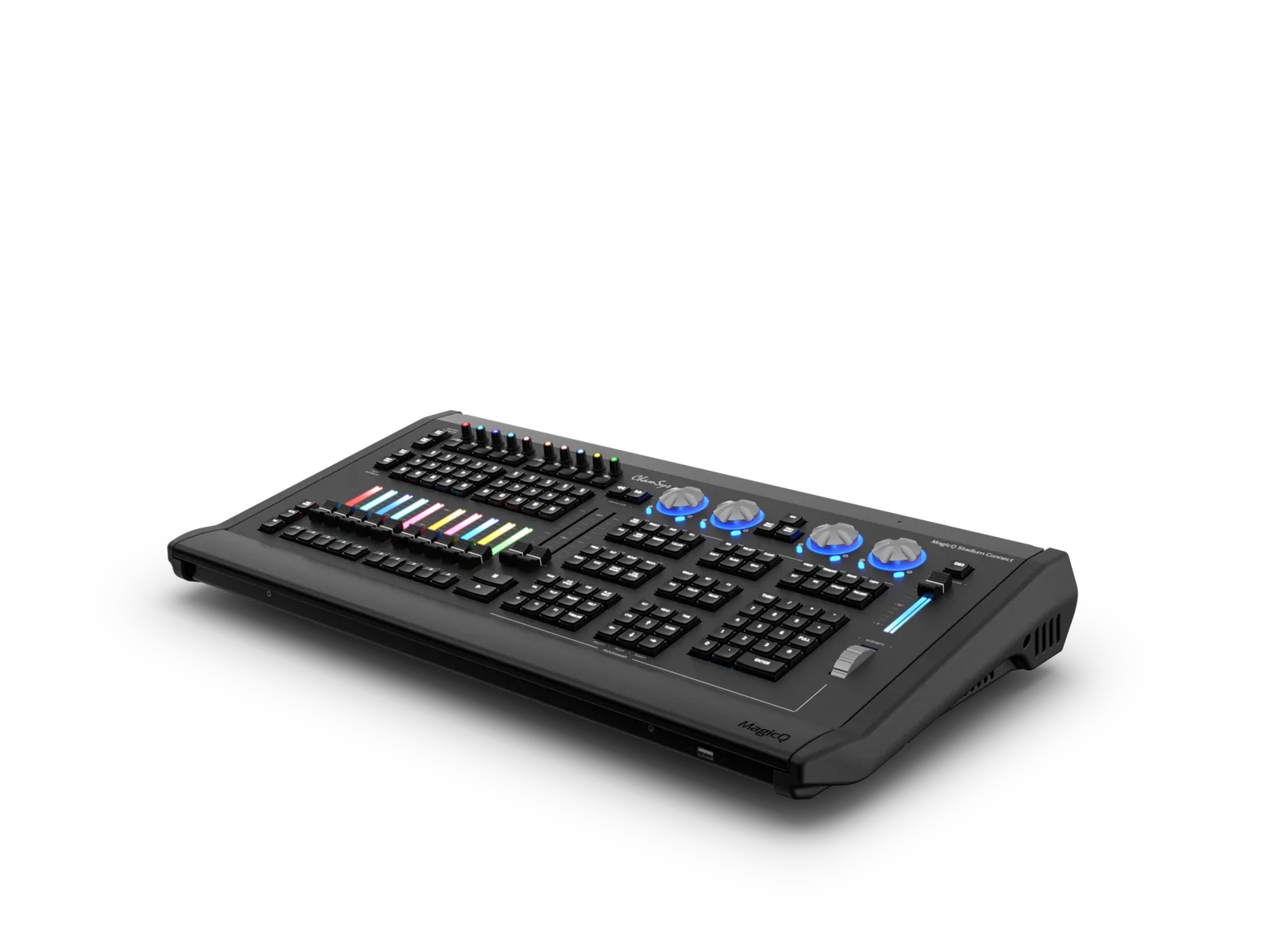
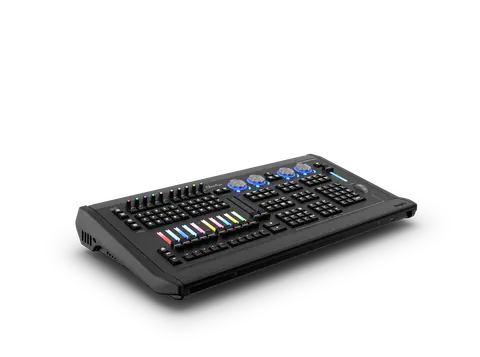
MagicQ Stadium Connect is a PC-based programming interface with the same programming keyset and dual crossfaders as the MQ250M and MQ500M.
MagicQ Stadium ConnectPrice on request Request a quotation
01SpecificationManufacturer's data · 5 groups · 37 values
What this product is, in numbers.
The manufacturer's published values. We confirm the configuration and the values that matter for your project before an order.
01Hardware Specifications16
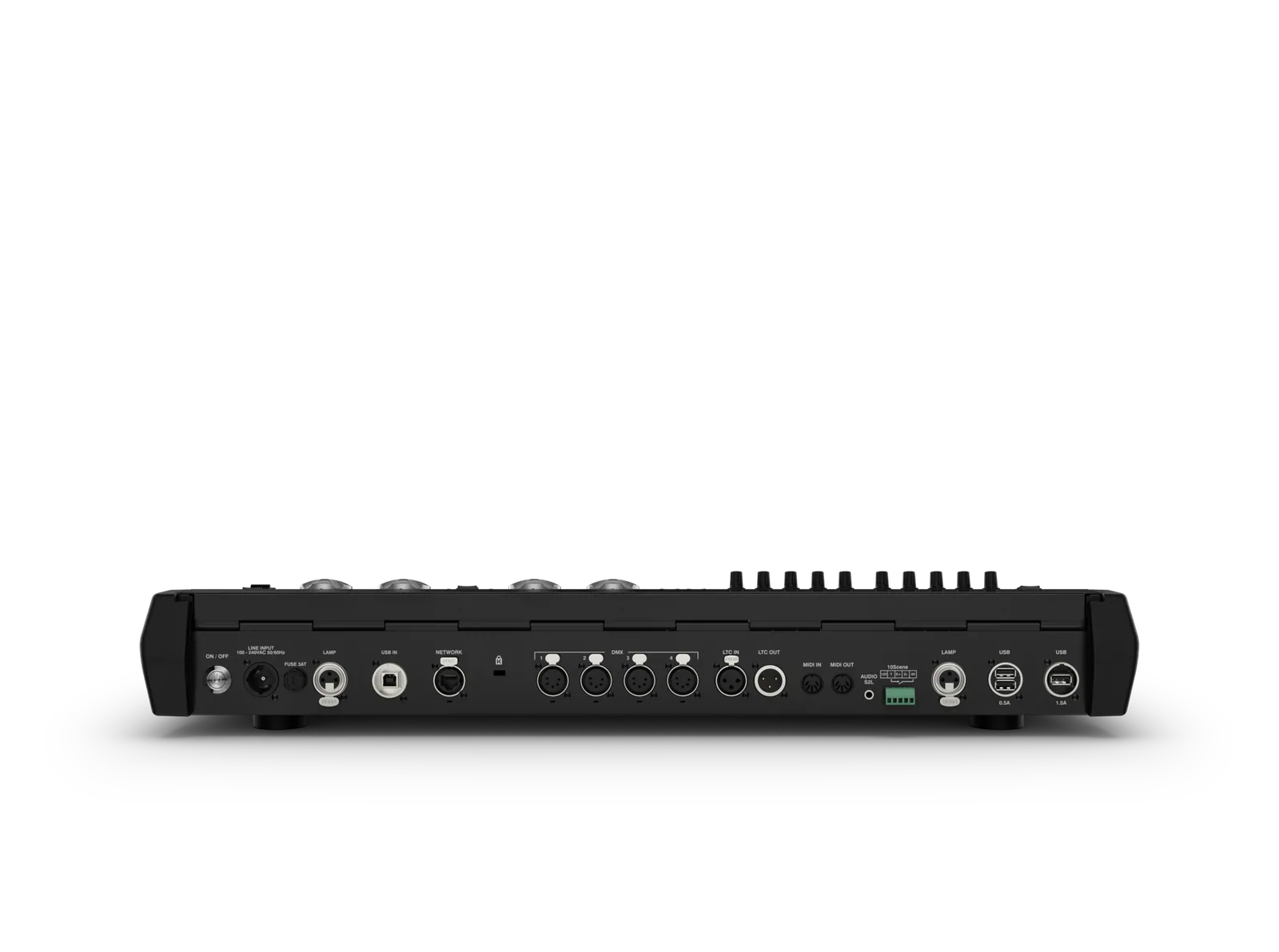
- Direct DMX Outputs
- 4
- Motorised Playbacks
- 10
- Encoder Playbacks
- 10
- Total no of Playbacks
- 20 (10+10)
- Dual Cross Faders
- Yes
- Attribute Encoders
- 4
- Backlit Keys
- Yes
- Illuminated Playback/Encoders with RGB control
- Yes
- Intensity Wheel
- 1
- Network Ports
- 1
- USB Ports
- 4
- Audio Input Sound to Light
- Yes
- MIDI Ports 1 in and out
- Yes
- LTC Timecode Ports in and out
- Yes
- 10Scene Port
- 1
- Max Power Consumption (mains)
- 360w
02Software Specifications9
- Universes direct from software (via Artnet/sACN/Pathport)
- 64
- Visualisation Universes
- 400
- Max Number of DMX Channels
- 204,800
- Max Number of Fixtures Supported
- 204,800
- Max Number of Cues
- 5000
- Max Number of Cue Stacks
- 2000
- Max Number of Groups
- 5000
- Max Number of Palettes
- 4096
- Number of Media Server Layers Supported
- 50 (each different content)
03Included Accessories4
- Dual Colour Desk lights
- 2
- Dust cover
- 1
- Neutrik powerCON TRUE1 Power Cable
- 1
- USB Cable
- 1
04Flight Cased Weights and Dimensions4
- Width
- 761 mm (29.9″)
- Depth
- 467 mm(18.3″)
- Height
- 197 mm (7.7″)
- Weight (stadium connect in flightcase)
- 20.0 kg (44.1lbs)
05Stadium Connect Weights and Dimensions4
- Width
- 680 mm (26.8″)
- Depth
- 364 mm (14.3″)
- Height
- 85 mm (3.3″)
- Weight
- 8.7 kg (19.1bs)
Show the full specificationHide the rest of the specification0 more groups · 0 values
02DescriptionManufacturer's description
What it is.
Product Information
Description
MagicQ Stadium Connect is a PC-based programming interface with the same programming keyset and dual crossfaders as the MQ250M and MQ500M. Outputting 64 universes directly from the Connect, and the ability to pre-vis up to 400 universes, MagicQ Stadium Connect is the ultimate solution for complete control on-the-go. With 10 backlit and motorised faders and 10 backlit playback encoders with executors, the MagicQ Stadium Connect provides plenty of programmable real estate for your show.
Additional information
Find A Distributor
Searching Distributors…
ChamSys (USA)
+1 (772) 410 5762
sales@chamsyslighting.com
ChamSys Spain
+34 910 79 67 80
support@chamsyslighting.es
ChamSys Mexico
+52 728 6 90 20 10
ventas@chamsys.com.mx
ChamSys UK
+44 (0) 2380 238 666
sales@chamsys.co.uk
ChamSys Germany
+49 (0)421626020
sales@chamsyslighting.de
ChamSys France
+33 1 788 533 59
sales@chamsyslighting.fr
ChamSys Benelux
+32 9 388 93 97
sales@chamsyslighting.be
Contact Distributor
Overview:
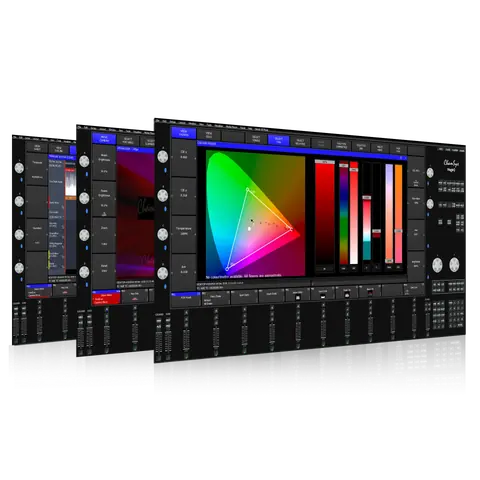
MagicQ Stadium Software
MagicQ Stadium Hardware
Up to 64 Universes Direct
All universes are available direct from MagicQ PC via industry standard lighting protocols sACN, Art-Net and Pathport, without the need for additional processing nodes.
Motorisation
Thanks to its motorised function, the playback section can be used for multiple purposes with shortcut buttons to change the function. With 10 motorised faders and 10 playback encoders per bank, and up to six banks, a total of 202 playbacks can be accessed at the touch of a button.
In keeping with its versatile design, MagicQ Stadium Connect supports many different fader modes enabling the playback section to be used in a wide variety of applications.
The programmer modes give access to intensities for each patched fixture, to intensities of groups of fixtures or to individual channels of a fixture. The selected modes enable instant access to the intensities or channels of the currently selected fixtures.
The master modes provide instant master control of individual fixtures or groups of fixtures without having to pre-program masters – ideal for those live moments when lights are flaring in cameras or key lights need modifying.
The dual 100mm crossfade faders together with the prominently placed large GO and BACK buttons provide the ultimate theatre control experience.
Playback Encoders
Playback encoders take live operation to new heights. A multi array of different functions can be assigned to the playback encoders with full legending directly above on the display presenting the current function to the user.
The playback encoders can be set to controlling intensity, LTP channels, FX size, FX speed, rate and time.
Playback encoders can control cue stacks of their own, or be tied to the fader playback below, or even control a whole bank of playbacks, or a whole page of playbacks.
Illumination & Customisation
The Stadium Connect lights the way with backlit keys, illuminated fader tracks and encoders. Together with the new updated graphics this takes MagicQ to a whole new level of customisation giving Lighting Designers freedom to visibly configure the console for their needs.
Each playback fader track & playback encoder top has full RGB illumination enabling its function to be clearly indicated. Users can select standard functions or customise each Cue Stack individually – for example to separate the main cues from bump cues.
Compatibility
The MagicQ Stadium Connect is built on the proven reliable stadium software which has excelled on shows with thousands of fixtures.
Show files are fully compatible between MQ250M, MQ500M and all other ChamSys consoles making it easy to move between consoles.
Unique to ChamSys, show files are both forwards and backwards compatible so no need to worry about software versions.
Specifications
Product Code:
ChamSys Product Code: CS200025
USA Product Code: CHAMMQSTADIUMCONNECT
Support Documents
MagicQ Software
03Related products
In the same range.
 EQ-4735ChamSysMagicQ SoftwareMagicQ Software · Control and signal
 EQ-4737ChamSysMediaMaster CoreMediaMaster Core · Control and signal
 EQ-4734ChamSysMagicQ Rack Mount DongleMagicQ Rack Mount Dongle · Control and signal
 EQ-4738ChamSysMediaMaster Licence Key DongleMediaMaster Licence Key Dongle · Control and signal
04Talk to us
 MagicQ Stadium ConnectChamSys · EQ-4736
Need this priced for your project?
- Quantity and site
- Configuration and interfaces
- Quotation