
















Sheet 05.585
Magewell · Capture cards and devices
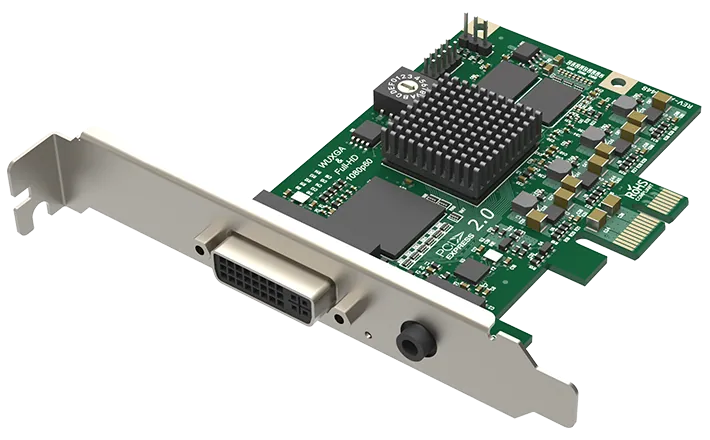
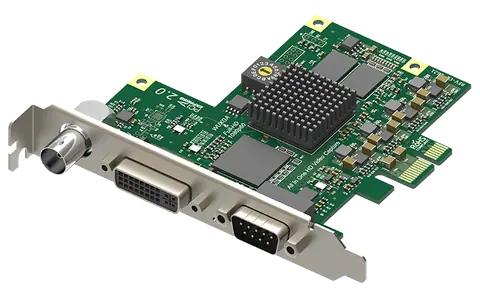
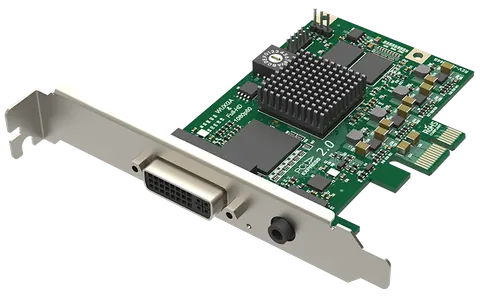
Pro Capture DVI
Model110300000
One-channel HD capture card
Pro Capture DVIPrice on request Request a quotation
01SpecificationManufacturer's data · 7 groups · 130 values
What this product is, in numbers.
PDFPro Capture DVI Specifications4 pages · 57 KB
The manufacturer's published values. We confirm the configuration and the values that matter for your project before an order.
01General50
- Windows 10/11/Server 2016/Server 2019/Server 2022/Server 2025 (x86 & x64) and above
- Linux x86, x64 & ARM architecture, with 2.6.35 and above
- Mac OS X 10.9 and above
- macOS 10.12 and above
- Windows
- DirectShow
- DirectKS
- Wave API/DirectSound/WASAPI
- Linux
- V4L2
- ALSA
- macOS
- AVCaptureSession
- AudioUnit
- VLC
- VirtualDub
- OBS
- XSplit
- vMix
- VidBlaster
- Wirecast
- Microsoft Media Encoder
- Adobe Flash Media Encoder
- Any other DirectShow/V4L2/AVCaptureSession encoding/streaming software
- 12-bit ADC
- Support for RGB & YCbCr (YUV) color formats
- Support for ‘Separated sync’, ‘Composite sync’, ‘Sync-on-green’ (SOG), ‘Sync-on-luminance’ (SOY)
- Support for DMT, CEA, CVT, GTF video timings
- Input signals up to 165 MHz pixel rate are digitized with 1:1 sampling
- Input signals over 165 MHz pixel rate can be digitized with horizontal sub-sampling (resulting in some image quality loss - NOT officially supported)
- Auto detection of RGB & YCbCr color formats
- Auto or manual sampling phase adjustment
- Auto horizontal alignment
- Support for customized video timings
- Support for customized video resolutions for CVT/GTF timings
- Support for multiple cards plugged to one system
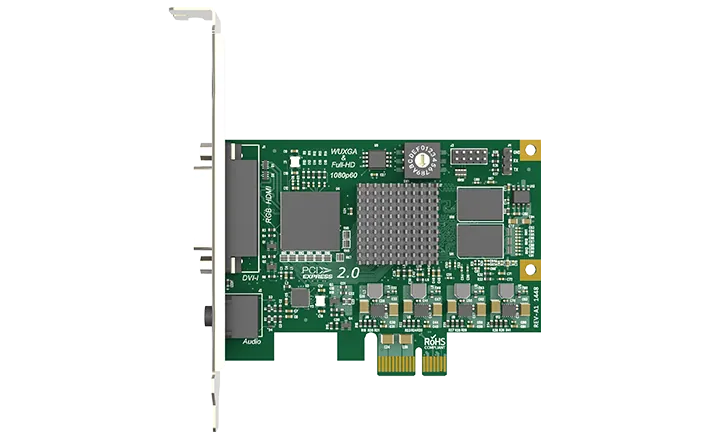
- On-board rotary switch to set card number, with 16 positions from 0 to F
- System hardware device tree will display “01
- Pro Capture DVI” when rotary switch is set to 1, and so on
- The video and audio device names displayed in your software will include the card number (set by the rotary switch)
- Latency of 64 video lines
- Partial notification mode in SDK
- Hardware based 100ns high resolution clock
- Audio frames (192 audio samples) & video frames are stamped with hardware clock
- Hardware clock can be synchronized across cards (via SDK)
- SDK
- Magewell Capture SDK for easy integration, maximum flexibility and performance
- All options can be controlled by three levels of registry key: global level, product level and device level
- Video, Audio, Crossbar filter names can be customized via registry keys
- Multiple cards in one system can be upgraded simultaneously
- Cards can be upgraded without a system power shutdown (In most cases, even a reboot is not needed)
- Safe upgrade. If power off or system break down occur when the firmware is being upgraded, it will automatically restore to the initial version. This function is only available for firmware version 1.21 and above.
02Video56
- Auto scan of video input sources when there is no signal input to the currently selected input source
- Manual selection of video input source
- Auto selection of linked (embedded) audio input source when the video input source changes
- Manual selection of audio input source
- Support for standard crossbar based on video input source selection
- Support for input video resolutions up to 2048 × 2160 pixels
- 225 MHz HDMI receiver
- Adaptive HDMI equalizer support for cables lengths up to 30M
- Support for customized EDID
- Support for extraction of AVI/Audio/SPD/MS/VS/ACP/ISRC1/ISRC2/Gamut InfoFrames
- Full colorimetry support
- Support for 8/10/12-bit color depths
- Support for RGB 4:4:4, YCbCr 4:4:4, YCbCr 4:2:2 color sampling
- Support for up to 8-channel IEC60958/IEC61937 audio streams via SDK
- Support for extraction of audio formation information & channel status data
- Support for extraction of video timing information
- Support for extraction of 3D format information
- Support for extraction of Sony/Canon DSLR time code
- Support for Side-by-Side Half, Top-and-Bottom, Frame Packing 3D mode.
- Support for capture image resolutions up to 2048 × 2160 pixels
- Support for capture frame rates up to 144 fps (Actual capture frame rate can be limited by PCIe bandwidth, and at higher image resolutions - above 1280 × 1024 - by the pixel clock of the on-board video processing hardware. eg. Max frame rate at 1920 × 1080 = ~80 fps. )
- Support for 4:2:0 8-bit capture formats: NV12, I420, YV12
- Support for 4:2:2 8-bit capture formats: YUY2, YUYV, UYVY
- Support for 4:4:4 8-bit capture formats: V308, IYU2, V408, BGR24, BGR32
- Support for 4:4:4 10-bit capture formats: V410, Y410
- More capture formats are supported via Magewell Capture SDK
- Two video processing pipelines with ~180Mpixels/s processing bandwidth for each one
- Full 10-bit video processing
- Video cropping
- Video scaling
- Video de-interlacing
- Weave
- Blend top & bottom field
- Top field only
- Bottom field only
- Video aspect ratio conversion
- Auto or manual selection of input aspect ratio
- Auto or manual selection of capture aspect ratio
- Three aspect ratio conversion modes
- Ignore (Anamorphic), Cropping or Padding (Letterbox or Pillarbox)
- Video color format conversion
- Auto or manual selection of input color format & quantization range
- Auto or manual selection of capture color format, quantization range & saturation range
- Support for RGB, YCbCr 601, YCbCr 709, YCbCr 2020 color formats
- Support for Limited or Full quantization range
- Support for Limited, Full & ‘Extended gamut’ saturation range
- Video frame rate conversion
- Video OSD composition
- Support for PNG OSD image (up to 2048 × 2160)
- Support for dynamic loading of RGBA OSD image via SDK
- Unlimited capture streams for any one input channel
- Independent cropping, aspect ratio, color format, resolution, frame rate, de-interlacing and color adjustment settings for each individual stream
- ~400MB/s per channel DMA bandwidth in PCIe 2.0 system
- ~200MB/s per channel DMA bandwidth in PCIe 1.0 system
- Support for auto detection of Intel tiled GPU surface
- Support for DirectGMA for AMD video adapter chipsets
- Support for GPUDirect for Nvidia video adapter chipsets
03Control and interfaces13
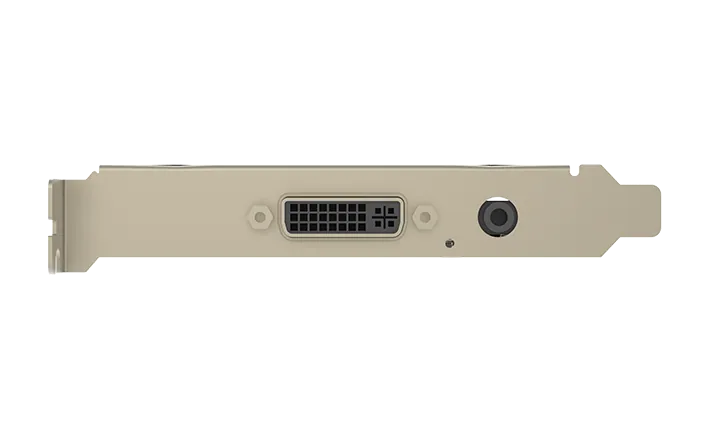
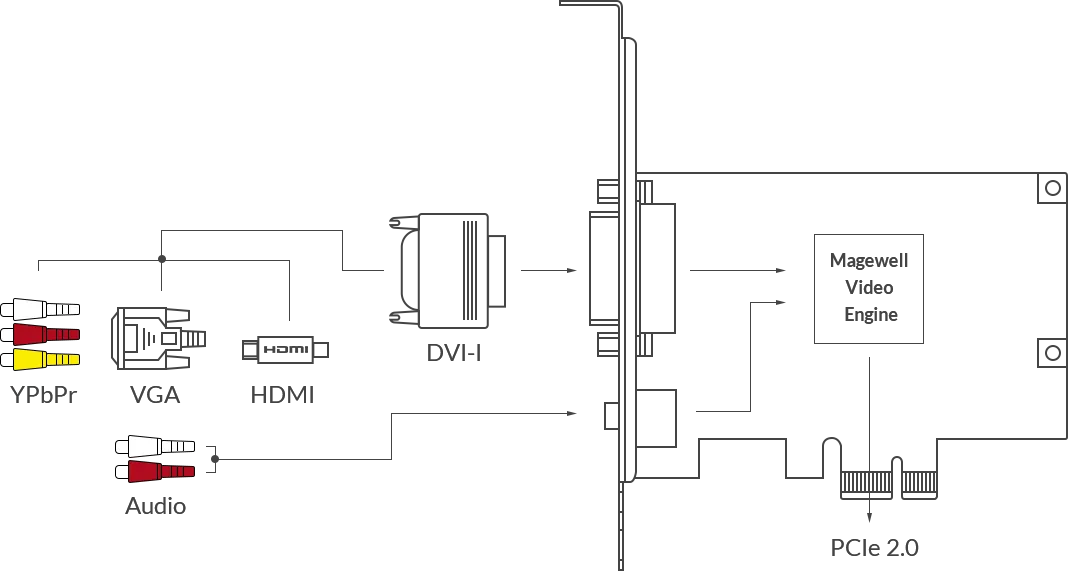
- DVI-I
- DVI 1.0
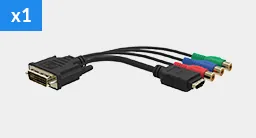
- HDMI 1.4a (via breakout cable)
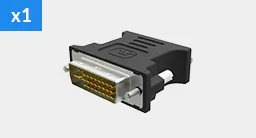
- VGA (via DVI2VGA connector)
- Component (via breakout cable)
- 3.5 mm Phone Jack
- Line in
- Host interface
- PCIe Gen2 × 1
- Status LEDs indicate the working state of each channel
- Pulsing slowly
- input signal unlocked
- On
- input signal locked
- Double blinks
- memory failed or FPGA configuration failed
- Off
- firmware or power supply abnormal
04Power3
- Max current at 12V
- ~ 0.35 A
- Max current at 3.3v
- ~ 0.17 A
- Max power consumption
- ~ 4.68 W
Show the full specificationHide the rest of the specification3 more groups · 8 values
05Physical2
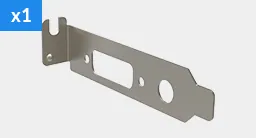
- Low profile PCIe x1 Add-on Card
- 92.76 mm × 68.88 mm (without PCI bracket)
06Environment3
- Operating temperature
- 0 to 60 deg C
- Storage temperature
- –20 to 70 deg C
- Relative humidity
- 5% to 90% non-condensing
07Packaging3
- DVI to VGA connector
- DVI-I to HDMI + Component breakout
- Low Profile bracket
02DescriptionManufacturer's description
What it is.
DVI + audio
VGA + audio
Component + audio
HDMI + embedded audio/analog audio
03Documents3 files · 840 KB
Documents and files.
Datasheets, manuals, drawings and certificates as the manufacturer publishes them.
04Related products
In the same range.
05Talk to us
 Pro Capture DVIMagewell · EQ-585
Need this priced for your project?
- Quantity and site
- Configuration and interfaces
- Quotation