Sheet 04 — Digital signage & retail displays
Solution 04 · Digital signage & retail displays

The right message, on the right screen.

Publish information and promotions where people need them. Start with one information screen, manage a six-screen network, or combine retail displays, touch navigation and an LED feature surface.

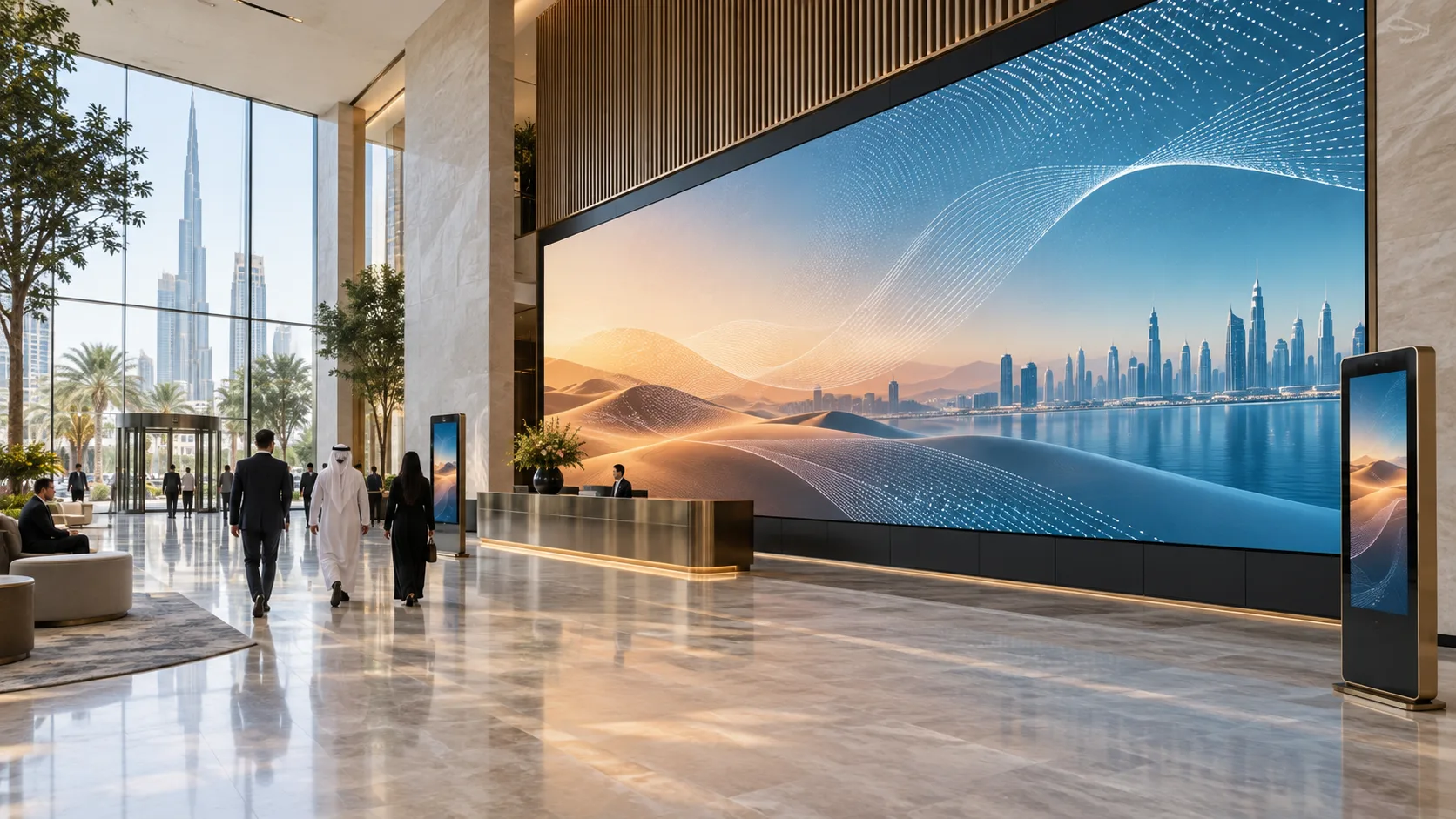
Concept visualisation of an integrated digital signage and LED display environment in Dubai
Fig. 04.0 — Digital signage & retail displays
01Overview

Plan the publishing workflow as carefully as the displays.

A screen shows the image. A player runs the presentation. A content management system (CMS) distributes media and schedules. Your content team owns the messages, languages and review process. Interactive wayfinding adds a separate application with maps, search and tenant data.

We define these responsibilities before selecting equipment. Display size, brightness and placement follow the viewing conditions; player and software selection follow the actual content. Every managed screen has an identity, a publishing destination and a documented service procedure.

Reference configurations · subject to project design and validation. The examples below describe intended functions and quantities. They are not fixed purchase packages or completed installations. Final software, licences and device compatibility are confirmed for the project.

Background music for a retail space needs its own zones, sources, processing and amplification. Explore hospitality AV for that separate scope. Large display surfaces are also covered in LED & LCD video walls.

02Where it is used06 environments

Real environments, real priorities.

Who works in each kind of space, what they work with and what matters most to them.

Application register
No.EnvironmentWho uses itWork and contentWhat matters mostTypical systems
A01Shop entrance or receptionStore or reception teamShow opening hours, notices and promotionsReadable content with a simple update procedureDS-01: one locally updated screen
A02Retail store or office networkMarketing or internal communications teamPublish different messages to selected locationsCorrect groups, schedules and accessDS-02: six screens in three groups
A03Shopping centreMarketing and facilities teamsCoordinate campaigns, directories and a feature displaySeparate ownership of promotions and navigationDS-03: eight displays, two kiosks and one LED surface
A04Food court or restaurant counterOutlet operations teamChange prepared menu boards by time of dayCorrect prices and a reviewed scheduleDS-02; live menu data needs a separately agreed connector
A05Transport, healthcare or public waiting areaOperations teamPresent visitor notices or service informationClear messages and a defined response to stale dataDS-01/02 for notices; live queue or operational feeds are additional scope
A06Campus, hotel or event venueCommunications and guest services teamsShow notices, event listings and directionsNamed content owners and legible multilingual layoutsDS-02, or DS-03 where interactive navigation is required
03Typical configurations

Three starting points, compared.

Choose the workflow closest to your brief. Compare its scope, interfaces and operating limits before selecting equipment.

Compare all 3 configurations
Configuration

Single information screen

DS-01

Maintain one screen with reviewed local content. Reference design · project selection and system tests required.

Explore DS-01

Managed six-screen network

DS-02

Publish by time and location to three screen groups. Reference design · project selection and system tests required.

Explore DS-02

Retail displays, wayfinding & LED

DS-03

Coordinate promotions and navigation across eleven playback points. Reference design · project selection and system tests required.

Explore DS-03
Scenario

One indoor information point

Six indoor screens across one site

A retail site with promotions, navigation and a feature surface

Display set

1 commercial display

6 commercial displays

8 commercial displays, 2 touch displays, 1 LED surface

Playback

1 player and 1 storage card

6 players and 6 storage cards

11 players and 11 storage cards

Publishing

Prepared media and schedule loaded locally

CMS publishing to 3 groups of 2 screens

CMS publishing to 11 endpoints, with separate directory administration

Software allowance

1 local authoring installation; no cloud subscription in the base

6 CMS endpoint entitlements; service term selected per project

11 CMS endpoint entitlements plus an application deployment for 2 kiosks

Interaction

None

None

Touch search and maps at 2 kiosks

Network loss

Installed local media; next update requires local access

Downloaded media follows its saved schedule; remote changes and monitoring wait

Downloaded media plus a separately designed navigation fallback

Main boundary

No central monitoring or live data

No touch application, LED surface or guaranteed screen synchronisation

No automatic offline support for arbitrary websites or unverified directory data

Intended outcome

A maintainable information loop

Controlled publishing by location and time

Coordinated retail information across three display formats

Single information screen

DS-01

Maintain one screen with reviewed local content. Reference design · project selection and system tests required.

Explore DS-01
Scenario
One indoor information point
Display set
1 commercial display
Playback
1 player and 1 storage card
Publishing
Prepared media and schedule loaded locally
Software allowance
1 local authoring installation; no cloud subscription in the base
Interaction
None
Network loss
Installed local media; next update requires local access
Main boundary
No central monitoring or live data
Intended outcome
A maintainable information loop

Managed six-screen network

DS-02

Publish by time and location to three screen groups. Reference design · project selection and system tests required.

Explore DS-02
Scenario
Six indoor screens across one site
Display set
6 commercial displays
Playback
6 players and 6 storage cards
Publishing
CMS publishing to 3 groups of 2 screens
Software allowance
6 CMS endpoint entitlements; service term selected per project
Interaction
None
Network loss
Downloaded media follows its saved schedule; remote changes and monitoring wait
Main boundary
No touch application, LED surface or guaranteed screen synchronisation
Intended outcome
Controlled publishing by location and time

Retail displays, wayfinding & LED

DS-03

Coordinate promotions and navigation across eleven playback points. Reference design · project selection and system tests required.

Explore DS-03
Scenario
A retail site with promotions, navigation and a feature surface
Display set
8 commercial displays, 2 touch displays, 1 LED surface
Playback
11 players and 11 storage cards
Publishing
CMS publishing to 11 endpoints, with separate directory administration
Software allowance
11 CMS endpoint entitlements plus an application deployment for 2 kiosks
Interaction
Touch search and maps at 2 kiosks
Network loss
Downloaded media plus a separately designed navigation fallback
Main boundary
No automatic offline support for arbitrary websites or unverified directory data
Intended outcome
Coordinated retail information across three display formats

Reference configurations. Example quantities require project selection, compatibility checks and system acceptance tests.

Follow the signal path for your configuration.

DS-01

Single information screen

Reference design · project selection and system tests required

A staff member updates notices and short videos at one indoor entrance, reception or counter.

DS-01 · Single information screen

One locally maintained information screen.

Signal flow

Signal flow. Devices, connections and conditions follow the drawing.Open SVG ↗
DS-01 · Signal flowReference configuration. One staff computer writes one storage card for one player. HDMI feeds one display. Staff check the visible result. No network or cloud service is required in the base design. Repeated device identifiers refer to the same equipment across views. Equipment illustrations are schematic; labels define quantities.{"sourceHash":"afc0e3d16032d2adc425979d59a876ce1f11919dfc3d352a2ef694c9f1d145f4","view":"signal","nodes":["PC","READER","CARD","PLAYER","DISPLAY"],"edges":["L01","L02","L03","L04"]}PIXEL COMMAND SOLUTIONS / DS-01 / SIGNAL FLOWSignal flowREFERENCE DESIGN · PROJECT VALIDATION REQUIREDPC → READER: USB file transferUSB file transferREADER → CARD: Write filesWrite filesCARD → PLAYER: Insert into playerInsert into playerPLAYER → DISPLAY: 1 HDMI video link1 HDMI video link1 staff computer Local authoring + schedulePC1 staff computer1 microSD reader Staff update procedureREADER1 microSD reader1 storage card Reviewed local packageCARD1 storage card1 standard player Local playback + clockPLAYER1 standard player1 commercial display Indoor information pointDISPLAY1 commercial displayUSB / KVMNetwork / dataVideo / LED data
Devices, connections & design conditions 4 connections
  • One locally maintained information screen.
  • An editor prepares a storage card for one player, which sends HDMI video to one display. Staff verify the visible result.
PC
1 staff computer Local authoring + schedule
READER
1 microSD reader Staff update procedure
CARD
1 storage card Reviewed local package
PLAYER
1 standard player Local playback + clock
DISPLAY
1 commercial display Indoor information point
  1. PC → READERUSB file transfer
  2. READER → CARDWrite files
  3. CARD → PLAYERInsert into player
  4. PLAYER → DISPLAY1 HDMI video link

Control & power

Signal flow. Devices, connections and conditions follow the drawing.Open SVG ↗
DS-01 · Control & powerReference configuration. One staff computer writes one storage card for one player. HDMI feeds one display. Staff check the visible result. No network or cloud service is required in the base design. Repeated device identifiers refer to the same equipment across views. Equipment illustrations are schematic; labels define quantities.{"sourceHash":"afc0e3d16032d2adc425979d59a876ce1f11919dfc3d352a2ef694c9f1d145f4","view":"control","nodes":["PC","PLAYER","DISPLAY","POWER"],"edges":["L05","L06","L07"]}PIXEL COMMAND SOLUTIONS / DS-01 / CONTROL & POWERControl & powerREFERENCE DESIGN · PROJECT VALIDATION REQUIREDDISPLAY → PC: Staff visually check releaseStaff visually checkreleasePOWER → PLAYER: PowerPowerPOWER → DISPLAY: PowerPower1 staff computer Local authoring + schedulePC1 staff computer1 standard player Local playback + clockPLAYER1 standard player1 commercial display Indoor information pointDISPLAY1 commercial displayLocal power Player DC + display ACPOWERLocal powerControl / statusPower
Devices, connections & design conditions 3 connections
  • One locally maintained information screen.
  • An editor prepares a storage card for one player, which sends HDMI video to one display. Staff verify the visible result.
PC
1 staff computer Local authoring + schedule
PLAYER
1 standard player Local playback + clock
DISPLAY
1 commercial display Indoor information point
POWER
Local power Player DC + display AC
  1. DISPLAY → PCStaff visually check release
  2. POWER → PLAYERPower
  3. POWER → DISPLAYPower

Typical architecture · not a project drawing

Workflow, boundaries and intended result

Composition

One commercial HDMI display, one external player, one local storage card, a mounting set, an HDMI connection and local power. An existing staff computer with a card reader prepares and transfers the presentation. The base workflow uses removable media; local network publishing is an optional alternative.

Operation

The content owner approves the material before it is loaded. A stored schedule selects the presentation. Staff check the visible result after an update and after a power interruption.

Limits

Central CMS publishing, remote alerts, live websites, touch interaction and multi-screen operation are outside this configuration. Clock settings and behaviour after an extended power-off period must be checked where timing matters.

Intended result

One screen displays reviewed local content with a documented update and restart procedure.

Example equipment for DS-01

Example quantities for the selected configuration; final selection follows the approved design. A catalogue listing does not confirm stock, delivery time or complete-system compatibility.

Commercial displays
1

Operating hours, brightness, orientation, service access and real-content readability · DS-01/02/03

Media players and local storage
1 player / 1 card

HDMI output, supported media, content capacity and recovery behaviour · DS-01/02/03

Content publishing software
1 local authoring installation; no cloud subscription

Local authoring or managed endpoint entitlements, roles, groups and licence term · Local authoring in DS-01; CMS in DS-02/03

Mounting, cabling and power
1 installation set

Site routes, device connections, ventilation and maintenance access · All; lengths and electrical loads determined during design

Network and service infrastructure
Optional network; local authoring uses the existing staff computer

Port capacity, firewall rules, backups and operational ownership · Shared per deployment; DS-01 network optional

DS-02

Managed six-screen network

Reference design · project selection and system tests required

An office or store needs different campaigns for three locations, with two screens in each content group.

DS-02 · Managed six-screen network

Six players receive schedules for three content groups.

Signal flow

Signal flow. Devices, connections and conditions follow the drawing.Open SVG ↗
DS-02 · Signal flowReference configuration. One editor workstation accesses one CMS workspace with six endpoint entitlements. Six players fetch content through the site firewall and switch, and return status by the same route. Each player has a local storage card and HDMI display. Groups A, B and C each contain two players. Power is local, not PoE. Repeated device identifiers refer to the same equipment across views. Equipment illustrations are schematic; labels define quantities.{"sourceHash":"d6be1593177202d1ef50cf65685251a744bb4f81724af30197a27ab69a061ef4","view":"signal","nodes":["CMS","FIREWALL","SWITCH","PLAYERS","CARDS","DISPLAYS"],"edges":["L03","L04","L06","L07","L08"]}PIXEL COMMAND SOLUTIONS / DS-02 / SIGNAL FLOWSignal flowREFERENCE DESIGN · PROJECT VALIDATION REQUIREDCMS → FIREWALL: HTTPS content replies to player requestsHTTPS content repliesto player requestsFIREWALL → SWITCH: Ethernet uplinkEthernet uplinkSWITCH → PLAYERS: 6 Ethernet access links6 Ethernet access linksCARDS → PLAYERS: One installed card per playerOne installed card perplayerPLAYERS → DISPLAYS: 6 HDMI video links6 HDMI video links1 CMS workspace Library, schedules and player reportsCMS1 CMS workspaceSite firewall + uplink Approved outbound service accessFIREWALLSite firewall + uplink1 managed 16-port switch 8 ports used in baseSWITCH1 managed 16-portswitch6 standard players A: P01-02 / B: P03-04 / C: P05-06PLAYERS6 standard players6 local storage cards Saved media + scheduleCARDS6 local storage cards6 commercial displays One HDMI input per screenDISPLAYS6 commercial displaysNetwork / dataVideo / LED data
Devices, connections & design conditions 5 connections
  • Six players receive schedules for three content groups.
  • Editors access a CMS. Six players use the site network to fetch content and return status; each player feeds one display over HDMI.
CMS
1 CMS workspace Library, schedules and player reports
FIREWALL
Site firewall + uplink Approved outbound service access
SWITCH
1 managed 16-port switch 8 ports used in base
PLAYERS
6 standard players A: P01-02 / B: P03-04 / C: P05-06
CARDS
6 local storage cards Saved media + schedule
DISPLAYS
6 commercial displays One HDMI input per screen
  1. CMS → FIREWALLHTTPS content replies to player requests
  2. FIREWALL → SWITCHEthernet uplink
  3. SWITCH → PLAYERS6 Ethernet access links
  4. CARDS → PLAYERSOne installed card per player
  5. PLAYERS → DISPLAYS6 HDMI video links

Control & power

Signal flow. Devices, connections and conditions follow the drawing.Open SVG ↗
DS-02 · Control & powerReference configuration. One editor workstation accesses one CMS workspace with six endpoint entitlements. Six players fetch content through the site firewall and switch, and return status by the same route. Each player has a local storage card and HDMI display. Groups A, B and C each contain two players. Power is local, not PoE. Repeated device identifiers refer to the same equipment across views. Equipment illustrations are schematic; labels define quantities.{"sourceHash":"d6be1593177202d1ef50cf65685251a744bb4f81724af30197a27ab69a061ef4","view":"control","nodes":["EDITOR","CMS","RIGHTS","SWITCH","PLAYERS","DISPLAYS","POWER"],"edges":["L01","L02","L05","L09","L10","L11"]}PIXEL COMMAND SOLUTIONS / DS-02 / CONTROL & POWERControl & powerREFERENCE DESIGN · PROJECT VALIDATION REQUIREDEDITOR → CMS: CMS console over HTTPS via site networkCMS console over HTTPSvia site networkRIGHTS → CMS: One entitlement per active playerOne entitlement peractive playerEDITOR → SWITCH: 1 Ethernet access port1 Ethernet access portPLAYERS → CMS: Requests and status via same switch and firewallRequests and status viasame switch andfirewallPOWER → PLAYERS: PowerPowerPOWER → DISPLAYS: PowerPower1 editor workstation Named editor / publisher / admin accountsEDITOR1 editor workstation1 CMS workspace Library, schedules and player reportsCMS1 CMS workspace6 CMS endpoint entitlements Roles and service term to confirmRIGHTS6 CMS endpointentitlements1 managed 16-port switch 8 ports used in baseSWITCH1 managed 16-portswitch6 standard players A: P01-02 / B: P03-04 / C: P05-06PLAYERS6 standard players6 commercial displays One HDMI input per screenDISPLAYS6 commercial displaysLocal power at each point Player DC + display AC; no endpoint PoEPOWERLocal power at eachpointControl / statusPower
Devices, connections & design conditions 6 connections
  • Six players receive schedules for three content groups.
  • Editors access a CMS. Six players use the site network to fetch content and return status; each player feeds one display over HDMI.
EDITOR
1 editor workstation Named editor / publisher / admin accounts
CMS
1 CMS workspace Library, schedules and player reports
RIGHTS
6 CMS endpoint entitlements Roles and service term to confirm
SWITCH
1 managed 16-port switch 8 ports used in base
PLAYERS
6 standard players A: P01-02 / B: P03-04 / C: P05-06
DISPLAYS
6 commercial displays One HDMI input per screen
POWER
Local power at each point Player DC + display AC; no endpoint PoE
  1. EDITOR → CMSCMS console over HTTPS via site network
  2. RIGHTS → CMSOne entitlement per active player
  3. EDITOR → SWITCH1 Ethernet access port
  4. PLAYERS → CMSRequests and status via same switch and firewall
  5. POWER → PLAYERSPower
  6. POWER → DISPLAYSPower

Typical architecture · not a project drawing

Workflow, boundaries and intended result

Composition

Six commercial displays, six players, six local storage cards and six CMS endpoint entitlements. Shared infrastructure comprises one managed access switch, the site's firewall and internet connection, an existing editor workstation, and one configured CMS workspace. Each player has its own HDMI output and local power supply.

Operation

Editors prepare content; an authorised publisher releases the reviewed version to the chosen group and schedule. The administrator checks player connectivity and download status. The selected CMS must support the agreed group permissions; a formal software approval workflow is specified separately if required.

Limits

Three content groups do not guarantee frame-accurate synchronisation. A player screenshot does not prove that the display is powered on or set to the correct input. Touch, live business-data connectors and display telemetry are additional scope.

Intended result

The operations team can publish a campaign to the intended screens, check delivery and recover from a failed update without changing other groups.

Example equipment for DS-02

Example quantities for the selected configuration; final selection follows the approved design. A catalogue listing does not confirm stock, delivery time or complete-system compatibility.

Commercial displays
6

Operating hours, brightness, orientation, service access and real-content readability · DS-01/02/03

Media players and local storage
6 players / 6 cards

HDMI output, supported media, content capacity and recovery behaviour · DS-01/02/03

Content publishing software
6 CMS endpoint entitlements

Local authoring or managed endpoint entitlements, roles, groups and licence term · Local authoring in DS-01; CMS in DS-02/03

Mounting, cabling and power
1 installation set

Site routes, device connections, ventilation and maintenance access · All; lengths and electrical loads determined during design

Network and service infrastructure
1 shared deployment

Port capacity, firewall rules, backups and operational ownership · Shared per deployment; DS-01 network optional

DS-03

Retail displays, wayfinding & LED

Reference design · project selection and system tests required

A shopping centre combines eight advertising screens, two visitor navigation kiosks and one LED feature surface.

DS-03 · Retail displays, wayfinding & LED

Eleven playback endpoints with separate navigation and LED paths.

Signal flow

Signal flow. Devices, connections and conditions follow the drawing.Open SVG ↗
DS-03 · Signal flowReference configuration with eleven independent players and storage cards. Eight standard players feed eight displays. Two interactive players feed two touch displays by HDMI and receive USB touch. One LED player feeds one LED processor and one receiving system. The site switch and firewall carry CMS downloads and status. A separate directory service delivers navigation data. All players use local DC power. Local DC power for all 11 players Separate power for displays and LED No endpoint PoE in this design Repeated device identifiers refer to the same equipment across views. Equipment illustrations are schematic; labels define quantities.{"sourceHash":"41e8b3f875978e7e7eb005b0d8735e22d2b32e4bc27c3003771fdf5623d413f3","view":"signal","nodes":["CMS","DIRECTORY","FIREWALL","SWITCH","CARDS","STANDARD","INTERACTIVE","LEDPLAYER","DISPLAYS","TOUCH","PROCESSOR","SURFACE"],"edges":["L05","L06","L07","L08","L09","L10","L11","L12","L13","L15","L16","L17","L18","L19"]}PIXEL COMMAND SOLUTIONS / DS-03 / SIGNAL FLOWSignal flowREFERENCE DESIGN · PROJECT VALIDATION REQUIREDCMS → FIREWALL: HTTPS package repliesHTTPS packagesDIRECTORY → FIREWALL: HTTPS data repliesHTTPS dataFIREWALL → SWITCH: 1 Ethernet uplinkEthernet uplinkSWITCH → STANDARD: 8 Ethernet links8 Ethernet linksSWITCH → INTERACTIVE: 2 Ethernet links: packages and directory data2 EthernetlinksSWITCH → LEDPLAYER: 1 Ethernet link1 Ethernet linkCARDS → STANDARD: 8 cards8 storage cardsCARDS → INTERACTIVE: 2 cards2 storage cardsCARDS → LEDPLAYER: 1 card1 storage cardSTANDARD → DISPLAYS: 8 HDMI links8 × HDMIINTERACTIVE → TOUCH: 2 HDMI video links2 × HDMI videoTOUCH → INTERACTIVE: 2 USB touch return links2 × USB touchreturnLEDPLAYER → PROCESSOR: 1 HDMI video linkHDMI videoPROCESSOR → SURFACE: Vendor LED data, not CMS EthernetLED data · not Ethernet1 CMS workspace Library, schedules and player reportsCMS1 CMS workspace1 directory data service Versioned maps + tenant dataDIRECTORY1 directory dataserviceSite firewall + uplink Approved outbound accessFIREWALLSite firewall + uplink1 managed 24-port switch 14 ports used: 11 players + uplink + 2 staffSWITCH1 managed 24-portswitch11 local storage cards One installed in each playerCARDS11 local storage cards8 standard players P01-P08STANDARD8 standard players2 interactive players P09-P10 / local kiosk applicationINTERACTIVE2 interactive players1 LED content player P11LEDPLAYER1 LED content player8 commercial displays Campaigns and informationDISPLAYS8 commercial displays2 touch displays Search and mapsTOUCH2 touch displays1 LED processor Input format and pixel map TBDPROCESSOR1 LED processor1 LED surface package Receiving cards, modules and PSUSURFACE1 LED surface packageNetwork / dataVideo / LED dataUSB / KVM
Devices, connections & design conditions 14 connections
  • Eleven playback endpoints with separate navigation and LED paths.
  • Eight players feed standard displays, two interactive players receive USB touch from kiosks, and one player feeds an LED processor. The directory service supplies data to the kiosk application separately from CMS content publishing.
CMS
1 CMS workspace Library, schedules and player reports
DIRECTORY
1 directory data service Versioned maps + tenant data
FIREWALL
Site firewall + uplink Approved outbound access
SWITCH
1 managed 24-port switch 14 ports used: 11 players + uplink + 2 staff
CARDS
11 local storage cards One installed in each player
STANDARD
8 standard players P01-P08
INTERACTIVE
2 interactive players P09-P10 / local kiosk application
LEDPLAYER
1 LED content player P11
DISPLAYS
8 commercial displays Campaigns and information
TOUCH
2 touch displays Search and maps
PROCESSOR
1 LED processor Input format and pixel map TBD
SURFACE
1 LED surface package Receiving cards, modules and PSU
  1. CMS → FIREWALLHTTPS package replies
  2. DIRECTORY → FIREWALLHTTPS data replies
  3. FIREWALL → SWITCH1 Ethernet uplink
  4. SWITCH → STANDARD8 Ethernet links
  5. SWITCH → INTERACTIVE2 Ethernet links: packages and directory data
  6. SWITCH → LEDPLAYER1 Ethernet link
  7. CARDS → STANDARD8 cards
  8. CARDS → INTERACTIVE2 cards
  9. CARDS → LEDPLAYER1 card
  10. STANDARD → DISPLAYS8 HDMI links
  11. INTERACTIVE → TOUCH2 HDMI video links
  12. TOUCH → INTERACTIVE2 USB touch return links
  13. LEDPLAYER → PROCESSOR1 HDMI video link
  14. PROCESSOR → SURFACEVendor LED data, not CMS Ethernet

Local DC power for all 11 players Separate power for displays and LED No endpoint PoE in this design

Control & status

Signal flow. Devices, connections and conditions follow the drawing.Open SVG ↗
DS-03 · Control & statusReference configuration with eleven independent players and storage cards. Eight standard players feed eight displays. Two interactive players feed two touch displays by HDMI and receive USB touch. One LED player feeds one LED processor and one receiving system. The site switch and firewall carry CMS downloads and status. A separate directory service delivers navigation data. All players use local DC power. Local DC power for all 11 players Separate power for displays and LED No endpoint PoE in this design Repeated device identifiers refer to the same equipment across views. Equipment illustrations are schematic; labels define quantities.{"sourceHash":"41e8b3f875978e7e7eb005b0d8735e22d2b32e4bc27c3003771fdf5623d413f3","view":"control","nodes":["STAFF","CMS","RIGHTS","DIRECTORY","APP","SWITCH","INTERACTIVE"],"edges":["L01","L02","L03","L04","L14","L20","L21"]}PIXEL COMMAND SOLUTIONS / DS-03 / CONTROL & STATUSControl & statusREFERENCE DESIGN · PROJECT VALIDATION REQUIREDSTAFF → CMS: CMS console / HTTPS via site networkCMS console / HTTPS viasite networkSTAFF → DIRECTORY: Directory admin / HTTPS via site networkDirectory admin / HTTPSvia site networkSTAFF → SWITCH: 2 Ethernet access ports2 Ethernet access portsRIGHTS → CMS: One entitlement per active playerOne entitlement peractive playerAPP → INTERACTIVE: Separate app scope / 2 runtime instancesSeparate app scope/ 2 runtimeinstancesSWITCH → CMS: All 11 players: requests and status via firewallAll 11 players:requests and status viafirewallSWITCH → DIRECTORY: Kiosk data requests via firewallKiosk data requests viafirewall2 staff workstations Campaign publisher / directory editorSTAFF2 staff workstations1 CMS workspace Library, schedules and player reportsCMS1 CMS workspace11 CMS endpoint entitlements 8 standard + 2 kiosk + 1 LEDRIGHTS11 CMS endpointentitlements1 directory data service Versioned maps + tenant dataDIRECTORY1 directory dataservice1 navigation application deployment Runtime rights for 2 kiosksAPP1 navigationapplication deployment1 managed 24-port switch 14 ports used: 11 players + uplink + 2 staffSWITCH1 managed 24-portswitch2 interactive players P09-P10 / local kiosk applicationINTERACTIVE2 interactive playersControl / status
Devices, connections & design conditions 7 connections
  • Eleven playback endpoints with separate navigation and LED paths.
  • Eight players feed standard displays, two interactive players receive USB touch from kiosks, and one player feeds an LED processor. The directory service supplies data to the kiosk application separately from CMS content publishing.
STAFF
2 staff workstations Campaign publisher / directory editor
CMS
1 CMS workspace Library, schedules and player reports
RIGHTS
11 CMS endpoint entitlements 8 standard + 2 kiosk + 1 LED
DIRECTORY
1 directory data service Versioned maps + tenant data
APP
1 navigation application deployment Runtime rights for 2 kiosks
SWITCH
1 managed 24-port switch 14 ports used: 11 players + uplink + 2 staff
INTERACTIVE
2 interactive players P09-P10 / local kiosk application
  1. STAFF → CMSCMS console / HTTPS via site network
  2. STAFF → DIRECTORYDirectory admin / HTTPS via site network
  3. STAFF → SWITCH2 Ethernet access ports
  4. RIGHTS → CMSOne entitlement per active player
  5. APP → INTERACTIVESeparate app scope / 2 runtime instances
  6. SWITCH → CMSAll 11 players: requests and status via firewall
  7. SWITCH → DIRECTORYKiosk data requests via firewall

Local DC power for all 11 players Separate power for displays and LED No endpoint PoE in this design

Typical architecture · not a project drawing

Workflow, boundaries and intended result

Composition

Eight standard players feed eight commercial displays. Two interactive players feed two touch displays over HDMI and receive touch events over separate USB connections. One further player feeds an LED processor over HDMI. The processor drives the LED receiving system. All 11 players have local storage and their own CMS endpoint entitlement. Shared services include the CMS, network, two existing staff workstations and one directory application deployment licensed for both kiosks.

Operation

The marketing publisher owns campaigns; the directory editor maintains tenant names, categories and map positions. The navigation application handles search, language selection and inactivity reset. Directory changes are versioned and checked at both kiosks. LED content is prepared for the agreed canvas and mapping. Campaign screens, navigation kiosks and the LED feed have separate publishing destinations. Each kiosk retains its own starting location for directions. A campaign update must not replace the navigation application; alternating advertising and navigation on a kiosk requires a separately agreed workflow.

Limits

The navigation application and its hosting are separate from the player and CMS. Its implementation and compatibility require validation with the selected touch controllers and real maps. During a data outage, it must either use an approved local directory snapshot with a visible update date or show a local fallback message. If safe data are unavailable, route guidance is disabled. LED pixel capacity, power and structure are determined after the surface dimensions are known.

Intended result

Visitors see current promotions and can use a maintained directory, while staff control publication and know how each part behaves during an outage.

Example equipment for DS-03

Example quantities for the selected configuration; final selection follows the approved design. A catalogue listing does not confirm stock, delivery time or complete-system compatibility.

Commercial displays
8

Operating hours, brightness, orientation, service access and real-content readability · DS-01/02/03

Media players and local storage
11 players / 11 cards; includes 2 interactive players

HDMI output, supported media, content capacity and recovery behaviour · DS-01/02/03

Content publishing software
11 CMS endpoint entitlements

Local authoring or managed endpoint entitlements, roles, groups and licence term · Local authoring in DS-01; CMS in DS-02/03

Touch displays and interactive players
2 touch displays; players counted above

Compatible USB touch controller and measured application response · DS-03

Directory application and data service
1 deployment for 2 kiosk origins

Search, maps, languages, editing, versioning and offline fallback · DS-03

LED display and processor
1 surface / 1 processor; pixel map by design

Pixel map, input format, receiver compatibility, power and support structure · DS-03; browse LED equipment

Mounting, cabling and power
1 installation set

Site routes, device connections, ventilation and maintenance access · All; lengths and electrical loads determined during design

Network and service infrastructure
1 shared deployment

Port capacity, firewall rules, backups and operational ownership · Shared per deployment; DS-01 network optional

05Reference architectureInteractive

How a typical system fits together.

Four layers, from the sources to the people operating the system. Select a layer to see its components and the interfaces between them.

Typical architecture · Digital signage & retail displays

L2 · Selected layerProcessing & transport

How signals are routed and processed in a typical system of this kind.

Components and interfaces
  • External players and local storageLocal / HTTPSOne independent HDMI output per endpoint; media formats and application performance verified
  • Site network and firewallLocal / HTTPSDS-02/03: wired Ethernet and approved outbound service access; local DC power in the reference designs
Documented scope · Digital signage & retail displays
  • Display placement, readability and mounting requirements.
  • Players, local storage and video connections.
  • Content preparation and local publishing for DS-01.
  • CMS groups, schedules, permissions and monitoring for DS-02 and DS-03.
  • Touch navigation, directory data and LED mapping for DS-03.
  • Network coordination, acceptance checks and staff training.
Prepare for the first conversation
  1. 01Floor plans, screen positions, dimensions, viewing distances and site photographs.
  2. 02Lighting, sun exposure, indoor/outdoor conditions and operating hours.
  3. 03Sample videos, notices, menus, maps and required languages.
  4. 04Content owners, editors, publishers, update frequency and approval rules.
  5. 05Existing displays, players, CMS, licences and software versions.
  6. 06Network, internet, security, time-service and power information.
  7. 07Tenant data, floor maps, API documentation and required offline behaviour for navigation.
  8. 08Installation windows, accessibility requirements, advertising approvals and the service contact.
Share your signage brief
06Design parametersTypical guidance · confirmed per project

What the design has to get right.

The engineering checks behind every drawing. Rules of thumb are starting points; the project values are confirmed with the people named.

Design parameters
No.ParameterGuidanceRule of thumbConfirmed with
D01Location and operating hoursSelect brightness, orientation and duty rating for each positionRead the agreed sample in actual lighting; check the display datasheetSite team and AV engineer
D02Text and layoutDesign for viewing distance, dwell time and languageReal notices, menus and map labels remain usable at agreed positionsContent owner
D03Media and playerTest the actual codec, frame rate, resolution and HTML workloadApproved content set plays on the selected hardware and software versionSoftware supplier and AV engineer
D04Storage and updatesAllow space for current content, the next release, application data and logsCapacity calculation and interrupted-update testCMS administrator
D05Network capacityBudget content downloads, update windows and telemetry separatelyMeasured delivery time with the site's bandwidth limitsIT team
D06Schedules and clockSet the correct timezone and define conflict, expiry and power-off behaviourOpening, closing, overlap and recovery testsPublisher and IT team
D07Permissions and licencesDistinguish content preparation, release and device administrationPositive and denied-action tests; recorded endpoint and application entitlementsCMS owner
D08Offline behaviourSeparate local media, cached application data and remote websitesWAN, data-service and restart tests for the agreed fallbackOperations team
D09Touch and accessibilityCoordinate reach, approach space, readable controls and interactionTest both kiosks with real maps, mixed-language text and agreed accessibility criteriaFit-out designer and accessibility reviewer
D10LED canvasSelect the processor and receiving system for the complete pixel mapNo cropping or scaling errors on the approved test patternLED engineer
D11Content governanceName the owner; agree language review, permitted use and advertising requirementsApproved templates and a recorded publication processClient and relevant authority
D12Service and recoveryDistinguish player status from visible display operationFault reporting, replacement and restoration exerciseService owner
Common mistakes

And how the design process prevents them.

  1. M01

    Mistake: Every screen receives the same campaign.

    Prevention: Define destinations and test group-specific publishing.

  2. M02

    Mistake: A downloaded video works offline, so the directory is assumed to work too.

    Prevention: Test the application, its data and its fallback separately.

  3. M03

    Mistake: A touch display is connected only by HDMI.

    Prevention: Provide and verify the USB touch return to a compatible player.

  4. M04

    Mistake: A green player status is treated as proof of a working screen.

    Prevention: Verify the panel and input separately; add telemetry only where supported.

  5. M05

    Mistake: A three-group schedule is described as synchronised video.

    Prevention: Specify and test synchronisation separately if the presentation requires it.

  6. M06

    Mistake: Content has no owner after handover.

    Prevention: Assign publication, directory maintenance and licence renewal responsibilities.

07Design referencesEditions checked per project

The references we design to.

Equipment documentation, industry guides and project requirements inform the design. Confirm applicable editions and acceptance criteria for the site.

Equipment documentation and industry guides04

  • WCAG 2.2Project design referenceAgreed accessibility criteria for the navigation interfaceCheck current edition
  • Dubai Universal Design CodeProject design referencePhysical kiosk access and placement; applicability checked with the fit-out designerCheck current edition
  • Dubai Decree No. (6) of 2020Project design referenceAdvertising permissions and template language requirements; applicability confirmed for the placement and contentCheck current edition
  • Manufacturer interface and installation documentationProject design referenceMedia formats, USB touch, LED mapping, mounting, operating environment and powerCheck current edition
08Integrations08 interfaces

Connected to the building and its IT.

The systems this solution usually exchanges signals or data with, and why. Each interface is agreed with the system owner.

  • I01

    Site IT

    Ethernet, approved service access, DNS and time services

    Managed publishing and diagnostics in DS-02/03; no inbound internet exposure is assumed

  • I02

    Directory administration

    Versioned export or authenticated HTTPS API

    DS-03 application data; define schema, update cadence, stale-data rule and rollback

  • I03

    Identity and user administration

    Named CMS accounts; optional identity connector

    Group rights must be demonstrated; single sign-on is additional scope

  • I04

    Menu, calendar, queue or business-data source

    Documented HTTPS API or scheduled export

    Optional connector with an owner, credentials and fallback; no universal integration is included

  • I05

    Display operation

    Supported CEC, serial or IP control

    Optional power/input control and telemetry; choose an interface for each display model

  • I06

    Building alerts

    Separately engineered local interface or supported alert service

    Optional override with its own acceptance tests; signage does not replace a life-safety system

  • I07

    Retail sound system

    Separately specified audio feed and zone controls

    Optional integration with hospitality AV; background music is outside DS player counts

  • I08

    Backup and service reporting

    Configuration exports, application packages and selected CMS reports

    Versioned recovery material; report availability and retention depend on the selected software

09Delivery

From the brief to an accepted system.

The six stages follow the selected configuration. Platform development or unconfirmed software functions require their own agreed scope and validation milestones.

Our services
  1. Stage 01

    Scope and architecture

    Map audiences, display points, content types, languages and operating hours. Name the content owners and choose local publishing, a managed network or interactive retail navigation.

    • Display points and audiences
    • Content owners and languages
    • Publishing and navigation scope
  2. Stage 02

    Design and approval

    Issue the display map, readability requirements, signal paths, network and power schedules. Define templates, roles, group destinations, licence scope and fallback behaviour.

    • Display and readability plan
    • Network and power schedule
    • Publishing roles and fallback rules
  3. Stage 03

    Selection and supply

    Confirm displays, players, storage, mounting and software against the agreed content. Validate the touch/application pairing and LED processing where included; record licence terms and supply status.

    • Compatible display and player set
    • Software and licence schedule
    • Checked touch and LED interfaces
  4. Stage 04

    Installation and programming

    Install and label the equipment. Load the local presentation for DS-01; configure CMS groups and schedules for DS-02/03. Deploy and map the navigation and LED content for DS-03.

    • Installed and labelled endpoints
    • Loaded templates and schedules
    • Configured groups and monitoring
  5. Stage 05

    Commissioning and tests

    Publish real content to the intended destinations. Check time changes, permissions, interrupted updates and recovery. Exercise both touch kiosks, stale directory data and LED mapping where included.

    • Destination and schedule tests
    • Publishing permission checks
    • Outage and recovery results
  6. Stage 06

    Handover

    Train editors and administrators. Deliver the display/player register, diagrams, templates, application and configuration backups, licence record, acceptance report and operating procedures.

    • Editor and administrator training
    • Endpoint and licence register
    • Backups and operating guides
Documented outcomes
01

Maintain one screen with reviewed local content.

02

Publish by time and location to three screen groups.

03

Coordinate promotions and navigation across eleven playback points.

10Acceptance

Verify the complete workflow.

Agree the demonstration and the records before accepting the selected configuration.

DS-01

Reference design · project selection and system tests required

Load approved content, read it at the intended position, check the schedule and restart after power loss

Record supplied: Content/version record, display check and local update guide

These are planned project checks. The reference configuration has not passed physical system acceptance.

DS-02

Reference design · project selection and system tests required

Publish to one group without altering the other two; deny unauthorised actions; interrupt a download; disconnect and restore WAN

Record supplied: Group/permissions report, schedule evidence, outage and recovery results

These are planned project checks. The reference configuration has not passed physical system acceptance.

DS-03

Reference design · project selection and system tests required

Exercise all 11 endpoints, search and update both kiosks, test a directory outage and restart, map the complete LED canvas

Record supplied: Endpoint/licence register, navigation tests, fallback evidence and LED mapping record

These are planned project checks. The reference configuration has not passed physical system acceptance.

11Inputs and FAQ

Before we begin.

What to send us, and practical answers before the project starts.

Do all three configurations include a cloud CMS?

No. DS-01 uses local authoring and a storage card. DS-02 and DS-03 allow for a managed CMS with six and eleven endpoint entitlements respectively. Cloud or on-premises deployment is selected against IT requirements; a local server is a separate design and cost item.

Who creates the content and maintains the directory?

Your team or agency normally supplies and approves the messages. The project defines templates and publication responsibilities. DS-03 also needs a directory owner for tenant data, maps and route updates. Ongoing content production and application maintenance need an agreed scope.

What continues when the network fails?

Previously downloaded media can follow its saved schedule, subject to a working player, storage and clock. Remote updates and monitoring are unavailable without their network path. Websites, streams and live data need separate fallback handling. DS-03 must demonstrate its local directory snapshot or fallback message, including a restart during the outage.

Why does DS-03 have eleven endpoints?

Eight advertising displays, two touch kiosks and one LED content feed each have an independent player: 8 + 2 + 1 = 11. The LED cabinets do not each need a signage player. CMS entitlements cover all eleven players; navigation software, data hosting and any separate application licences are counted additionally.

Can editors publish only to their own locations?

That is a requirement for the managed configurations. We test both permitted and forbidden actions in the selected CMS, including shared files and device administration. Some platforms need separate workspaces or a different permissions design. An enforced approval workflow is included only when selected and verified.

Can existing screens be reused, and can a standard player drive a touch kiosk?

Existing screens are checked for inputs, operating hours, brightness, orientation and condition. A touch kiosk needs an appropriate player, a compatible USB touch controller and a tested application. HDMI carries the image; it does not return touch events.

Can the screens show Arabic and English?

Templates and navigation can be designed for both languages. We check right-to-left layout, fonts, numerals, mixed text and line breaks using real content. For advertising in Dubai, template language and permit requirements are confirmed with the relevant authority before release.

Are synchronised video, audience analytics and emergency overrides included?

They are separate requirements. The reference designs include local or scheduled playback, with player monitoring in DS-02/03. Frame synchronisation, audience measurement and building-alert interfaces need their own software, hardware and tests. Player logs alone do not prove that a person saw a message.

12Talk to us

Share your signage brief.

Send display locations, sample content and your publishing responsibilities.