
















Sheet 05.857
AV Access · AV over IP
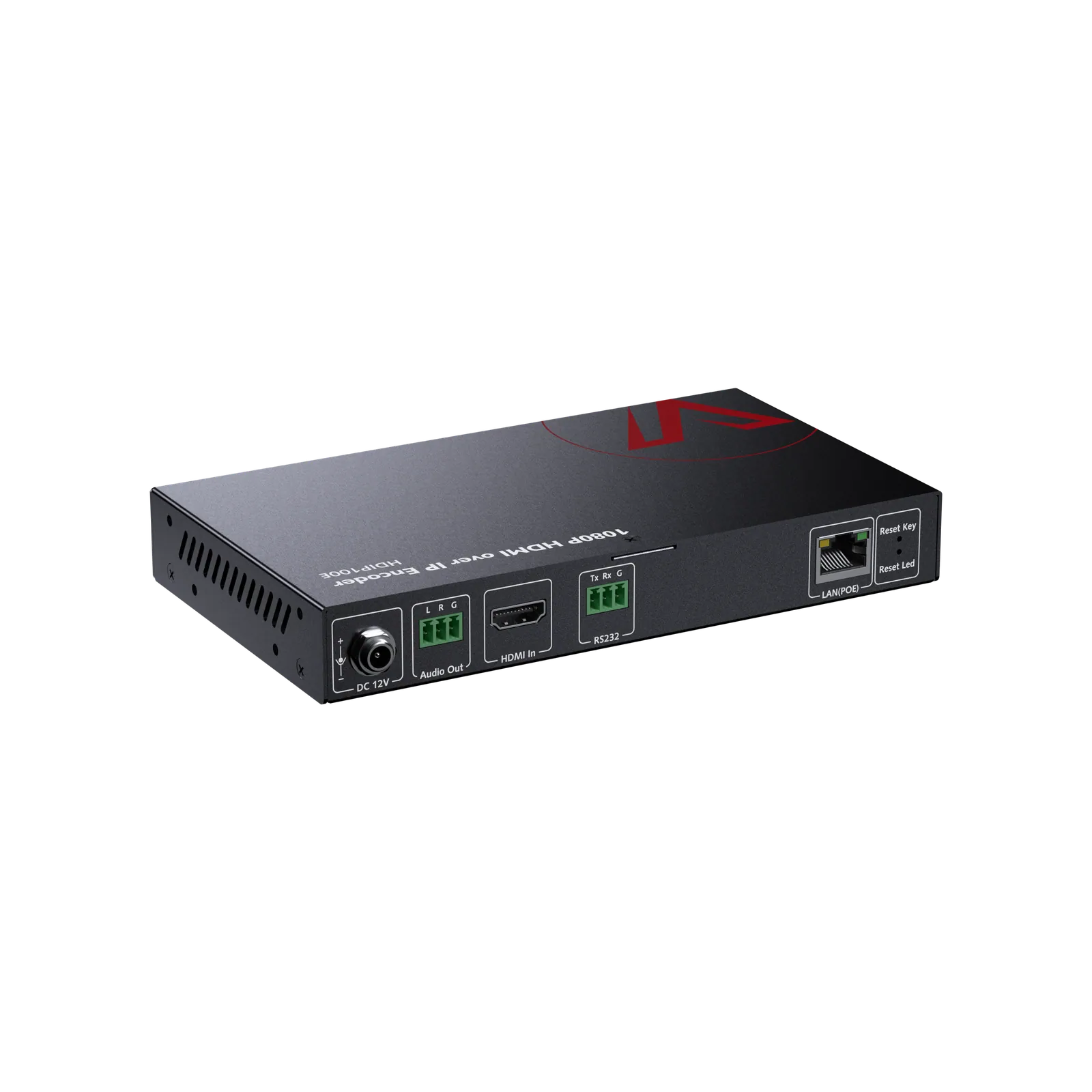
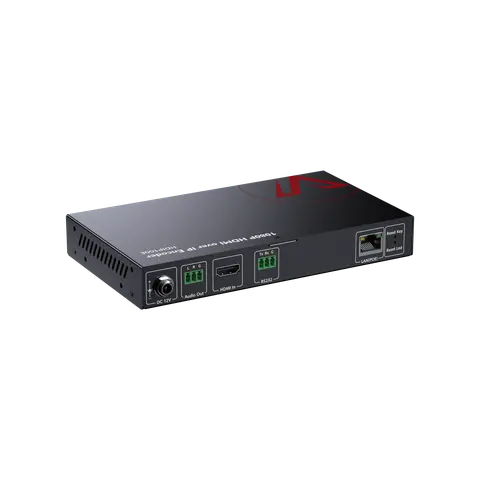
1080P AV over IP encoder with video wall
ModelHDIP100E
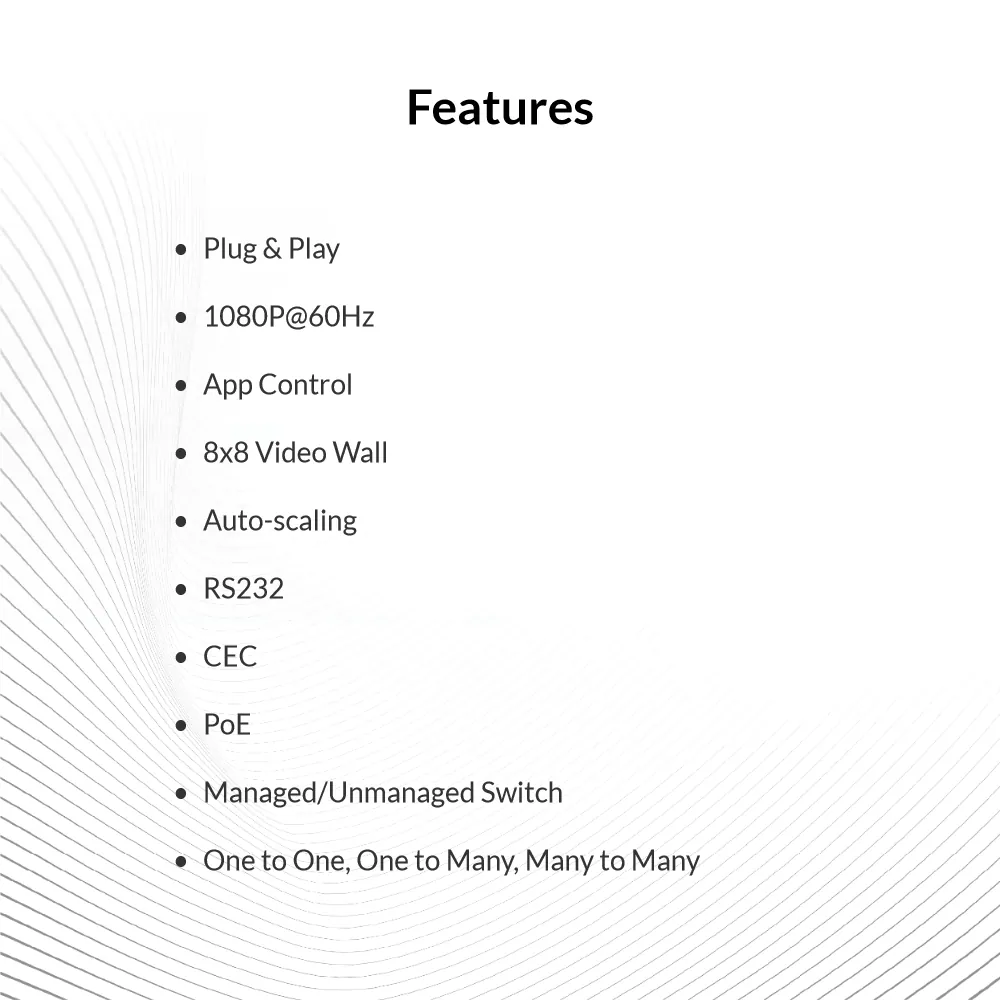
● Zero Configuration: Works flawlessly with universal Ethernet switches, no switch configuration required. ● IP Matrix: Build a flexible and scalable distributed IP matrix system with support for video walls up to 8×8.
1080P AV over IP encoder with video wallPrice on request Request a quotation
01VideoManufacturer's video on YouTube
AV Access 1080P AV over IP encoder with video wall: the manufacturer's video
02SpecificationManufacturer's data · 6 groups · 31 values
What this product is, in numbers.
PDFUser ManualEN · 6 pages · 897 KB
The manufacturer's published values. We confirm the configuration and the values that matter for your project before an order.
01General14
- Main function
- A 1080P AV over IP decoder for scalable HDMI matrix switching and video walls
- Target audience
- AV integrators, IT managers, commercial installers
- Critical scenarios
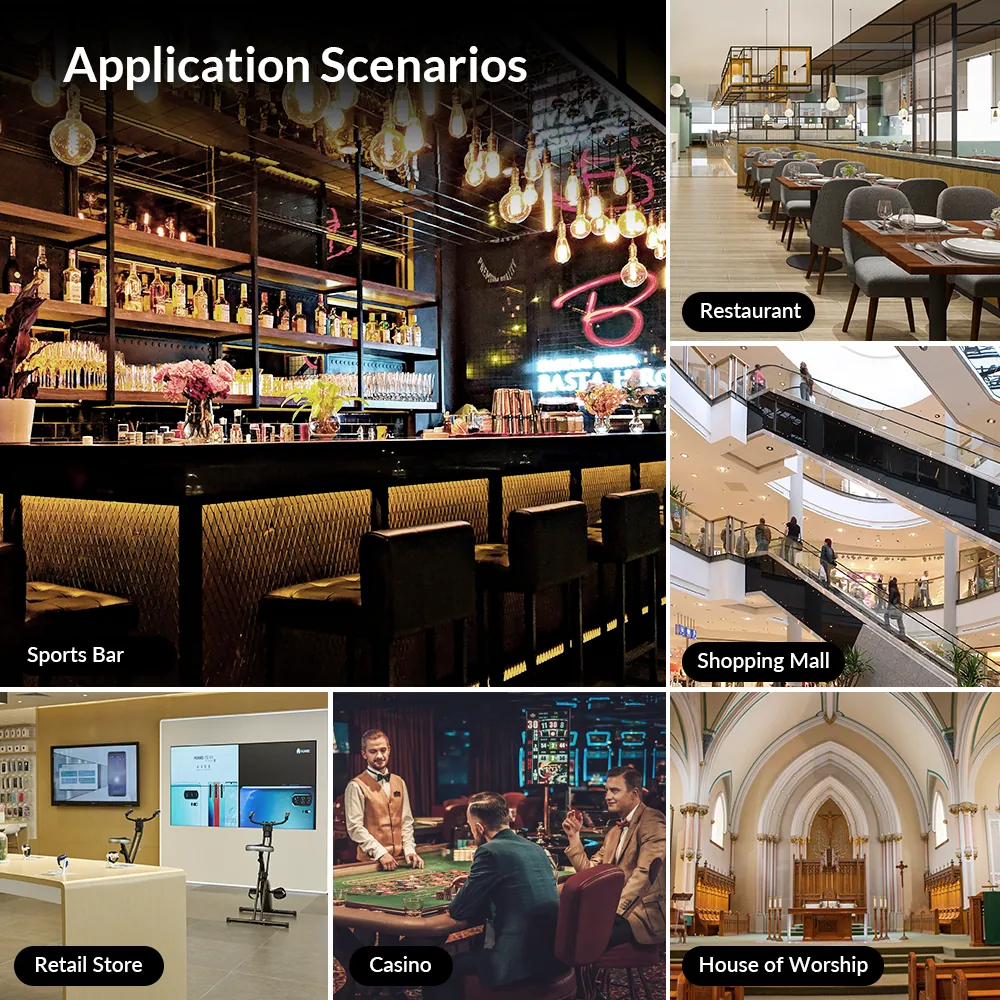
- Sports Bar, Restaurant, Retail Store, Shopping Mall, House of Worship
- Key features
- 1. Plug-and-Play AV over IP Solution / 2. No Network Switch Configuration Required / 3. Visual Routing and Management via VDirector App / 4. Flexible HDMI Matrix Switching / 5. Video Wall up to 8 × 8 / 6. Audio Extraction and RS232 Extension
- Inputs
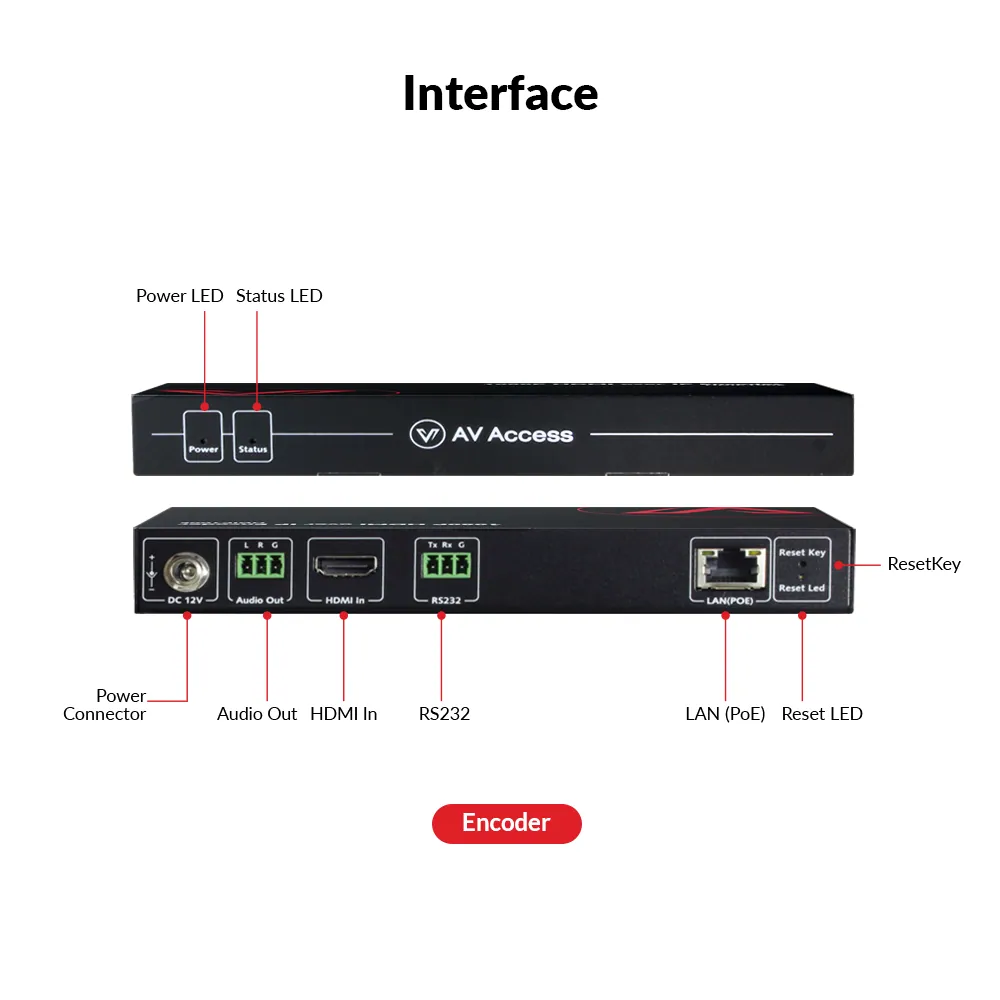
- 1 × LAN, 1 × RS232
- Outputs
- 1 × HDMI Out, 1 × Line Out (Audio Out)
- System architecture
- 1-to-1 / 1-to-many/many-to-many
- Product type
- 4KIP200E/D: Transmitter & Receiver / HDIP100E/D: Transmitter & Receiver / 4KIPJ200E/D: Transmitter & Receiver / 4KIP204E: Transmitter / 4KIP200M: Receiver / 4KIP100-KVM: Transmitter & Receiver
- Type of switch required
- 4KIP200E/D: 100M (1G recommended) / HDIP100E/D: 100M (1G recommended) / 4KIPJ200E/D: 1G / 4KIP204E: 100M (1G recommended) / 4KIP200M: 100M (1G recommended) / 4KIP100-KVM: 1G
- IGMP configuration
- 4KIP200E/D: Not Required / HDIP100E/D: Not Required / 4KIPJ200E/D: Not Required (one to one) / 4KIP204E: Not Required / 4KIP200M: Not Required / 4KIP100-KVM: Not Required
- Connection mode
- 4KIP200E/D: One to one, one to many, many to many / HDIP100E/D: One to one, one to many, many to many / 4KIPJ200E/D: One to one, one to many, many to many / 4KIP204E: One to one, one to many, many to many (works with 4KIP200D/4KIP200M) / 4KIP200M: One to one, one to many, many to many (works with 4KIP200E/4KIP204E) / 4KIP100-KVM: (Multiple) one to one
- Multiview
- 4KIP200E/D: No / HDIP100E/D: No / 4KIPJ200E/D: No / 4KIP204E: No / 4KIP200M: Yes / 4KIP100-KVM: No
- End-to-End latency
- 4KIP200E/D: 4K:300 ms; 1080P:100 ms / HDIP100E/D: 4K:300 ms; 1080P:100 ms / 4KIPJ200E/D: <4 ms / 4KIP204E: 4K:300 ms; 1080P:100 ms / 4KIP200M: 4K:300 ms; 1080P:100 ms / 4KIP100-KVM: Zero Latency
- KVM extension
- 4KIP200E/D: No / HDIP100E/D: No / 4KIPJ200E/D: Yes, up to 2x USB 2.0 Devices / 4KIP204E: No / 4KIP200M: No / 4KIP100-KVM: Yes, up to 3x USB 2.0 Devices
02Video7
- Scalability
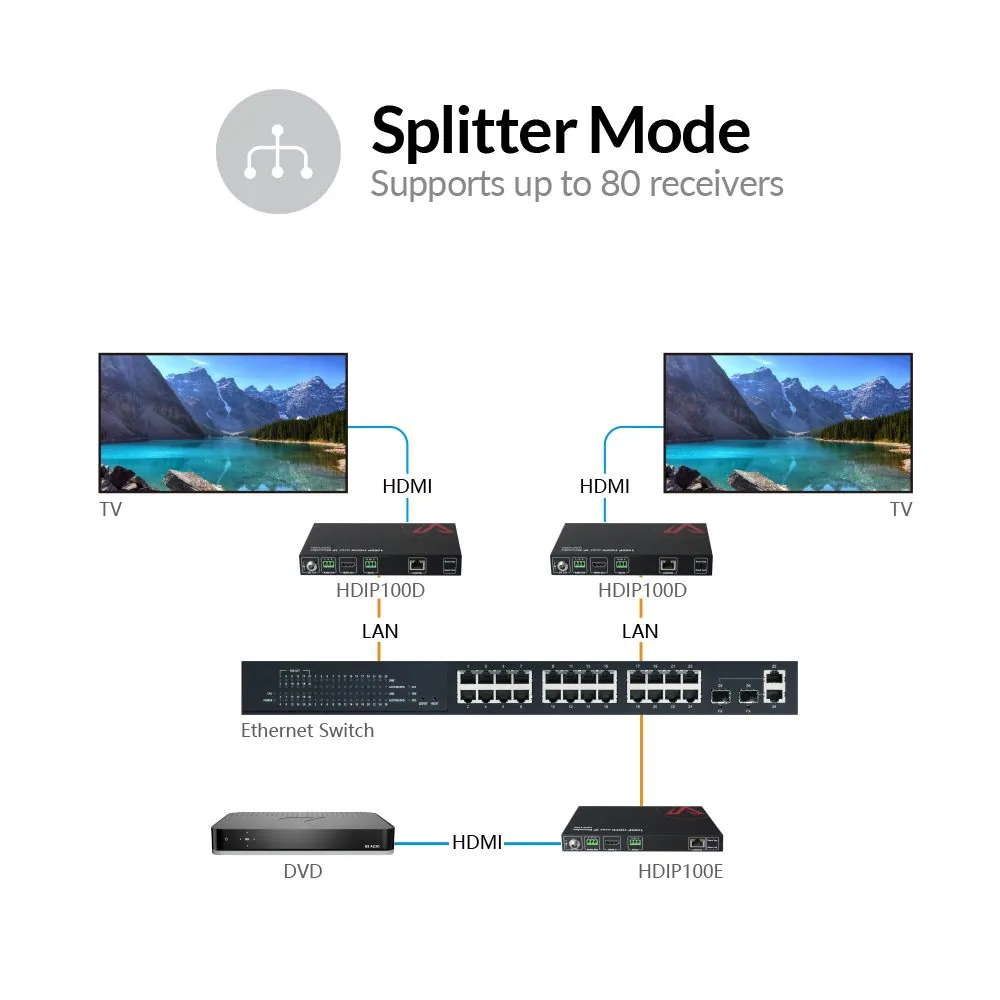
- One HDIP100E encoder can distribute content to up to 50 HDIP100D decoders
- Output resolutions
- 3840 × 2160p@50 Hz 4:4:4, 3840 × 2160p@60 Hz 4:4:4
- Supported video resolution
- 4KIP200E/D: Up to 4K@30hz / HDIP100E/D: Up to 1080P@60 Hz / 4KIPJ200E/D: Up to 4K@60hz / 4KIP204E: Up to 4K@30hz / 4KIP200M: up to 4K@60 Hz (single view mode) / 4KIP100-KVM: Up to 4K@30hz; 1080P@120hz
- HDMI
- 4KIP200E/D: 1.4 / HDIP100E/D: 1.3 / 4KIPJ200E/D: 2.0 / 4KIP204E: 1.4 / 4KIP200M: 2.0 / 4KIP100-KVM: 1.4
- HDCP
- 4KIP200E/D: 2.2 / HDIP100E/D: 1.4 / 4KIPJ200E/D: 2.3 / 4KIP204E: 2.2 / 4KIP200M: 2.2 / 4KIP100-KVM: 1.4
- One-to-One transmission range
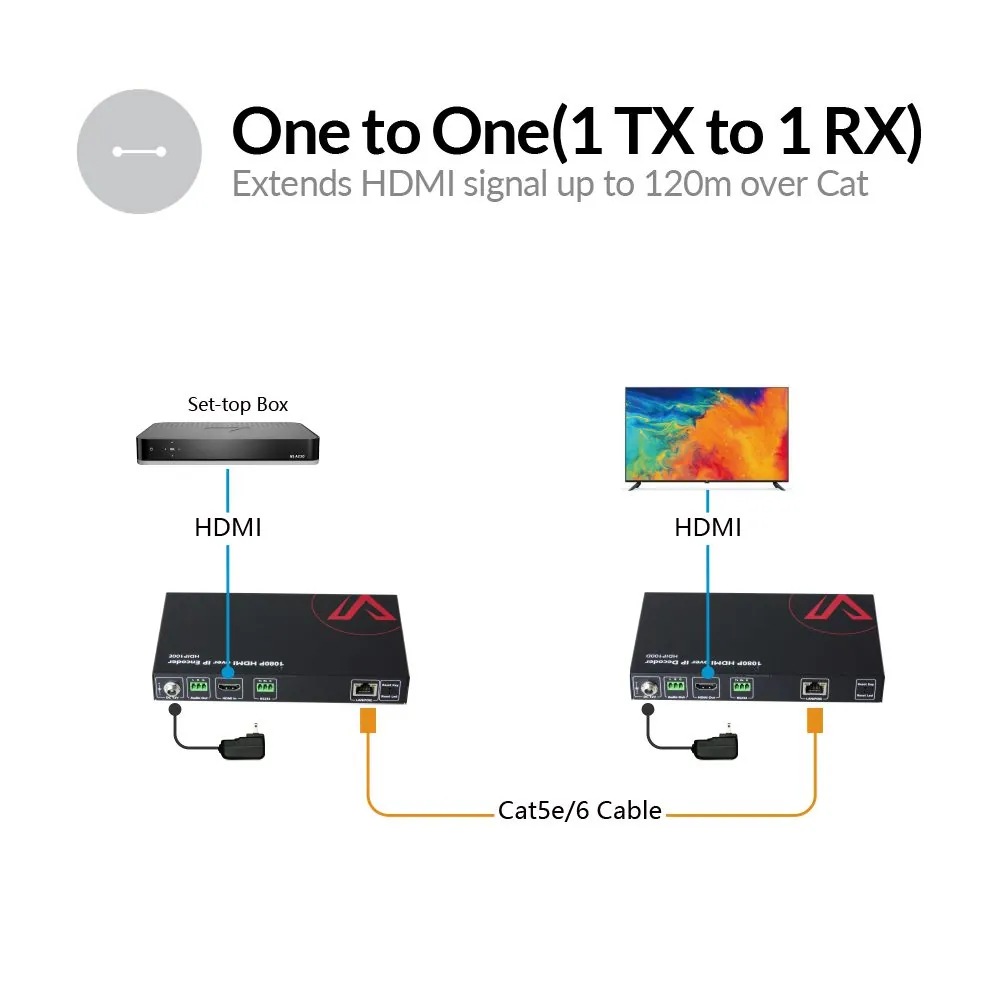
- 4KIP200E/D: Transmits 4K@30hz HDMI signal up to 120 m / 394 ft / HDIP100E/D: Transmits 1080P@60hz HDMI signal up to 120 m / 394 ft / 4KIPJ200E/D: Transmits 4K@60hz HDMI signal up to 120 m / 394 ft / 4KIP204E: Transmits 4K@30hz HDMI signal up to 120 m / 394 ft / 4KIP200M: Transmits 4K@30hz HDMI signal up to 120 m / 394 ft / 4KIP100-KVM: Transmits 4K@30hz HDMI signal up to 120 m / 394 ft
- Video wall
- 4KIP200E/D: Yes, up to 8 × 8 / HDIP100E/D: Yes, up to 8 × 8 / 4KIPJ200E/D: Yes, up to 16 × 16 / 4KIP204E: Yes, up to 8 × 8 (need to work with 4KIP200D) / 4KIP200M: No / 4KIP100-KVM: No
03Audio1
- Audio channel
- 4KIP200E/D: Stereo / HDIP100E/D: Stereo / 4KIPJ200E/D: 7.1 Channel / 4KIP204E: Stereo / 4KIP200M: Stereo / 4KIP100-KVM: 7.1 Channel
04Control and interfaces6
- USB ports
- N/A
- Controls
- IP Controller (HDIP-IPC), VisualM, OSD Menu
- Network
- Standard Ethernet Network (Managed or Unmanaged Switch)
- HDMI interface
- 4KIP200E/D: Transmitter: 1x HDMI in / Receiver: 1x HDMI out / HDIP100E/D: Transmitter: 1x HDMI in / Receiver: 1x HDMI out / 4KIPJ200E/D: Transmitter: 1x HDMI in / Receiver: 1x HDMI out / 4KIP204E: 4x HDMI in / 4KIP200M: 1x HDMI out / 4KIP100-KVM: Transmitter: 1x HDMI in / Receiver: 1x HDMI out
- RS232
- 4KIP200E/D: Yes / HDIP100E/D: Yes / 4KIPJ200E/D: Yes / 4KIP204E: No / 4KIP200M: Yes / 4KIP100-KVM: No
- Visual control on app
- 4KIP200E/D: Yes, VDirector / HDIP100E/D: Yes, VDirector / 4KIPJ200E/D: Yes, VisualM / 4KIP204E: Yes, VDirector / 4KIP200M: Yes, VDirector / 4KIP100-KVM: No
05Power2
- Power
- DC 12 V 1 A / PoE
- PoE
- 4KIP200E/D: Yes / HDIP100E/D: Yes / 4KIPJ200E/D: Yes, PoE+ / 4KIP204E: No / 4KIP200M: Yes / 4KIP100-KVM: No
06Packaging1
- Included cables
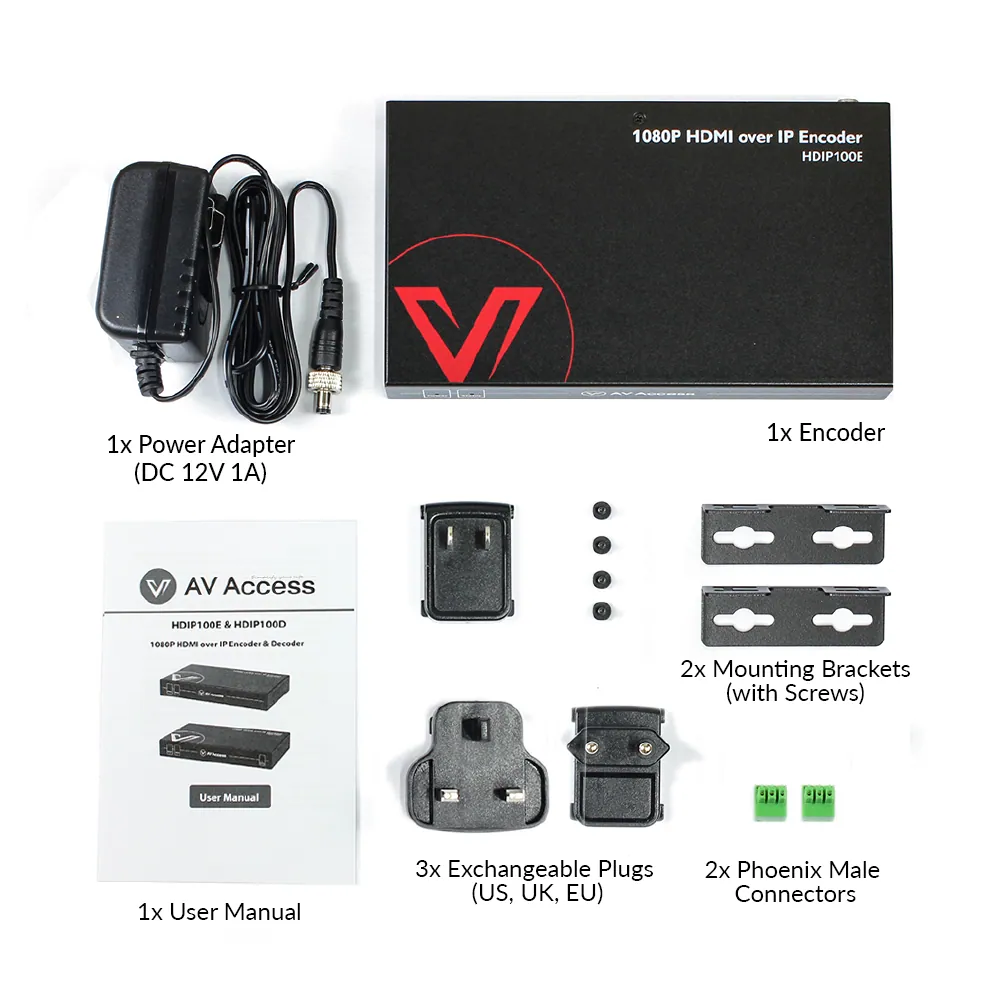
- 1 × Power Adapter (DC 12 V 1 A), 3 × Exchangeable Plugs (US/UK/EU)
Show the full specificationHide the rest of the specification0 more groups · 0 values
03DescriptionManufacturer's description
What it is.
● Zero Configuration: Works flawlessly with universal Ethernet switches, no switch configuration required. ● IP Matrix: Build a flexible and scalable distributed IP matrix system with support for video walls up to 8×8. ● HDMI over IP: This AV over IP encoder connects to your source device via an HDMI In port. ● Visual Control: Manage all codecs in “VDirector” App, available on PC, tablet, and smartphone. ● Multi-Functional IP Solution: Supports HDMI audio extraction, PoE, RS232 pass-through. ● Fast Seamless Switching: Auto-scaling technology guarantees rapid and seamless source switching across the matrix or video wall. (decoder only).
Important Notes before Purchasing
1. This IP encoder can’t be used alone; it must be used with one or more HDIP100D Decoders for HDMI signal extension or switching. One encoder can distribute an HDMI signal to a maximum of 50 decoders simultaneously.
2. TheHDIP100 encoders/decoders can’t work with the 4KIP200 encoders/decoders in the same network.
Get your bar ready. In minutes.
Works directly with standard Gigabit switches — no switch configuration required. Truly plug and play.
AV over IP for World Cup
The Easiest AV over IP Solution
No switch configuration, just plug & play.
PLUG & PLAY
Quick Setup, No Hassle
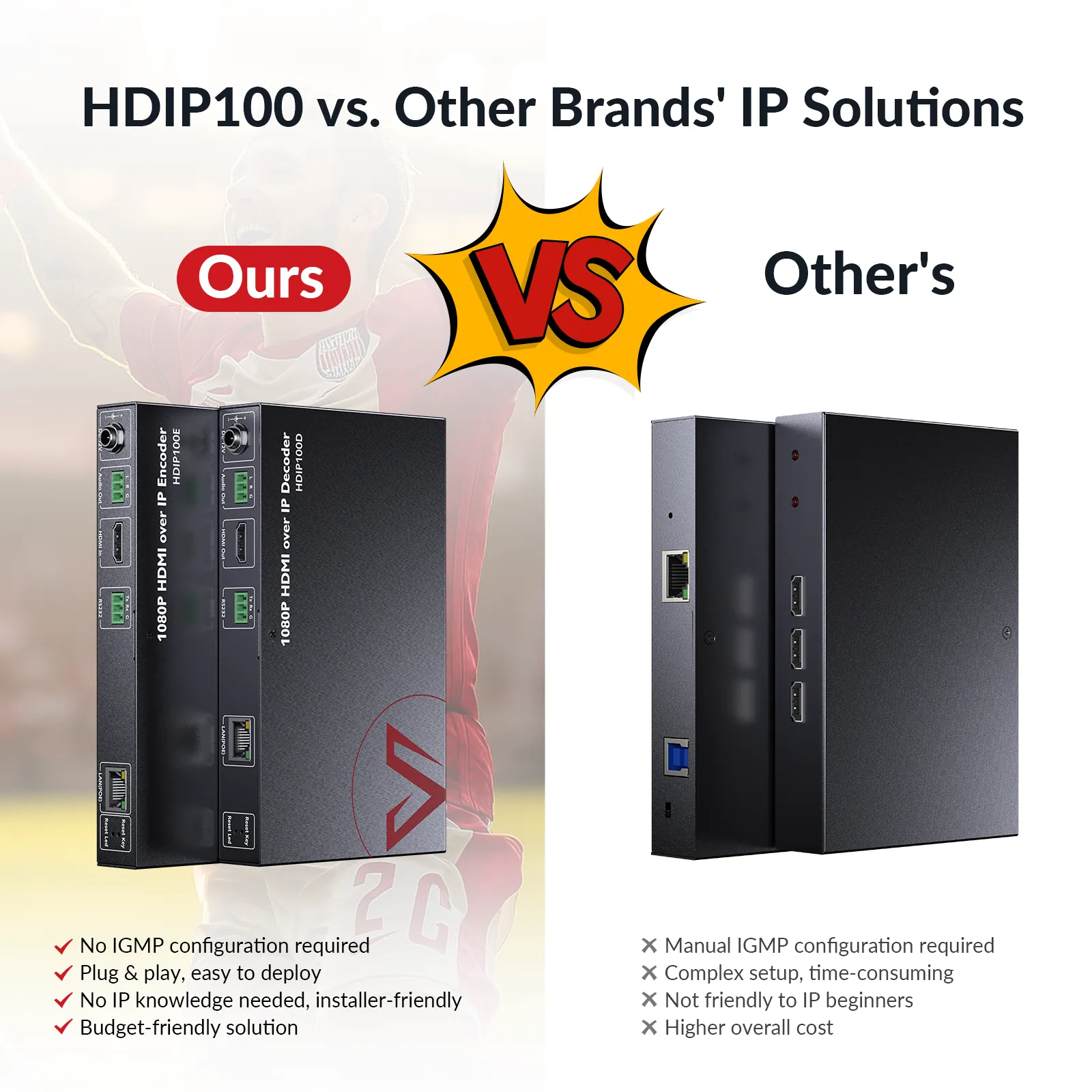
Compatible with standard Ethernet switches—no IGMP setup required for many-to-many connections. Just plug in and it’s ready to use, making installation effortless for both professionals and end-users.
· No Switch Configuration · Effortless Visual Control · CEC Support
Unboxing & Setup Video ▶
STEP 1
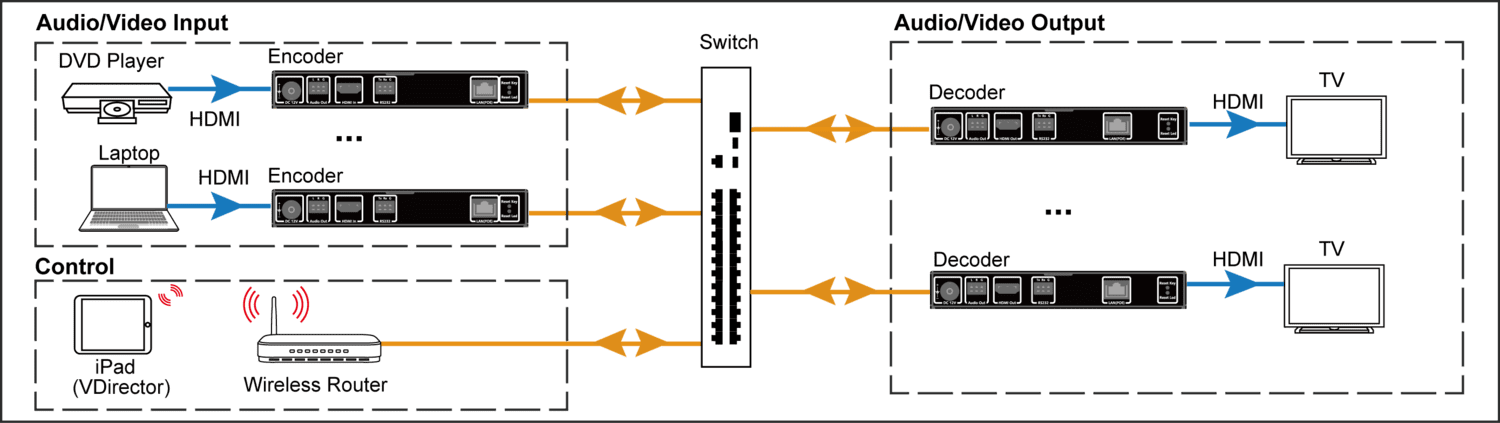
Connect sources and displays to encoders and decoders.
STEP 2
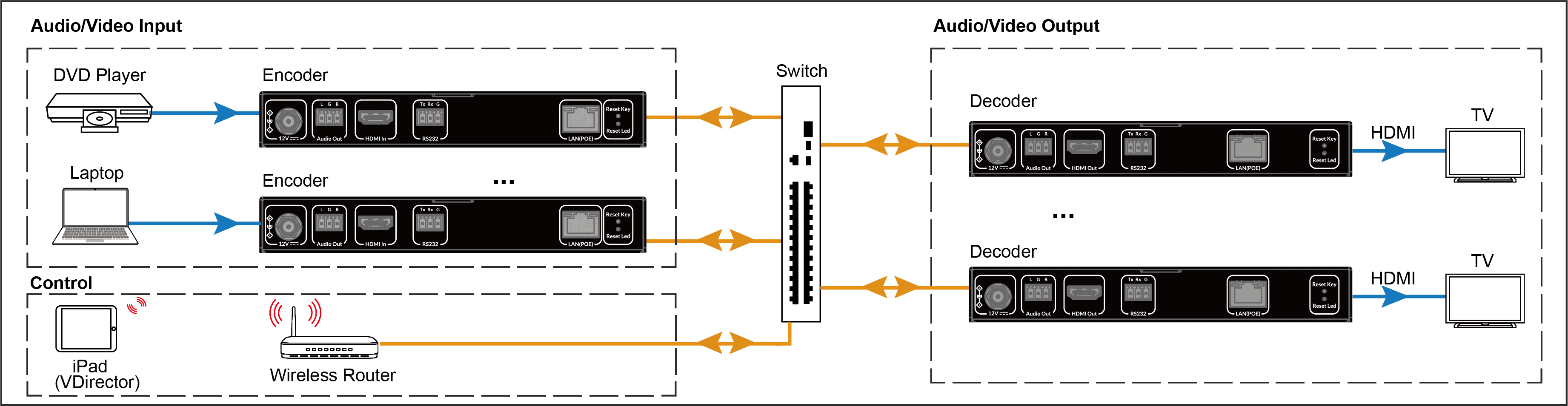
Connect encoders, decoders and a wireless router to a standard Ethernet switch (no IGMP required).
STEP 3
Preview display output in real time.
You must use a PoE Ethernet switch if you want to supply power to the decoder. A gigabit switch is recommended.*
Set Up in Minutes, Not Hours
Works flawlessly with a universal Ethernet switch; no need to configure IGMP for many-to-many applications. Our IP solution works right out of the box, quite friendly to installers and end-users.
STEP 1
Connect Sources/Displays to Encoders/Decoders
STEP 2
Connect Encoders/Decoders to An Ethernet Switch
STEP 3
Preview Display Effects in Real-time
You must use a PoE Ethernet switch if you want to supply power to the encoder. A gigabit switch is recommended.*
APPLICATIONS
Flexible Across All Scenarios
SPORTS BAR
RESTAURANT
RETAIL & Shopping Mall
HOUSE OF WORSHIP
Deliver Immersive Sports Viewing Across Every Screen
Adopt the HDIP100 AV over IP solution in your sports bar to build a video wall or IP matrix effortlessly. Let your patrons enjoy every thrilling moment in sync, no matter where they sit.
View Connection Diagram >
Enhance Dining Experience with Stunning Visuals
Adopt the HDIP100 AV over IP solution in your restaurant to effortlessly create a multi-screen setup. Ensure your guests enjoy vibrant, synchronized displays, whether they’re enjoying a meal or catching the game.
Unleash Stunning Visuals for Maximum Customer Engagement
Install the HDIP100 AV over IP solution in your shopping mall or store to display dynamic content across every screen—crisp video and vivid imagery that capture attention and enhance the shopping experience.
Inspire Congregations with Seamless, Large-Scale Visuals
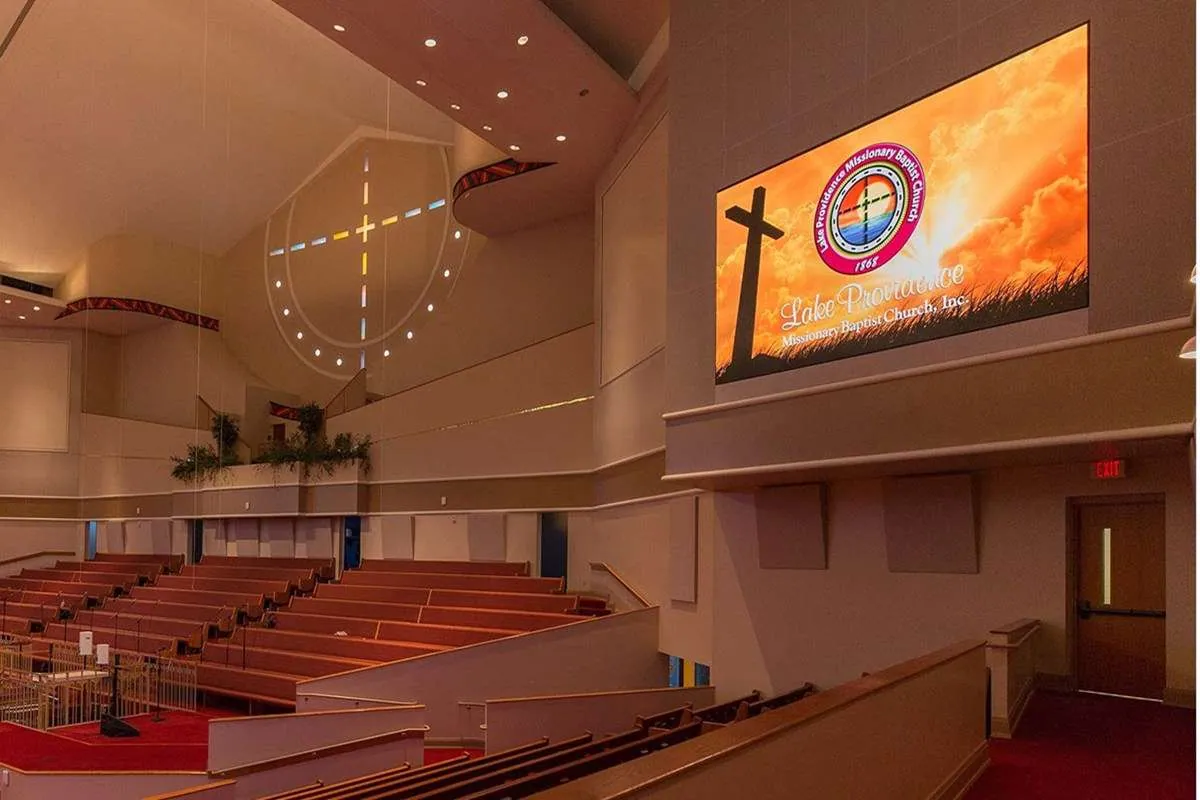
Deploy the HDIP100 to build immersive video walls up to 8×8 with zero configuration. Stream sermons, lyrics, and live feeds smoothly across your sanctuary — creating a more engaging, connected worship environment.
See It Across Every Scenario
Sports bar
*Unleash Premium Video & Music for Maximum Impact*
Install the 4KIP200 in your mall or store to stream dazzling 4K ads to every screen—crisp video and powerful sound that attract customers and boost sales.
Restaurant
*Bring Superb Viewing Experience to Your Patrons*
Your customers crave more than great food and drinks—they want an unforgettable experience. Elevate it with stunning audio and video!
Retail & Shopping Mall
View Connection Disgram >
House of Worship
*Enhance Worship Services with Instant, Large-Scale Video Walls*
Instantly create 8×8 video walls with 4KIP200! Control from your palm and stream multiple sources up to 120m – perfect for powerful worship experiences.
Apply Now
VISUAL CONTROL
Your Visual System, Fully in Your Hands
Easily manage all encoders and decoders with the intuitive “VDirector” app on your smartphone, tablet, or Windows PC. Control multiple zones at once, pass RS232 commands to devices like projectors, and integrate seamlessly with control systems such as Crestron.
Download VDirector for Windows > Watch VDirector Tutorial >
Total Visual Control, Now in Your Hands
Install the “VDirector” App on your smartphone, tablet or Windows PC for effortless visual control. Easily manage all codecs at the same time. Supports RS232 pass-through for third-party devices like projectors and integrates seamlessly with control systems such as Crestron.
With the visualized and user-friendly VDirector App, you can perform the settings below:
⭐Preview all sources and preset different scenarios; ⭐Switch any source to any or all displays; ⭐Drag-and-drop to perform matrix switching; ⭐Create/Delete a video wall up to 8×8 within 15 seconds; ⭐Enable CEC function to turn on/off all connected displays.
*Source Switch*
*Video Wall Switch*
*Create Video Wall*
*Naming & Sequencing*
*Change Password*
*CEC*
IP MATRIX
Next-Level Flexibility & Scale
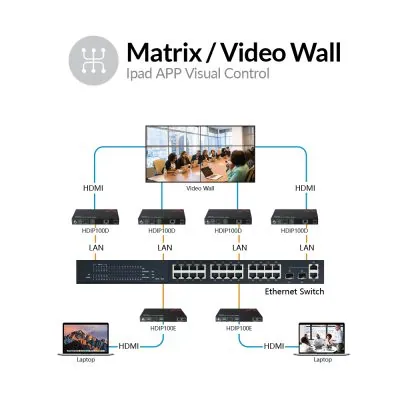
Works with HDIP100D decoders to build a 1080P IP matrix with a video wall up to 8×8. More flexible and scalable than traditional matrixes.
One to One
One to Many
Many to Many
Unmatched Flexibility & Scalability
Works with 4KIP200D decoders to build 4K IP matrix with a video wall up to 8×8. More flexible and scalable than traditional matrixes.
One to One
One to Many
Many to Many
DEVICE COMPATIBILITY
VDirector App Works on All Major Platforms
Control your system from iOS, Android, or Windows devices with ease. Choose the platform that fits your workflow best—whether it’s a phone, tablet, or PC.
HIGH RESOLUTION
Immersive Audio-Video Experience
Deliver 4K@30Hz 4:4:4 resolution and high-fidelity audio that bring out the finest details.
· 4K@30Hz · Audio Extraction · Fast Switching
*Notes:* *1.A wireless router is required for mobile visual control.* *2.Search “VDirector” on App Store / Google Play to download. You can also scan the QR code in the user manual. For Windows,* *click here to download.*
Plug & Play
Compatible with standard Ethernet switches—no IGMP configuration required. Just connect the devices and you’re ready to go in minutes.
Visual Control
Easily control all devices using the “VDirector” app on your smartphone, tablet, or computer—no need for a complex control system.
Video Wall
Works with HDIP100D decoders to build a distributed 1080p IP matrix system with video walls up to 8×8.
Fast Switching
Auto-scaling technology ensures quick and seamless switching between sources for both matrix and video wall applications.(Decoder only)
CEC
Turn displays on or off with a single tap through the iPad or iPhone app for effortless control.
PoE
Both the encoder and decoder support Power over Ethernet to simplify installation and reduce cable clutter.
Works flawlessly with universal Ethernet switches; no need to configure IGMP. Set up within minutes, just plug and play.
- Install the “VDirector” App on your smartphone, tablet or computer to manage all codecs simultaneously.
- Works with 4KIP200D decoders to build a distributed 4K IP matrix with a video wall up to 8×8.
- Auto-scaling technology ensures fast and seamless source switching on the matrix or video wall.
- Easily power displays on or off with one tap via the iPad/iPhone app.
- The encoder and decoder both support PoE (Power over Ethernet).
04Documents12 files · 414 MB
Documents and files.
Datasheets, manuals, drawings and certificates as the manufacturer publishes them.
Datasheets and manuals07
Software and data files02
05Related products
In the same range.
 EQ-856AV Access1080P AV over IP decoder with video wallHDIP100D · AV over IP
 EQ-858AV Access1080P AV over IP receiver with IR controlHDIP120RX · AV over IP
 EQ-855AV AccessKVM over IP controller with web UI and RS-232 controlHDIP-IPC · AV over IP
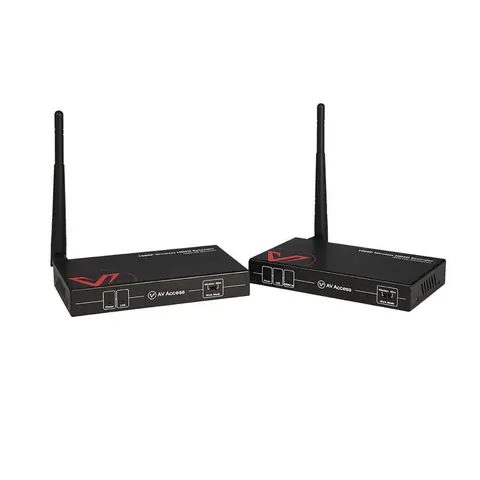 EQ-859AV Access1080P wireless HDMI extender, 200 m, IR remoteHDW100 · Extenders
06Talk to us
 1080P AV over IP encoder with video wallAV Access · EQ-857
Need this priced for your project?
- Quantity and site
- Configuration and interfaces
- Quotation