
















Sheet 05.862
AV Access · Switchers and KVM
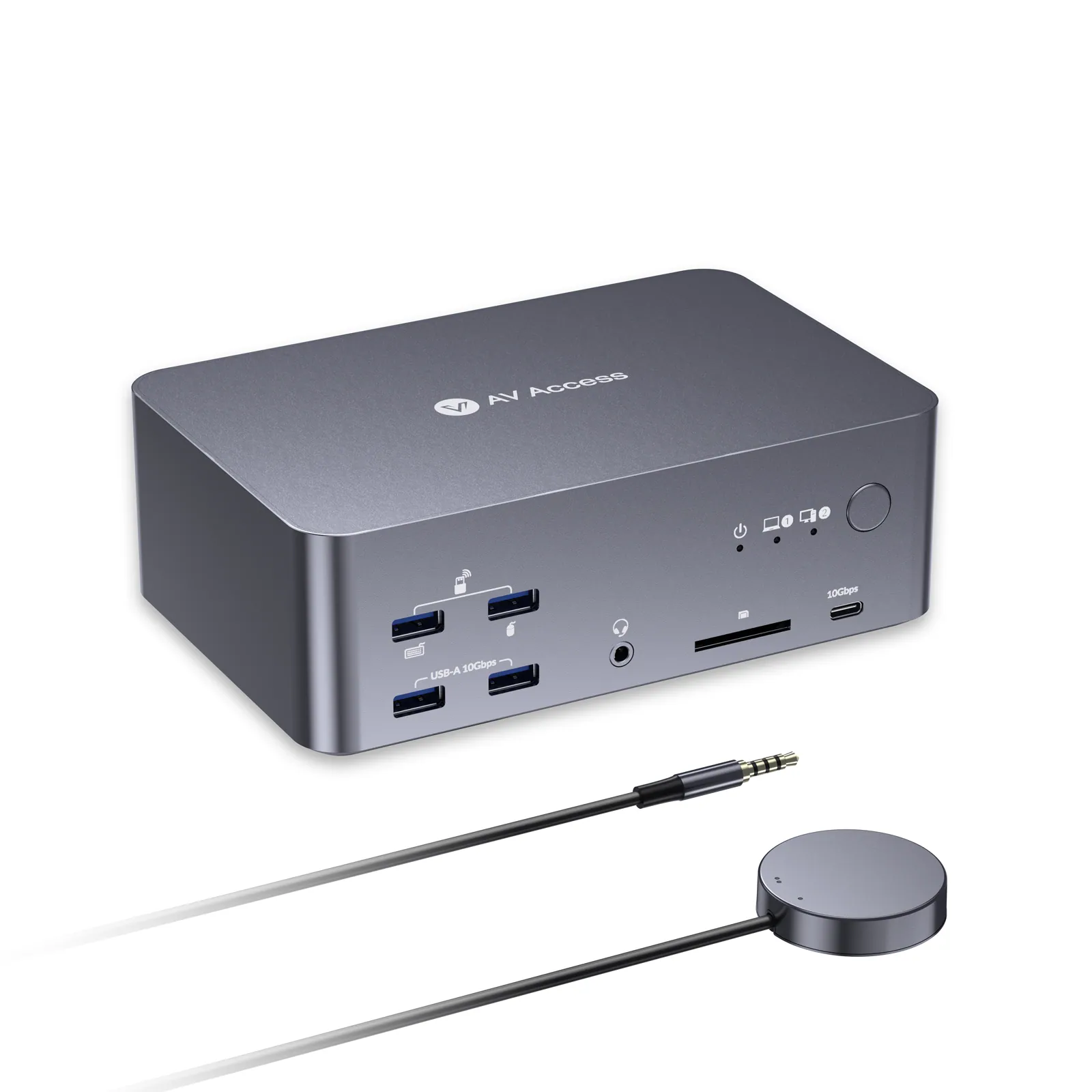
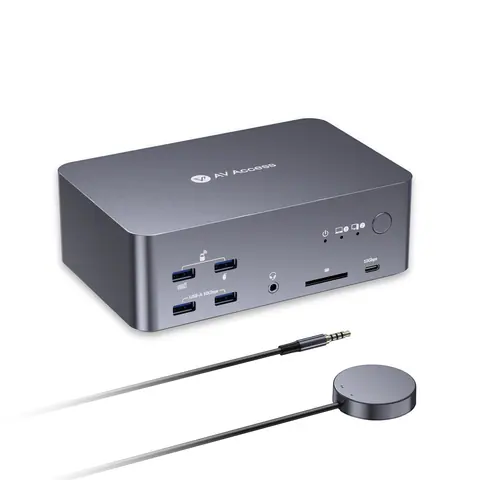
8K triple-monitor KVM docking station, 100 W PD, 12-in-1
ModeliDock B23
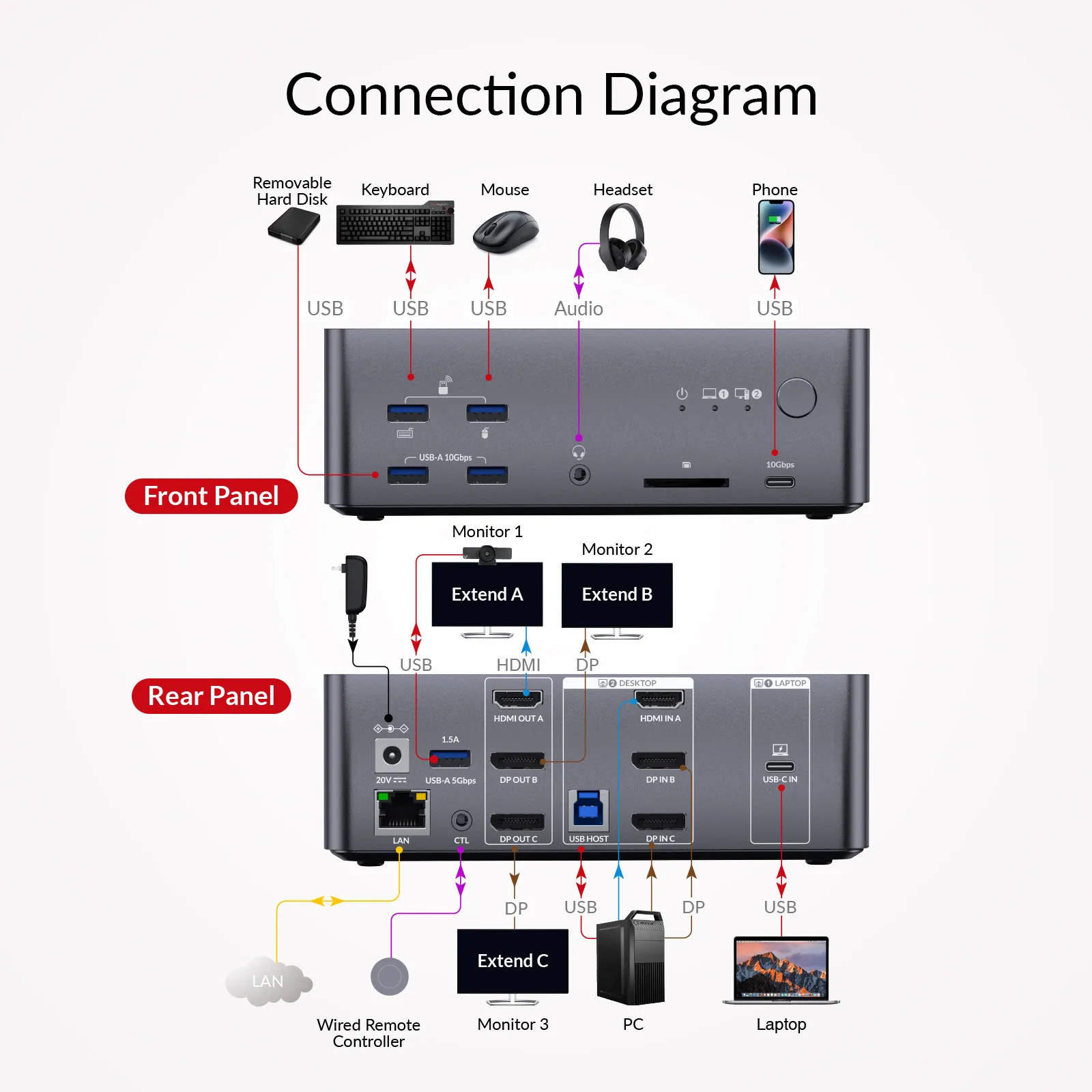
● A Laptop and a Desktop: Connect one laptop and one desktop, and switch between them with ease using one button. ● Triple Monitor Design: Support triple monitor setups for both PCs — perfect for multitasking.
8K triple-monitor KVM docking station, 100 W PD, 12-in-1Price on request Request a quotation
01SpecificationManufacturer's data · 8 groups · 25 values
What this product is, in numbers.
PDFUser Manual10 pages · 952 KB
The manufacturer's published values. We confirm the configuration and the values that matter for your project before an order.
01General4
- 8K@60Hz
- Input Cable Length: ≤ 2 m / Output Cable Length: ≤ 2 m / AWG: 30AWG
- 4K@165Hz
- Input Cable Length: ≤ 2 m / Output Cable Length: ≤ 2 m / AWG: 30AWG
- 4K@120Hz
- Input Cable Length: ≤ 2 m / Output Cable Length: ≤ 2 m / AWG: 30AWG
- 4K@60Hz
- Input Cable Length: ≤ 3 m / Output Cable Length: ≤ 3 m / AWG: 30AWG
02Video6
- Video input
- ·1 x USB C IN (Rear panel): DP Alt mode, MST/SST, DSC, DP 1.4a / ·1 x HDMI IN, 2 x DP IN: HDMI 2.1, DP 1.4a & DP 2.0
- Video output
- ·1 x HDMI OUT: HDMI 2.1 / · 2 x DP OUT: DP 1.4a & 2.0
- Input resolutions
- · For LAPTOP: Up to 4K@60 Hz / · For DESKTOP: Up to 8K@60 Hz, 4K@165 Hz / 144 Hz / 120 Hz
- Output resolutions
- Up to 8K@60 Hz and 4K@165 Hz
- HDR format supported
- Supports all mainstream HDR formats including HDR10, HLG, HDR10+, and Dolby Vision
- Max video data rate
- USB C IN: | HDMI: 48Gpbs | DP: 54 Gbps (13.5 Gbps per channel)
03Audio1
- Audio format supported
- · USB C IN: Fully supports multiple channel audio formats, including PCM 2.0 / 5.1 / 7.1, Dolby TrueHD, Dolby Atmos, DTS-HD Master Audio and DTS:X / · HDMI/DP: Supports all HDMI 2.1 and DP 2.0 standard audio formats, including PCM 2.0 / 5.1 / 7.1, Dolby TrueHD, Dolby Atmos, DTS-HD Master Audio, and DTS:X / · 3.5 mm Audio Jack: Stereo
04Control and interfaces1
- Peripheral and expansion ports
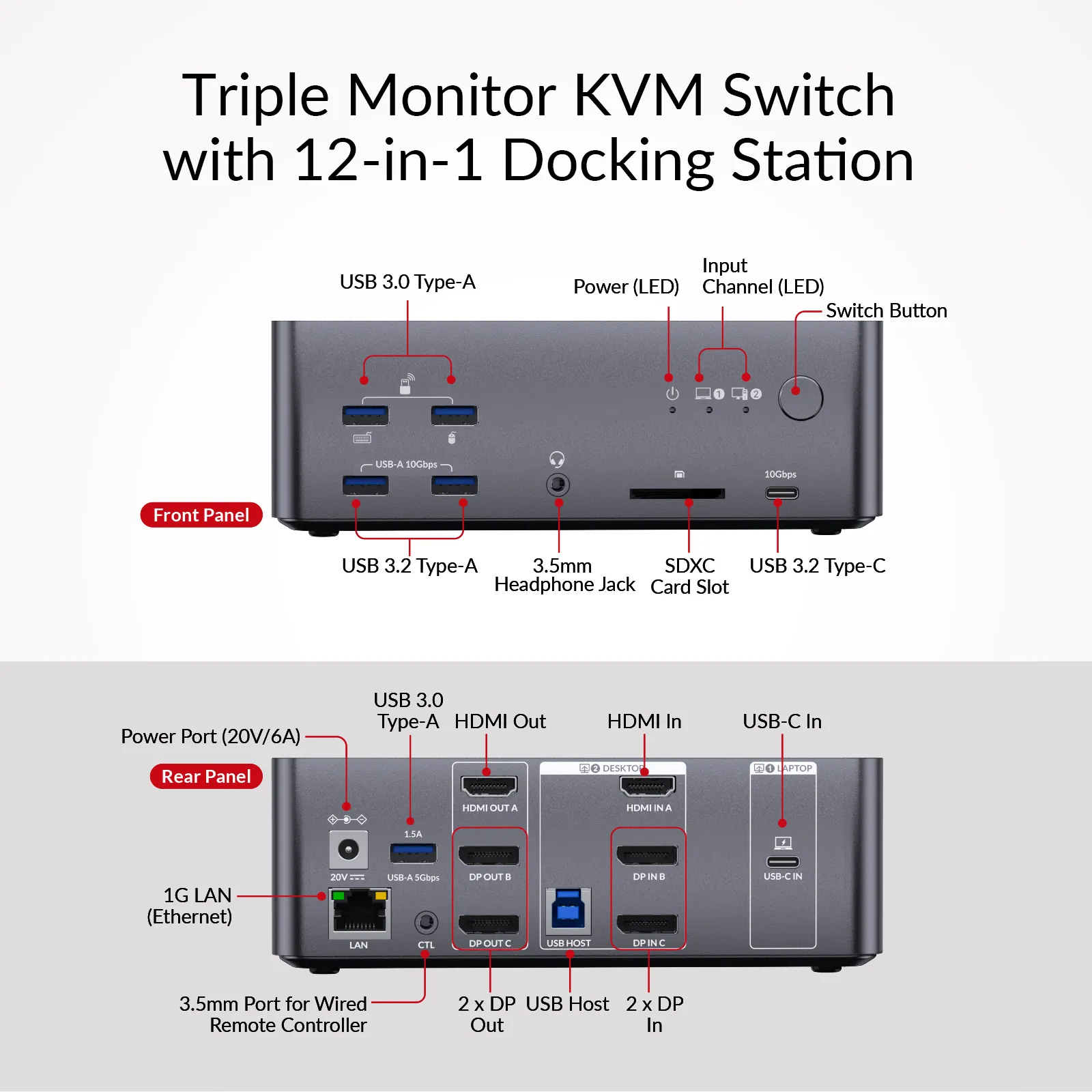
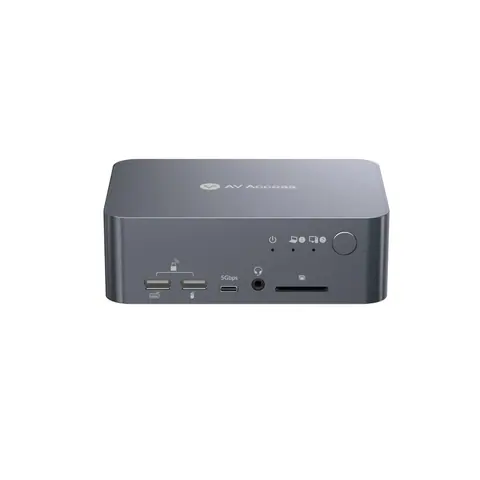
- · USB C x 2: / ‐ USB C IN (Rear panel): USB 3.2 Gen 2 (10 Gbps), supports 1 Gbps Ethernet passthrough and up to100 W PD charging / ‐ (Front panel): USB 3.2 Gen 2 (10 Gbps), supports 5 V / 1.5 A output / · USB-A x 5: / ‐ x 2: USB 3.2 Gen 2 (10 Gbps), shared 2.5 A output / ‐ x 1 & x 1: USB 3.0 (5 Gbps), shared 2.5 A output / ‐ x 1 (Rear panel): USB 3.2 Gen 2 (10 Gbps), supports up to 1.5 A output / · USB-B x 1: USB 3.2 Gen 1 (5 Gbps), supports 1 Gbps Ethernet passthrough / · SDXC slot: Data rate up to 104MB/s; supports capacity up to 2TB / · LAN (RJ-45): Supports 1 Gbps Ethernet passthrough
05Power1
- Power consumption
- 17 W (Max, without USB load)
06Physical2
- Device dimensions (W × H × D)
- 168 × 55 × 110 mm/ 6.61’’ x 2.17’’ x 4.33’’
- Product weight
- 0.73 kg / 1.61lbs
07Environment3
- Operating temperature
- 0 °C to 45 °C (32 to 113 °F)
- Storage temperature
- -20 to 70 °C (-4 to 158 °F)
- Humidity
- 20% to 90%, non-condensing
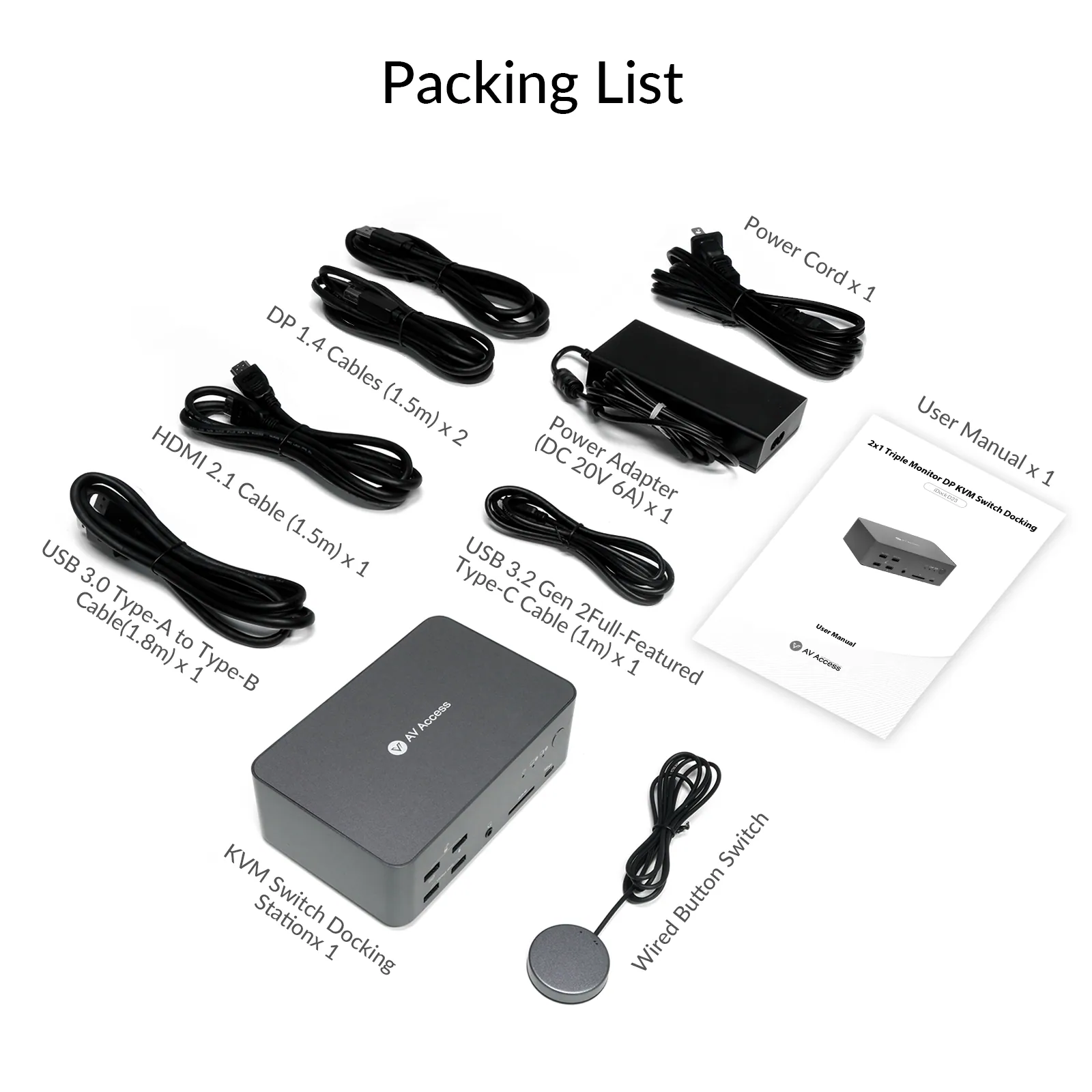
08Packaging7
- Power adapter (DC 20 V 6 A)
- × 1
- USB 3.0 Type-A to Type-B Cable(1.8 m)
- × 1
- DP 1.4 cables (1.5 m)
- × 2
- USB 3.2 gen 2Full-Featured Type-C cable (1 m)
- × 1
- HDMI 2.1 cable (1.5 m)
- × 1
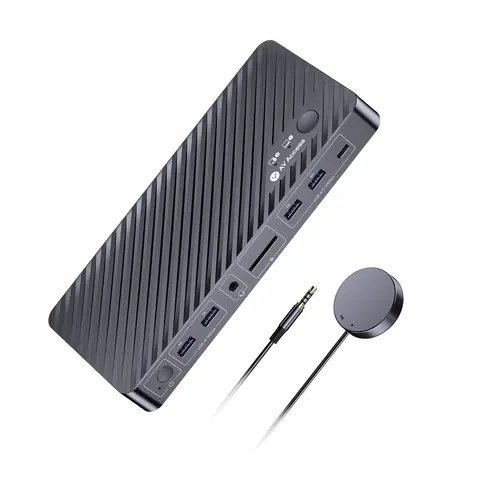
- Wired button switch
- × 1
- User manual
- × 1
Show the full specificationHide the rest of the specification0 more groups · 0 values
02DescriptionManufacturer's description
What it is.
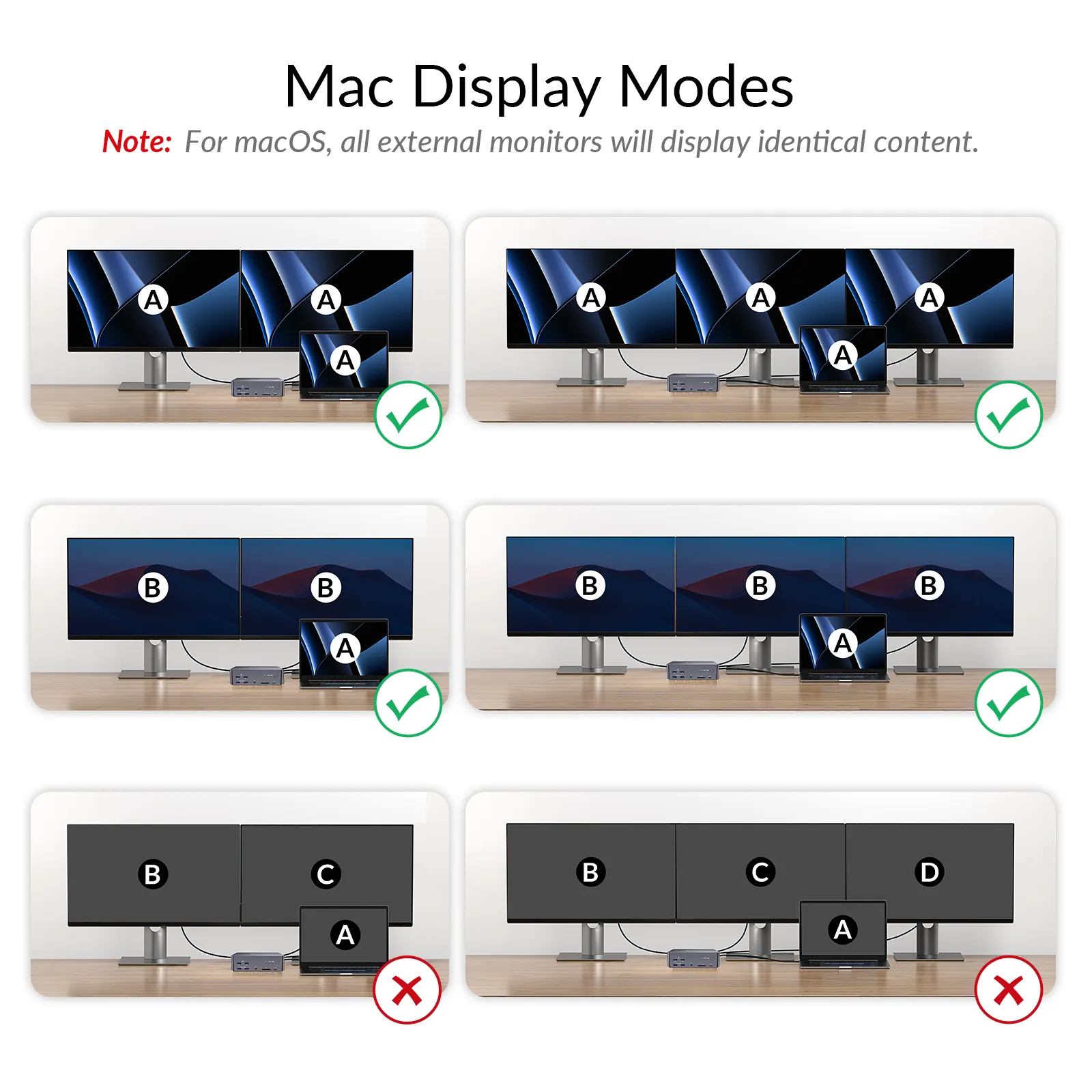
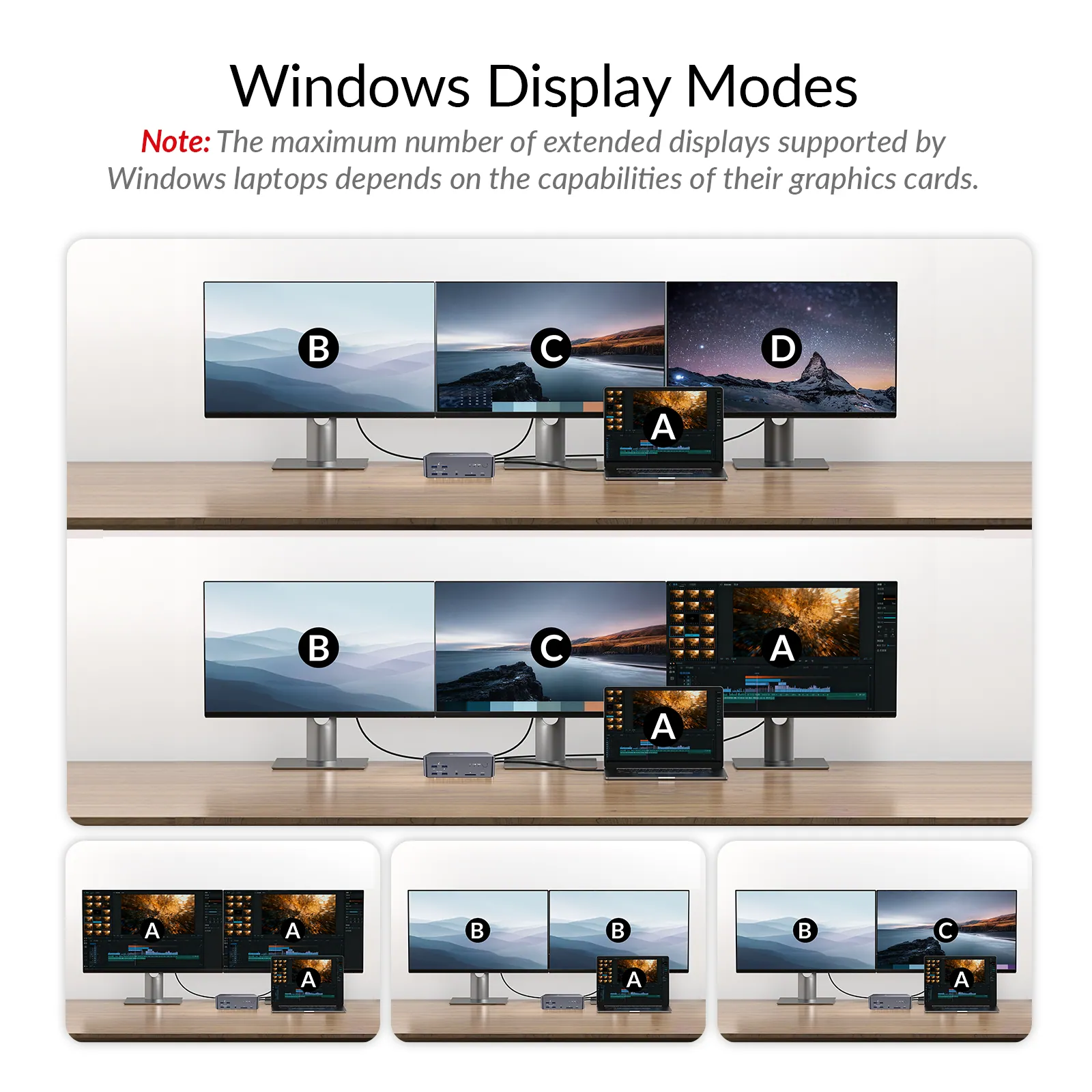
● A Laptop and a Desktop: Connect one laptop and one desktop, and switch between them with ease using one button. ● Triple Monitor Design: Support triple monitor setups for both PCs — perfect for multitasking. *Note: MacOS doesn’t support USB C MST, so external monitors will show duplicate content.* ● Immersive 8K Ultra HD: Support up to 8K@60Hz for an incredible visual experience. ● Ultra High Refresh Rate: Support various high refresh rates for gaming, such as 4K@165Hz, 1440P@240Hz, and 1080P@480Hz/360Hz. ● 100W Power Delivery: Keep your laptop charged with 100W power delivery via a full-featured USB C port. ● 12 More Ports: Share peripherals between two PCs with USB C, USB 3.0, Ethernet, audio, SD card slot, and HDMI/DP video outputs. ● Ethernet for Both PCs: Both PCs share a stable 1G Ethernet connection for uninterrupted internet access. ● Easy Switching Methods: Toggle sources via the front panel button or EXB01 remote controller (Included in the package). ● Automatic PC Wake-up: Wake up your sleeping PCs automatically when you press the switch button.
1. EDID emulation is not supported. 2. Your desktop PC can extend to three screens at up to 8K@60Hz or 4K@165Hz. Your laptop can extend to two screens at 4K@60Hz and one screen at 4K@30Hz. 3. Use certified HDMI 2.1 and DP 2.0/1.4a cables if you need 8K@60Hz/4K@165Hz.
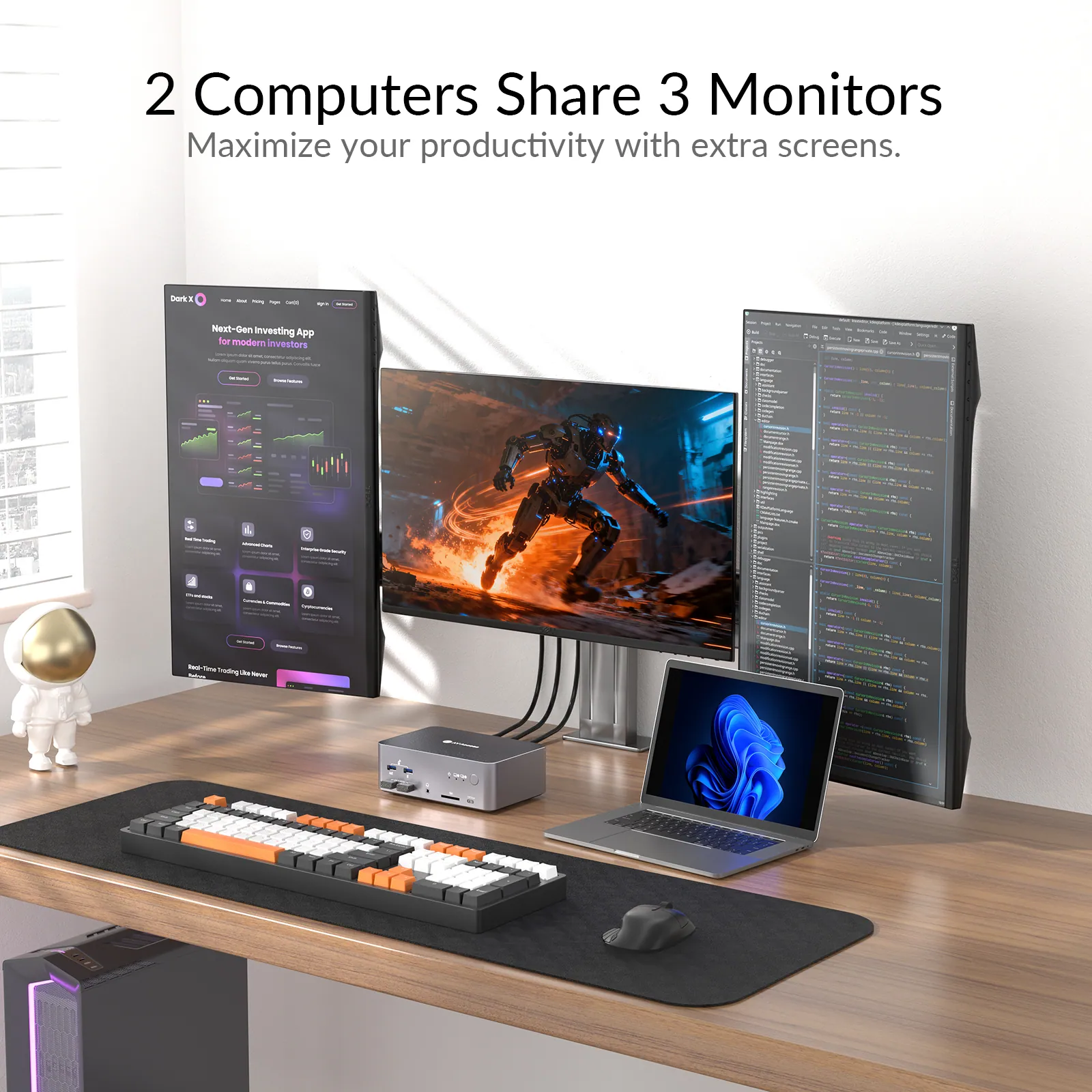
Work and Play Across Three Screens
Enjoy more screen real estate, enhanced connectivity with 12 extra ports, and switch everything between two computers in one click.
Empower the Way You Play
Enjoy buttery-smooth gameplay and unlock multitasking freedom with triple monitors to play, chat, and stream all at once.
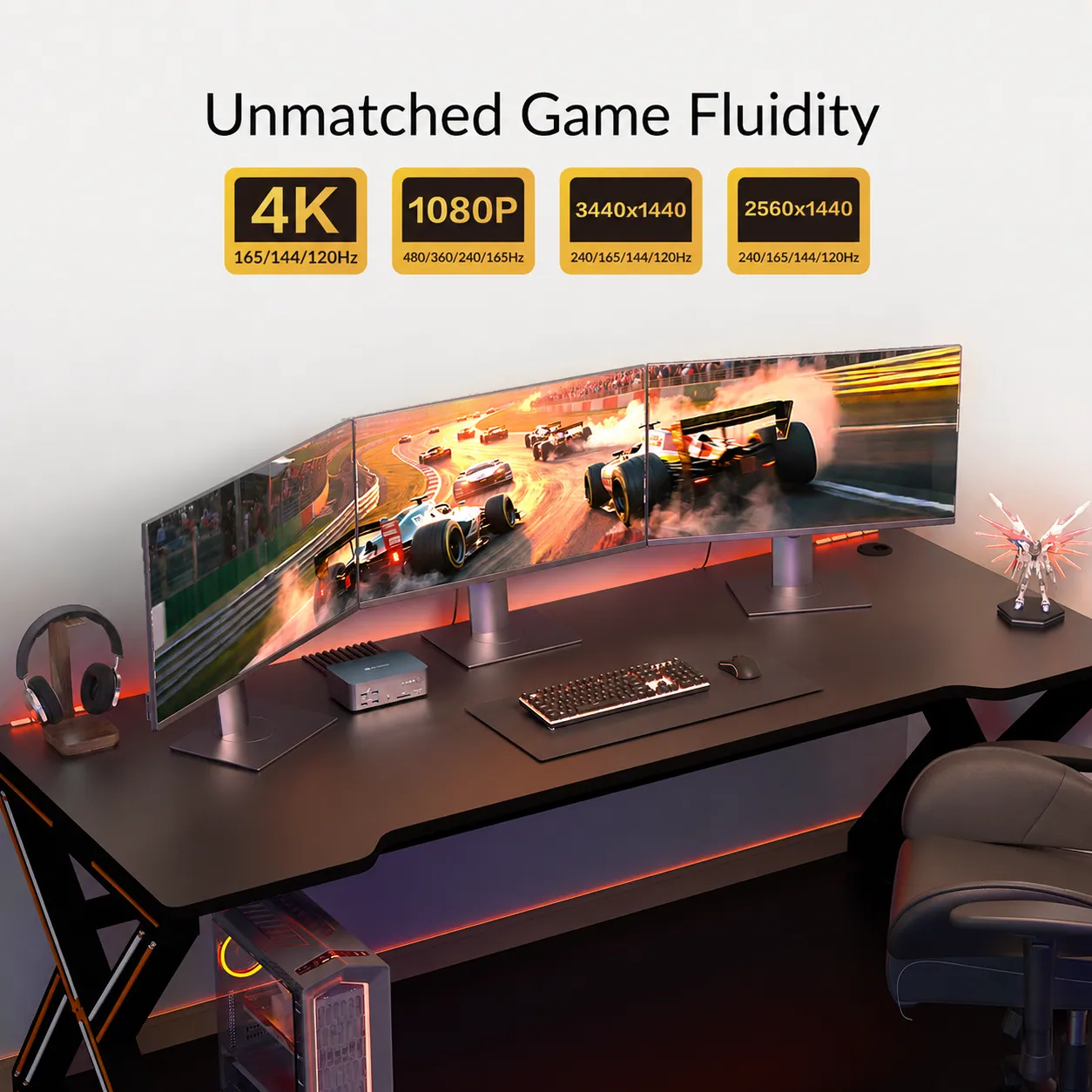
240HZ REFRESH RATE
Game at Your Full Potential
Game like a pro with 4K@165Hz, 1440p@240Hz, or 1080P@480Hz/360Hz performance. Enjoy ultra-smooth gameplay with G-Sync, FreeSync, and VRR support.
TRIPLE MONITOR
Play, Chat and Stream All at Once
You can dive into the game itself while staying connected to your community and keeping tips and guides just a glance away. Triple monitors also make game streaming easier.
Game like a pro with 4K@165Hz, 1440p@240Hz, or 1080p@240Hz performance. Enjoy ultra-smooth gameplay with G-Sync, FreeSync, and VRR support.
Reinvent the Way You Work
Work across three displays and keep everything visible without constant tab-switching. With up to 8K clarity on each screen, every detail stays sharp and easy to see.
Less Tab-switching, More Productivity
With three monitors, you can have all the important apps and documents spread out in front of you. Stay connected and stay productive.
8K ULTRA HD
Create Like a Pro with 8K Images
8K UHD images deliver unmatched clarity and precision for professionals like photographers, graphic designers and video editors.
12-IN-1 DOCKING STATION
Bring Your Desk Setup to the Next Level
Turn your setup into a powerhouse with 12 essential ports — video, USB, audio, LAN, and more. Enhance connectivity and efficiency for both computers.
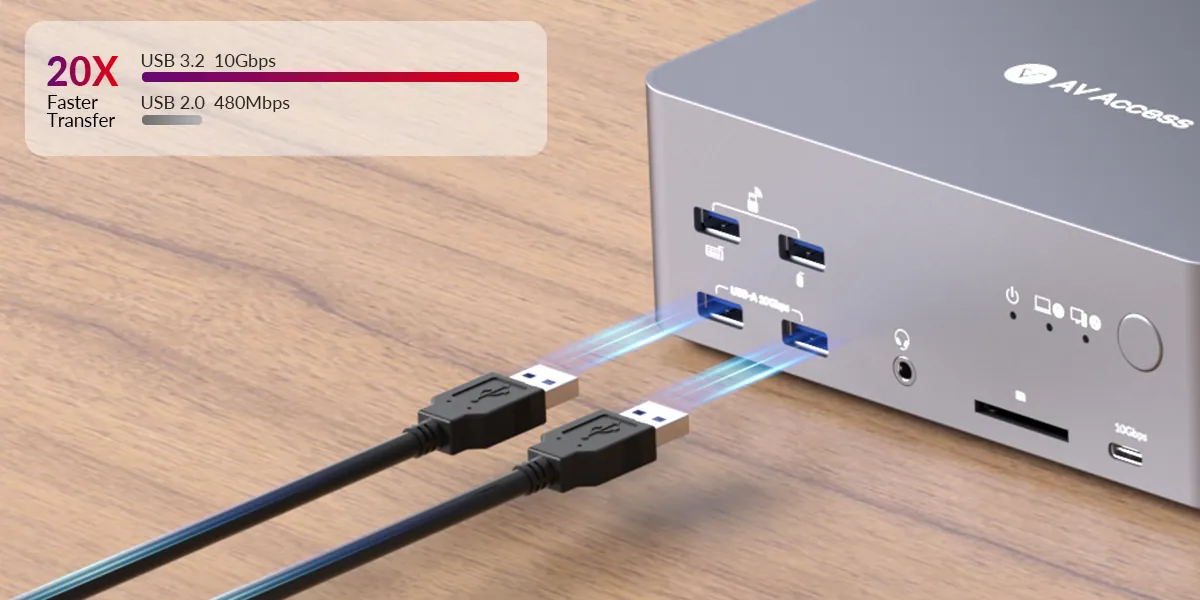
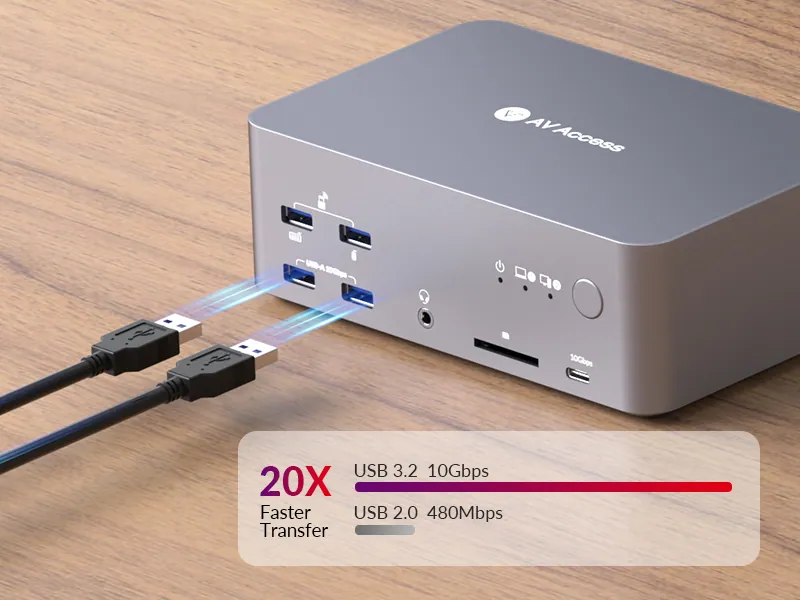
USB 3.2 PORTS
Transfer Files at a Higher Speed
Transfer large files, back up data, or connect high-speed peripherals in seconds. With blazing 10Gbps USB ports, your workflow stays fast and uninterrupted.
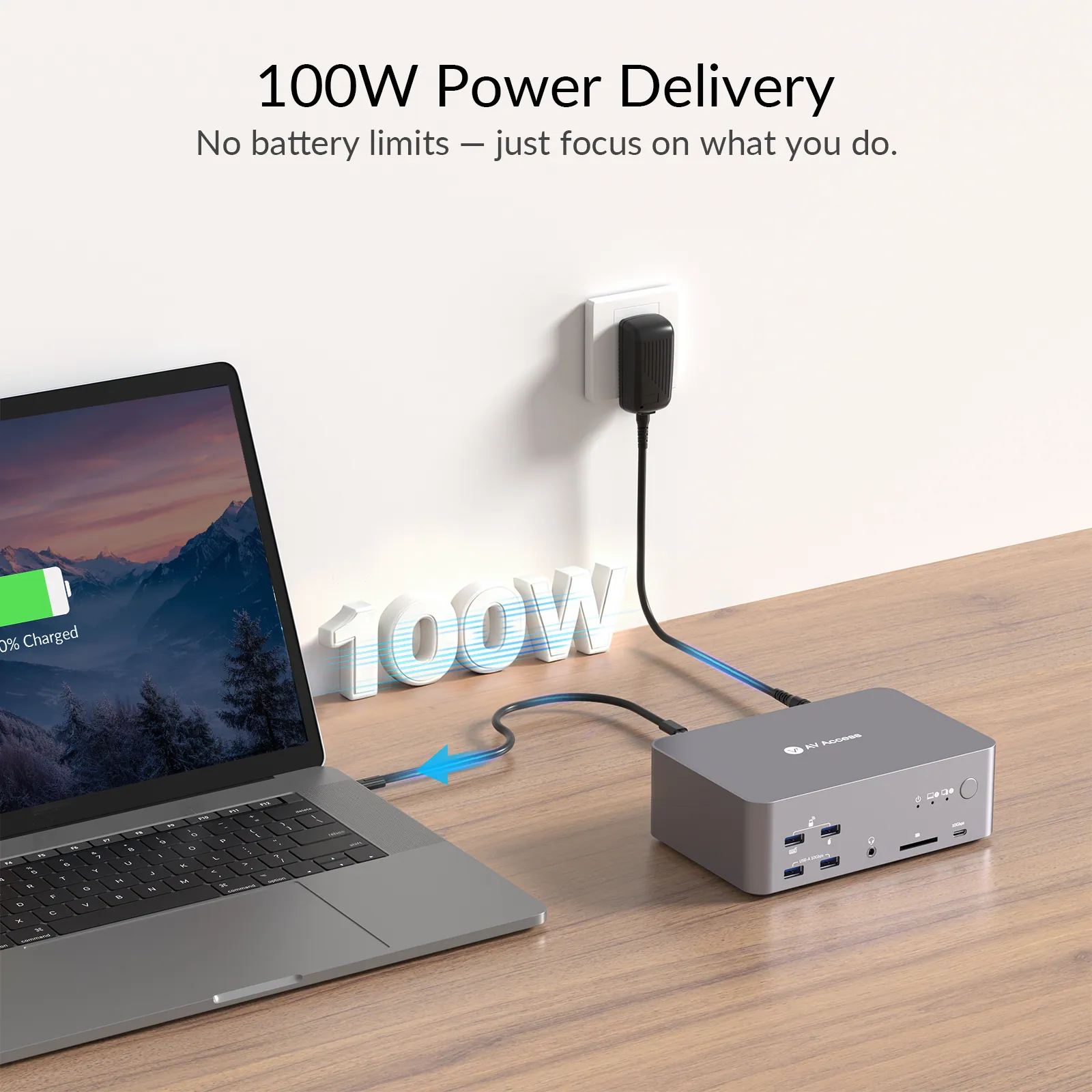
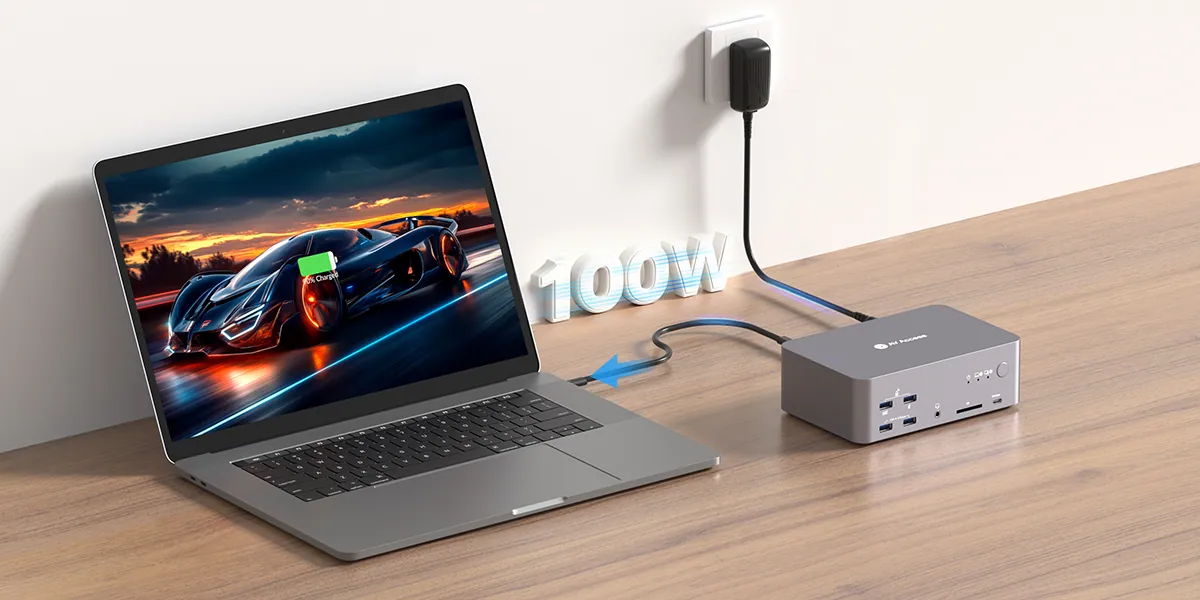
POWER DELIVERY
100W Power, Zero Downtime
Keep your laptop charged with 100W power delivery so that you can stay focused on your tasks but not your battery. Game on, work on as long as you like.
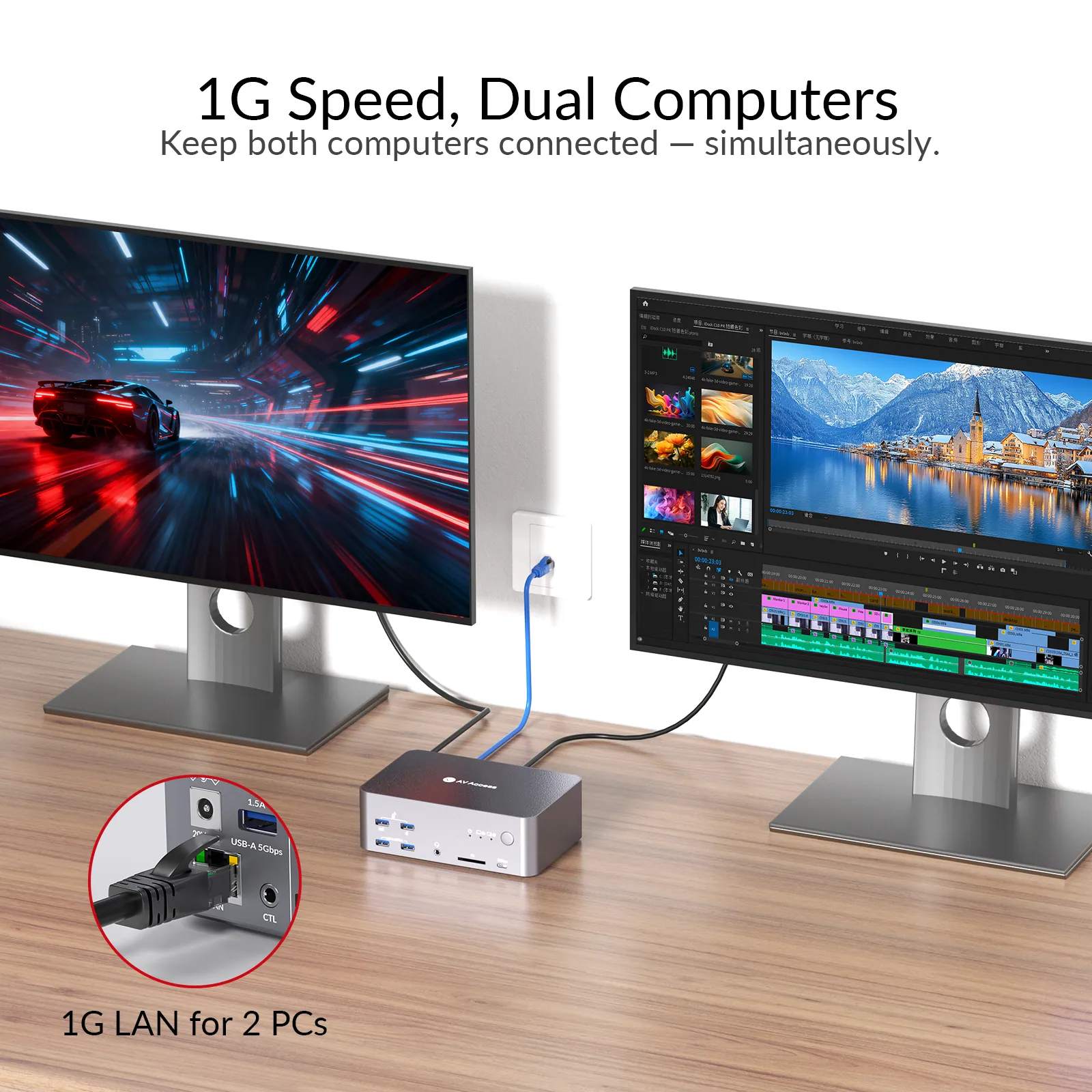
1G ETHERNET
Wired Internet, Shared Between Two PCs
The Ethernet port provides stable 1G wired network for your laptop and desktop simultaneously. No interruption while switching. You are always connected.
AV Access
Others
Make Your Workflow as Seamless as Possible
Wake them automatically and switch systems in one click. Move between tasks without breaking your workflow.
AUTO WAKEUP
Wake Your Sleeping PC
Easily wake up your sleeping desktop or laptop when you switch. Seamless transitions help you stay in the flow.
Full-Aluminum Casing
Enjoy Easy Carrying with Premium Quality
Featuring a full-aluminum casing with a compact size, it offers the perfect balance of premium quality and portability.
SWITCHING METHOD
Switch Everything in One Click
You can route all screens and peripherals from one PC to another, also long press the front button to power off and save energy.
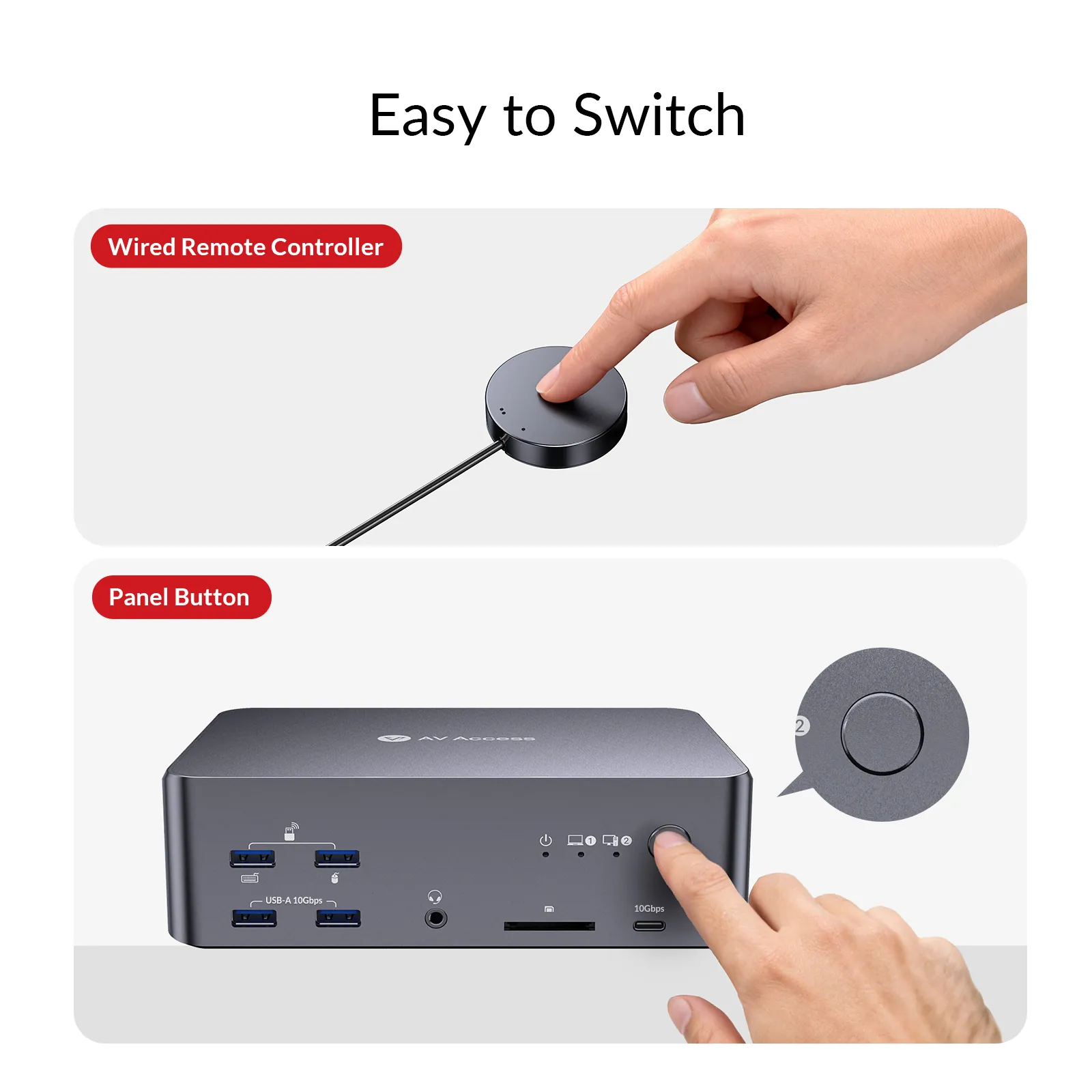
Switch Button
Just press the button to switch to another computer.
Wired Remote Controller
Connect an external remote controller to control device switching.
Compatibility Check
Simple Check for Seamless Use
In case of any compatibility problem, please confirm if the USB C port on your laptop supports video output and data transfer.
Switch Everything with a Single Press
Easily switch via the top-panel button or a wired remote (included). Even if your device is tucked under a desk or hard to reach, seamless switching is just one click away.
TYPICAL APPLICATIONS
For Work & Game with Three Screens
iDock B23 adapts your triple-screen setup to coding, trading, content creation, or gaming—delivering unmatched efficiency, immersion, and control.
IT Professionals
GAMers
TRADERS
Designers/Editors
Editor’s Picks on iDock Series
In-depth iDock B23 Review: The Gaming KVM Switch for Triple Monitor Users:
The Best KVM Switches for Gaming 2026
How to Share Monitors Between Your Gaming Console and Computer?:
KVM Switch for Gamers: FPS Players Should Read This
iDock Series
iDock for Gaming
iDock connects all your monitors, game PC, laptop, and peripherals.
iDock for Gaming
iDock for gaming
Enjoy Every Frame of Your Game
- • 2 Desktops & 3 Monitors
- • 11-in-1 Docking Station
- • 8K@60Hz/4K@165Hz Output
• 1G LAN
iDock D23
• 1 Laptop, 1 Desktop & 2 Monitors
• Dual 8K@60Hz Output
• 100W Charging
iDock B10
Choose the Model That’s Right for You
Check this chart and see if there is another model that fits your needs better. If you don’t find your model, take this quiz to find out which product we recommend for you.
FAQs
03Documents1 file · 952 KB
Documents and files.
Datasheets, manuals, drawings and certificates as the manufacturer publishes them.
04Related products
In the same range.
 EQ-861AV Access8K dual-monitor KVM docking station, 2.5GbEiDock B12 · Switchers and KVM
 EQ-863AV AccessUSB-C KVM docking station, 3-port, dual monitor, 65 W PDiDock B30 · Switchers and KVM
 EQ-860AV AccessUSB-C KVM docking station, 8K60 dual monitors, 100 W chargingiDock B10 · Switchers and KVM
 EQ-864AV AccessUSB-C KVM docking station, 4K dual monitor, 60 W PDiDock C10 · Switchers and KVM
05Talk to us
 8K triple-monitor KVM docking station, 100 W PD, 12-in-1AV Access · EQ-862
Need this priced for your project?
- Quantity and site
- Configuration and interfaces
- Quotation