Sheet 03 — Learning & presentation spaces
Solution 03 · Learning & presentation spaces

Bring the lesson into focus.

Make teaching material readable and speech clear. Choose classroom presentation, lecture capture or two-way hybrid teaching, or explore a proposed local platform for multilingual viewing and a lecture archive.

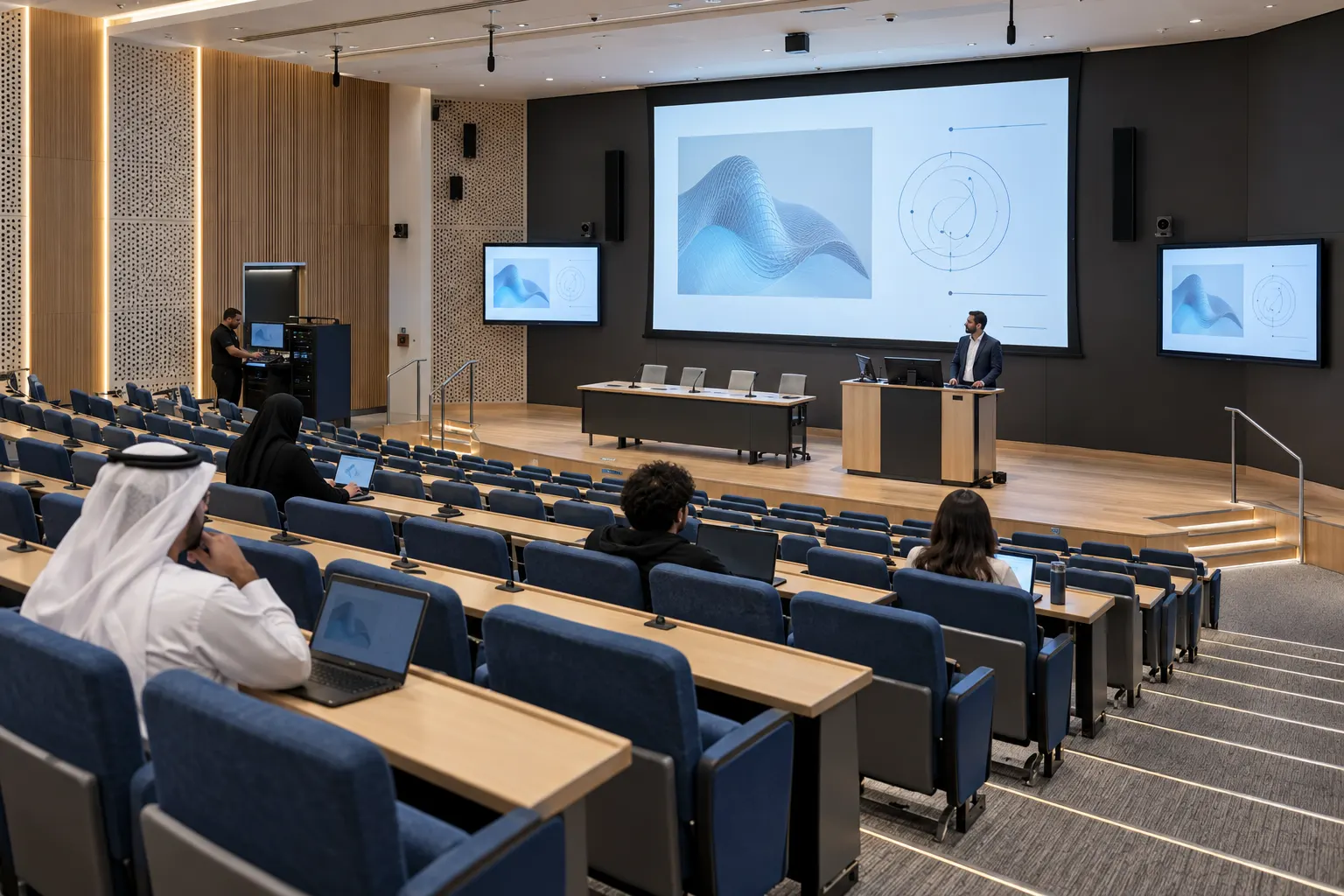
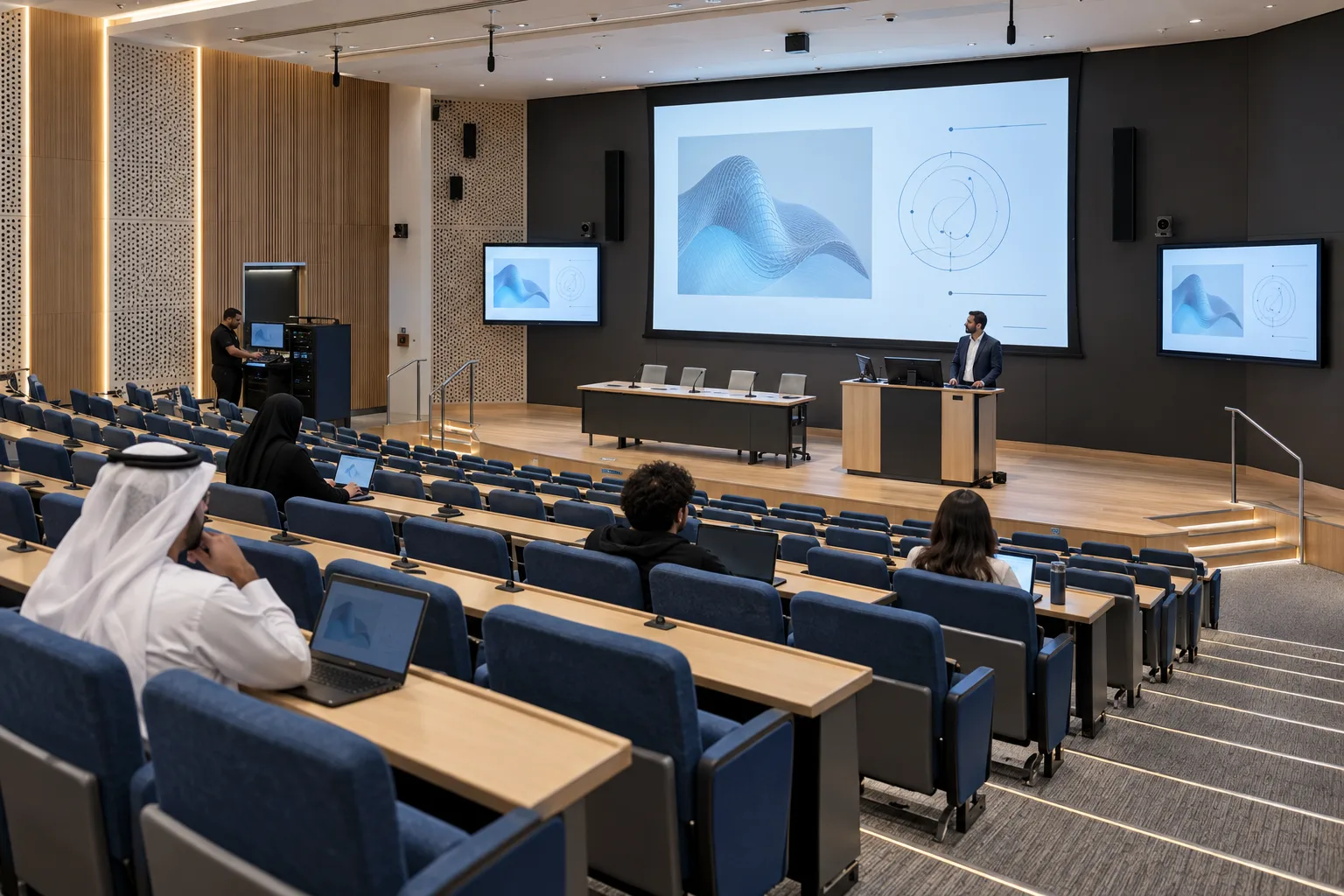
Concept visualisation of a university lecture theatre with integrated presentation and capture systems
Fig. 03.0 — Learning & presentation spaces
01Overview

Start with the way you teach.

A presentation room, a recorded lecture and a discussion with remote students need different signal paths and controls. We start with the lesson: who presents, who asks questions, what students need to see and what should remain available afterwards.

Screen size follows the seating and real course material. Microphones and loudspeakers are planned with the room acoustics. Recording, conferencing and language services belong to the configuration you select, with their own access rules, interfaces and acceptance checks.

These four reference configurations are starting points for design. They describe intended functions and example quantities; they are not fixed packages or evidence of completed installations. EDU-04 is a proposed system whose software implementation status has not yet been confirmed.

Rooms used for performances, ceremonies and operated events need additional stage and operator workflows. Describe these separately in your brief.

For event changeovers and stage operation, see Multi-purpose halls.

02Where it is used06 environments

Real environments, real priorities.

Who works in each kind of space, what they work with and what matters most to them.

Application register
No.EnvironmentWho uses itWork and contentWhat matters mostTypical systems
A01Seminar classroomLecturer and students in the roomSlides, documents and spoken explanationReadable content and simple source selectionEDU-01: display, speech audio and controls
A02Lecture roomLecturer, students and course teamRecord the presenter, teaching material and spoken questionsA complete recording with controlled publicationEDU-02: camera, capture and separate audio mixes
A03Hybrid seminarTeacher and students in the room and onlineQuestions and discussion in both directionsMicrophone coverage and a clear return path from the callEDU-03: two camera views, conferencing and echo cancellation
A04Staff training roomTrainer and course participantsRepeatable courses and skills demonstrationsConsistent controls; recording where requiredEDU-01 or EDU-02, selected by workflow
A05Distributed teaching programmeLecturer and authorised browser viewersWatch the lecture and send written questionsTwo video channels, language choice and local access controlProposed EDU-04 platform
A06Course revision and catch-upStudents and teaching support staffFind and replay permitted learning materialRetention, access and usable recordingsEDU-02/03 with an agreed repository, or the proposed EDU-04 archive
03Typical configurations

Four starting points, compared.

Choose by participation, recording and platform needs. EDU-04 is a different delivery model from EDU-03: its base scope uses written questions from remote students.

Compare all 4 configurations
Configuration

Classroom presentation

EDU-01

Show teaching material and reinforce the lecturer's speech.

Explore EDU-01

Lecture capture

EDU-02

Record the presenter, material and spoken questions for authorised replay.

Explore EDU-02

Two-way hybrid teaching

EDU-03

Connect room questions and remote answers in one lesson.

Explore EDU-03

Hybrid learning, translation & archive

EDU-04

Explore local browser viewing, language tracks, text questions and an archive. Proposed system; software status and performance unverified.

Explore EDU-04
Primary task

Teach in the room

Record a lecture for later access

Hold a lesson with remote discussion

Deliver and archive multilingual lectures on a proposed local platform

Example scope

One room; 24–30 seats assumed

One room; 60–100 seats assumed

One room; up to 40 seats assumed

One room design repeated across a target of 12 concurrent rooms

Teaching video

One selected source on the room display

Presentation plus one presenter camera to capture

Two selectable camera views and shared teaching content

Two separate channels: presenter and desktop/presentation

Room displays

One main display

One main display

Main display plus a remote-participant display

Main display plus a separate caption display

Speech capture

One lecturer microphone

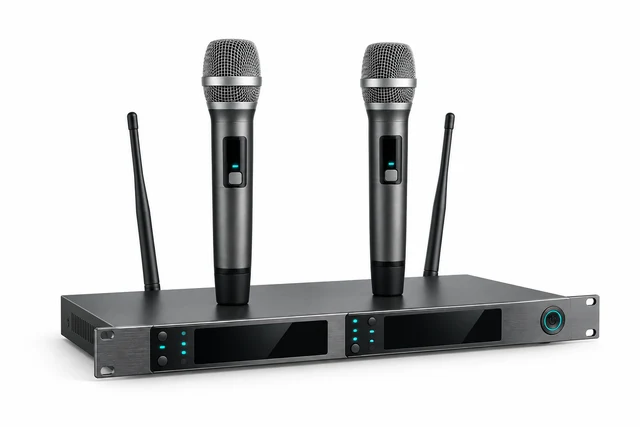
Lecturer microphone plus one handheld question microphone

Lecturer microphone plus two audience microphone zones

One lecturer microphone per room

Remote participation

Not included

Not included

Two-way voice and video on the selected platform

Browser viewing and written questions; no student voice or video return

Recording

Not included

Hardware recording and an agreed publication workflow

Hardware recording of the selected programme view and lesson audio

Proposed server recording of both video channels and language tracks

Language services

Not included

Not included

Not included in this reference scope

Proposed RU original audio, EN/ZH synthetic speech and RU/EN/ZH captions

Control

Integrated room panel/controller

Room panel, camera presets and recording indication

Room panel, camera selection and recording indication

Separate lecturer application; local administrator portal

Delivery status

Reference design; project selection and tests required

Reference design; project selection and tests required

Reference design; platform and room tests required

Proposed design; software status and performance unverified
Classroom presentation

EDU-01

Show teaching material and reinforce the lecturer's speech.

Explore EDU-01
Primary task
Teach in the room
Example scope
One room; 24–30 seats assumed
Teaching video
One selected source on the room display
Room displays
One main display
Speech capture
One lecturer microphone
Remote participation
Not included
Recording
Not included
Language services
Not included
Control
Integrated room panel/controller
Delivery status
Reference design; project selection and tests required

Lecture capture

EDU-02

Record the presenter, material and spoken questions for authorised replay.

Explore EDU-02
Primary task
Record a lecture for later access
Example scope
One room; 60–100 seats assumed
Teaching video
Presentation plus one presenter camera to capture
Room displays
One main display
Speech capture
Lecturer microphone plus one handheld question microphone
Remote participation
Not included
Recording
Hardware recording and an agreed publication workflow
Language services
Not included
Control
Room panel, camera presets and recording indication
Delivery status
Reference design; project selection and tests required

Two-way hybrid teaching

EDU-03

Connect room questions and remote answers in one lesson.

Explore EDU-03
Primary task
Hold a lesson with remote discussion
Example scope
One room; up to 40 seats assumed
Teaching video
Two selectable camera views and shared teaching content
Room displays
Main display plus a remote-participant display
Speech capture
Lecturer microphone plus two audience microphone zones
Remote participation
Two-way voice and video on the selected platform
Recording
Hardware recording of the selected programme view and lesson audio
Language services
Not included in this reference scope
Control
Room panel, camera selection and recording indication
Delivery status
Reference design; platform and room tests required

Hybrid learning, translation & archive

EDU-04

Explore local browser viewing, language tracks, text questions and an archive. Proposed system; software status and performance unverified.

Explore EDU-04
Primary task
Deliver and archive multilingual lectures on a proposed local platform
Example scope
One room design repeated across a target of 12 concurrent rooms
Teaching video
Two separate channels: presenter and desktop/presentation
Room displays
Main display plus a separate caption display
Speech capture
One lecturer microphone per room
Remote participation
Browser viewing and written questions; no student voice or video return
Recording
Proposed server recording of both video channels and language tracks
Language services
Proposed RU original audio, EN/ZH synthetic speech and RU/EN/ZH captions
Control
Separate lecturer application; local administrator portal
Delivery status
Proposed design; software status and performance unverified
Seat counts are planning assumptions, not equipment capacity ratings. Screen size, microphone coverage and loudspeaker quantities are confirmed for the actual room.

Follow the signal path for your configuration.

EDU-01

Classroom presentation

Reference design · project selection and tests required.

A lecturer presents from the teaching PC or an agreed guest connection to students in the room.

EDU-01

Presentation video reaches the main display; extracted programme audio and the lecturer microphone feed the room sound system.

Signal flow

Signal flow. Devices, connections and conditions follow the drawing.Open SVG ↗
EDU-01 · Signal flowReference design, not an installation drawing. One PC and one lecturer microphone feed one display and room sound. Separate control routes operate source, display and audio. Quantities are per room. REFERENCE DESIGN · PER ROOM Solid: media. Dashed: control/status. Room switch ×1 + installation set ×1 support these routes. Input 2 is reserved for a guest source; no second source supplied. No capture, conferencing or camera included. Repeated device identifiers refer to the same equipment across views. Equipment illustrations are schematic; labels define quantities.{"sourceHash":"4dcf995981708c3c5c3c03fad9f3bbc69b2fb435829a5c78d495b9cc5953f77c","view":"signal","nodes":["PC","SW","SCREEN","DSP","MIC","AMP","SPK"],"edges":["L01","L02","L03","L04","L05","L06"]}PIXEL COMMAND SOLUTIONS / EDU-01 / SIGNAL FLOWSignal flowREFERENCE DESIGN · PROJECT VALIDATION REQUIREDPC → SW: HDMIHDMISW → SCREEN: HDMIHDMISW → DSP: Analogue L/RAnalogue L/RMIC → DSP: Analogue micAnalogue micDSP → AMP: Line output 1Line output 1AMP → SPK: Speaker linesSpeaker linesTeaching PC ×1 Includes operator monitorPCTeaching PC ×1Presentation switcher ×1 2 inputs / 1 output Stereo audio extractionSWPresentation switcher×1Main display ×1SCREENMain display ×1Audio processor ×1 3 analogue inputs used Room mix: monoDSPAudio processor ×1Lecturer microphone ×1MICLecturer microphone ×1Amplifier ×1AMPAmplifier ×1Loudspeakers ×2 Initial layout assumptionSPKLoudspeakers ×2Video / LED dataAudio
Devices, connections & design conditions 6 connections
  • Teaching PC ×1; Includes operator monitor → Presentation switcher ×1; 2 inputs / 1 output; Stereo audio extraction: HDMI.
  • Presentation switcher ×1; 2 inputs / 1 output; Stereo audio extraction → Main display ×1: HDMI.
  • Presentation switcher ×1; 2 inputs / 1 output; Stereo audio extraction → Audio processor ×1; 3 analogue inputs used; Room mix: mono: Analogue L/R.
  • Lecturer microphone ×1 → Audio processor ×1; 3 analogue inputs used; Room mix: mono: Analogue mic.
  • Audio processor ×1; 3 analogue inputs used; Room mix: mono → Amplifier ×1: Line output 1.
  • Amplifier ×1 → Loudspeakers ×2; Initial layout assumption: Speaker lines.
  • Integrated panel/controller ×1 → Presentation switcher ×1; 2 inputs / 1 output; Stereo audio extraction: RS-232: source (control/status/authorisation).
  • Integrated panel/controller ×1 → Main display ×1: RS-232: power (control/status/authorisation).
  • Integrated panel/controller ×1 → Audio processor ×1; 3 analogue inputs used; Room mix: mono: IP: level / mute (control/status/authorisation).
  • Audio processor ×1; 3 analogue inputs used; Room mix: mono → Integrated panel/controller ×1: IP: actual state (control/status/authorisation).
PC
Teaching PC ×1 Includes operator monitor
SW
Presentation switcher ×1 2 inputs / 1 output Stereo audio extraction
SCREEN
Main display ×1
DSP
Audio processor ×1 3 analogue inputs used Room mix: mono
MIC
Lecturer microphone ×1
AMP
Amplifier ×1
SPK
Loudspeakers ×2 Initial layout assumption
  1. PC → SWHDMI
  2. SW → SCREENHDMI
  3. SW → DSPAnalogue L/R
  4. MIC → DSPAnalogue mic
  5. DSP → AMPLine output 1
  6. AMP → SPKSpeaker lines

REFERENCE DESIGN · PER ROOM Solid: media. Dashed: control/status. Room switch ×1 + installation set ×1 support these routes. Input 2 is reserved for a guest source; no second source supplied. No capture, conferencing or camera included.

Control & status

Signal flow. Devices, connections and conditions follow the drawing.Open SVG ↗
EDU-01 · Control & statusReference design, not an installation drawing. One PC and one lecturer microphone feed one display and room sound. Separate control routes operate source, display and audio. Quantities are per room. REFERENCE DESIGN · PER ROOM Solid: media. Dashed: control/status. Room switch ×1 + installation set ×1 support these routes. Input 2 is reserved for a guest source; no second source supplied. No capture, conferencing or camera included. Repeated device identifiers refer to the same equipment across views. Equipment illustrations are schematic; labels define quantities.{"sourceHash":"4dcf995981708c3c5c3c03fad9f3bbc69b2fb435829a5c78d495b9cc5953f77c","view":"control","nodes":["SW","SCREEN","DSP","CTRL"],"edges":["L07","L08","L09","L10"]}PIXEL COMMAND SOLUTIONS / EDU-01 / CONTROL & STATUSControl & statusREFERENCE DESIGN · PROJECT VALIDATION REQUIREDCTRL → SW: RS-232: sourceRS-232: sourceCTRL → SCREEN: RS-232: powerRS-232: powerCTRL → DSP: IP: level / muteIP: level / muteDSP → CTRL: IP: actual stateIP: actual statePresentation switcher ×1 2 inputs / 1 output Stereo audio extractionSWPresentation switcher×1Main display ×1SCREENMain display ×1Audio processor ×1 3 analogue inputs used Room mix: monoDSPAudio processor ×1Integrated panel/controller ×1CTRLIntegratedpanel/controller ×1Control / status
Devices, connections & design conditions 4 connections
  • Teaching PC ×1; Includes operator monitor → Presentation switcher ×1; 2 inputs / 1 output; Stereo audio extraction: HDMI.
  • Presentation switcher ×1; 2 inputs / 1 output; Stereo audio extraction → Main display ×1: HDMI.
  • Presentation switcher ×1; 2 inputs / 1 output; Stereo audio extraction → Audio processor ×1; 3 analogue inputs used; Room mix: mono: Analogue L/R.
  • Lecturer microphone ×1 → Audio processor ×1; 3 analogue inputs used; Room mix: mono: Analogue mic.
  • Audio processor ×1; 3 analogue inputs used; Room mix: mono → Amplifier ×1: Line output 1.
  • Amplifier ×1 → Loudspeakers ×2; Initial layout assumption: Speaker lines.
  • Integrated panel/controller ×1 → Presentation switcher ×1; 2 inputs / 1 output; Stereo audio extraction: RS-232: source (control/status/authorisation).
  • Integrated panel/controller ×1 → Main display ×1: RS-232: power (control/status/authorisation).
  • Integrated panel/controller ×1 → Audio processor ×1; 3 analogue inputs used; Room mix: mono: IP: level / mute (control/status/authorisation).
  • Audio processor ×1; 3 analogue inputs used; Room mix: mono → Integrated panel/controller ×1: IP: actual state (control/status/authorisation).
SW
Presentation switcher ×1 2 inputs / 1 output Stereo audio extraction
SCREEN
Main display ×1
DSP
Audio processor ×1 3 analogue inputs used Room mix: mono
CTRL
Integrated panel/controller ×1
  1. CTRL → SWRS-232: source
  2. CTRL → SCREENRS-232: power
  3. CTRL → DSPIP: level / mute
  4. DSP → CTRLIP: actual state

REFERENCE DESIGN · PER ROOM Solid: media. Dashed: control/status. Room switch ×1 + installation set ×1 support these routes. Input 2 is reserved for a guest source; no second source supplied. No capture, conferencing or camera included.

Typical architecture · not a project drawing

Workflow, boundaries and intended result

Composition

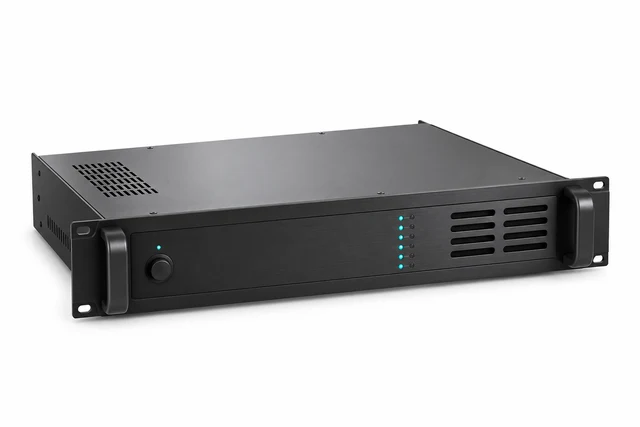
One teaching PC, one main display, one presentation switcher with audio extraction, one lecturer microphone, one audio processor, one amplifier, two loudspeakers and one integrated room panel/controller. One managed room switch and a room installation set complete the example. The PC includes its operator monitor; it is separate from the main display.

Boundaries

Camera capture, recording and remote participation are outside this configuration. A guest device, longer-distance video transport and hearing assistance are selected separately where required. The two loudspeakers are an initial layout assumption.

Intended result

Staff can select a source, show teaching material, adjust room sound and mute the microphone through a consistent room interface.

Example equipment for EDU-01

Example quantities for the selected configuration; final selection follows the approved design. A catalogue listing does not confirm stock, delivery time or complete-system compatibility.

Teaching PC, including operator monitor
1

Selected with institutional IT

Main / additional AV displays
1 / 0

Display options where LED suits the design; other display types by specification

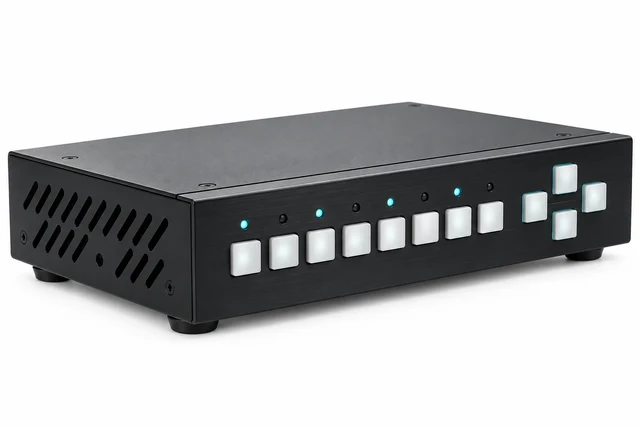
Presentation switching / distribution
1

Switching equipment

Lecturer / question microphones
1 / 0

Microphones

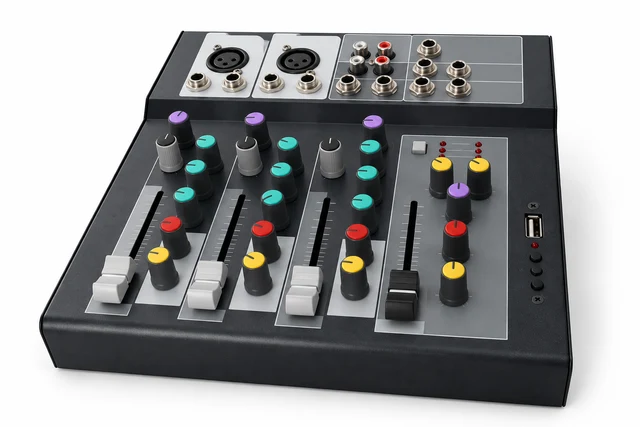
Audio processor
1

Mixers and processors

Amplifier / loudspeakers
1 / 2

Amplifiers · Loudspeakers

PTZ cameras / SDI-to-USB capture devices
0 / 0

Camera and capture interfaces selected together

Recorder / recording medium
0 / 0

Selected to the capture and retention brief

Integrated room panel/controller / recording indicator
1 / 0

Selected to device control interfaces

Managed room switch / installation set
1 / 1

Network, cabling, mounting and power by project

EDU-02

Lecture capture

Reference design · project selection and tests required.

A lecturer records a lesson with a presenter view, presentation content and questions asked through a handheld microphone.

EDU-02

Presentation and presenter video meet at the recorder. Room sound and recorded sound use separate mixes.

Video & data

Signal flow. Devices, connections and conditions follow the drawing.Open SVG ↗
EDU-02 · Video & dataReference design. HDMI presentation and SDI camera enter one recorder. Lecturer and question microphones plus presentation sound enter the DSP. Recording and room mixes are separate. Recorder status drives indication; an agreed upload workflow publishes to the institution's repository. REFERENCE DESIGN · PER ROOM Solid: media/data. Dashed: control/status. Room switch ×1 + installation set ×1 support IP and power. Upload is not automatic course publication without a confirmed connector. No remote voice/video return or automatic tracking. Repeated device identifiers refer to the same equipment across views. Equipment illustrations are schematic; labels define quantities.{"sourceHash":"f69a081cf2fc4c9cead3b5459f9d069d6cfdb2a8b0a3f2dd72e35556faa12834","view":"signal","nodes":["PC","SW","SCREEN","REC","CAM","MEDIA","STORE"],"edges":["L01","L02","L03","L04","L10","L11"]}PIXEL COMMAND SOLUTIONS / EDU-02 / VIDEO & DATAVideo & dataREFERENCE DESIGN · PROJECT VALIDATION REQUIREDPC → SW: HDMIHDMISW → SCREEN: HDMI output 1HDMI output 1SW → REC: HDMI output 2HDMI output 2CAM → REC: 3G-SDI3G-SDIREC → MEDIA: Local writeLocal writeREC → STORE: IP file upload: agreed methodIP file upload: agreedmethodTeaching PC ×1 Includes operator monitorPCTeaching PC ×1Presentation switcher ×1 2 inputs / 2 mirrored outputs Stereo audio extractionSWPresentation switcher×1Main display ×1SCREENMain display ×1Recorder ×1 HDMI + SDI + analogue audio Embedded audio disabledRECRecorder ×1Presenter PTZ camera ×1 Separate DC powerCAMPresenter PTZ camera×1Recording medium ×1MEDIARecording medium ×1Institutional repository ×1 service Publication and access rulesSTOREInstitutionalrepository ×1 serviceVideo / LED dataNetwork / data
Devices, connections & design conditions 6 connections
  • Teaching PC ×1; Includes operator monitor → Presentation switcher ×1; 2 inputs / 2 mirrored outputs; Stereo audio extraction: HDMI.
  • Presentation switcher ×1; 2 inputs / 2 mirrored outputs; Stereo audio extraction → Main display ×1: HDMI output 1.
  • Presentation switcher ×1; 2 inputs / 2 mirrored outputs; Stereo audio extraction → Recorder ×1; HDMI + SDI + analogue audio; Embedded audio disabled: HDMI output 2.
  • Presenter PTZ camera ×1; Separate DC power → Recorder ×1; HDMI + SDI + analogue audio; Embedded audio disabled: 3G-SDI.
  • Microphones ×2; Lecturer + handheld questions → Audio processor ×1; 4 analogue inputs used; Separate room / record mixes: 2 analogue inputs.
  • Presentation switcher ×1; 2 inputs / 2 mirrored outputs; Stereo audio extraction → Audio processor ×1; 4 analogue inputs used; Separate room / record mixes: Analogue L/R.
  • Audio processor ×1; 4 analogue inputs used; Separate room / record mixes → Amplifier ×1: Line output 1: room mix.
  • Amplifier ×1 → Loudspeakers ×4; Initial layout assumption: Speaker lines.
  • Audio processor ×1; 4 analogue inputs used; Separate room / record mixes → Recorder ×1; HDMI + SDI + analogue audio; Embedded audio disabled: Line output 2: record mix.
  • Recorder ×1; HDMI + SDI + analogue audio; Embedded audio disabled → Recording medium ×1: Local write.
  • Recorder ×1; HDMI + SDI + analogue audio; Embedded audio disabled → Institutional repository ×1 service; Publication and access rules: IP file upload: agreed method.
  • Institutional repository ×1 service; Publication and access rules → Recorder ×1; HDMI + SDI + analogue audio; Embedded audio disabled: Upload result / publication status (control/status/authorisation).
  • Integrated panel/controller ×1 → Recorder ×1; HDMI + SDI + analogue audio; Embedded audio disabled: IP API: start / stop (control/status/authorisation).
  • Recorder ×1; HDMI + SDI + analogue audio; Embedded audio disabled → Integrated panel/controller ×1: IP API: actual recording state (control/status/authorisation).
  • Integrated panel/controller ×1 → Recording indicator ×1: GPIO: state indication (control/status/authorisation).
  • Integrated panel/controller ×1 → Presenter PTZ camera ×1; Separate DC power: IP VISCA: presets (control/status/authorisation).
  • Integrated panel/controller ×1 → Audio processor ×1; 4 analogue inputs used; Separate room / record mixes: IP: level / mute (control/status/authorisation).
  • Integrated panel/controller ×1 → Presentation switcher ×1; 2 inputs / 2 mirrored outputs; Stereo audio extraction: RS-232: source (control/status/authorisation).
  • Integrated panel/controller ×1 → Main display ×1: RS-232: power (control/status/authorisation).
PC
Teaching PC ×1 Includes operator monitor
SW
Presentation switcher ×1 2 inputs / 2 mirrored outputs Stereo audio extraction
SCREEN
Main display ×1
REC
Recorder ×1 HDMI + SDI + analogue audio Embedded audio disabled
CAM
Presenter PTZ camera ×1 Separate DC power
MEDIA
Recording medium ×1
STORE
Institutional repository ×1 service Publication and access rules
  1. PC → SWHDMI
  2. SW → SCREENHDMI output 1
  3. SW → RECHDMI output 2
  4. CAM → REC3G-SDI
  5. REC → MEDIALocal write
  6. REC → STOREIP file upload: agreed method

REFERENCE DESIGN · PER ROOM Solid: media/data. Dashed: control/status. Room switch ×1 + installation set ×1 support IP and power. Upload is not automatic course publication without a confirmed connector. No remote voice/video return or automatic tracking.

Audio & return paths

Signal flow. Devices, connections and conditions follow the drawing.Open SVG ↗
EDU-02 · Audio & return pathsReference design. HDMI presentation and SDI camera enter one recorder. Lecturer and question microphones plus presentation sound enter the DSP. Recording and room mixes are separate. Recorder status drives indication; an agreed upload workflow publishes to the institution's repository. REFERENCE DESIGN · PER ROOM Solid: media/data. Dashed: control/status. Room switch ×1 + installation set ×1 support IP and power. Upload is not automatic course publication without a confirmed connector. No remote voice/video return or automatic tracking. Repeated device identifiers refer to the same equipment across views. Equipment illustrations are schematic; labels define quantities.{"sourceHash":"f69a081cf2fc4c9cead3b5459f9d069d6cfdb2a8b0a3f2dd72e35556faa12834","view":"audio","nodes":["SW","REC","MIC","DSP","AMP","SPK"],"edges":["L05","L06","L07","L08","L09"]}PIXEL COMMAND SOLUTIONS / EDU-02 / AUDIO & RETURN PATHSAudio & return pathsREFERENCE DESIGN · PROJECT VALIDATION REQUIREDMIC → DSP: 2 analogue inputs2 analogue inputsSW → DSP: Analogue L/RAnalogue L/RDSP → AMP: Line output 1: room mixLine output 1: room mixAMP → SPK: Speaker linesSpeaker linesDSP → REC: Line output 2: record mixLine output 2: recordmixPresentation switcher ×1 2 inputs / 2 mirrored outputs Stereo audio extractionSWPresentation switcher×1Recorder ×1 HDMI + SDI + analogue audio Embedded audio disabledRECRecorder ×1Microphones ×2 Lecturer + handheld questionsMICMicrophones ×2Audio processor ×1 4 analogue inputs used Separate room / record mixesDSPAudio processor ×1Amplifier ×1AMPAmplifier ×1Loudspeakers ×4 Initial layout assumptionSPKLoudspeakers ×4Audio
Devices, connections & design conditions 5 connections
  • Teaching PC ×1; Includes operator monitor → Presentation switcher ×1; 2 inputs / 2 mirrored outputs; Stereo audio extraction: HDMI.
  • Presentation switcher ×1; 2 inputs / 2 mirrored outputs; Stereo audio extraction → Main display ×1: HDMI output 1.
  • Presentation switcher ×1; 2 inputs / 2 mirrored outputs; Stereo audio extraction → Recorder ×1; HDMI + SDI + analogue audio; Embedded audio disabled: HDMI output 2.
  • Presenter PTZ camera ×1; Separate DC power → Recorder ×1; HDMI + SDI + analogue audio; Embedded audio disabled: 3G-SDI.
  • Microphones ×2; Lecturer + handheld questions → Audio processor ×1; 4 analogue inputs used; Separate room / record mixes: 2 analogue inputs.
  • Presentation switcher ×1; 2 inputs / 2 mirrored outputs; Stereo audio extraction → Audio processor ×1; 4 analogue inputs used; Separate room / record mixes: Analogue L/R.
  • Audio processor ×1; 4 analogue inputs used; Separate room / record mixes → Amplifier ×1: Line output 1: room mix.
  • Amplifier ×1 → Loudspeakers ×4; Initial layout assumption: Speaker lines.
  • Audio processor ×1; 4 analogue inputs used; Separate room / record mixes → Recorder ×1; HDMI + SDI + analogue audio; Embedded audio disabled: Line output 2: record mix.
  • Recorder ×1; HDMI + SDI + analogue audio; Embedded audio disabled → Recording medium ×1: Local write.
  • Recorder ×1; HDMI + SDI + analogue audio; Embedded audio disabled → Institutional repository ×1 service; Publication and access rules: IP file upload: agreed method.
  • Institutional repository ×1 service; Publication and access rules → Recorder ×1; HDMI + SDI + analogue audio; Embedded audio disabled: Upload result / publication status (control/status/authorisation).
  • Integrated panel/controller ×1 → Recorder ×1; HDMI + SDI + analogue audio; Embedded audio disabled: IP API: start / stop (control/status/authorisation).
  • Recorder ×1; HDMI + SDI + analogue audio; Embedded audio disabled → Integrated panel/controller ×1: IP API: actual recording state (control/status/authorisation).
  • Integrated panel/controller ×1 → Recording indicator ×1: GPIO: state indication (control/status/authorisation).
  • Integrated panel/controller ×1 → Presenter PTZ camera ×1; Separate DC power: IP VISCA: presets (control/status/authorisation).
  • Integrated panel/controller ×1 → Audio processor ×1; 4 analogue inputs used; Separate room / record mixes: IP: level / mute (control/status/authorisation).
  • Integrated panel/controller ×1 → Presentation switcher ×1; 2 inputs / 2 mirrored outputs; Stereo audio extraction: RS-232: source (control/status/authorisation).
  • Integrated panel/controller ×1 → Main display ×1: RS-232: power (control/status/authorisation).
SW
Presentation switcher ×1 2 inputs / 2 mirrored outputs Stereo audio extraction
REC
Recorder ×1 HDMI + SDI + analogue audio Embedded audio disabled
MIC
Microphones ×2 Lecturer + handheld questions
DSP
Audio processor ×1 4 analogue inputs used Separate room / record mixes
AMP
Amplifier ×1
SPK
Loudspeakers ×4 Initial layout assumption
  1. MIC → DSP2 analogue inputs
  2. SW → DSPAnalogue L/R
  3. DSP → AMPLine output 1: room mix
  4. AMP → SPKSpeaker lines
  5. DSP → RECLine output 2: record mix

REFERENCE DESIGN · PER ROOM Solid: media/data. Dashed: control/status. Room switch ×1 + installation set ×1 support IP and power. Upload is not automatic course publication without a confirmed connector. No remote voice/video return or automatic tracking.

Control & status

Signal flow. Devices, connections and conditions follow the drawing.Open SVG ↗
EDU-02 · Control & statusReference design. HDMI presentation and SDI camera enter one recorder. Lecturer and question microphones plus presentation sound enter the DSP. Recording and room mixes are separate. Recorder status drives indication; an agreed upload workflow publishes to the institution's repository. REFERENCE DESIGN · PER ROOM Solid: media/data. Dashed: control/status. Room switch ×1 + installation set ×1 support IP and power. Upload is not automatic course publication without a confirmed connector. No remote voice/video return or automatic tracking. Repeated device identifiers refer to the same equipment across views. Equipment illustrations are schematic; labels define quantities.{"sourceHash":"f69a081cf2fc4c9cead3b5459f9d069d6cfdb2a8b0a3f2dd72e35556faa12834","view":"control","nodes":["SW","SCREEN","REC","CAM","DSP","STORE","CTRL","LAMP"],"edges":["L12","L13","L14","L15","L16","L17","L18","L19"]}PIXEL COMMAND SOLUTIONS / EDU-02 / CONTROL & STATUSControl & statusREFERENCE DESIGN · PROJECT VALIDATION REQUIREDSTORE → REC: Upload result / publication statusUpload result /publication statusCTRL → REC: IP API: start / stopIP API: start / stopREC → CTRL: IP API: actual recording stateIP API: actualrecording stateCTRL → LAMP: GPIO: state indicationGPIO: state indicationCTRL → CAM: IP VISCA: presetsIP VISCA: presetsCTRL → DSP: IP: level / muteIP: level / muteCTRL → SW: RS-232: sourceRS-232: sourceCTRL → SCREEN: RS-232: powerRS-232: powerPresentation switcher ×1 2 inputs / 2 mirrored outputs Stereo audio extractionSWPresentation switcher×1Main display ×1SCREENMain display ×1Recorder ×1 HDMI + SDI + analogue audio Embedded audio disabledRECRecorder ×1Presenter PTZ camera ×1 Separate DC powerCAMPresenter PTZ camera×1Audio processor ×1 4 analogue inputs used Separate room / record mixesDSPAudio processor ×1Institutional repository ×1 service Publication and access rulesSTOREInstitutionalrepository ×1 serviceIntegrated panel/controller ×1CTRLIntegratedpanel/controller ×1Recording indicator ×1LAMPRecording indicator ×1Control / status
Devices, connections & design conditions 8 connections
  • Teaching PC ×1; Includes operator monitor → Presentation switcher ×1; 2 inputs / 2 mirrored outputs; Stereo audio extraction: HDMI.
  • Presentation switcher ×1; 2 inputs / 2 mirrored outputs; Stereo audio extraction → Main display ×1: HDMI output 1.
  • Presentation switcher ×1; 2 inputs / 2 mirrored outputs; Stereo audio extraction → Recorder ×1; HDMI + SDI + analogue audio; Embedded audio disabled: HDMI output 2.
  • Presenter PTZ camera ×1; Separate DC power → Recorder ×1; HDMI + SDI + analogue audio; Embedded audio disabled: 3G-SDI.
  • Microphones ×2; Lecturer + handheld questions → Audio processor ×1; 4 analogue inputs used; Separate room / record mixes: 2 analogue inputs.
  • Presentation switcher ×1; 2 inputs / 2 mirrored outputs; Stereo audio extraction → Audio processor ×1; 4 analogue inputs used; Separate room / record mixes: Analogue L/R.
  • Audio processor ×1; 4 analogue inputs used; Separate room / record mixes → Amplifier ×1: Line output 1: room mix.
  • Amplifier ×1 → Loudspeakers ×4; Initial layout assumption: Speaker lines.
  • Audio processor ×1; 4 analogue inputs used; Separate room / record mixes → Recorder ×1; HDMI + SDI + analogue audio; Embedded audio disabled: Line output 2: record mix.
  • Recorder ×1; HDMI + SDI + analogue audio; Embedded audio disabled → Recording medium ×1: Local write.
  • Recorder ×1; HDMI + SDI + analogue audio; Embedded audio disabled → Institutional repository ×1 service; Publication and access rules: IP file upload: agreed method.
  • Institutional repository ×1 service; Publication and access rules → Recorder ×1; HDMI + SDI + analogue audio; Embedded audio disabled: Upload result / publication status (control/status/authorisation).
  • Integrated panel/controller ×1 → Recorder ×1; HDMI + SDI + analogue audio; Embedded audio disabled: IP API: start / stop (control/status/authorisation).
  • Recorder ×1; HDMI + SDI + analogue audio; Embedded audio disabled → Integrated panel/controller ×1: IP API: actual recording state (control/status/authorisation).
  • Integrated panel/controller ×1 → Recording indicator ×1: GPIO: state indication (control/status/authorisation).
  • Integrated panel/controller ×1 → Presenter PTZ camera ×1; Separate DC power: IP VISCA: presets (control/status/authorisation).
  • Integrated panel/controller ×1 → Audio processor ×1; 4 analogue inputs used; Separate room / record mixes: IP: level / mute (control/status/authorisation).
  • Integrated panel/controller ×1 → Presentation switcher ×1; 2 inputs / 2 mirrored outputs; Stereo audio extraction: RS-232: source (control/status/authorisation).
  • Integrated panel/controller ×1 → Main display ×1: RS-232: power (control/status/authorisation).
SW
Presentation switcher ×1 2 inputs / 2 mirrored outputs Stereo audio extraction
SCREEN
Main display ×1
REC
Recorder ×1 HDMI + SDI + analogue audio Embedded audio disabled
CAM
Presenter PTZ camera ×1 Separate DC power
DSP
Audio processor ×1 4 analogue inputs used Separate room / record mixes
STORE
Institutional repository ×1 service Publication and access rules
CTRL
Integrated panel/controller ×1
LAMP
Recording indicator ×1
  1. STORE → RECUpload result / publication status
  2. CTRL → RECIP API: start / stop
  3. REC → CTRLIP API: actual recording state
  4. CTRL → LAMPGPIO: state indication
  5. CTRL → CAMIP VISCA: presets
  6. CTRL → DSPIP: level / mute
  7. CTRL → SWRS-232: source
  8. CTRL → SCREENRS-232: power

REFERENCE DESIGN · PER ROOM Solid: media/data. Dashed: control/status. Room switch ×1 + installation set ×1 support IP and power. Upload is not automatic course publication without a confirmed connector. No remote voice/video return or automatic tracking.

Typical architecture · not a project drawing

Workflow, boundaries and intended result

Composition

One teaching PC, one main display, one presentation switcher with two mirrored outputs and audio extraction, two microphones, one audio processor, one amplifier and four loudspeakers as a starting layout. One PTZ camera feeds the recorder over SDI; the presentation feeds it over HDMI. One recording appliance, one recording medium, one room panel/controller, one recording indicator and one managed room switch support the workflow. The institution supplies the agreed repository service.

Boundaries

This is a recording workflow. Two-way student participation, automatic translation and automatic camera tracking are outside its base scope. Publication can use a reviewed upload workflow; timetable automation requires a separately agreed interface. The recording layout and whether sources are retained separately are set during design.

Intended result

An authorised user can record and replay a complete lesson, check the audio and publish it to the agreed audience. Recording indication follows the recorder's actual state.

Example equipment for EDU-02

Example quantities for the selected configuration; final selection follows the approved design. A catalogue listing does not confirm stock, delivery time or complete-system compatibility.

Teaching PC, including operator monitor
1

Selected with institutional IT

Main / additional AV displays
1 / 0

Display options where LED suits the design; other display types by specification

Presentation switching / distribution
1

Switching equipment

Lecturer / question microphones
1 / 1

Microphones

Audio processor
1

Mixers and processors

Amplifier / loudspeakers
1 / 4

Amplifiers · Loudspeakers

PTZ cameras / SDI-to-USB capture devices
1 / 0

Camera and capture interfaces selected together

Recorder / recording medium
1 / 1

Selected to the capture and retention brief

Integrated room panel/controller / recording indicator
1 / 1

Selected to device control interfaces

Managed room switch / installation set
1 / 1

Network, cabling, mounting and power by project

EDU-03

Two-way hybrid teaching

Reference design · project selection and tests required.

Students in the room and online ask questions, hear answers and share the same teaching material.

EDU-03

Two camera captures feed the conferencing PC. Remote sound returns to the room and recording, with a separate outgoing microphone mix.

Video & data

Signal flow. Devices, connections and conditions follow the drawing.Open SVG ↗
EDU-03 · Video & dataReference design. Two SDI cameras use two USB capture devices. The conferencing PC sends and receives remote media. Microphone send excludes remote return; the DSP uses playback as the AEC reference. Room and recording mixes are distinct. One HDMI programme is recorded, not all camera sources separately. REFERENCE DESIGN · PER ROOM Solid: media/data. Dashed: control/status. Room switch ×1 + installation set ×1; capture and audio share PC USB resources. Room mix excludes audience-zone voice lift unless separately designed. Return audio is excluded from USB send; content audio is shared by the application. Two selectable cameras do not guarantee simultaneous delivery of both views. Repeated device identifiers refer to the same equipment across views. Equipment illustrations are schematic; labels define quantities.{"sourceHash":"aff991b6b65b9a1c764db780b246d6a44bd5fcc7f8b11308a4879c48d114c95a","view":"signal","nodes":["CAM","CAP","PC","REMOTE","DA","SCREEN","SCREEN2","REC","MEDIA","REPO"],"edges":["L01","L02","L03","L09","L10","L11","L12","L14","L15"]}PIXEL COMMAND SOLUTIONS / EDU-03 / VIDEO & DATAVideo & dataREFERENCE DESIGN · PROJECT VALIDATION REQUIREDCAM → CAP: 2 SDI routes2 × SDICAP → PC: 2 USB video inputs2 × USB videoPC ↔ REMOTE: IP: two-way call + shared contentTwo-way IP callPC → DA: AV output A: HDMI programmeOutput A · HDMIDA → SCREEN: HDMIHDMIPC → SCREEN2: AV output B: HDMI / DPOutput B · HDMI / DPDA → REC: HDMI: programme videoHDMI programmeREC → MEDIA: Local writeLocal writeREC → REPO: IP: agreed upload workflowAgreed IP uploadPTZ cameras ×2 Presenter / audience Separate DC powerCAMPTZ cameras ×2SDI-to-USB capture ×2CAPSDI-to-USB capture ×2Teaching / conferencing PC ×1 Operator monitor included Camera selection + content sharingPCTeaching /conferencing PC ×1Remote participants Institutional conferencing serviceREMOTERemote participantsHDMI DA ×1 1 input / 2 outputsDAHDMI DA ×1Main display ×1SCREENMain display ×1Remote-participant display ×1SCREEN2Remote-participantdisplay ×1Recorder ×1 Embedded HDMI audio disabledRECRecorder ×1Recording medium ×1MEDIARecording medium ×1Institutional repository ×1 serviceREPOInstitutionalrepository ×1 serviceVideo / LED dataUSB / KVMNetwork / data
Devices, connections & design conditions 9 connections
  • PTZ cameras ×2; Presenter / audience; Separate DC power → SDI-to-USB capture ×2: 2 SDI routes.
  • SDI-to-USB capture ×2 → Teaching / conferencing PC ×1; Operator monitor included; Camera selection + content sharing: 2 USB video inputs.
  • Teaching / conferencing PC ×1; Operator monitor included; Camera selection + content sharing ↔ Remote participants; Institutional conferencing service: IP: two-way call + shared content.
  • Microphone channels ×3; Lecturer + 2 audience zones → AEC audio processor ×1; AEC on microphone inputs; Reference: far end + programme: 3 analogue mic inputs.
  • AEC audio processor ×1; AEC on microphone inputs; Reference: far end + programme → Teaching / conferencing PC ×1; Operator monitor included; Camera selection + content sharing: USB send: mic mix only.
  • Teaching / conferencing PC ×1; Operator monitor included; Camera selection + content sharing → AEC audio processor ×1; AEC on microphone inputs; Reference: far end + programme: USB receive: far end + programme.
  • AEC audio processor ×1; AEC on microphone inputs; Reference: far end + programme → Amplifier ×1: Line 1: room mix.
  • Amplifier ×1 → Loudspeakers ×4: Speaker lines.
  • Teaching / conferencing PC ×1; Operator monitor included; Camera selection + content sharing → HDMI DA ×1; 1 input / 2 outputs: AV output A: HDMI programme.
  • HDMI DA ×1; 1 input / 2 outputs → Main display ×1: HDMI.
  • Teaching / conferencing PC ×1; Operator monitor included; Camera selection + content sharing → Remote-participant display ×1: AV output B: HDMI / DP.
  • HDMI DA ×1; 1 input / 2 outputs → Recorder ×1; Embedded HDMI audio disabled: HDMI: programme video.
  • AEC audio processor ×1; AEC on microphone inputs; Reference: far end + programme → Recorder ×1; Embedded HDMI audio disabled: Line 2: microphones + far end + programme.
  • Recorder ×1; Embedded HDMI audio disabled → Recording medium ×1: Local write.
  • Recorder ×1; Embedded HDMI audio disabled → Institutional repository ×1 service: IP: agreed upload workflow.
  • Integrated panel/controller ×1 → PTZ cameras ×2; Presenter / audience; Separate DC power: IP VISCA: presets (control/status/authorisation).
  • Integrated panel/controller ×1 → AEC audio processor ×1; AEC on microphone inputs; Reference: far end + programme: IP: level / mute (control/status/authorisation).
  • Integrated panel/controller ×1 → Recorder ×1; Embedded HDMI audio disabled: IP API: record start / stop (control/status/authorisation).
  • Recorder ×1; Embedded HDMI audio disabled → Integrated panel/controller ×1: IP API: recording state (control/status/authorisation).
  • Integrated panel/controller ×1 → Recording indicator ×1: GPIO: actual state (control/status/authorisation).
  • Integrated panel/controller ×1 → Main display ×1: Serial: display power (control/status/authorisation).
  • Integrated panel/controller ×1 → Remote-participant display ×1: Serial: display power (control/status/authorisation).
CAM
PTZ cameras ×2 Presenter / audience Separate DC power
CAP
SDI-to-USB capture ×2
PC
Teaching / conferencing PC ×1 Operator monitor included Camera selection + content sharing
REMOTE
Remote participants Institutional conferencing service
DA
HDMI DA ×1 1 input / 2 outputs
SCREEN
Main display ×1
SCREEN2
Remote-participant display ×1
REC
Recorder ×1 Embedded HDMI audio disabled
MEDIA
Recording medium ×1
REPO
Institutional repository ×1 service
  1. CAM → CAP2 SDI routes
  2. CAP → PC2 USB video inputs
  3. PC ↔ REMOTEIP: two-way call + shared content
  4. PC → DAAV output A: HDMI programme
  5. DA → SCREENHDMI
  6. PC → SCREEN2AV output B: HDMI / DP
  7. DA → RECHDMI: programme video
  8. REC → MEDIALocal write
  9. REC → REPOIP: agreed upload workflow

REFERENCE DESIGN · PER ROOM Solid: media/data. Dashed: control/status. Room switch ×1 + installation set ×1; capture and audio share PC USB resources. Room mix excludes audience-zone voice lift unless separately designed. Return audio is excluded from USB send; content audio is shared by the application. Two selectable cameras do not guarantee simultaneous delivery of both views.

Audio & return paths

Signal flow. Devices, connections and conditions follow the drawing.Open SVG ↗
EDU-03 · Audio & return pathsReference design. Two SDI cameras use two USB capture devices. The conferencing PC sends and receives remote media. Microphone send excludes remote return; the DSP uses playback as the AEC reference. Room and recording mixes are distinct. One HDMI programme is recorded, not all camera sources separately. REFERENCE DESIGN · PER ROOM Solid: media/data. Dashed: control/status. Room switch ×1 + installation set ×1; capture and audio share PC USB resources. Room mix excludes audience-zone voice lift unless separately designed. Return audio is excluded from USB send; content audio is shared by the application. Two selectable cameras do not guarantee simultaneous delivery of both views. Repeated device identifiers refer to the same equipment across views. Equipment illustrations are schematic; labels define quantities.{"sourceHash":"aff991b6b65b9a1c764db780b246d6a44bd5fcc7f8b11308a4879c48d114c95a","view":"audio","nodes":["PC","MICS","DSP","AMP","SPK","REC"],"edges":["L04","L05","L06","L07","L08","L13"]}PIXEL COMMAND SOLUTIONS / EDU-03 / AUDIO & RETURN PATHSAudio & return pathsREFERENCE DESIGN · PROJECT VALIDATION REQUIREDMICS → DSP: 3 analogue mic inputs3 analogue mic inputsDSP → PC: USB send: mic mix onlyUSB send: mic mix onlyPC → DSP: USB receive: far end + programmeUSB receive: far end +programmeDSP → AMP: Line 1: room mixLine 1: room mixAMP → SPK: Speaker linesSpeaker linesDSP → REC: Line 2: microphones + far end + programmeLine 2: microphones +far end + programmeTeaching / conferencing PC ×1 Operator monitor included Camera selection + content sharingPCTeaching /conferencing PC ×1Microphone channels ×3 Lecturer + 2 audience zonesMICSMicrophone channels ×3AEC audio processor ×1 AEC on microphone inputs Reference: far end + programmeDSPAEC audio processor ×1Amplifier ×1AMPAmplifier ×1Loudspeakers ×4SPKLoudspeakers ×4Recorder ×1 Embedded HDMI audio disabledRECRecorder ×1AudioUSB / KVM
Devices, connections & design conditions 6 connections
  • PTZ cameras ×2; Presenter / audience; Separate DC power → SDI-to-USB capture ×2: 2 SDI routes.
  • SDI-to-USB capture ×2 → Teaching / conferencing PC ×1; Operator monitor included; Camera selection + content sharing: 2 USB video inputs.
  • Teaching / conferencing PC ×1; Operator monitor included; Camera selection + content sharing ↔ Remote participants; Institutional conferencing service: IP: two-way call + shared content.
  • Microphone channels ×3; Lecturer + 2 audience zones → AEC audio processor ×1; AEC on microphone inputs; Reference: far end + programme: 3 analogue mic inputs.
  • AEC audio processor ×1; AEC on microphone inputs; Reference: far end + programme → Teaching / conferencing PC ×1; Operator monitor included; Camera selection + content sharing: USB send: mic mix only.
  • Teaching / conferencing PC ×1; Operator monitor included; Camera selection + content sharing → AEC audio processor ×1; AEC on microphone inputs; Reference: far end + programme: USB receive: far end + programme.
  • AEC audio processor ×1; AEC on microphone inputs; Reference: far end + programme → Amplifier ×1: Line 1: room mix.
  • Amplifier ×1 → Loudspeakers ×4: Speaker lines.
  • Teaching / conferencing PC ×1; Operator monitor included; Camera selection + content sharing → HDMI DA ×1; 1 input / 2 outputs: AV output A: HDMI programme.
  • HDMI DA ×1; 1 input / 2 outputs → Main display ×1: HDMI.
  • Teaching / conferencing PC ×1; Operator monitor included; Camera selection + content sharing → Remote-participant display ×1: AV output B: HDMI / DP.
  • HDMI DA ×1; 1 input / 2 outputs → Recorder ×1; Embedded HDMI audio disabled: HDMI: programme video.
  • AEC audio processor ×1; AEC on microphone inputs; Reference: far end + programme → Recorder ×1; Embedded HDMI audio disabled: Line 2: microphones + far end + programme.
  • Recorder ×1; Embedded HDMI audio disabled → Recording medium ×1: Local write.
  • Recorder ×1; Embedded HDMI audio disabled → Institutional repository ×1 service: IP: agreed upload workflow.
  • Integrated panel/controller ×1 → PTZ cameras ×2; Presenter / audience; Separate DC power: IP VISCA: presets (control/status/authorisation).
  • Integrated panel/controller ×1 → AEC audio processor ×1; AEC on microphone inputs; Reference: far end + programme: IP: level / mute (control/status/authorisation).
  • Integrated panel/controller ×1 → Recorder ×1; Embedded HDMI audio disabled: IP API: record start / stop (control/status/authorisation).
  • Recorder ×1; Embedded HDMI audio disabled → Integrated panel/controller ×1: IP API: recording state (control/status/authorisation).
  • Integrated panel/controller ×1 → Recording indicator ×1: GPIO: actual state (control/status/authorisation).
  • Integrated panel/controller ×1 → Main display ×1: Serial: display power (control/status/authorisation).
  • Integrated panel/controller ×1 → Remote-participant display ×1: Serial: display power (control/status/authorisation).
PC
Teaching / conferencing PC ×1 Operator monitor included Camera selection + content sharing
MICS
Microphone channels ×3 Lecturer + 2 audience zones
DSP
AEC audio processor ×1 AEC on microphone inputs Reference: far end + programme
AMP
Amplifier ×1
SPK
Loudspeakers ×4
REC
Recorder ×1 Embedded HDMI audio disabled
  1. MICS → DSP3 analogue mic inputs
  2. DSP → PCUSB send: mic mix only
  3. PC → DSPUSB receive: far end + programme
  4. DSP → AMPLine 1: room mix
  5. AMP → SPKSpeaker lines
  6. DSP → RECLine 2: microphones + far end + programme

REFERENCE DESIGN · PER ROOM Solid: media/data. Dashed: control/status. Room switch ×1 + installation set ×1; capture and audio share PC USB resources. Room mix excludes audience-zone voice lift unless separately designed. Return audio is excluded from USB send; content audio is shared by the application. Two selectable cameras do not guarantee simultaneous delivery of both views.

Control & status

Signal flow. Devices, connections and conditions follow the drawing.Open SVG ↗
EDU-03 · Control & statusReference design. Two SDI cameras use two USB capture devices. The conferencing PC sends and receives remote media. Microphone send excludes remote return; the DSP uses playback as the AEC reference. Room and recording mixes are distinct. One HDMI programme is recorded, not all camera sources separately. REFERENCE DESIGN · PER ROOM Solid: media/data. Dashed: control/status. Room switch ×1 + installation set ×1; capture and audio share PC USB resources. Room mix excludes audience-zone voice lift unless separately designed. Return audio is excluded from USB send; content audio is shared by the application. Two selectable cameras do not guarantee simultaneous delivery of both views. Repeated device identifiers refer to the same equipment across views. Equipment illustrations are schematic; labels define quantities.{"sourceHash":"aff991b6b65b9a1c764db780b246d6a44bd5fcc7f8b11308a4879c48d114c95a","view":"control","nodes":["CAM","DSP","SCREEN","SCREEN2","REC","CTRL","LAMP"],"edges":["L16","L17","L18","L19","L20","L21","L22"]}PIXEL COMMAND SOLUTIONS / EDU-03 / CONTROL & STATUSControl & statusREFERENCE DESIGN · PROJECT VALIDATION REQUIREDCTRL → CAM: IP VISCA: presetsIP VISCA: presetsCTRL → DSP: IP: level / muteIP: level / muteCTRL → REC: IP API: record start / stopIP API: record start /stopREC → CTRL: IP API: recording stateIP API: recording stateCTRL → LAMP: GPIO: actual stateGPIO: actual stateCTRL → SCREEN: Serial: display powerSerial: display powerCTRL → SCREEN2: Serial: display powerSerial: display powerPTZ cameras ×2 Presenter / audience Separate DC powerCAMPTZ cameras ×2AEC audio processor ×1 AEC on microphone inputs Reference: far end + programmeDSPAEC audio processor ×1Main display ×1SCREENMain display ×1Remote-participant display ×1SCREEN2Remote-participantdisplay ×1Recorder ×1 Embedded HDMI audio disabledRECRecorder ×1Integrated panel/controller ×1CTRLIntegratedpanel/controller ×1Recording indicator ×1LAMPRecording indicator ×1Control / status
Devices, connections & design conditions 7 connections
  • PTZ cameras ×2; Presenter / audience; Separate DC power → SDI-to-USB capture ×2: 2 SDI routes.
  • SDI-to-USB capture ×2 → Teaching / conferencing PC ×1; Operator monitor included; Camera selection + content sharing: 2 USB video inputs.
  • Teaching / conferencing PC ×1; Operator monitor included; Camera selection + content sharing ↔ Remote participants; Institutional conferencing service: IP: two-way call + shared content.
  • Microphone channels ×3; Lecturer + 2 audience zones → AEC audio processor ×1; AEC on microphone inputs; Reference: far end + programme: 3 analogue mic inputs.
  • AEC audio processor ×1; AEC on microphone inputs; Reference: far end + programme → Teaching / conferencing PC ×1; Operator monitor included; Camera selection + content sharing: USB send: mic mix only.
  • Teaching / conferencing PC ×1; Operator monitor included; Camera selection + content sharing → AEC audio processor ×1; AEC on microphone inputs; Reference: far end + programme: USB receive: far end + programme.
  • AEC audio processor ×1; AEC on microphone inputs; Reference: far end + programme → Amplifier ×1: Line 1: room mix.
  • Amplifier ×1 → Loudspeakers ×4: Speaker lines.
  • Teaching / conferencing PC ×1; Operator monitor included; Camera selection + content sharing → HDMI DA ×1; 1 input / 2 outputs: AV output A: HDMI programme.
  • HDMI DA ×1; 1 input / 2 outputs → Main display ×1: HDMI.
  • Teaching / conferencing PC ×1; Operator monitor included; Camera selection + content sharing → Remote-participant display ×1: AV output B: HDMI / DP.
  • HDMI DA ×1; 1 input / 2 outputs → Recorder ×1; Embedded HDMI audio disabled: HDMI: programme video.
  • AEC audio processor ×1; AEC on microphone inputs; Reference: far end + programme → Recorder ×1; Embedded HDMI audio disabled: Line 2: microphones + far end + programme.
  • Recorder ×1; Embedded HDMI audio disabled → Recording medium ×1: Local write.
  • Recorder ×1; Embedded HDMI audio disabled → Institutional repository ×1 service: IP: agreed upload workflow.
  • Integrated panel/controller ×1 → PTZ cameras ×2; Presenter / audience; Separate DC power: IP VISCA: presets (control/status/authorisation).
  • Integrated panel/controller ×1 → AEC audio processor ×1; AEC on microphone inputs; Reference: far end + programme: IP: level / mute (control/status/authorisation).
  • Integrated panel/controller ×1 → Recorder ×1; Embedded HDMI audio disabled: IP API: record start / stop (control/status/authorisation).
  • Recorder ×1; Embedded HDMI audio disabled → Integrated panel/controller ×1: IP API: recording state (control/status/authorisation).
  • Integrated panel/controller ×1 → Recording indicator ×1: GPIO: actual state (control/status/authorisation).
  • Integrated panel/controller ×1 → Main display ×1: Serial: display power (control/status/authorisation).
  • Integrated panel/controller ×1 → Remote-participant display ×1: Serial: display power (control/status/authorisation).
CAM
PTZ cameras ×2 Presenter / audience Separate DC power
DSP
AEC audio processor ×1 AEC on microphone inputs Reference: far end + programme
SCREEN
Main display ×1
SCREEN2
Remote-participant display ×1
REC
Recorder ×1 Embedded HDMI audio disabled
CTRL
Integrated panel/controller ×1
LAMP
Recording indicator ×1
  1. CTRL → CAMIP VISCA: presets
  2. CTRL → DSPIP: level / mute
  3. CTRL → RECIP API: record start / stop
  4. REC → CTRLIP API: recording state
  5. CTRL → LAMPGPIO: actual state
  6. CTRL → SCREENSerial: display power
  7. CTRL → SCREEN2Serial: display power

REFERENCE DESIGN · PER ROOM Solid: media/data. Dashed: control/status. Room switch ×1 + installation set ×1; capture and audio share PC USB resources. Room mix excludes audience-zone voice lift unless separately designed. Return audio is excluded from USB send; content audio is shared by the application. Two selectable cameras do not guarantee simultaneous delivery of both views.

Typical architecture · not a project drawing

Workflow, boundaries and intended result

Composition

One teaching/conferencing PC, a main display and a remote-participant display, one lecturer microphone and two audience microphone zones. One echo-cancelling audio processor provides distinct call, room and recording mixes. Two PTZ cameras use two SDI-to-USB capture devices. One amplifier and four loudspeakers form the initial room layout. A programme output split feeds the main display and one recording appliance with one recording medium. One integrated panel/controller, one recording indicator, one managed room switch, conferencing software and an agreed repository complete the example.

Boundaries

The selected conferencing application must support the tested camera-selection and content-sharing workflow. Two connected cameras do not imply that both are sent simultaneously to every participant. The recorder keeps the chosen programme view and lesson mix; independent recording of all camera feeds is outside this baseline. Automated translation and the EDU-04 archive are separate scope. Audience microphones feed the call and recording; local voice lift from those microphones requires a separate acoustic design.

Intended result

A remote student can speak to the class, hear room questions and see the selected camera view and shared material. The return sound feeds the room and recording but is excluded from the outgoing call mix.

Example equipment for EDU-03

Example quantities for the selected configuration; final selection follows the approved design. A catalogue listing does not confirm stock, delivery time or complete-system compatibility.

Teaching PC, including operator monitor
1

Selected with institutional IT

Main / additional AV displays
1 / 1 remote

Display options where LED suits the design; other display types by specification

Presentation switching / distribution
1 programme splitter

Switching equipment

Lecturer / question microphones
1 / 2 zones

Microphones

Audio processor
1 with AEC and USB audio

Mixers and processors

Amplifier / loudspeakers
1 / 4

Amplifiers · Loudspeakers

PTZ cameras / SDI-to-USB capture devices
2 / 2

Camera and capture interfaces selected together

Recorder / recording medium
1 / 1

Selected to the capture and retention brief

Integrated room panel/controller / recording indicator
1 / 1

Selected to device control interfaces

Managed room switch / installation set
1 / 1

Network, cabling, mounting and power by project

EDU-04

Hybrid learning, translation & archive

Proposed system · software status and performance unverified.

The lecturer teaches in a room through a separate application. Students view the presenter and presentation in a browser, choose language tracks, submit written questions and revisit permitted recordings.

Validation targets: up to 12 concurrent rooms, 200 local and 50 internet viewers per lesson; translated-speech delay p95 at or below 10 seconds. Subject to implementation and acceptance testing, not measured performance.

EDU-04 · Reference drawing

EDU-04 · one room

The lecturer application captures camera, presentation and original speech, controls camera presets and receives captions and written questions.

Proposed system · software status and performance unverified.

Video & data

Signal flow. Devices, connections and conditions follow the drawing.Open SVG ↗
EDU-04-room · Video & dataProposed design with unconfirmed software status. One PTZ camera feeds SDI capture, while desktop capture provides the second video. The lecturer application sends both videos and original Russian speech to the shared local platform. Captions, questions and status return separately. The room has one main display and one caption display, separate from the PC operator monitor. PROPOSED DESIGN · SOFTWARE STATUS UNVERIFIED Solid: media/data. Dashed: control/status. Installation set ×1 per room includes cabling, mounts and power. No automatic PTZ tracking; no remote student voice/video return. TTS playback into room speakers is outside the baseline. API/media protocol compatibility still requires developer confirmation. Repeated device identifiers refer to the same equipment across views. Equipment illustrations are schematic; labels define quantities.{"sourceHash":"9523e8dd7af17f955c88fb65e948fee2040d2562636b78ce3998bbcefc53d995","view":"signal","nodes":["CAM","CAP","PC","DESKTOP","MAIN","SUBS","NET","PLATFORM","EXT"],"edges":["L01","L02","L03","L09","L10","L11","L12","L16"]}PIXEL COMMAND SOLUTIONS / EDU-04-room / VIDEO & DATAVideo & dataPROPOSED · SOFTWARE / PERFORMANCE UNVERIFIEDCAM → CAP: 3G-SDI3G-SDICAP → PC: USB video: channel 1USB video: channel 1DESKTOP → PC: Internal capture: channel 2Internal capture:channel 2PC → MAIN: AV output A: HDMI / DPAV output A: HDMI / DPPC → SUBS: AV output B: HDMI / DPAV output B: HDMI / DPPC → NET: Ethernet: 2 video + RU audioEthernet: 2 video + RUaudioNET → PLATFORM: Uplink: IP media, protocol TBDUplink: IP media,protocol TBDEXT → PC: USB: replaces desktop channel 2USB: replaces desktopchannel 2PTZ camera ×1 Separate DC powerCAMPTZ camera ×1SDI-to-USB capture ×1CAPSDI-to-USB capture ×1Teaching PC ×1 Separate lecturer application ×1 Operator monitor includedPCTeaching PC ×1Desktop / presentation Software source on the same PCDESKTOPDesktop / presentationMain display ×1 Teaching materialMAINMain display ×1Caption display ×1 RU / EN / ZH No administrative UISUBSCaption display ×1Managed room switch ×1 Media and control routesNETManaged room switch ×1Shared local platform See EDU-04-system Counted once for all roomsPLATFORMShared local platformOPTION: guest laptop ×1 HDMI capture ×1EXTOPTION: guest laptop×1Video / LED dataUSB / KVMNetwork / data
Devices, connections & design conditions 8 connections
  • PTZ camera ×1; Separate DC power → SDI-to-USB capture ×1: 3G-SDI.
  • SDI-to-USB capture ×1 → Teaching PC ×1; Separate lecturer application ×1; Operator monitor included: USB video: channel 1.
  • Desktop / presentation; Software source on the same PC → Teaching PC ×1; Separate lecturer application ×1; Operator monitor included: Internal capture: channel 2.
  • Lecturer microphone ×1 → USB audio processor ×1; Speech-only capture mix; Playback is AEC reference: Analogue mic.
  • USB audio processor ×1; Speech-only capture mix; Playback is AEC reference → Teaching PC ×1; Separate lecturer application ×1; Operator monitor included: USB send: original RU speech.
  • Teaching PC ×1; Separate lecturer application ×1; Operator monitor included → USB audio processor ×1; Speech-only capture mix; Playback is AEC reference: USB receive: programme playback.
  • USB audio processor ×1; Speech-only capture mix; Playback is AEC reference → Amplifier ×1: Line out: room mix.
  • Amplifier ×1 → Loudspeakers ×2: Speaker lines.
  • Teaching PC ×1; Separate lecturer application ×1; Operator monitor included → Main display ×1; Teaching material: AV output A: HDMI / DP.
  • Teaching PC ×1; Separate lecturer application ×1; Operator monitor included → Caption display ×1; RU / EN / ZH; No administrative UI: AV output B: HDMI / DP.
  • Teaching PC ×1; Separate lecturer application ×1; Operator monitor included → Managed room switch ×1; Media and control routes: Ethernet: 2 video + RU audio.
  • Managed room switch ×1; Media and control routes → Shared local platform; See EDU-04-system; Counted once for all rooms: Uplink: IP media, protocol TBD.
  • Teaching PC ×1; Separate lecturer application ×1; Operator monitor included → PTZ camera ×1; Separate DC power: IP VISCA commands via room LAN (control/status/authorisation).
  • Shared local platform; See EDU-04-system; Counted once for all rooms → Teaching PC ×1; Separate lecturer application ×1; Operator monitor included: Proposed HTTPS API: captions / questions / status (control/status/authorisation).
  • Teaching PC ×1; Separate lecturer application ×1; Operator monitor included → Shared local platform; See EDU-04-system; Counted once for all rooms: Proposed HTTPS API: session commands / glossary (control/status/authorisation).
  • OPTION: guest laptop ×1; HDMI capture ×1 → Teaching PC ×1; Separate lecturer application ×1; Operator monitor included: USB: replaces desktop channel 2.
CAM
PTZ camera ×1 Separate DC power
CAP
SDI-to-USB capture ×1
PC
Teaching PC ×1 Separate lecturer application ×1 Operator monitor included
DESKTOP
Desktop / presentation Software source on the same PC
MAIN
Main display ×1 Teaching material
SUBS
Caption display ×1 RU / EN / ZH No administrative UI
NET
Managed room switch ×1 Media and control routes
PLATFORM
Shared local platform See EDU-04-system Counted once for all rooms
EXT
OPTION: guest laptop ×1 HDMI capture ×1
  1. CAM → CAP3G-SDI
  2. CAP → PCUSB video: channel 1
  3. DESKTOP → PCInternal capture: channel 2
  4. PC → MAINAV output A: HDMI / DP
  5. PC → SUBSAV output B: HDMI / DP
  6. PC → NETEthernet: 2 video + RU audio
  7. NET → PLATFORMUplink: IP media, protocol TBD
  8. EXT → PCUSB: replaces desktop channel 2

PROPOSED DESIGN · SOFTWARE STATUS UNVERIFIED Solid: media/data. Dashed: control/status. Installation set ×1 per room includes cabling, mounts and power. No automatic PTZ tracking; no remote student voice/video return. TTS playback into room speakers is outside the baseline. API/media protocol compatibility still requires developer confirmation.

Audio & return paths

Signal flow. Devices, connections and conditions follow the drawing.Open SVG ↗
EDU-04-room · Audio & return pathsProposed design with unconfirmed software status. One PTZ camera feeds SDI capture, while desktop capture provides the second video. The lecturer application sends both videos and original Russian speech to the shared local platform. Captions, questions and status return separately. The room has one main display and one caption display, separate from the PC operator monitor. PROPOSED DESIGN · SOFTWARE STATUS UNVERIFIED Solid: media/data. Dashed: control/status. Installation set ×1 per room includes cabling, mounts and power. No automatic PTZ tracking; no remote student voice/video return. TTS playback into room speakers is outside the baseline. API/media protocol compatibility still requires developer confirmation. Repeated device identifiers refer to the same equipment across views. Equipment illustrations are schematic; labels define quantities.{"sourceHash":"9523e8dd7af17f955c88fb65e948fee2040d2562636b78ce3998bbcefc53d995","view":"audio","nodes":["PC","MIC","DSP","AMP","SPK"],"edges":["L04","L05","L06","L07","L08"]}PIXEL COMMAND SOLUTIONS / EDU-04-room / AUDIO & RETURN PATHSAudio & return pathsPROPOSED · SOFTWARE / PERFORMANCE UNVERIFIEDMIC → DSP: Analogue micAnalogue micDSP → PC: USB send: original RU speechUSB send: original RUspeechPC → DSP: USB receive: programme playbackUSB receive: programmeplaybackDSP → AMP: Line out: room mixLine out: room mixAMP → SPK: Speaker linesSpeaker linesTeaching PC ×1 Separate lecturer application ×1 Operator monitor includedPCTeaching PC ×1Lecturer microphone ×1MICLecturer microphone ×1USB audio processor ×1 Speech-only capture mix Playback is AEC referenceDSPUSB audio processor ×1Amplifier ×1AMPAmplifier ×1Loudspeakers ×2SPKLoudspeakers ×2AudioUSB / KVM
Devices, connections & design conditions 5 connections
  • PTZ camera ×1; Separate DC power → SDI-to-USB capture ×1: 3G-SDI.
  • SDI-to-USB capture ×1 → Teaching PC ×1; Separate lecturer application ×1; Operator monitor included: USB video: channel 1.
  • Desktop / presentation; Software source on the same PC → Teaching PC ×1; Separate lecturer application ×1; Operator monitor included: Internal capture: channel 2.
  • Lecturer microphone ×1 → USB audio processor ×1; Speech-only capture mix; Playback is AEC reference: Analogue mic.
  • USB audio processor ×1; Speech-only capture mix; Playback is AEC reference → Teaching PC ×1; Separate lecturer application ×1; Operator monitor included: USB send: original RU speech.
  • Teaching PC ×1; Separate lecturer application ×1; Operator monitor included → USB audio processor ×1; Speech-only capture mix; Playback is AEC reference: USB receive: programme playback.
  • USB audio processor ×1; Speech-only capture mix; Playback is AEC reference → Amplifier ×1: Line out: room mix.
  • Amplifier ×1 → Loudspeakers ×2: Speaker lines.
  • Teaching PC ×1; Separate lecturer application ×1; Operator monitor included → Main display ×1; Teaching material: AV output A: HDMI / DP.
  • Teaching PC ×1; Separate lecturer application ×1; Operator monitor included → Caption display ×1; RU / EN / ZH; No administrative UI: AV output B: HDMI / DP.
  • Teaching PC ×1; Separate lecturer application ×1; Operator monitor included → Managed room switch ×1; Media and control routes: Ethernet: 2 video + RU audio.
  • Managed room switch ×1; Media and control routes → Shared local platform; See EDU-04-system; Counted once for all rooms: Uplink: IP media, protocol TBD.
  • Teaching PC ×1; Separate lecturer application ×1; Operator monitor included → PTZ camera ×1; Separate DC power: IP VISCA commands via room LAN (control/status/authorisation).
  • Shared local platform; See EDU-04-system; Counted once for all rooms → Teaching PC ×1; Separate lecturer application ×1; Operator monitor included: Proposed HTTPS API: captions / questions / status (control/status/authorisation).
  • Teaching PC ×1; Separate lecturer application ×1; Operator monitor included → Shared local platform; See EDU-04-system; Counted once for all rooms: Proposed HTTPS API: session commands / glossary (control/status/authorisation).
  • OPTION: guest laptop ×1; HDMI capture ×1 → Teaching PC ×1; Separate lecturer application ×1; Operator monitor included: USB: replaces desktop channel 2.
PC
Teaching PC ×1 Separate lecturer application ×1 Operator monitor included
MIC
Lecturer microphone ×1
DSP
USB audio processor ×1 Speech-only capture mix Playback is AEC reference
AMP
Amplifier ×1
SPK
Loudspeakers ×2
  1. MIC → DSPAnalogue mic
  2. DSP → PCUSB send: original RU speech
  3. PC → DSPUSB receive: programme playback
  4. DSP → AMPLine out: room mix
  5. AMP → SPKSpeaker lines

PROPOSED DESIGN · SOFTWARE STATUS UNVERIFIED Solid: media/data. Dashed: control/status. Installation set ×1 per room includes cabling, mounts and power. No automatic PTZ tracking; no remote student voice/video return. TTS playback into room speakers is outside the baseline. API/media protocol compatibility still requires developer confirmation.

Control & status

Signal flow. Devices, connections and conditions follow the drawing.Open SVG ↗
EDU-04-room · Control & statusProposed design with unconfirmed software status. One PTZ camera feeds SDI capture, while desktop capture provides the second video. The lecturer application sends both videos and original Russian speech to the shared local platform. Captions, questions and status return separately. The room has one main display and one caption display, separate from the PC operator monitor. PROPOSED DESIGN · SOFTWARE STATUS UNVERIFIED Solid: media/data. Dashed: control/status. Installation set ×1 per room includes cabling, mounts and power. No automatic PTZ tracking; no remote student voice/video return. TTS playback into room speakers is outside the baseline. API/media protocol compatibility still requires developer confirmation. Repeated device identifiers refer to the same equipment across views. Equipment illustrations are schematic; labels define quantities.{"sourceHash":"9523e8dd7af17f955c88fb65e948fee2040d2562636b78ce3998bbcefc53d995","view":"control","nodes":["CAM","PC","PLATFORM"],"edges":["L13","L14","L15"]}PIXEL COMMAND SOLUTIONS / EDU-04-room / CONTROL & STATUSControl & statusPROPOSED · SOFTWARE / PERFORMANCE UNVERIFIEDPC → CAM: IP VISCA commands via room LANIP VISCA commands viaroom LANPLATFORM → PC: Proposed HTTPS API: captions / questions / statusProposed HTTPS API:captions / questions /statusPC → PLATFORM: Proposed HTTPS API: session commands / glossaryProposed HTTPS API:session commands /glossaryPTZ camera ×1 Separate DC powerCAMPTZ camera ×1Teaching PC ×1 Separate lecturer application ×1 Operator monitor includedPCTeaching PC ×1Shared local platform See EDU-04-system Counted once for all roomsPLATFORMShared local platformControl / status
Devices, connections & design conditions 3 connections
  • PTZ camera ×1; Separate DC power → SDI-to-USB capture ×1: 3G-SDI.
  • SDI-to-USB capture ×1 → Teaching PC ×1; Separate lecturer application ×1; Operator monitor included: USB video: channel 1.
  • Desktop / presentation; Software source on the same PC → Teaching PC ×1; Separate lecturer application ×1; Operator monitor included: Internal capture: channel 2.
  • Lecturer microphone ×1 → USB audio processor ×1; Speech-only capture mix; Playback is AEC reference: Analogue mic.
  • USB audio processor ×1; Speech-only capture mix; Playback is AEC reference → Teaching PC ×1; Separate lecturer application ×1; Operator monitor included: USB send: original RU speech.
  • Teaching PC ×1; Separate lecturer application ×1; Operator monitor included → USB audio processor ×1; Speech-only capture mix; Playback is AEC reference: USB receive: programme playback.
  • USB audio processor ×1; Speech-only capture mix; Playback is AEC reference → Amplifier ×1: Line out: room mix.
  • Amplifier ×1 → Loudspeakers ×2: Speaker lines.
  • Teaching PC ×1; Separate lecturer application ×1; Operator monitor included → Main display ×1; Teaching material: AV output A: HDMI / DP.
  • Teaching PC ×1; Separate lecturer application ×1; Operator monitor included → Caption display ×1; RU / EN / ZH; No administrative UI: AV output B: HDMI / DP.
  • Teaching PC ×1; Separate lecturer application ×1; Operator monitor included → Managed room switch ×1; Media and control routes: Ethernet: 2 video + RU audio.
  • Managed room switch ×1; Media and control routes → Shared local platform; See EDU-04-system; Counted once for all rooms: Uplink: IP media, protocol TBD.
  • Teaching PC ×1; Separate lecturer application ×1; Operator monitor included → PTZ camera ×1; Separate DC power: IP VISCA commands via room LAN (control/status/authorisation).
  • Shared local platform; See EDU-04-system; Counted once for all rooms → Teaching PC ×1; Separate lecturer application ×1; Operator monitor included: Proposed HTTPS API: captions / questions / status (control/status/authorisation).
  • Teaching PC ×1; Separate lecturer application ×1; Operator monitor included → Shared local platform; See EDU-04-system; Counted once for all rooms: Proposed HTTPS API: session commands / glossary (control/status/authorisation).
  • OPTION: guest laptop ×1; HDMI capture ×1 → Teaching PC ×1; Separate lecturer application ×1; Operator monitor included: USB: replaces desktop channel 2.
CAM
PTZ camera ×1 Separate DC power
PC
Teaching PC ×1 Separate lecturer application ×1 Operator monitor included
PLATFORM
Shared local platform See EDU-04-system Counted once for all rooms
  1. PC → CAMIP VISCA commands via room LAN
  2. PLATFORM → PCProposed HTTPS API: captions / questions / status
  3. PC → PLATFORMProposed HTTPS API: session commands / glossary

PROPOSED DESIGN · SOFTWARE STATUS UNVERIFIED Solid: media/data. Dashed: control/status. Installation set ×1 per room includes cabling, mounts and power. No automatic PTZ tracking; no remote student voice/video return. TTS playback into room speakers is outside the baseline. API/media protocol compatibility still requires developer confirmation.

Typical architecture · not a project drawing

EDU-04 · Reference drawing

EDU-04 · shared system

Rooms share local media, language and archive services. Local and internet viewers use separate delivery routes with the same access rules.

Proposed system · software status and performance unverified.

Media

Signal flow. Devices, connections and conditions follow the drawing.Open SVG ↗
EDU-04-system · MediaProposed logical architecture in three views: media and language delivery; access and text questions; operation and recovery. Repeated services are detail views of the same system, not extra servers. Twelve rooms, 200 local and 50 internet viewers per lesson and p95 translated speech delay of at most ten seconds are unverified acceptance targets. PROPOSED DESIGN · SOFTWARE STATUS UNVERIFIED p95 translated speech delay ≤10 s is a validation target. Solid: media/data. Dashed: control/status/authorisation. Repeated actors refer to the same services; boxes are not physical server counts. No student voice/video return. Moodle does not own local roles, courses or timetable. Repeated device identifiers refer to the same equipment across views. Equipment illustrations are schematic; labels define quantities.{"sourceHash":"5e8d250489fb28b937b4a2c68da4172ed2794876d994e9cf296ade0a4c5964ec","view":"a","nodes":["ROOM","MEDIA","LIVE","STORE","SPEECH","TTS","LAN","EDGE","WAN"],"edges":["L01","L02","L03","L04","L05","L06","L07","L08","L09","L10","L11","L12","L13"]}PIXEL COMMAND SOLUTIONS / EDU-04-system / MEDIAMediaPROPOSED · SOFTWARE / PERFORMANCE UNVERIFIEDROOM → MEDIA: IP ingest: protocol TBD 2 video + RU audio per roomIP ingest ·protocol TBDMEDIA → LIVE: Original channels Independent of AIOriginalmediaMEDIA → STORE: Original recordingOriginal recordingMEDIA → SPEECH: RU speechRU speechSPEECH → TTS: EN / ZH textEN / ZH textSPEECH → LIVE: RU / EN / ZH captionsRU / EN / ZH captionsSPEECH → STORE: Timed text / captionsTimed text / captionsTTS → LIVE: EN / ZH audioEN / ZH audioTTS → STORE: EN / ZH audioEN / ZH audio archiveSTORE → LIVE: Permitted recordingsRecordingsLIVE → LAN: Internal browser mediaLAN browser mediaLIVE → EDGE: Protected external routeProtected externalrouteEDGE → WAN: Browser mediaWAN browsermediaRooms · target ×12 See EDU-04-roomROOMRooms · target ×12Media services Ingest / sync / recordingMEDIAMedia servicesAuthorised delivery Live + archive playbackLIVEAuthorised deliveryMedia archive 2 video + 3 audio tracks Captions / text / materialsSTOREMedia archiveLocal speech pipeline VAD / ASR RU Translation RU to EN / ZHSPEECHLocal speech pipelineLocal TTS EN / ZH audio onlyTTSLocal TTSLAN browsers Target: 200 per lesson 2400 totalLANLAN browsersInternet gateway TLS / media access checksEDGEInternet gatewayInternet browsers Target: 50 per lesson 600 totalWANInternet browsersNetwork / dataAudio
Devices, connections & design conditions 13 connections
  • Rooms · target ×12; See EDU-04-room → Media services; Ingest / sync / recording: IP ingest: protocol TBD; 2 video + RU audio per room.
  • Media services; Ingest / sync / recording → Authorised delivery; Live + archive playback: Original channels; Independent of AI.
  • Media services; Ingest / sync / recording → Media archive; 2 video + 3 audio tracks; Captions / text / materials: Original recording.
  • Media services; Ingest / sync / recording → Local speech pipeline; VAD / ASR RU; Translation RU to EN / ZH: RU speech.
  • Local speech pipeline; VAD / ASR RU; Translation RU to EN / ZH → Local TTS; EN / ZH audio only: EN / ZH text.
  • Local speech pipeline; VAD / ASR RU; Translation RU to EN / ZH → Authorised delivery; Live + archive playback: RU / EN / ZH captions.
  • Local speech pipeline; VAD / ASR RU; Translation RU to EN / ZH → Media archive; 2 video + 3 audio tracks; Captions / text / materials: Timed text / captions.
  • Local TTS; EN / ZH audio only → Authorised delivery; Live + archive playback: EN / ZH audio.
  • Local TTS; EN / ZH audio only → Media archive; 2 video + 3 audio tracks; Captions / text / materials: EN / ZH audio.
  • Media archive; 2 video + 3 audio tracks; Captions / text / materials → Authorised delivery; Live + archive playback: Permitted recordings.
  • Authorised delivery; Live + archive playback → LAN browsers; Target: 200 per lesson; 2400 total: Internal browser media.
  • Authorised delivery; Live + archive playback → Internet gateway; TLS / media access checks: Protected external route.
  • Internet gateway; TLS / media access checks → Internet browsers; Target: 50 per lesson; 600 total: Browser media.
  • Institutional Moodle ×1 → Local application; RBAC / courses / timetable; Question translation EN/ZH to RU: Trusted launch + link; Protocol TBD (control/status/authorisation).
  • Student browsers; Same LAN / WAN viewers → Local application; RBAC / courses / timetable; Question translation EN/ZH to RU: HTTPS API: text questions; WAN through access gateway.
  • Local application; RBAC / courses / timetable; Question translation EN/ZH to RU ↔ Relational database; Users / rights / lesson metadata: DB interface: TBD.
  • Local application; RBAC / courses / timetable; Question translation EN/ZH to RU → Delivery + gateway in A; Check media and file access: Authorisation decisions (control/status/authorisation).
  • Lecturer applications; Same rooms as A → Local application; RBAC / courses / timetable; Question translation EN/ZH to RU: Proposed HTTPS API; Commands / glossary (control/status/authorisation).
  • Local application; RBAC / courses / timetable; Question translation EN/ZH to RU → Lecturer applications; Same rooms as A: Proposed HTTPS API; Questions / captions / status (control/status/authorisation).
  • Speech pipeline in A → Local application; RBAC / courses / timetable; Question translation EN/ZH to RU: RU / EN / ZH captions.
  • Rooms and services in A/B; Media / ASR / translation / TTS; App / storage / backup → Local monitoring and logs; DNS / time / TLS; Configuration management: Status / errors / queue depth (control/status/authorisation).
  • Local monitoring and logs; DNS / time / TLS; Configuration management → Local administrator: Lesson / service / time (control/status/authorisation).
  • Local monitoring and logs; DNS / time / TLS; Configuration management → Separate backup storage; Scope and RPO/RTO agreed: Configuration backup.
  • DB + media archive in A/B → Separate backup storage; Scope and RPO/RTO agreed: DB and metadata backup; Media if agreed.
  • DB + media archive in A/B → Post-processing; Summary / derived material; Live has priority: Background jobs.
  • Post-processing; Summary / derived material; Live has priority → Archive in A; Publication status updated: Results and job state.
ROOM
Rooms · target ×12 See EDU-04-room
MEDIA
Media services Ingest / sync / recording
LIVE
Authorised delivery Live + archive playback
STORE
Media archive 2 video + 3 audio tracks Captions / text / materials
SPEECH
Local speech pipeline VAD / ASR RU Translation RU to EN / ZH
TTS
Local TTS EN / ZH audio only
LAN
LAN browsers Target: 200 per lesson 2400 total
EDGE
Internet gateway TLS / media access checks
WAN
Internet browsers Target: 50 per lesson 600 total
  1. ROOM → MEDIAIP ingest: protocol TBD 2 video + RU audio per room
  2. MEDIA → LIVEOriginal channels Independent of AI
  3. MEDIA → STOREOriginal recording
  4. MEDIA → SPEECHRU speech
  5. SPEECH → TTSEN / ZH text
  6. SPEECH → LIVERU / EN / ZH captions
  7. SPEECH → STORETimed text / captions
  8. TTS → LIVEEN / ZH audio
  9. TTS → STOREEN / ZH audio
  10. STORE → LIVEPermitted recordings
  11. LIVE → LANInternal browser media
  12. LIVE → EDGEProtected external route
  13. EDGE → WANBrowser media

PROPOSED DESIGN · SOFTWARE STATUS UNVERIFIED p95 translated speech delay ≤10 s is a validation target. Solid: media/data. Dashed: control/status/authorisation. Repeated actors refer to the same services; boxes are not physical server counts. No student voice/video return. Moodle does not own local roles, courses or timetable.

Access

Signal flow. Devices, connections and conditions follow the drawing.Open SVG ↗
EDU-04-system · AccessProposed logical architecture in three views: media and language delivery; access and text questions; operation and recovery. Repeated services are detail views of the same system, not extra servers. Twelve rooms, 200 local and 50 internet viewers per lesson and p95 translated speech delay of at most ten seconds are unverified acceptance targets. PROPOSED DESIGN · SOFTWARE STATUS UNVERIFIED p95 translated speech delay ≤10 s is a validation target. Solid: media/data. Dashed: control/status/authorisation. Repeated actors refer to the same services; boxes are not physical server counts. No student voice/video return. Moodle does not own local roles, courses or timetable. Repeated device identifiers refer to the same equipment across views. Equipment illustrations are schematic; labels define quantities.{"sourceHash":"5e8d250489fb28b937b4a2c68da4172ed2794876d994e9cf296ade0a4c5964ec","view":"b","nodes":["MOODLE","APP","USERS","DB","AUTH","TEACH","CAPTIONS"],"edges":["L14","L15","L16","L17","L18","L19","L20"]}PIXEL COMMAND SOLUTIONS / EDU-04-system / ACCESSAccessPROPOSED · SOFTWARE / PERFORMANCE UNVERIFIEDMOODLE → APP: Trusted launch + link Protocol TBDTrusted launch + linkUSERS → APP: HTTPS API: text questions WAN through access gatewayHTTPS API: textquestionsAPP ↔ DB: DB interface: TBDDB interface: TBDAPP → AUTH: Authorisation decisionsAuthorisation decisionsTEACH → APP: Proposed HTTPS API Commands / glossaryProposed HTTPS APIAPP → TEACH: Proposed HTTPS API Questions / captions / statusProposed HTTPS APICAPTIONS → APP: RU / EN / ZH captionsRU / EN / ZH captionsInstitutional Moodle ×1MOODLEInstitutional Moodle×1Local application RBAC / courses / timetable Question translation EN/ZH to RUAPPLocal applicationStudent browsers Same LAN / WAN viewersUSERSStudent browsersRelational database Users / rights / lesson metadataDBRelational databaseDelivery + gateway in A Check media and file accessAUTHDelivery + gateway inALecturer applications Same rooms as ATEACHLecturer applicationsSpeech pipeline in ACAPTIONSSpeech pipeline in AControl / statusNetwork / data
Devices, connections & design conditions 7 connections
  • Rooms · target ×12; See EDU-04-room → Media services; Ingest / sync / recording: IP ingest: protocol TBD; 2 video + RU audio per room.
  • Media services; Ingest / sync / recording → Authorised delivery; Live + archive playback: Original channels; Independent of AI.
  • Media services; Ingest / sync / recording → Media archive; 2 video + 3 audio tracks; Captions / text / materials: Original recording.
  • Media services; Ingest / sync / recording → Local speech pipeline; VAD / ASR RU; Translation RU to EN / ZH: RU speech.
  • Local speech pipeline; VAD / ASR RU; Translation RU to EN / ZH → Local TTS; EN / ZH audio only: EN / ZH text.
  • Local speech pipeline; VAD / ASR RU; Translation RU to EN / ZH → Authorised delivery; Live + archive playback: RU / EN / ZH captions.
  • Local speech pipeline; VAD / ASR RU; Translation RU to EN / ZH → Media archive; 2 video + 3 audio tracks; Captions / text / materials: Timed text / captions.
  • Local TTS; EN / ZH audio only → Authorised delivery; Live + archive playback: EN / ZH audio.
  • Local TTS; EN / ZH audio only → Media archive; 2 video + 3 audio tracks; Captions / text / materials: EN / ZH audio.
  • Media archive; 2 video + 3 audio tracks; Captions / text / materials → Authorised delivery; Live + archive playback: Permitted recordings.
  • Authorised delivery; Live + archive playback → LAN browsers; Target: 200 per lesson; 2400 total: Internal browser media.
  • Authorised delivery; Live + archive playback → Internet gateway; TLS / media access checks: Protected external route.
  • Internet gateway; TLS / media access checks → Internet browsers; Target: 50 per lesson; 600 total: Browser media.
  • Institutional Moodle ×1 → Local application; RBAC / courses / timetable; Question translation EN/ZH to RU: Trusted launch + link; Protocol TBD (control/status/authorisation).
  • Student browsers; Same LAN / WAN viewers → Local application; RBAC / courses / timetable; Question translation EN/ZH to RU: HTTPS API: text questions; WAN through access gateway.
  • Local application; RBAC / courses / timetable; Question translation EN/ZH to RU ↔ Relational database; Users / rights / lesson metadata: DB interface: TBD.
  • Local application; RBAC / courses / timetable; Question translation EN/ZH to RU → Delivery + gateway in A; Check media and file access: Authorisation decisions (control/status/authorisation).
  • Lecturer applications; Same rooms as A → Local application; RBAC / courses / timetable; Question translation EN/ZH to RU: Proposed HTTPS API; Commands / glossary (control/status/authorisation).
  • Local application; RBAC / courses / timetable; Question translation EN/ZH to RU → Lecturer applications; Same rooms as A: Proposed HTTPS API; Questions / captions / status (control/status/authorisation).
  • Speech pipeline in A → Local application; RBAC / courses / timetable; Question translation EN/ZH to RU: RU / EN / ZH captions.
  • Rooms and services in A/B; Media / ASR / translation / TTS; App / storage / backup → Local monitoring and logs; DNS / time / TLS; Configuration management: Status / errors / queue depth (control/status/authorisation).
  • Local monitoring and logs; DNS / time / TLS; Configuration management → Local administrator: Lesson / service / time (control/status/authorisation).
  • Local monitoring and logs; DNS / time / TLS; Configuration management → Separate backup storage; Scope and RPO/RTO agreed: Configuration backup.
  • DB + media archive in A/B → Separate backup storage; Scope and RPO/RTO agreed: DB and metadata backup; Media if agreed.
  • DB + media archive in A/B → Post-processing; Summary / derived material; Live has priority: Background jobs.
  • Post-processing; Summary / derived material; Live has priority → Archive in A; Publication status updated: Results and job state.
MOODLE
Institutional Moodle ×1
APP
Local application RBAC / courses / timetable Question translation EN/ZH to RU
USERS
Student browsers Same LAN / WAN viewers
DB
Relational database Users / rights / lesson metadata
AUTH
Delivery + gateway in A Check media and file access
TEACH
Lecturer applications Same rooms as A
CAPTIONS
Speech pipeline in A
  1. MOODLE → APPTrusted launch + link Protocol TBD
  2. USERS → APPHTTPS API: text questions WAN through access gateway
  3. APP ↔ DBDB interface: TBD
  4. APP → AUTHAuthorisation decisions
  5. TEACH → APPProposed HTTPS API Commands / glossary
  6. APP → TEACHProposed HTTPS API Questions / captions / status
  7. CAPTIONS → APPRU / EN / ZH captions

PROPOSED DESIGN · SOFTWARE STATUS UNVERIFIED p95 translated speech delay ≤10 s is a validation target. Solid: media/data. Dashed: control/status/authorisation. Repeated actors refer to the same services; boxes are not physical server counts. No student voice/video return. Moodle does not own local roles, courses or timetable.

Operation

Signal flow. Devices, connections and conditions follow the drawing.Open SVG ↗
EDU-04-system · OperationProposed logical architecture in three views: media and language delivery; access and text questions; operation and recovery. Repeated services are detail views of the same system, not extra servers. Twelve rooms, 200 local and 50 internet viewers per lesson and p95 translated speech delay of at most ten seconds are unverified acceptance targets. PROPOSED DESIGN · SOFTWARE STATUS UNVERIFIED p95 translated speech delay ≤10 s is a validation target. Solid: media/data. Dashed: control/status/authorisation. Repeated actors refer to the same services; boxes are not physical server counts. No student voice/video return. Moodle does not own local roles, courses or timetable. Repeated device identifiers refer to the same equipment across views. Equipment illustrations are schematic; labels define quantities.{"sourceHash":"5e8d250489fb28b937b4a2c68da4172ed2794876d994e9cf296ade0a4c5964ec","view":"c","nodes":["HEALTH","OPS","ADMIN","BACKUP","DATA","POST","RESULTS"],"edges":["L21","L22","L23","L24","L25","L26"]}PIXEL COMMAND SOLUTIONS / EDU-04-system / OPERATIONOperationPROPOSED · SOFTWARE / PERFORMANCE UNVERIFIEDHEALTH → OPS: Status / errors / queue depthStatus / errors / queuedepthOPS → ADMIN: Lesson / service / timeLesson / service / timeOPS → BACKUP: Configuration backupConfiguration backupDATA → BACKUP: DB and metadata backup Media if agreedDB and metadata backupDATA → POST: Background jobsBackground jobsPOST → RESULTS: Results and job stateResults and job stateRooms and services in A/B Media / ASR / translation / TTS App / storage / backupHEALTHRooms and services inA/BLocal monitoring and logs DNS / time / TLS Configuration managementOPSLocal monitoring andlogsLocal administratorADMINLocal administratorSeparate backup storage Scope and RPO/RTO agreedBACKUPSeparate backupstorageDB + media archive in A/BDATADB + media archive inA/BPost-processing Summary / derived material Live has priorityPOSTPost-processingArchive in A Publication status updatedRESULTSArchive in AControl / statusNetwork / data
Devices, connections & design conditions 6 connections
  • Rooms · target ×12; See EDU-04-room → Media services; Ingest / sync / recording: IP ingest: protocol TBD; 2 video + RU audio per room.
  • Media services; Ingest / sync / recording → Authorised delivery; Live + archive playback: Original channels; Independent of AI.
  • Media services; Ingest / sync / recording → Media archive; 2 video + 3 audio tracks; Captions / text / materials: Original recording.
  • Media services; Ingest / sync / recording → Local speech pipeline; VAD / ASR RU; Translation RU to EN / ZH: RU speech.
  • Local speech pipeline; VAD / ASR RU; Translation RU to EN / ZH → Local TTS; EN / ZH audio only: EN / ZH text.
  • Local speech pipeline; VAD / ASR RU; Translation RU to EN / ZH → Authorised delivery; Live + archive playback: RU / EN / ZH captions.
  • Local speech pipeline; VAD / ASR RU; Translation RU to EN / ZH → Media archive; 2 video + 3 audio tracks; Captions / text / materials: Timed text / captions.
  • Local TTS; EN / ZH audio only → Authorised delivery; Live + archive playback: EN / ZH audio.
  • Local TTS; EN / ZH audio only → Media archive; 2 video + 3 audio tracks; Captions / text / materials: EN / ZH audio.
  • Media archive; 2 video + 3 audio tracks; Captions / text / materials → Authorised delivery; Live + archive playback: Permitted recordings.
  • Authorised delivery; Live + archive playback → LAN browsers; Target: 200 per lesson; 2400 total: Internal browser media.
  • Authorised delivery; Live + archive playback → Internet gateway; TLS / media access checks: Protected external route.
  • Internet gateway; TLS / media access checks → Internet browsers; Target: 50 per lesson; 600 total: Browser media.
  • Institutional Moodle ×1 → Local application; RBAC / courses / timetable; Question translation EN/ZH to RU: Trusted launch + link; Protocol TBD (control/status/authorisation).
  • Student browsers; Same LAN / WAN viewers → Local application; RBAC / courses / timetable; Question translation EN/ZH to RU: HTTPS API: text questions; WAN through access gateway.
  • Local application; RBAC / courses / timetable; Question translation EN/ZH to RU ↔ Relational database; Users / rights / lesson metadata: DB interface: TBD.
  • Local application; RBAC / courses / timetable; Question translation EN/ZH to RU → Delivery + gateway in A; Check media and file access: Authorisation decisions (control/status/authorisation).
  • Lecturer applications; Same rooms as A → Local application; RBAC / courses / timetable; Question translation EN/ZH to RU: Proposed HTTPS API; Commands / glossary (control/status/authorisation).
  • Local application; RBAC / courses / timetable; Question translation EN/ZH to RU → Lecturer applications; Same rooms as A: Proposed HTTPS API; Questions / captions / status (control/status/authorisation).
  • Speech pipeline in A → Local application; RBAC / courses / timetable; Question translation EN/ZH to RU: RU / EN / ZH captions.
  • Rooms and services in A/B; Media / ASR / translation / TTS; App / storage / backup → Local monitoring and logs; DNS / time / TLS; Configuration management: Status / errors / queue depth (control/status/authorisation).
  • Local monitoring and logs; DNS / time / TLS; Configuration management → Local administrator: Lesson / service / time (control/status/authorisation).
  • Local monitoring and logs; DNS / time / TLS; Configuration management → Separate backup storage; Scope and RPO/RTO agreed: Configuration backup.
  • DB + media archive in A/B → Separate backup storage; Scope and RPO/RTO agreed: DB and metadata backup; Media if agreed.
  • DB + media archive in A/B → Post-processing; Summary / derived material; Live has priority: Background jobs.
  • Post-processing; Summary / derived material; Live has priority → Archive in A; Publication status updated: Results and job state.
HEALTH
Rooms and services in A/B Media / ASR / translation / TTS App / storage / backup
OPS
Local monitoring and logs DNS / time / TLS Configuration management
ADMIN
Local administrator
BACKUP
Separate backup storage Scope and RPO/RTO agreed
DATA
DB + media archive in A/B
POST
Post-processing Summary / derived material Live has priority
RESULTS
Archive in A Publication status updated
  1. HEALTH → OPSStatus / errors / queue depth
  2. OPS → ADMINLesson / service / time
  3. OPS → BACKUPConfiguration backup
  4. DATA → BACKUPDB and metadata backup Media if agreed
  5. DATA → POSTBackground jobs
  6. POST → RESULTSResults and job state

PROPOSED DESIGN · SOFTWARE STATUS UNVERIFIED p95 translated speech delay ≤10 s is a validation target. Solid: media/data. Dashed: control/status/authorisation. Repeated actors refer to the same services; boxes are not physical server counts. No student voice/video return. Moodle does not own local roles, courses or timetable.

Typical architecture · not a project drawing

Workflow, boundaries and intended result

Proposed system. Software implementation status and performance have not yet been confirmed

The following functions define the design brief and acceptance targets.

One room

One teaching PC with the lecturer application, one PTZ camera, one SDI-to-USB capture device, one lecturer microphone, one USB audio processor/interface, one amplifier and two loudspeakers. The main display shows material; a second display shows captions without the administrative interface. A managed room switch and an installation set support the room. The baseline captures the teaching PC's desktop; an external laptop needs an additional HDMI capture device. PTZ movement and at least two presets are controlled over the network. Automatic tracking is outside the base scope.

Lecturer application

The proposed workflow includes sign-in, assigned course and lesson selection, preview of both video channels, audio checks, start/stop controls, recording and connection status, camera presets, terminology tools and incoming questions.

Shared local platform

The design separates media delivery and recording from speech processing. Russian speech supplies the original audio and transcription. Translation generates English and Chinese text; synthetic voices produce the EN and ZH tracks. RU, EN and ZH captions are intended for the live player, archive and room caption display. The original stream and recording must continue when synthetic speech fails; an upstream recognition or translation failure can also affect its dependent captions.

Student browser

The proposed player presents two independent video channels, adjustable layouts, original RU audio, synthetic EN/ZH audio and RU/EN/ZH captions. Language changes should work without reloading. Students send RU, EN or ZH text questions; English and Chinese questions are translated into Russian for the lecturer. Student microphones, webcams and spoken playback of questions are outside the base scope. A local viewing link and QR code are proposed; access checks still apply.

Archive and access

The proposed archive links the two videos, audio tracks, captions, timed transcript, automatic summary and supporting material to the lesson. Filters include course, group, lecturer and date. Moodle provides a trusted entry and a link to the requested material. The local system maintains its own roles, permissions, courses and timetable; Moodle does not automatically overwrite them. Public viewing, when enabled for an individual lecture, must leave other courses and recordings protected.

Targets to validate

The brief calls for 12 concurrent rooms, 200 local and 50 internet viewers per lesson, and a p95 translated-speech delay of no more than 10 seconds under an agreed test method. These are acceptance targets, not measured capacity or a service guarantee. Server, network and storage sizing follows the selected media profiles and load tests.

Intended result

A locally hosted teaching and viewing workflow with multilingual access and a controlled lecture archive, subject to software confirmation, integration and acceptance testing. Machine translation needs evaluation against the institution's terminology and teaching material; professional interpretation may still be appropriate for specialist or consequential content.

Example equipment for EDU-04

Example quantities for the selected configuration; final selection follows the approved design. A catalogue listing does not confirm stock, delivery time or complete-system compatibility.

Teaching PC, including operator monitor
1

Selected with institutional IT

Main / additional AV displays
1 / 1 captions

Display options where LED suits the design; other display types by specification

Presentation switching / distribution
Desktop capture; external input optional

Switching equipment

Lecturer / question microphones
1 / 0

Microphones

Audio processor
1 with the required USB audio and reference paths

Mixers and processors

Amplifier / loudspeakers
1 / 2

Amplifiers · Loudspeakers

PTZ cameras / SDI-to-USB capture devices
1 / 1

Camera and capture interfaces selected together

Recorder / recording medium
Shared server recording

Selected to the capture and retention brief

Integrated room panel/controller / recording indicator
Controls and status in the lecturer application

Selected to device control interfaces

Managed room switch / installation set
1 / 1

Network, cabling, mounting and power by project

Room quantities repeat for each equipped room. Shared media and application services, speech processing, storage, backup, network delivery and the Moodle interface are sized and counted once for the whole system. Logical service counts do not specify the number of servers or GPUs.

05Example roomTypical · not a project

One room, drawn in plan.

A typical layout, not to scale: where the displays, the people and the equipment sit in relation to each other.

Fig. 05.2Section and plan

The section sets the screen height and the loudspeaker coverage over a raked audience; the plan places the cameras, the presenter zone, the hearing loop and the accessible seats.

Section · not to scale

Fig. 05.2 — Section and plan, Section · not to scale. Numbered callouts are explained in the key. D-far

Plan view · not to scale

Fig. 05.2 — Section and plan, Plan view · not to scale. Numbered callouts are explained in the key. N
  1. 1. Bottom edge of the screen, above the heads of the front rows.
  2. 2. Sightline from each row over the head in front to the bottom edge of the image.
  3. 3. Nearest viewer: image height and mounting height are limited by the upward viewing angle.
  4. 4. D-far: the farthest viewer. Image size follows from it and the smallest text; the nearest seats set its upper limit (ANSI/AVIXA V202.01).
  5. 5. Main loudspeakers covering the front and middle rows.
  6. 6. Delay loudspeakers over the rear rows, time-aligned with the main system where the two overlap.
  7. 7. Tiered seating raked for clear sightlines.
  8. 8. Presenter zone for manual camera presets; automatic tracking is not assumed.
  9. 9. Rear camera with manually selected presenter views.
  10. 10. Front camera covering the audience for questions and hybrid lessons.
  11. 11. Hearing loop coverage over the seating, verified to IEC 60118-4.
  12. 12. Wheelchair positions with clear sightlines.
  13. 13. AV equipment position; staff controls are defined for the selected teaching workflow.
Fig. 05.2 — Section and planTypical architecture · not a project drawing
  • Typical layout study, not to scale. Seats, cameras, hearing assistance and loudspeaker positions illustrate design considerations; this is not the equipment schedule for an EDU configuration.
  • Sound system coverage uniformity over the seating is checked to the project criteria and ANSI/AVIXA A102.01; check current edition.
06Reference architectureInteractive

How a typical system fits together.

Four layers, from the sources to the people operating the system. Select a layer to see its components and the interfaces between them.

Typical architecture · Learning & presentation spaces

L2 · Selected layerProcessing & transport

How signals are routed and processed in a typical system of this kind.

Components and interfaces
  • Video distribution and audio processingHDMI, analogue audio; USB for EDU-03/04Echo cancellation and call return are specified for EDU-03.
  • Recording or conferencingRecorder inputs or tested PC applicationEDU-02/03 recording; EDU-03 two-way call.
  • Proposed EDU-04 local platformManaged Ethernet; media and API contracts to confirmSeparate media, speech and archive services; software status unverified.
Documented scope · Learning & presentation spaces
  • Presentation sources and displays.
  • Speech microphones, audio processing and room sound.
  • Lecture capture and access to recordings for EDU-02 and EDU-03.
  • Two-way audio and video for EDU-03.
  • A proposed local teaching application, language services and archive for EDU-04.
  • Room controls, IT interfaces, verification and staff training.
Prepare for the first conversation
  1. 01Plans, sections, seating and room dimensions.
  2. 02Sample slides, demonstrations and presenter positions.
  3. 03Room counts, concurrent lessons and local/remote audience numbers.
  4. 04The required workflow: presentation, recording, two-way participation or multilingual viewing.
  5. 05Existing displays, microphones, cameras, PCs, cabling and acoustic information.
  6. 06Conferencing, learning and identity platforms, including versions and IT constraints.
  7. 07Recording access, retention, language and accessibility requirements.
  8. 08Network, server and power information, installation windows and the project contact.
Share your classroom brief
07Design parametersTypical guidance · confirmed per project

What the design has to get right.

The engineering checks behind every drawing. Rules of thumb are starting points; the project values are confirmed with the people named.

Design parameters
No.ParameterGuidanceRule of thumbConfirmed with
D01Display size and positionSmallest teaching detail, farthest seat, sightlines and room lightConfirmed against the selected configuration and actual room.Teaching team and architect
D02Room soundMicrophone use, coverage, background noise and room reverberationConfirmed against the selected configuration and actual room.Teaching team and acoustic designer
D03Student participationListening, written questions or two-way speech and videoConfirmed against the selected configuration and actual room.Course owner
D04Camera coveragePresenter positions, audience consent and manual preset viewsConfirmed against the selected configuration and actual room.Teaching team
D05RecordingSources, layout, audio mix, publication rights and retentionConfirmed against the selected configuration and actual room.Course owner and IT
D06Laptop and PC connectionsHDMI modes, capture formats, USB bandwidth and available display outputsConfirmed against the selected configuration and actual room.AV engineer and IT
D07AccessibilityHearing assistance, captions, reachable controls and seating needsConfirmed against the selected configuration and actual room.Institution and accessibility designer
D08Platform integrationIdentity, local permissions, course links and responsibility for schedulesConfirmed against the selected configuration and actual room.Platform administrators
D09Language qualityRU source material, English and Chinese terminology, caption style and human reviewConfirmed against the selected configuration and actual room.Subject specialists
D10Scale and operationConcurrent lessons and viewers, storage, backup and recoveryConfirmed against the selected configuration and actual room.IT and service owner
Common mistakes

And how the design process prevents them.

  1. M01

    Mistake: A readable slide at the lectern becomes unreadable at the back.

    Prevention: Size the display using actual teaching material and review the seating sightlines.

  2. M02

    Mistake: The recording has slides but misses questions.

    Prevention: Give questions a defined microphone path and review a complete recording before acceptance.

  3. M03

    Mistake: Remote students hear their own voices returned.

    Prevention: Verify the echo reference and outgoing mix during a two-way lesson.

  4. M04

    Mistake: The room controls say “recording” after capture has failed.

    Prevention: Display device status and expose failures to the lecturer.

  5. M05

    Mistake: Translation delays accumulate during a long lesson.

    Prevention: Measure both onset delay and queue growth with the selected languages and load.

  6. M06

    Mistake: A protected lesson is reachable through a copied media link.

    Prevention: Test permissions on the media files and segments as well as the player page.

08Design referencesEditions checked per project

The references we design to.

Equipment documentation, industry guides and project requirements inform the design. Confirm applicable editions and acceptance criteria for the site.

Equipment documentation and industry guides04

  • ANSI/AVIXA V202.01Display Image Size for 2D ContentDisplay size and viewing positionsCheck current edition
  • AVIXA V201.01Image System Contrast RatioImage contrast in the roomCheck current edition
  • ANSI/AVIXA A102.01Audio Coverage UniformitySound coverage over the listening areaCheck current edition
  • ANSI/AVIXA D402.02AV Systems Performance VerificationAgreed checks and recorded resultsCheck current edition

Local and project requirements01

  • Project requirementsInstitutional policies and applicable local requirementsRecording, accessibility, radio equipment, electrical works and building interfacesCheck current edition
09Integrations08 interfaces

Connected to the building and its IT.

The systems this solution usually exchanges signals or data with, and why. Each interface is agreed with the system owner.

  • I01

    Institutional recording repository

    Approved upload workflow or documented API

    EDU-02/03: store and publish recordings; automatic course matching needs a confirmed connector

  • I02

    Conferencing service

    PC application, USB camera/audio and IP connection

    EDU-03: two-way participation; test licences, content sharing and camera selection

  • I03

    Moodle

    Trusted launch and resource link; protocol agreed during design

    EDU-04: identify the user and open authorised material; local roles, courses and timetable remain in the local platform

  • I04

    Campus identity and network

    Agreed identity mapping, IP addressing, DNS, time and TLS

    Provide access and operation under institutional IT policies; no universal SSO connector is assumed

  • I05

    Course and timetable administration

    Local administration in EDU-04; optional documented connector for EDU-02/03

    Set lesson ownership and schedules; external timetable synchronisation is separate scope

  • I06

    Room systems

    Supported IP, serial or GPIO interfaces

    Source selection, display operation, camera presets, mute and actual recording status

  • I07

    Accessibility and building interfaces

    Specified audio feed and agreed control interface

    Integrate selected hearing assistance and building signals with the responsible contractor

  • I08

    Monitoring and backup

    Documented status, logs and backup interfaces

    Check failures, capacity and restoration; define what is monitored and backed up

11Delivery

From the brief to an accepted system.

The six stages follow the selected configuration. Platform development or unconfirmed software functions require their own agreed scope and validation milestones.

Our services
  1. Stage 01

    Scope and architecture

    Define teaching, recording and participation workflows. Agree room counts, viewer targets, access and retention. Select the configuration and document its boundaries.

    • Teaching and participation brief
    • Selected recording workflow
    • Room and platform boundaries
  2. Stage 02

    Design and approval

    Issue display and microphone layouts, signal and control diagrams, port schedules and equipment requirements. For EDU-04, include local platform roles, language timing, network/storage calculations and the Moodle interface.

    • Display and microphone layouts
    • Signal and control diagrams
    • Network and storage requirements
  3. Stage 03

    Selection and supply

    Confirm compatible devices, PC interfaces, software versions, licences and recording media. Resolve supply status and acceptance dependencies before ordering.

    • Agreed equipment schedule
    • Checked PC and capture interfaces
    • Software and licence schedule
  4. Stage 04

    Installation and programming

    Install and label the room system, configure audio mixes, camera presets and controls. Integrate the selected recording/conferencing service; for EDU-04, configure the validated application and server functions, permissions, language services, monitoring and backup.

    • Installed and labelled room system
    • Configured audio and controls
    • Selected platform connections
  5. Stage 05

    Commissioning and tests

    Run real teaching scenarios and record the results. Check recordings and calls where included. Test EDU-04 against the agreed language, load, access and recovery targets before accepting any performance claim.

    • Real lesson checks
    • Recording or call test results
    • Access and recovery checks
  6. Stage 06

    Handover

    Deliver as-built diagrams, port schedules, configuration backups, licence records and test reports. Train lecturers and administrators in operation, publication and recovery, with an agreed support scope.

    • Lecturer and administrator training
    • As-built diagrams and settings
    • Test reports and operating guides
Documented outcomes
01

Teaching, recording and participation boundaries agreed

02

Room and platform checks recorded

03

Lecturers and administrators trained

12Acceptance

Verify the complete workflow.

Agree the demonstration and the records before accepting the selected configuration.

EDU-01

Reference design · project selection and tests required.

Read real slides at agreed seats; hear speech; change source, level and mute

Record supplied: Display, sound and control check sheet

EDU-02

Reference design · project selection and tests required.

Record a full lesson with presenter, material and spoken questions; replay and publish to the right audience

Record supplied: Recording sample, upload/access results and storage settings

EDU-03

Reference design · project selection and tests required.

Ask and answer from room microphone zones and a remote endpoint; share content, switch camera view and review the recording

Record supplied: Call and recording results, including return-audio checks

EDU-04

Proposed system · software status and performance unverified.

Demonstrate lecturer application, two browser videos, languages, questions, archive and Moodle entry; test concurrent load and failures

Record supplied: Versioned test report with measured results, exceptions and recovery evidence

Validation targets: 12 concurrent rooms, 200 local and 50 internet viewers per lesson, and p95 translated-speech delay at or below 10 seconds. These are not measured results or guaranteed service levels. Agree language quality, delay definition, hardware, software, content and network conditions before testing.

13Inputs and FAQ

Before we begin.

What to send us, and practical answers before the project starts.

Which configuration supports remote students speaking to the class?

EDU-03 provides the two-way audio/video workflow. EDU-02 records the class. Proposed EDU-04 gives remote students browser viewing and text questions; student microphone and webcam return are outside its base scope.

Can a lecture be recorded and published automatically?

EDU-02 and EDU-03 include recording. Automatic scheduling and publication depend on the selected repository and a confirmed interface. A manual reviewed upload workflow can be used where no connector is agreed. EDU-04 includes these workflows in its proposed platform requirements; their implementation must be confirmed.

Will two cameras appear simultaneously in a hybrid call?

EDU-03 provides two camera inputs so the lecturer can select an appropriate view. The conferencing application determines what remote participants receive. Simultaneous camera delivery or a composed view needs a tested software workflow; it does not follow from connecting two capture devices.

What does the multilingual option include?

Proposed EDU-04 includes original Russian audio, synthetic English and Chinese speech, and captions in all three languages. The Chinese language and script variant, terminology and quality thresholds are agreed with the institution. Automatic translation requires subject-specific review and may need professional interpretation alongside it.

Is EDU-04 ready, and are its audience limits guaranteed?

Its software implementation status has not yet been confirmed. Twelve concurrent rooms, 200 local and 50 internet viewers per lesson, and p95 translated-speech delay of no more than 10 seconds are targets for validation. They are not published test results or guaranteed service levels.

What does Moodle control in EDU-04?

Moodle provides trusted entry and a link to a lesson or recording. The proposed local system checks its own users and permissions and maintains its courses and timetable. Automatic import of Moodle roles, course membership or schedules is outside the base integration.

Can EDU-04 run without an internet connection?

Local teaching, viewing, speech processing and archive access are required to operate without mandatory cloud services. This must be demonstrated with the selected software, models, licences and local identity services. Internet viewers still need an internet path to the platform.

Can existing equipment be reused, and can the camera track the lecturer?

Existing equipment is assessed by its interfaces, condition and software support. The reference camera workflows use manual movement and presets. Automatic tracking is an optional redesign and is not included in base EDU-04. Accessibility needs, including hearing assistance and usable captions, are reviewed during the room survey.

14From our team’s projectsRC-08 · working drawing, anonymised

The working drawing,
as we issue it.

Classroom sound-system documentation from RC-08, part of our team members’ project experience. This original sheet is separate from the EDU reference configurations and does not establish their implementation or performance.

All 9 sheets of RC-08, PDF (303 KB)
Structural connection diagram, classroom: a working drawing of project RC-08 with device tags, connectors and numbered cables
Sheet 8 — ClassroomRC-08 · A3 · anonymised
15Reference complexes

Related complexes.

Documented project experience, separate from the reference designs above. Each project sheet records its own scope and outcome.

All complexes
16Talk to us

Plan the system around your lessons.

Share the room plans, sample teaching material and the way students should participate. We can define the configuration, integration boundaries and checks needed for your proposal.