
















Sheet 05.845

AV Access · Switchers and KVM
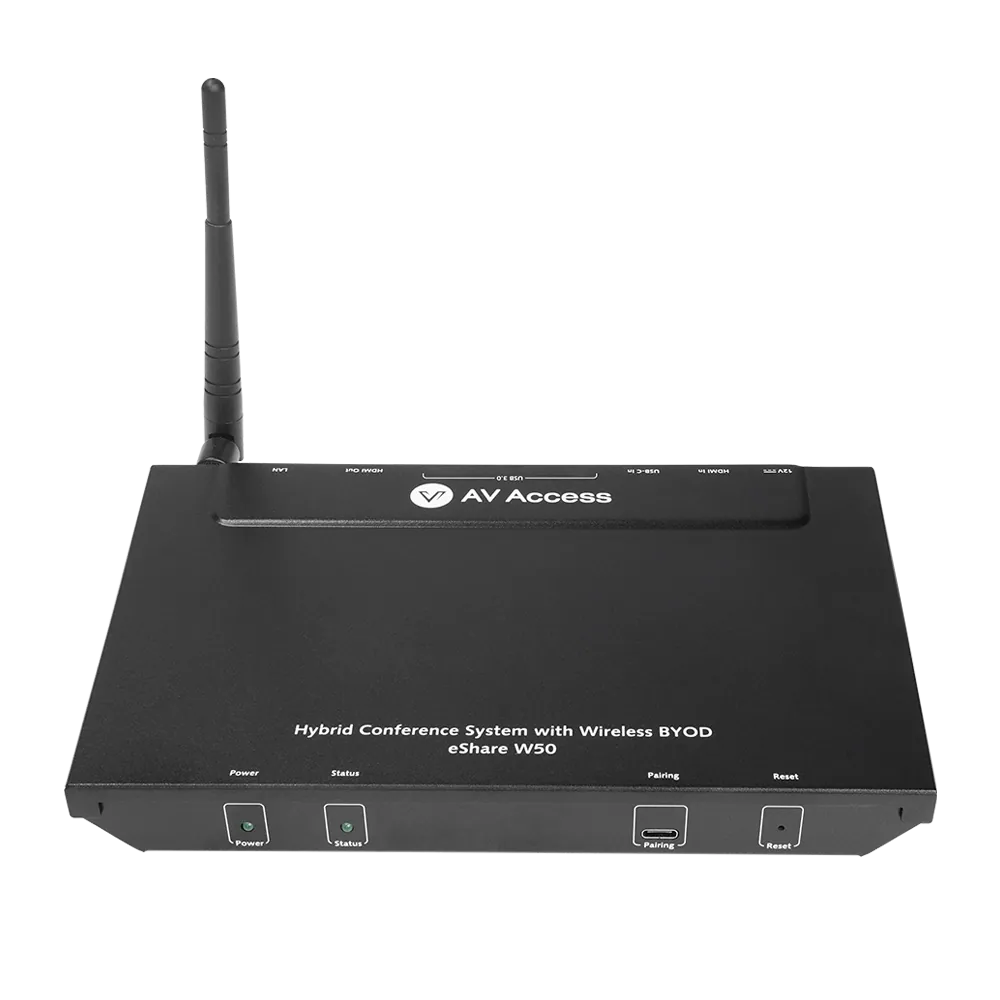
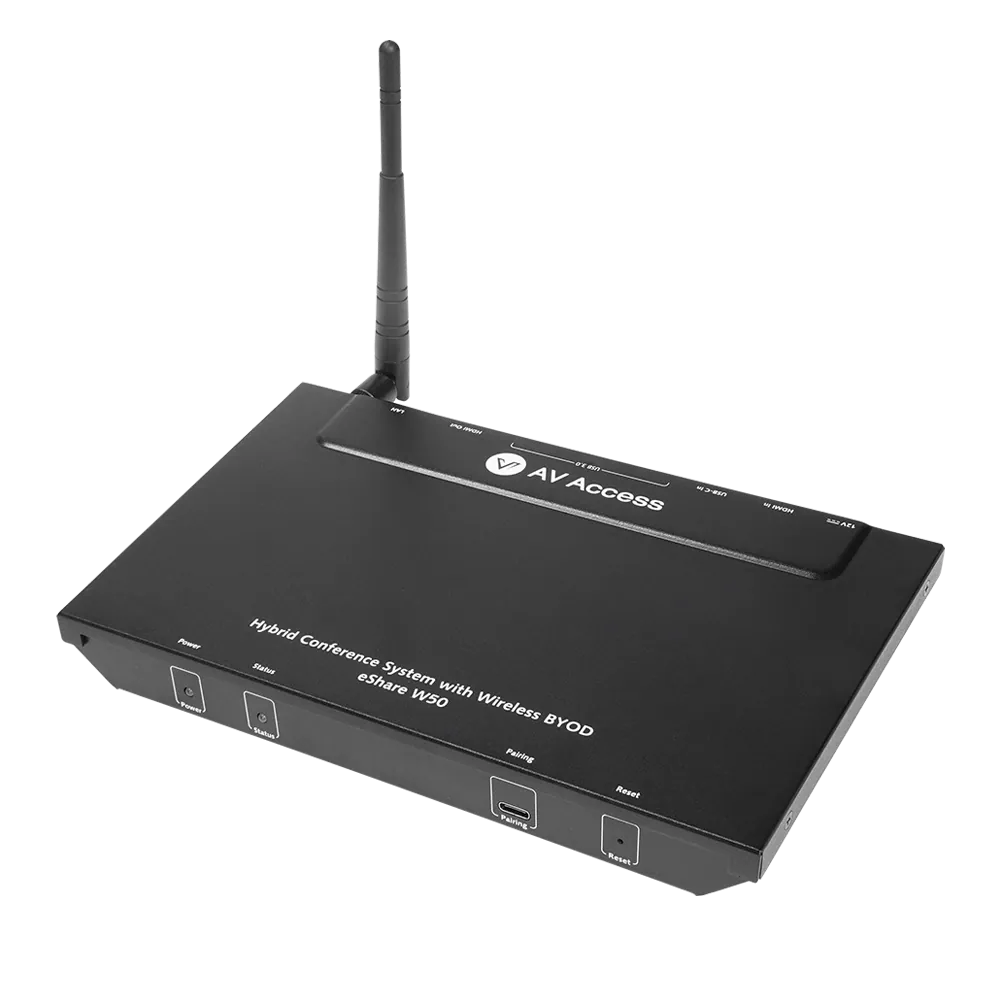
4K wireless presentation system
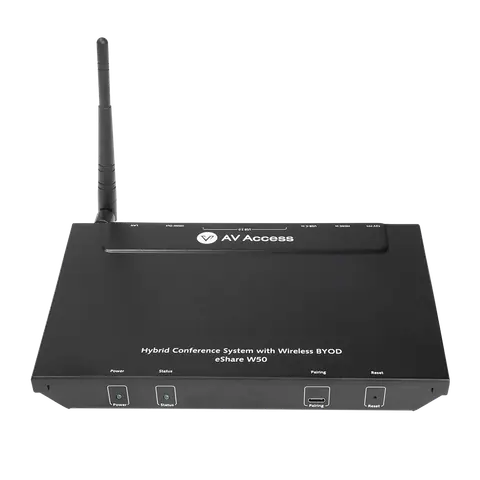
ModeleShare W50
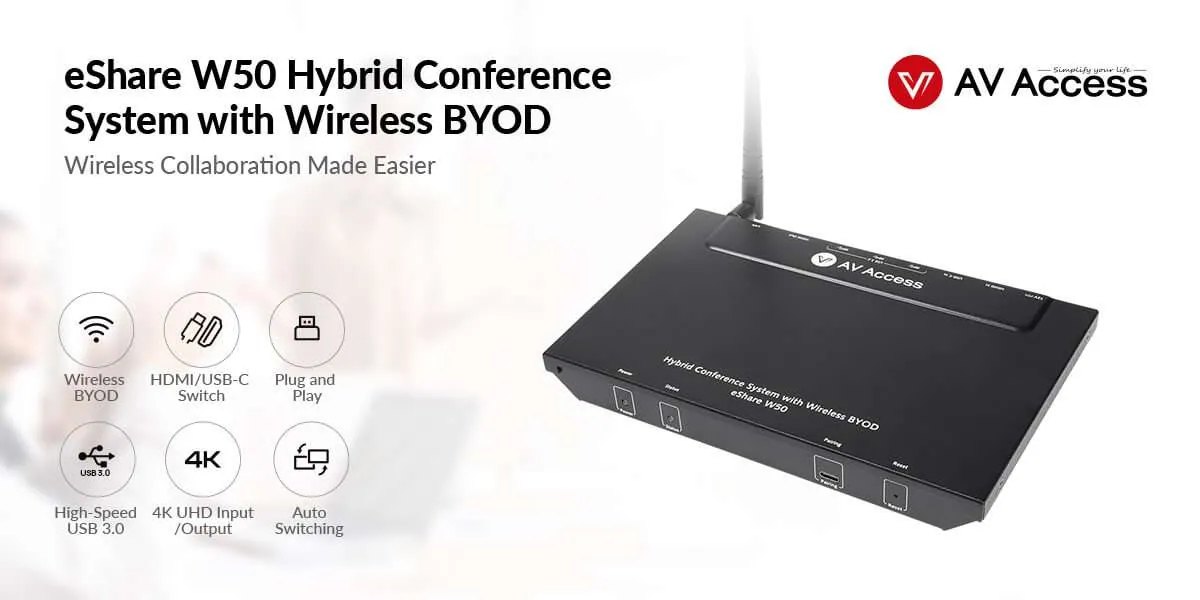
● All-in-One Design: Share contents readily from your PC to a larger screen via USB C/HDMI port or wireless casting. ● Share from any Device: Supports wireless screen mirroring via AirPlay, Miracast or the eShare D10 USB C Dongle.
4K wireless presentation systemPrice on request Request a quotation
01SpecificationManufacturer's data · 7 groups · 32 values
What this product is, in numbers.
PDFUser Manual24 pages · 981 KB
The manufacturer's published values. We confirm the configuration and the values that matter for your project before an order.
01General5
- Standard
- IEEE 802.11 a/b/g/n/ac
- Frequency
- Dual bands, 2.4~2.4835 GHz, 5.2 GHz and 5.8 GHz
- Security
- WEP, TKIP, AES, WPA, WPA2
- BYOD
- eshare W50 with Dongle: Airplay Mirroring, Miracast / Barco ClickShare CX-20: Airplay Mirroring, Miracast, Googlecast / Barco ClickShare CX-30: Airplay Mirroring, Miracast, Googlecast
- Wireless casting via dongle
- eshare W50 with Dongle: Plug and play, no software or driver required / Barco ClickShare CX-20: Not plug-n-play, software required / Barco ClickShare CX-30: Not plug-n-play, software required
02Video6
- Input video signal
- • HDMI: HDMI 1.4, HDCP 1.4 / • USB C: DisplayPort 1.1, HDCP 1.4 / • LAN/WLAN: H.264
- Input resolutions
- HDMI: up to 3840 × 2160@30hz (2160p30) / LAN/WLAN: up to 1920 × 1080@30hz (1080p30) / Note: The input resolution support for LAN or WLAN may vary according to the specific BYOD protocols and devices.
- Output video signal
- HDMI 1.4, HDCP 1.4
- Output resolution
- up to 3840 × 2160@30hz (2160p30)
- Max input resolution
- eshare W50 with Dongle: 4K@30hz / Barco ClickShare CX-20: N/A / Barco ClickShare CX-30: N/A
- Max output resolution
- eshare W50 with Dongle: 4K@30hz / Barco ClickShare CX-20: 4K@30hz / Barco ClickShare CX-30: 4K@30hz
03Audio4
- Input audio port
- 1 x HDMI; 1 x USB C In; 1 x LAN; 1 x WLAN
- Input audio signal
- RAW PCM 2.0, 16 bit, 32 / 44.1 / 48KHz sps
- Output audio port
- 1 x HDMI
- Output audio signal
- RAW PCM 2.0, 16 bit, 48KHz sps
04Control and interfaces8
- Input video port
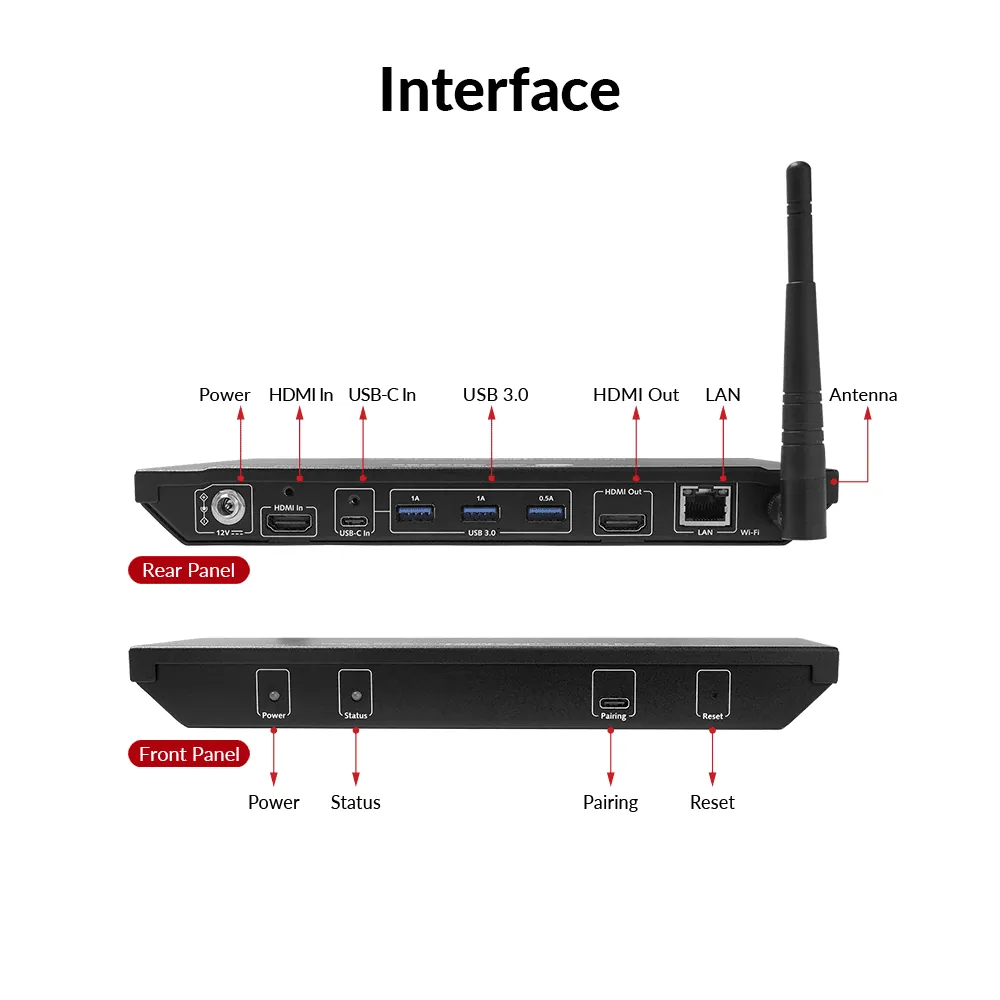
- 1 x USB C In; 1 x HDMI In; 1 x LAN, 10 / 100 / 1000 Mbps Ethernet; 1 x WLAN
- Output video port
- 1 x HDMI
- Control connector
- 1 x RJ45, 10 / 100 / 1000 Mbps Ethernet
- Control method
- LAN (Web UI)
- Video input interface
- eshare W50 with Dongle: 1x HDMI, 1x USB-C / Barco ClickShare CX-20: None / Barco ClickShare CX-30: None
- Video output interface
- eshare W50 with Dongle: 1x HDMI / Barco ClickShare CX-20: 1x HDMI / Barco ClickShare CX-30: 1x HDMI
- USB interface
- eshare W50 with Dongle: 3x USB Type-A 3.0 / Barco ClickShare CX-20: 1x USB Type-A 2.0, 1x USB Type-C 2.0 / Barco ClickShare CX-30: 1x USB Type-A 2.0, 1x USB Type-C 2.0
- Wi-Fi
- eshare W50 with Dongle: IEEE 802.11 a/b/g/n/ac / Dual bands, 2.4 / 5 GHz / 2T x 2R, up to 867 Mbps / Barco ClickShare CX-20: IEEE 802.11 a/g/n/ac / Dual bands, 2.4 / 5 GHz / Barco ClickShare CX-30: IEEE 802.11 a/g/n/ac / Dual bands, 2.4 / 5 GHz
05Power2
- Power supply
- 12 V 2 A DC
- Power consumption
- 19 W (Max)
06Physical3
- Device dimensions (W × H × D)
- 230 × 25 × 142.6 mm / 9.1 × 0.98 × 5.6 in (Antenna not included)
- Product weight
- 0.68 kg / 1.5lbs
- Dimensions(H*W*D)
- eshare W50 with Dongle: 25 × 230 × 142.6 mm / Barco ClickShare CX-20: 34 × 135 × 135 mm / Barco ClickShare CX-30: 34 × 135 × 135 mm
07Environment4
- Operating temperature
- 0 °C to + 45 °C (32 to + 113 °F)
- Storage temperature
- -20 to +70 °C (-4 to + 158 °F)
- Humidity
- 10% to 90%, non-condensing
- ESD protection
- Human-body Model: / ±8 kV (Air-gap discharge)/±4 kV (Contact discharge)
Show the full specificationHide the rest of the specification0 more groups · 0 values
02DescriptionManufacturer's description
What it is.
Estimated shipping time: Late October
● All-in-One Design: Share contents readily from your PC to a larger screen via USB C/HDMI port or wireless casting. ● Share from any Device: Supports wireless screen mirroring via AirPlay, Miracast or the eShare D10 USB C Dongle. Cast screen confidently with your laptop, smartphone or tablet. ● USB Peripheral Control: Works flawlessly with BizEye series webcams, AnyCo series speakerphones or other USB 3.0 peripherals, perfect for video conferencing. ● Intuitive Web UI and OSD: Modify settings based on your needs. Get easier access to the device’s basic information on the TV screen. ● Set up in Minutes: No software or driver required, just plug and play. Mount it, plug it in, and start your presentation in no time. ● Important Notes: To control the USB peripherals, you need to connect your PC to eShare W50 via the included USB C cable. Wireless control with the eShare D10 USB C dongle is not supported. Please refer to eShare W90 if you need wireless control.
eShare W50 4K Wireless Presentation System
Turn Every Meeting into Success
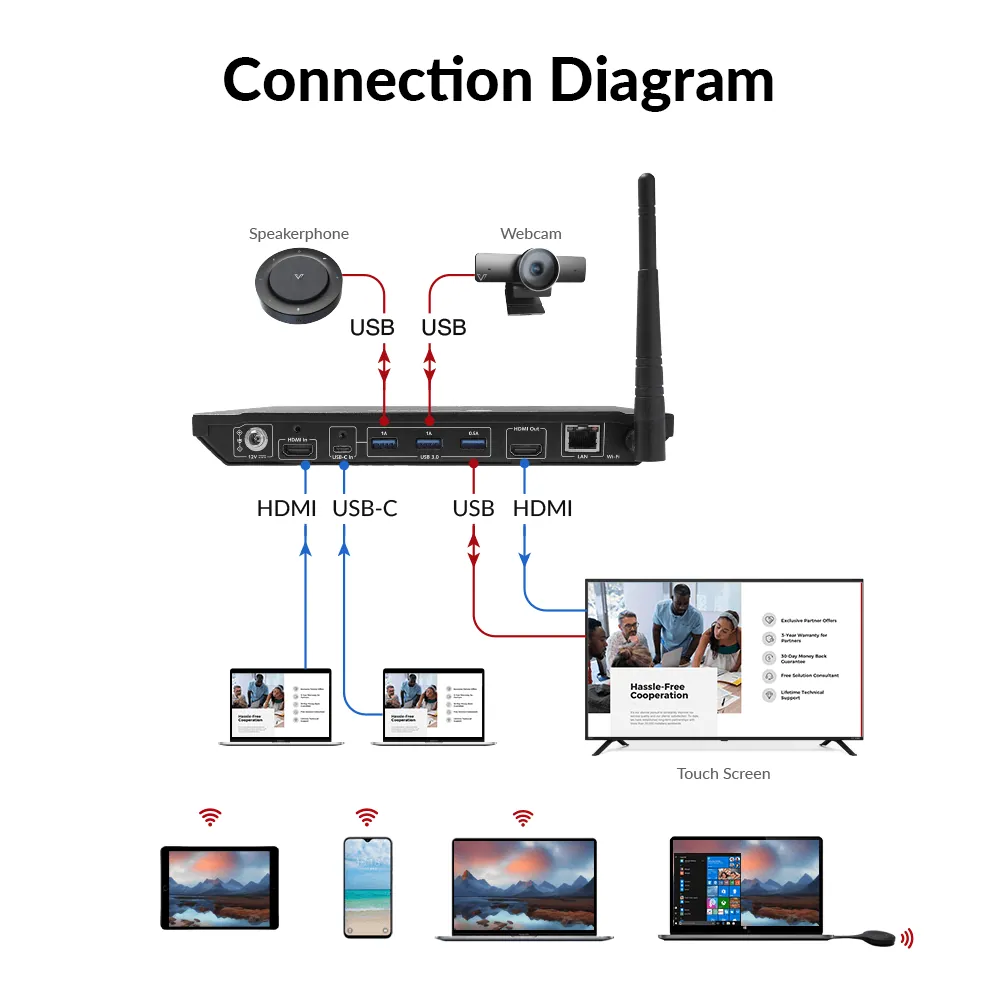
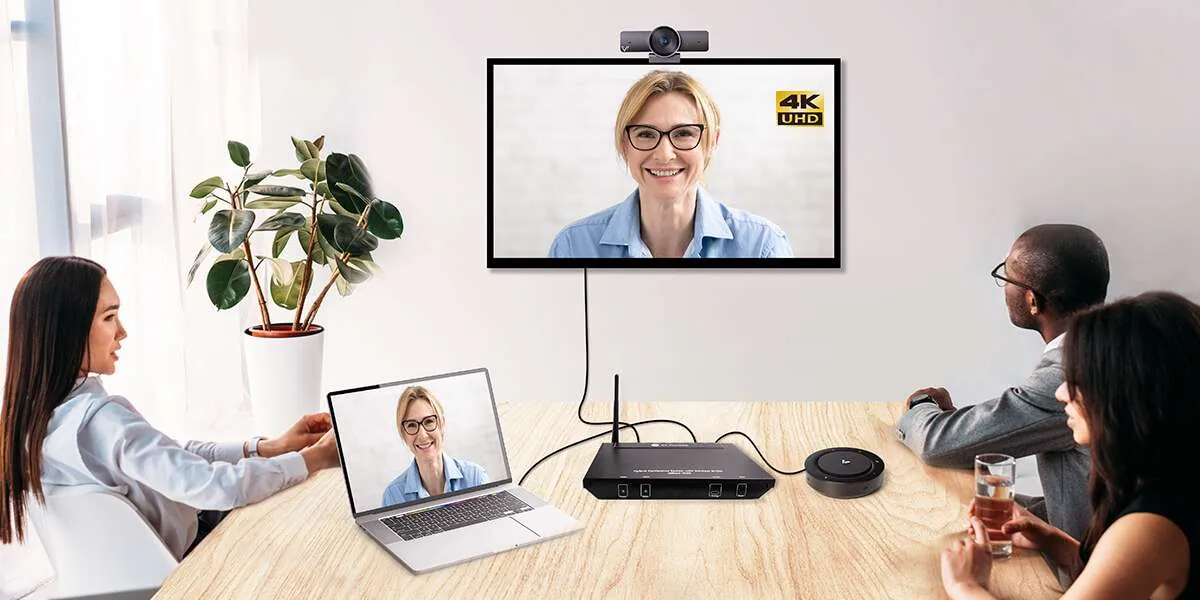
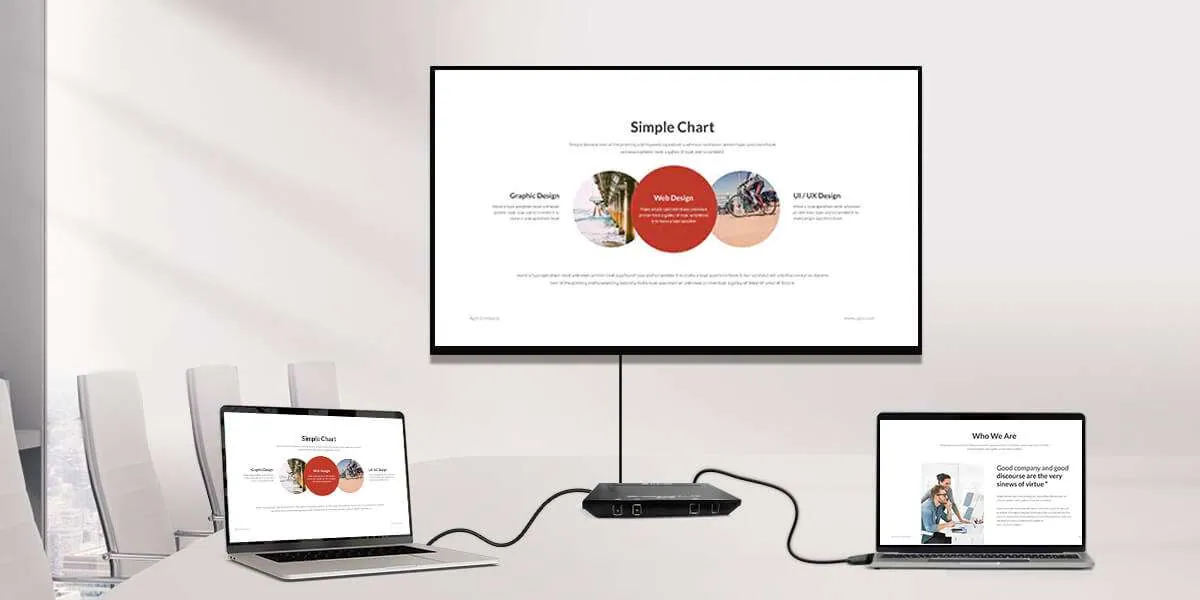
Supports both wired and wireless connection. Make a wonderful presentation in in-person meetings, or integrate it with a webcam/speakerphone for efficient remote meetings.
Present to any Screen, in any Room, from any Device
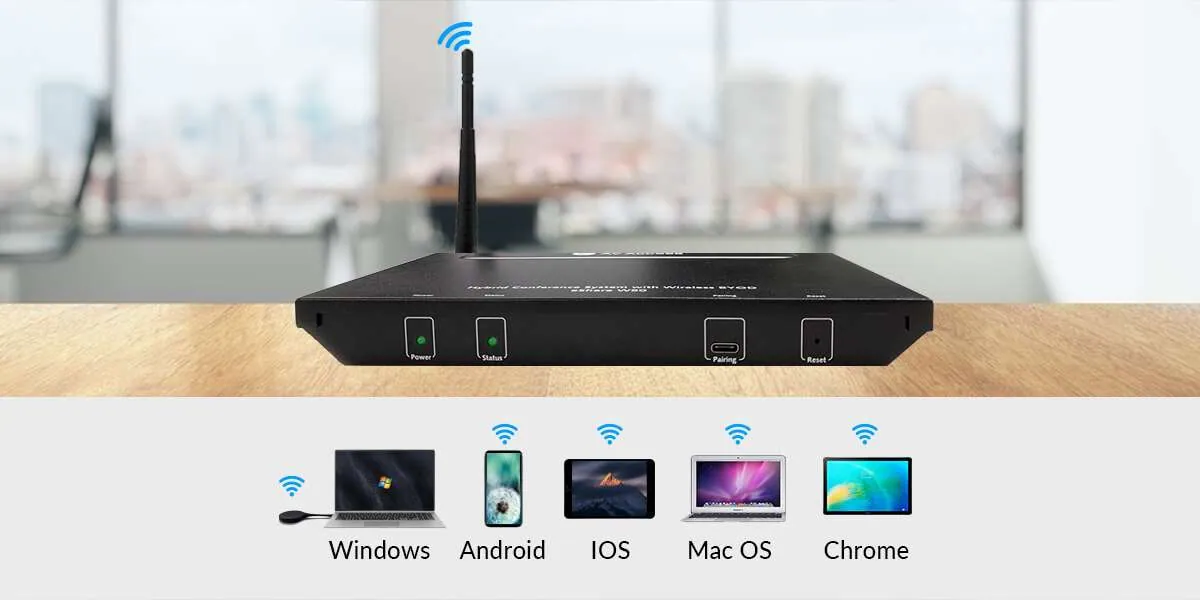
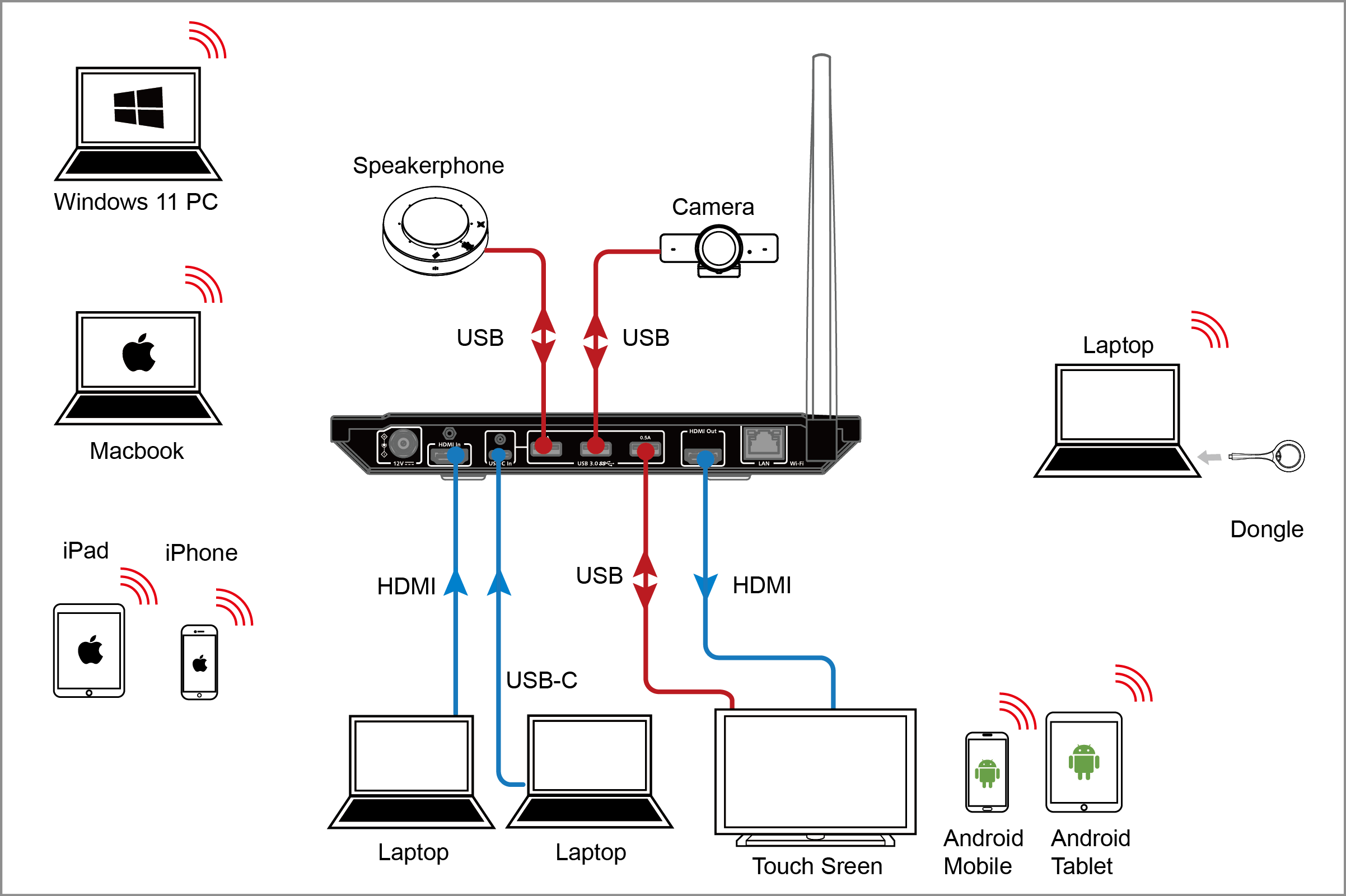
Share via HDMI/USB Cable, AirPlay, Miracast or Dongle
*Note: Some laptops may not have a USB C port. If you need to control the connected USB peripherals, it is recommended to use an HDMI cable and a USB-A to USB C cable at the same time to connect your laptop to the presentation system.*
USB C CABLE
Unlike other pure wireless presentation system devices on the market, eShare W50 offers you extra USB C/HDMI physical input interfaces. If you worry about the stability of wireless connection or prefer the traditional method, eShare W50 could be your optimal choice.
DONGLE
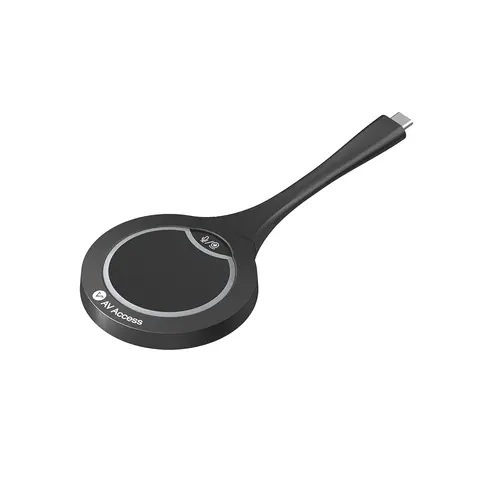
When your guests/clients walk into your conference room, you probably don’t want them to struggle with messy cables for presenting. Just ask them to pick up the eShare D10 USB C dongle on the table, plug it in and share. No cable hassle, no software needed, no training required.
AIRPLAY
Any time you want to share something in the meeting, just do it with confidence. Say goodbye to untidy video input cables by using your iPhone, iPad or Macbook. With eShare W50’s Wi-Fi password and access code shown clearly on the screen, wireless screen mirroring is a total breeze.
MIRACAST
Rest assured you can share with your Android smartphone/tablet or Windows PC (Win 10 or higher) as well. No need to connect your device to the Wi-Fi hotspot, no software required. Everything is as easy as ABC.
Designed for Hybrid Meetings & Classroom Teaching
AV Access eShare W50 is a professional all-in-one wireless presentation system, designed for video presentation and collaboration in small/medium meeting rooms. Whether it’s an in-person or hybrid meeting, simply turn every meeting into success.
You can also apply it to classroom teaching, delivering an engaging lesson and interacting with your students effectively.
AV Access eShare W50 is a professional wired and wireless presentation system which supports USB C/HDMI input and wireless casting. It is plug-n-play and easy-to-use, especially designed for video presentation and collaboration in small/medium meeting rooms. The presentation system boasts 4K@30hz 4:4:4 input/output, three USB 3.0 ports and automatic switching. It works perfectly with BizEye series webcams and AnyCo series speakerphones, meeting all your needs for a seamless and efficient hybrid meeting.
*Notes:* *1. Some laptops may not have a USB C port. If you need to control the connected USB 3.0 peripherals, it is recommended to use an HDMI cable and a USB-A to USB C cable at the same time to connect your laptop to the presentation system.* *2. eShare D10 USB C dongle is not included in the package. Please purchase it on its product page if you need.*
Main Features
- All-in-one design; supports wired and wireless connection
- Plug and play; no extra software or driver required
- Supports wireless screen casting with AirPlay, Miracast and USB C dongle
- Supports USB C/HDMI input
- Supports up to 4K@30hz 4:4:4 input/output
- Built-in 3x high-speed USB 3.0 port
- Supports settings and firmware upgrade via Web UI
- Detailed and user-friendly OSD information
- Supports automatic signal switching
Enjoy Sharp Image in 4K Ultra HD
This wired and wireless presentation system is built with an HDMI and a USB C port, so you can easily connect it to your laptop. Supporting up to 4K@30Hz 4:4:4 video input and output, it allows you to present every tiny detail clearly with ultra HD image.
Bring Your Own Device
There is no need to install an external Wi-Fi router for wireless connection. Built with an antenna for transmitting stable and strong video signal, the presentation system allows you to wirelessly cast your screen, without cable hassle. No extra casting software is required. Readily share contents from your laptop, smartphone or iPad via AirPlay/Miracast.
One-Click to Share with USB C Dongle
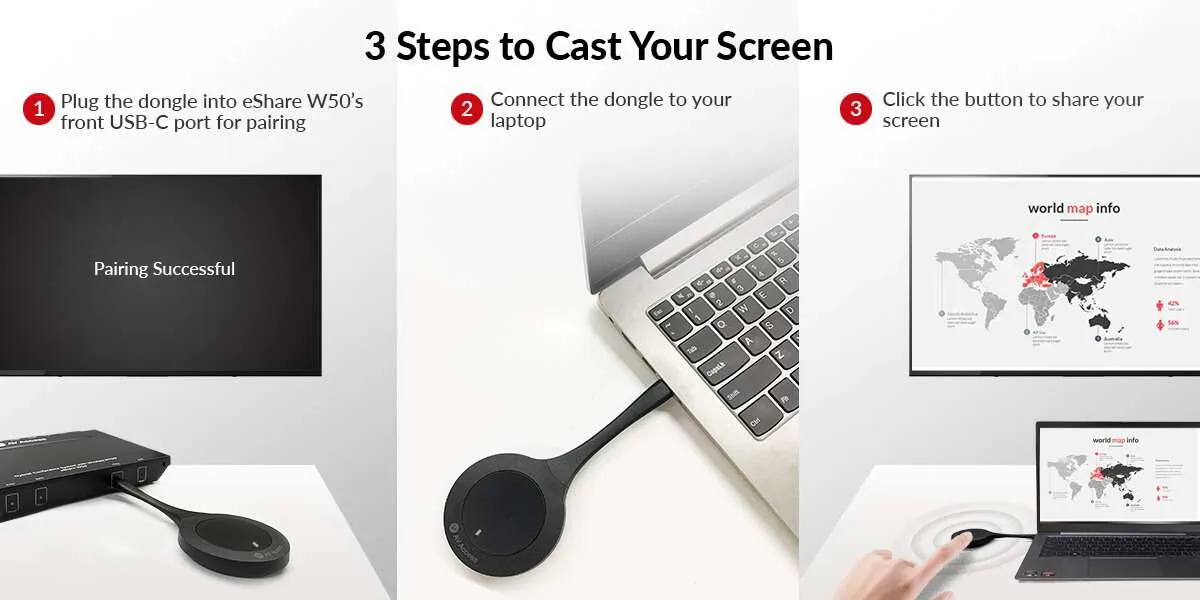
The eShare D10 USB C dongle can pair with the presentation system automatically, once it is plugged into the front USB C port. Connect the dongle to your laptop, click on the control button, then you can cast your screen wirelessly. Start, stop or pause screen mirroring at any time.
*Note*: You cannot control the connected USB peripherals while using the eShare D10 USB C dongle. If you need to control the USB peripherals, please unplug the dongle and connect your source to eShare W50 via a USB C cable directly.
Effortless USB Peripheral Control
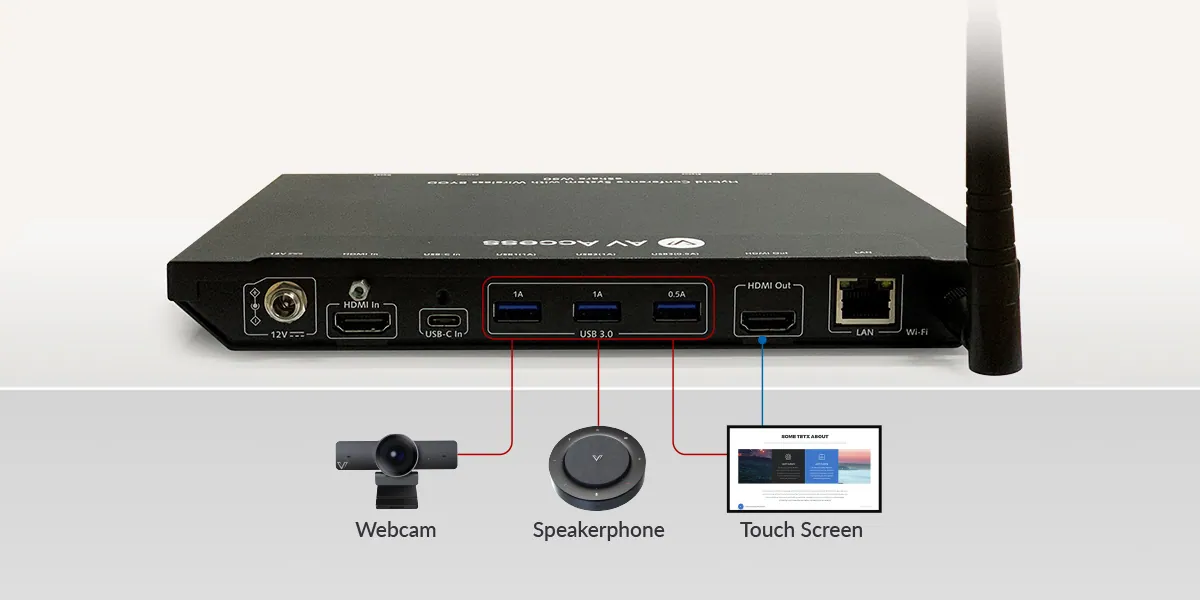
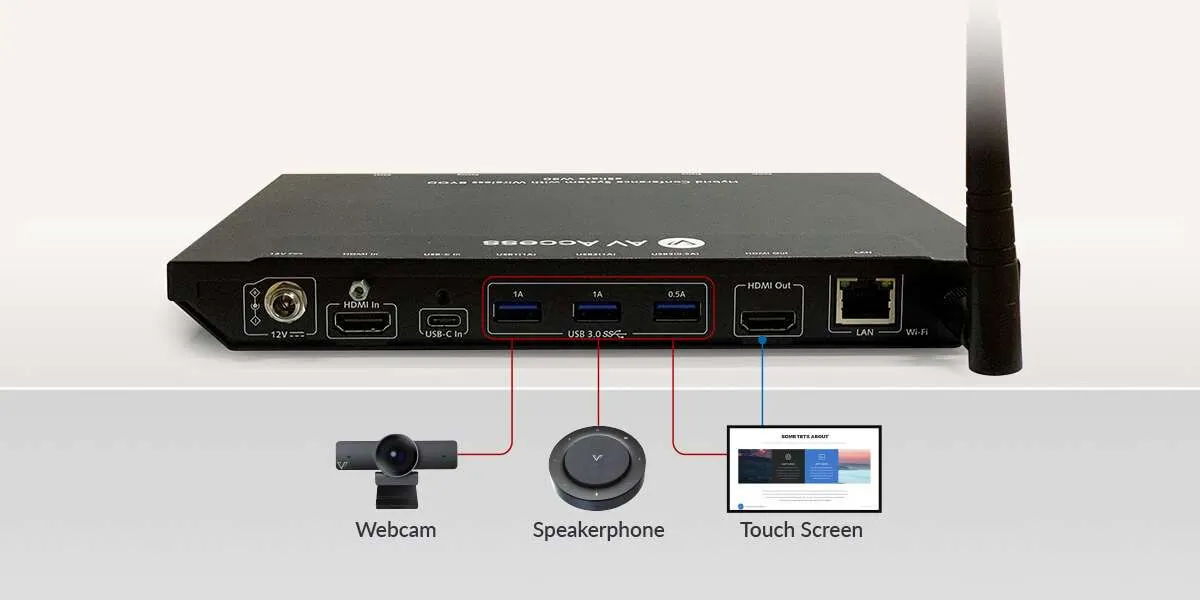
This wireless presentation system is also designed with three USB 3.0 ports. The data transfer rate can reach up to 5Gbp/s, 10 times faster than USB 2.0. Compatible with a 4K webcam, speakerphone, touch screen, and other USB 3.0 conference device, the system allows you to hold a seamless and efficient video conference in front of your boss and colleagues.
High-Speed USB 3.0 Ports
Intuitive and User-Friendly Design
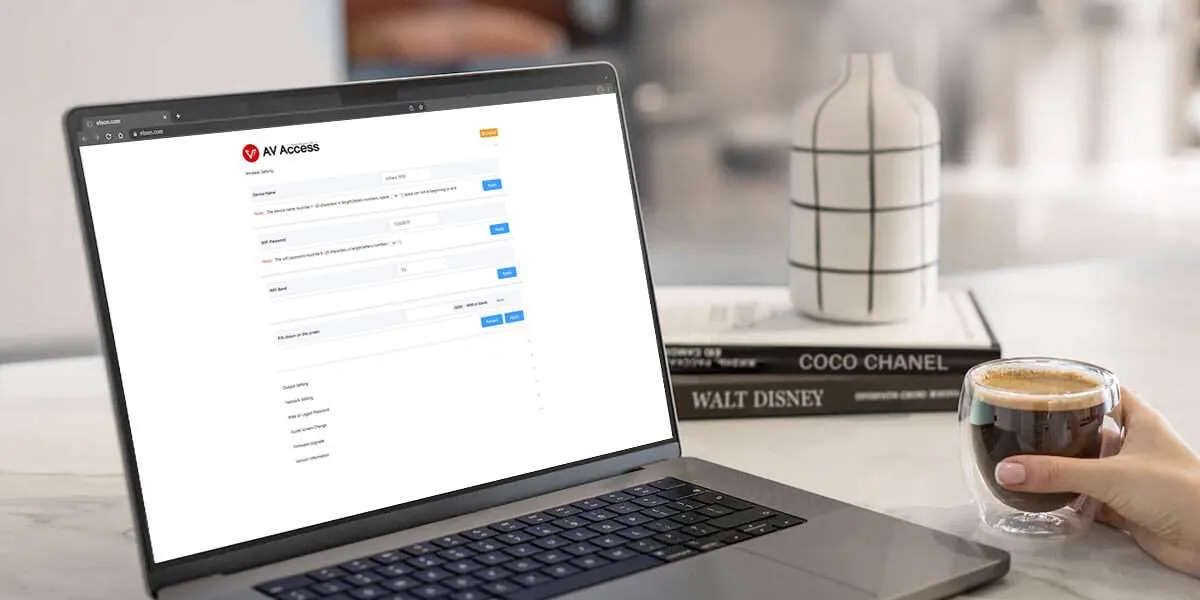
This wireless presentation system is built with user-friendly OSD to convey its basic information, like device name, Wi-Fi password, PIN code, etc. Besides, you can easily modify these settings and upgrade firmware via its intuitive web UI.
Hassle-Free Automatic Switching
Once the wireless presentation system detects a new source input from its HDMI or USB C port, it will automatically switch to that source. Don’t need to waste time pressing control buttons any more. All of your team members can enjoy a smooth presentation and collaboration experience.
Automatic Switching Function
Once the presentation system detects a new source input from its HDMI or USB C port, it will automatically switch to that source. Don’t need to waste time pressing control buttons any more. All of your team members can enjoy a smooth presentation and collaboration experience.
Connection Diagram
- In-Person Meeting in Huddle Room
- Hybrid Meeting in Huddle Room
- Presentation in Open Space
Comparison Chart of Related Products
03Documents3 files · 2.1 MB
Documents and files.
Datasheets, manuals, drawings and certificates as the manufacturer publishes them.
Datasheets and manuals01
Drawings01
04Related products
In the same range.
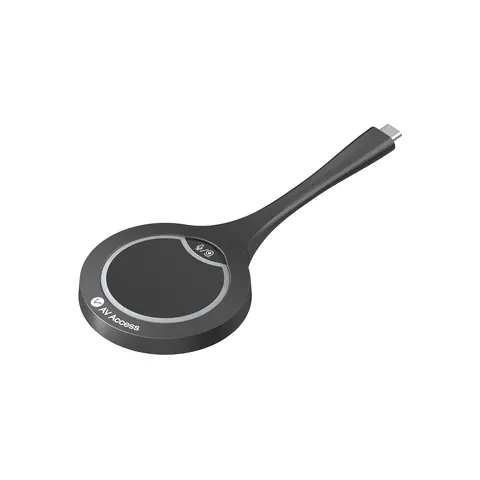 EQ-844AV AccessUSB-C casting dongle for wireless conferencing, 4KeShare D30 · Conferencing accessories
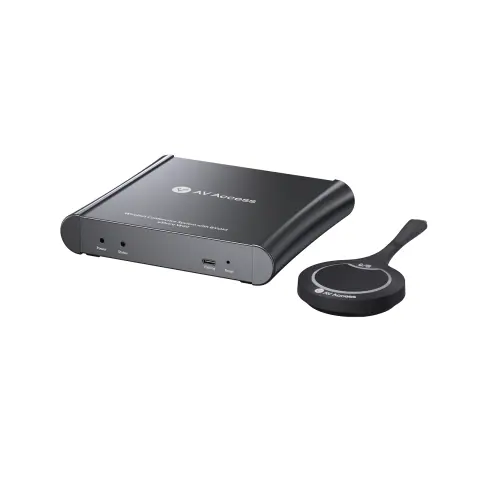 EQ-846AV AccessWireless conferencing system, USB-C dongleeShare W60 Kit · Switchers and KVM
 EQ-843AV AccessUSB-C casting dongle, 4KeShare D20 · Conferencing accessories
 EQ-847AV Access4K wireless conferencing system, dual HDMI out, multivieweShare W80 · Switchers and KVM
05Talk to us
 4K wireless presentation systemAV Access · EQ-845
Need this priced for your project?
- Quantity and site
- Configuration and interfaces
- Quotation