
















Sheet 05.847

AV Access · Switchers and KVM
4K wireless conferencing system, dual HDMI out, multiview
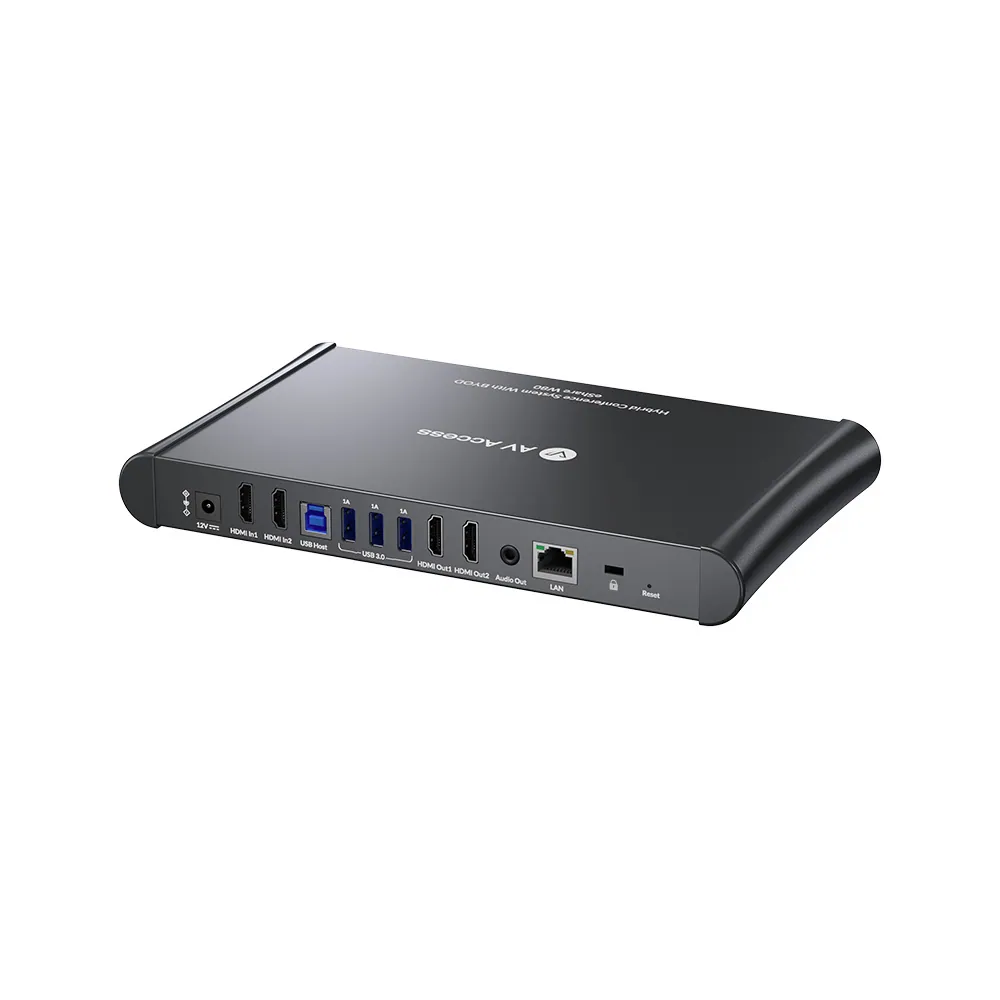
ModeleShare W80
We sell to limited regions. Contact us at *[email protected]* for purchases.
4K wireless conferencing system, dual HDMI out, multiviewPrice on request Request a quotation
01DescriptionManufacturer's description
What it is.
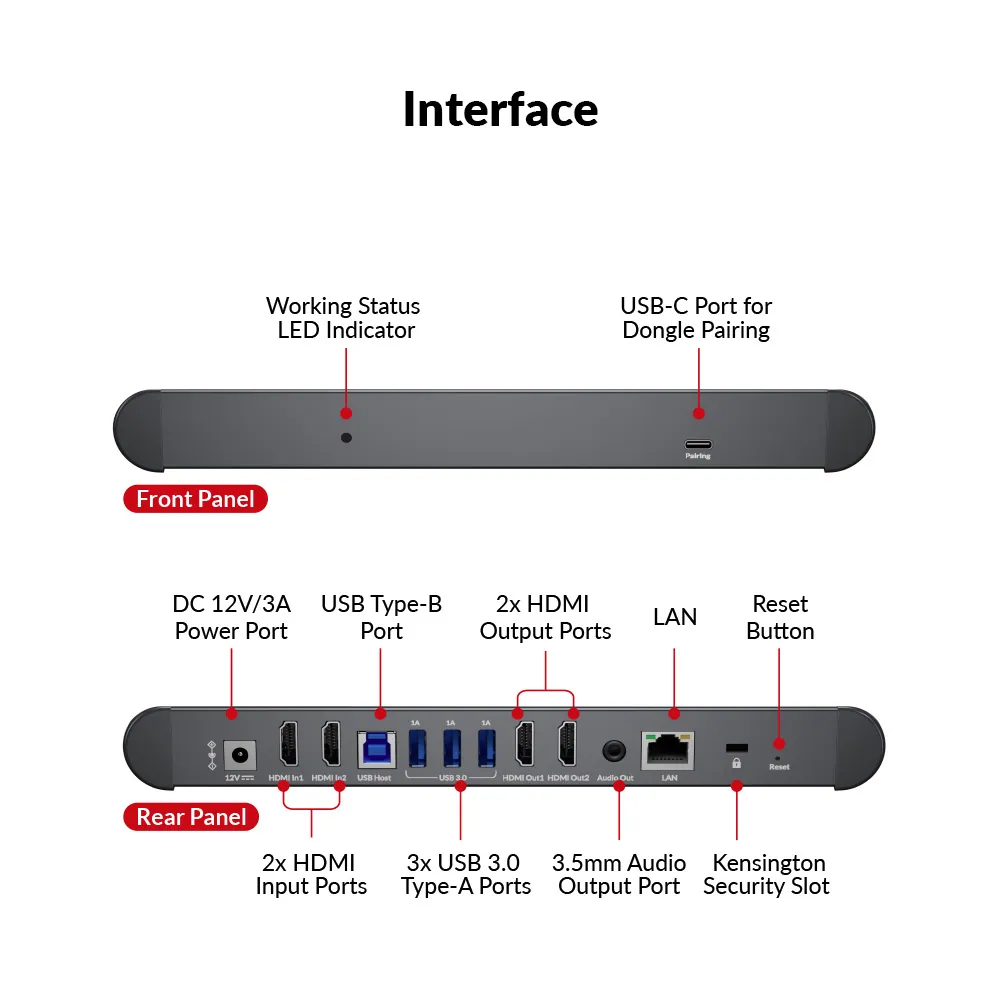
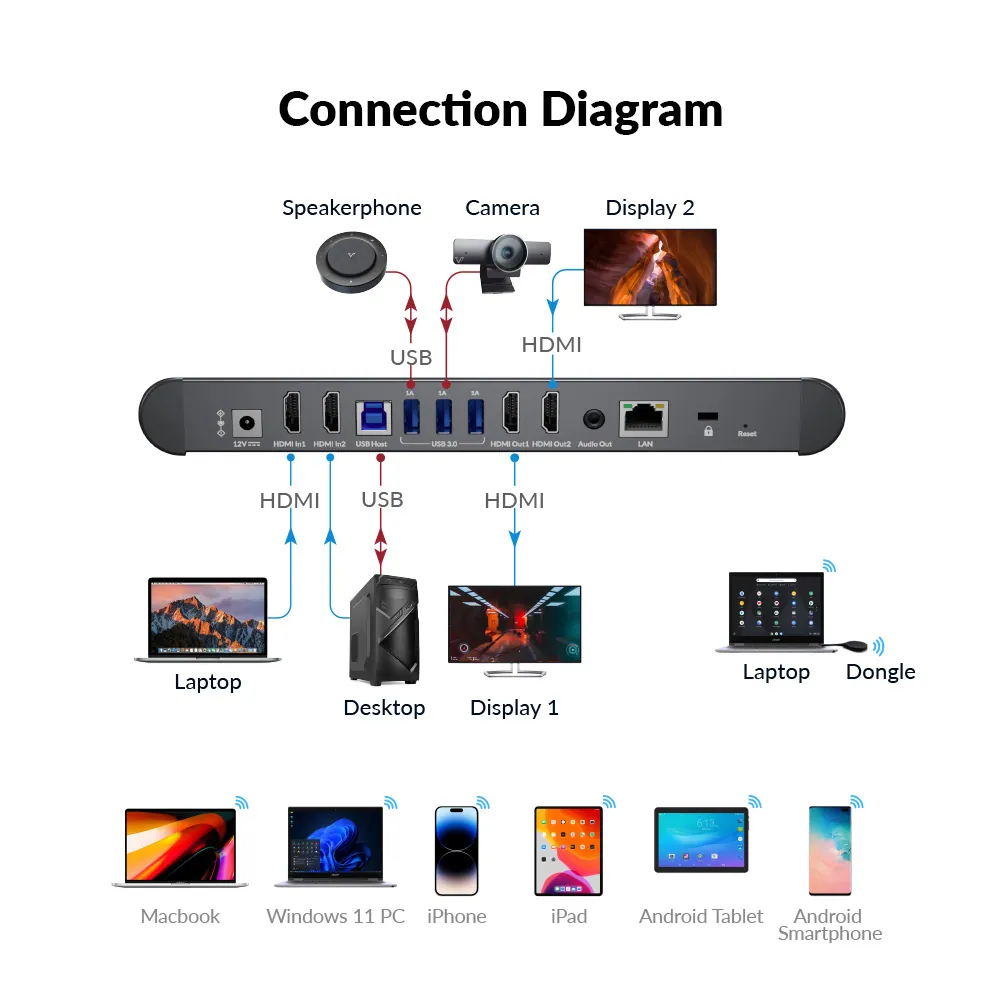
● One-Click Wireless Conferencing: Once your USB conferencing devices are connected to eShare W80, you can control them wirelessly with the eShare D20 USB-C dongle. Plug the dongle into your own device, click the button and start your video conference in no time. No cable hassles, no software needed, no training required. ● Dual HDMI Input/Output: Connect it easily to two HDMI wired sources, like a room PC and a laptop. And with two monitor screens, you can view presentation contents and see remote colleagues at the same time. ● Innovative Multiview function: When eShare W80 is connected to two sources and one monitor, the dual-view mode will be automatically enabled, so you can view up to 2 sources on the same screen, ideal for comparing different schemes. ● Wired or Wireless, up to You: Share contents readily from your PC to a larger screen via an HDMI cable, or cast screen wirelessly with AirPlay, Miracast or eShare D20 USB-C dongle. Just bring your laptop, smartphone or tablet and ready to present. ● USB 3.0 Peripheral Control: Works flawlessly with BizEye series webcams, AnyCo series speakerphones, touch-screen panel or other USB 3.0 peripherals. Capture sharp image and clear voice while giving your presentation in 4K ultra HD image. ● Set up within Minutes: No software or driver is required, no security issues, just plug and play. Mount it under your table or place on the rack, plug in, and you can present instantly. Also designed with intuitive web UI and OSD to modify settings easily.
INTRO
Step into a New Era of Hybrid Meetings with eShare
Say goodbye to the hassle of cables and software downloads. The eShare W80 wireless conferencing system is designed for seamless, productive meetings — whether in-person, remote, or hybrid. This plug-and-play solution supports both wired and wireless connections and works with a USB-C dongle for effortless control of USB conferencing devices. Elevate your meeting experience with eShare W80!
WATCH HOW ESHARE WORKS
Screen Sharing
Truly Plug and Play for Quick Sharing
Plug the eShare D20 USB-C dongle into your own laptop, click the “sharing” button and start your presentation in no time. No software or driver is required, no security issues, just plug and play.
*Compatible Product:*
Compatible Product
Video Conferencing
Wireless Video Conferencing, Hassle-Free!
With the USB-C dongle, you can also click the “conferencing” button, and control all the USB peripherals (e.g. camera, speakerphone and video bar) wirelessly! No cable hassles, no software needed, no training required. Just start your video meeting with confidence!
Also works flawlessly with these popular platforms plus more!
*Note: Before using the dongle for wireless casting, please ensure your laptop’s USB-C port supports video output. If it doesn’t support, you can use our H2C01 adapter for conversion.*
Works great with these popular platforms plus more!
3x USB 3.0 Ports
Powerful 3-in-1 USB 3.0 Hub
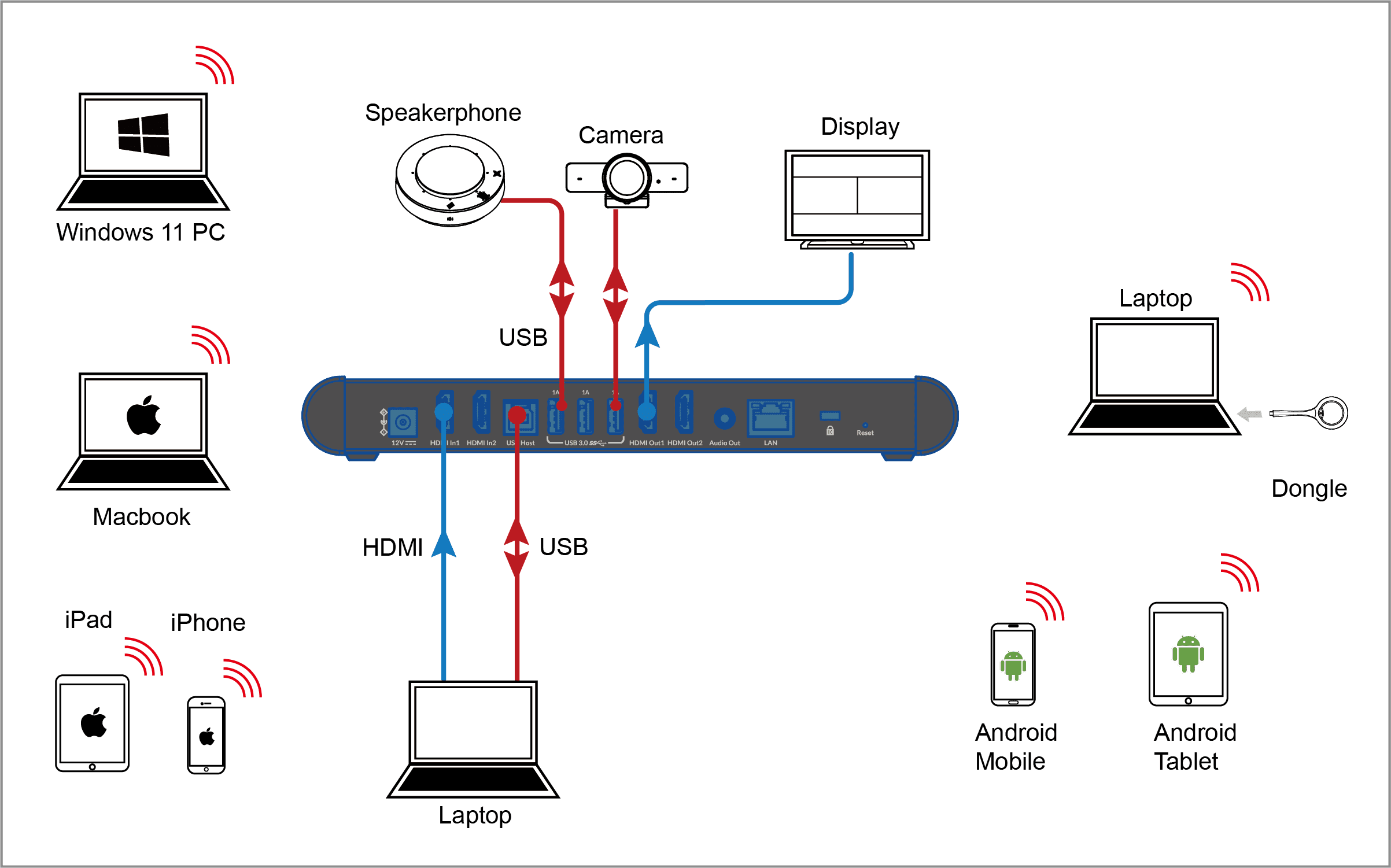
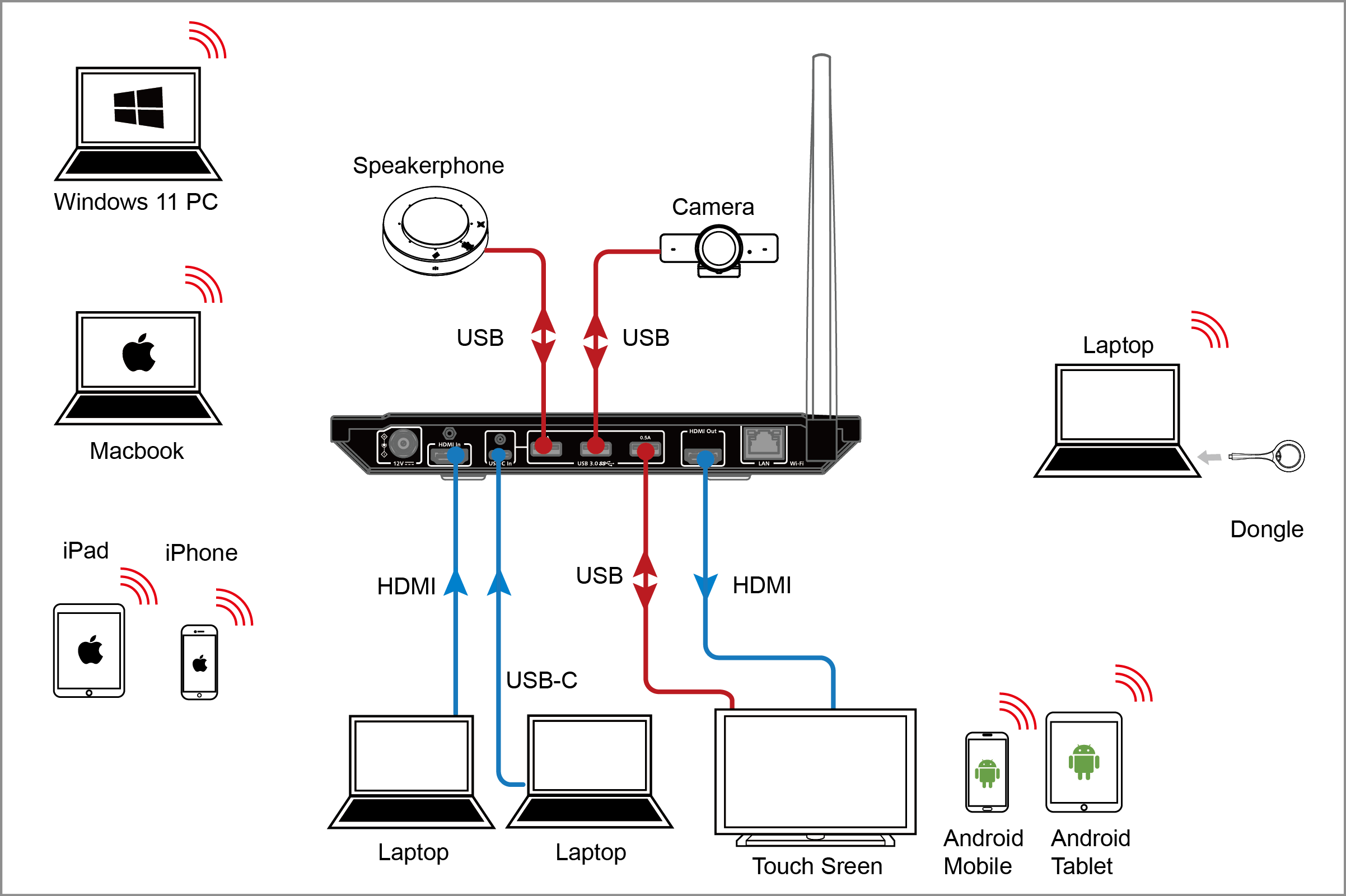
Works flawlessly with AV Access BizEye series webcams, AnyCo series speakerphones/video bars, and touch-screen panel. Also compatible with other brands’ conference devices, like Logitech, Jabra, Poly, etc.
Explore More...
Bring Your Own Device
Connect Your Way
Built with two Wi-Fi modules for transmitting stable and strong video signal, the eShare W80 wireless presentation system allows you to cast your screen with no cable hassles, and no casting software required. Readily share contents from your laptop, smartphone or iPad via AirPlay/Miracast/dongle.
Dual Displays
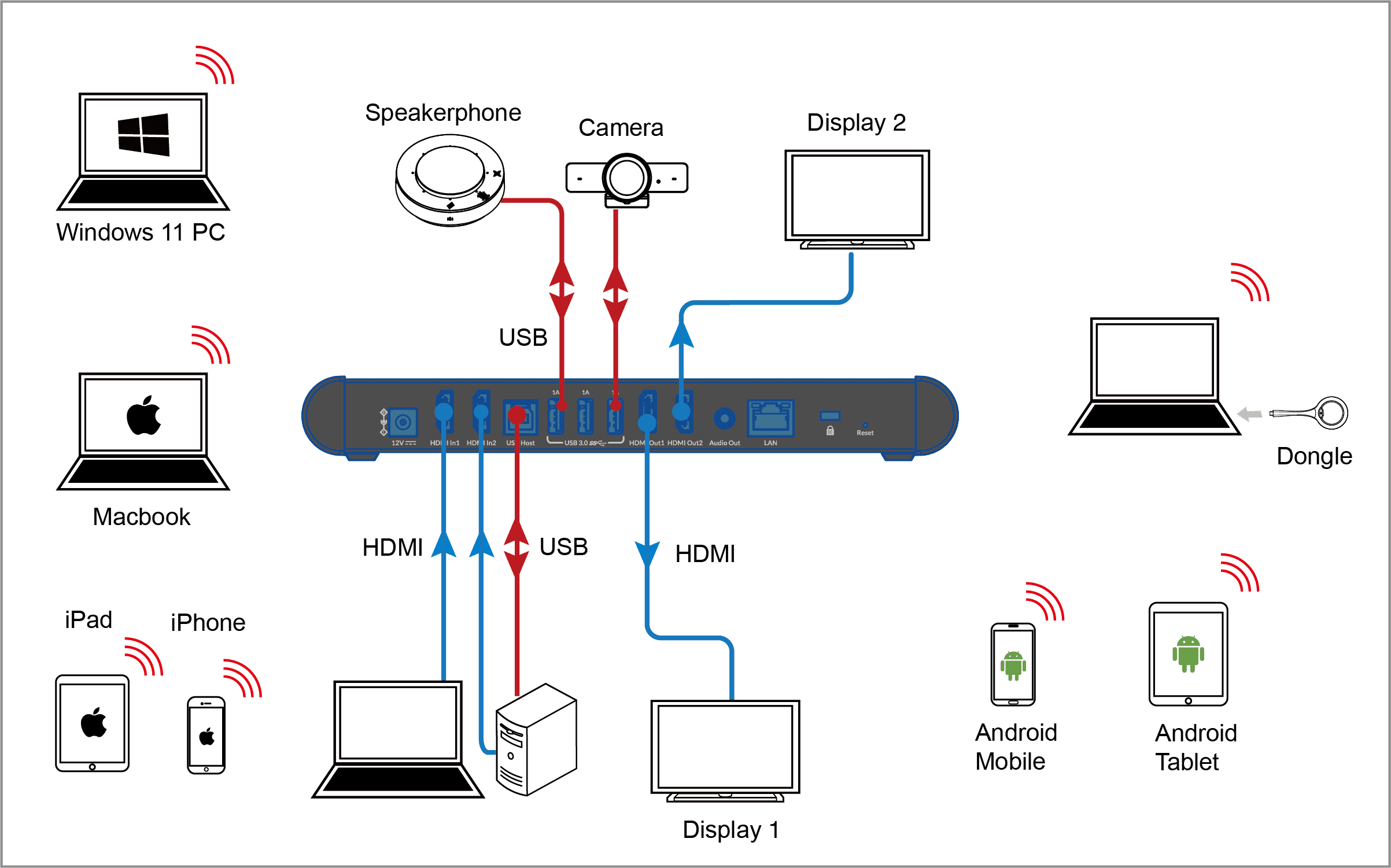
Dual HDMI Inputs & Outputs
eShare W80 wireless conferencing system is built with 2x HDMI input ports and 2x HDMI output ports, so you can effortlessly connect it to your room PC or laptop. Also, you can connect it to two TV screens in your meeting room, displaying your presentation contents while maintaining a crystal-clear view of your remote colleagues.
Simple Setup
No Driver, as Easy as ABC
It just takes 3 steps to cast you screen and control the USB devices wirelessly, totally a breeze.
Step 1: Plug the dongle into eShare W80’s front USB-C port for pairing. Step 2: Connect the dongle to your laptop via USB-C port. Step 3: Click the the “casting” button for screen sharing, and the “conference” button for wireless control of connected USB devices.
*Note: To learn more instructions on using the dongle, please refer to its product page.*
No Driver, Easy as ABC
Step 1: Plug the dongle into eShare W80’s front USB-C port for pairing. Step 2: Connect the dongle to your laptop via USB-C port. Step 3: Click the the “casting” button for screen sharing, and the “conference” button for wireless control of connected USB devices.
Note: To learn more instructions on using the dongle, please refer to its product page.
Share Up to 4K
Deliver Your Presentation in Sharp Image
Present your contents and elevate your video conferencing with our 4K clarity. Experience 77% more pixel detail, sharper text, finer textures, and lifelike visuals. Make your presentations clear, professional, engaging, and impactful.
Dual-Source Viewing
Compare Your Scheme to Co-Worker’s
When connected to two sources and one monitor, the multiview (dual-view) mode will automatically be enabled.
You can simultaneously view up to two sources on a single screen, perfect for comparing and analyzing different schemes side by side.
When connected to two sources and one monitor, the multiview (dual-view) mode will automatically be enabled. You can simultaneously view up to two sources on a single screen, perfect for comparing and analyzing different schemes side by side.
We offer three-year warranty, discounted prices & customized solutions for our partners.
Start now More info
WIDE Applications
Designed for Meeting & Training Rooms
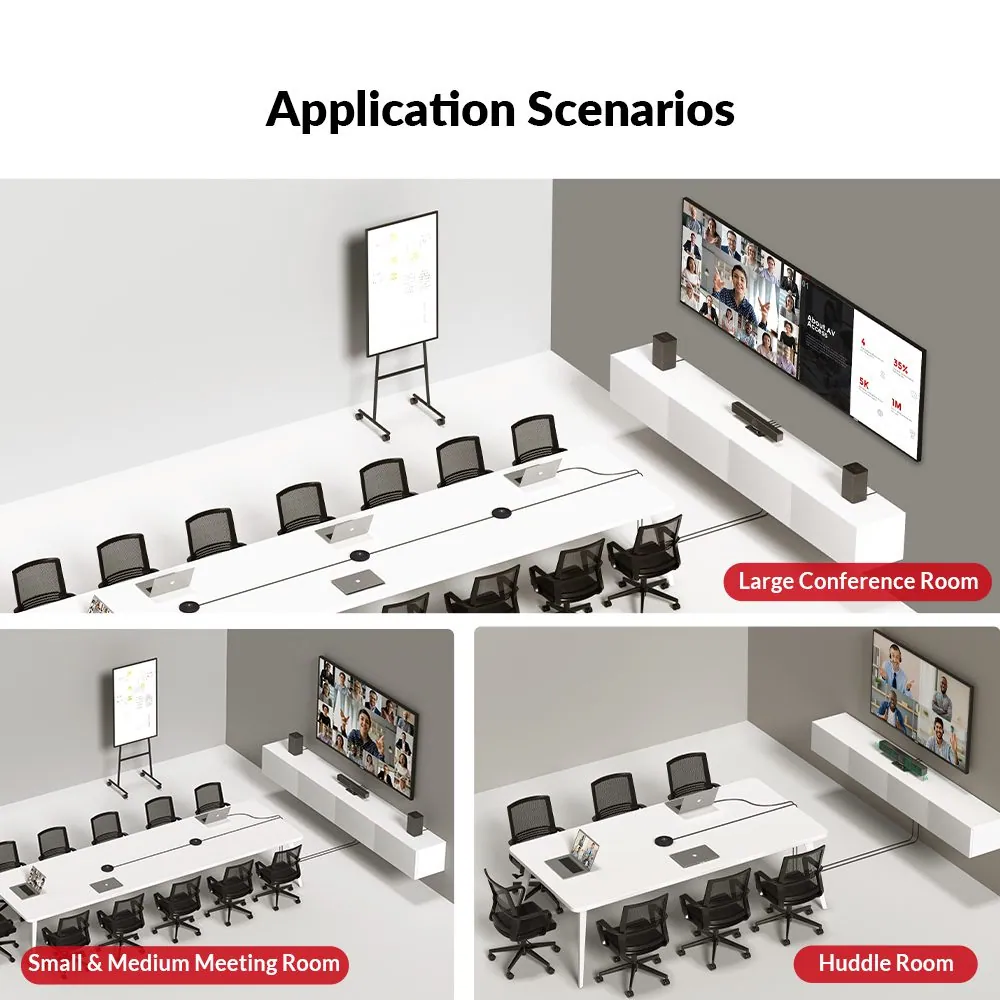
The eShare W80 wireless conferencing system streamlines meetings and training sessions with dual HDMI inputs, wireless sharing, and USB control. Enhancing collaboration, it simplifies presentations and interactions for more efficient communication in diverse settings.
Scalable Conference Solution
Solutions for All Your Spaces
The eShare W80 wireless presentation system works perfectly with AV Access peripherals like webcams, speakerphones, and video bars. You can tailor solutions based on room size and layout for optimized meeting experiences.
Huddle Room
Small & Medium Room (1)
Small & Medium Room (2)
Large Room (1)
Large Room (2)
Huddle Room
Small & Medium Room
Small & Medium Room
Large Room
Large Room
Use Demo
Watch Videos
See how we excel in wireless screen sharing & video conferencing, and get ready to embrace the future of collaboration.
Comparasion
Choose What Suits You Best
Testimonials
See What Our Customers Are Saying
I’m thrilled with the AV Access eShare W80+D20 kit! It offers seamless wireless sharing that simplifies content projection and integrates effortlessly with webcams and video bars for smooth remote meetings. Plus, it’s incredibly budget-friendly—a fantastic alternative to pricier systems like Barco Clickshare.
Selina D.
We were very impressed with the capabilities of this product compared to our other system (Barco) which is very expensive. Preety much everything responded instantaneously and there was no input lag at all. Screenshare, USB device compatibility, easy of use…this has it all.
Corbin B
The presentation system has exceeded my expectations. The wireless display feature allows me to easily share content from my device to the TV screen in the room with just a click of the dongle. It’s incredibly user-friendly, even for guests who come to visit our office and need to present.
Brain
Book A Demo
See It For Yourself
We’re ready to help you find the best solutions for your spaces. Fill out the form, and one of our experts will get back to you shortly.
02Documents6 files · 4.8 MB
Documents and files.
Datasheets, manuals, drawings and certificates as the manufacturer publishes them.
03Related products
In the same range.
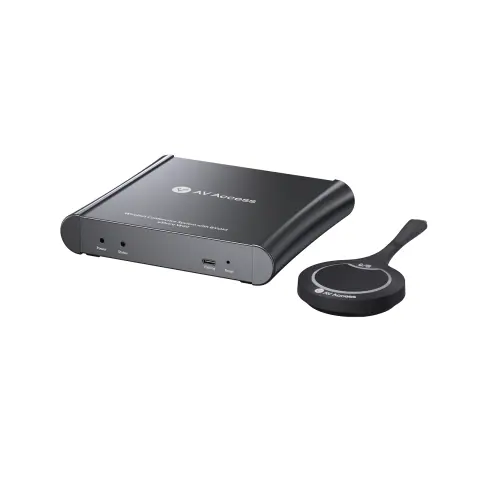 EQ-846AV AccessWireless conferencing system, USB-C dongleeShare W60 Kit · Switchers and KVM
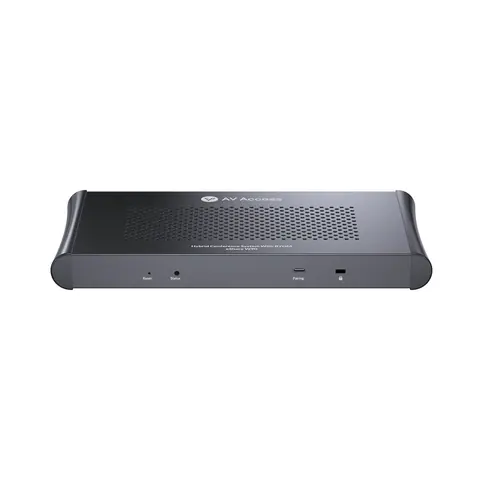 EQ-848AV AccessWireless presentation and conferencing system, dual 4K HDMI out, quad vieweShare W90 · Switchers and KVM
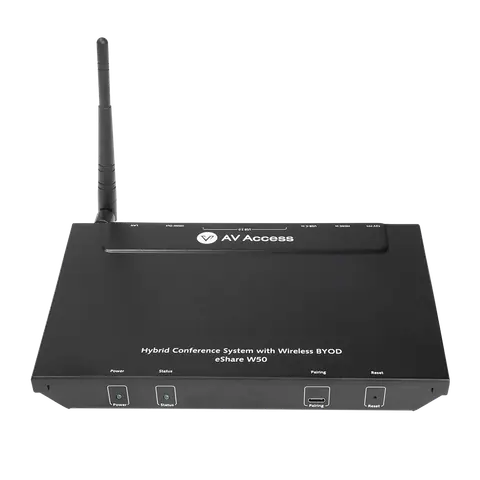 EQ-845AV Access4K wireless presentation systemeShare W50 · Switchers and KVM
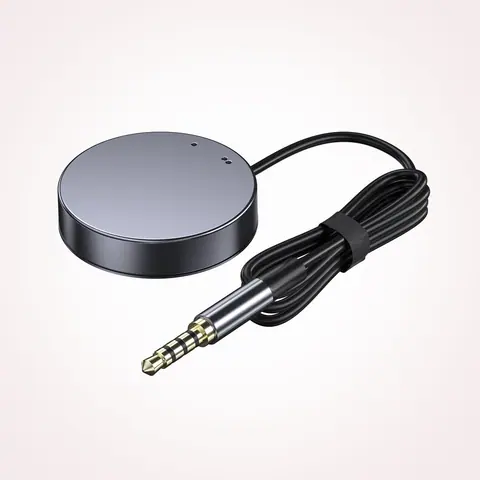 EQ-849AV AccessRemote switch button for KVM docking stations, LED indicator, 1.2 m cableEXB01 · Switchers and KVM
04Talk to us
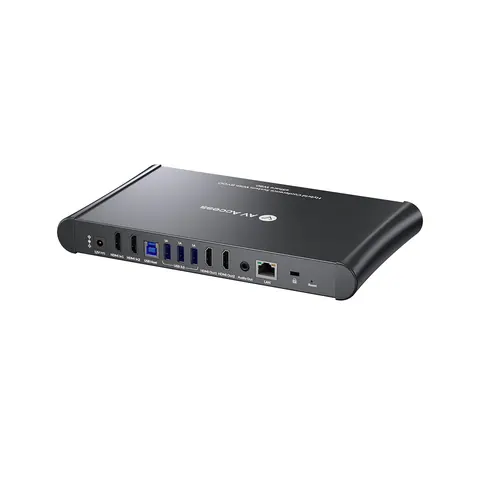 4K wireless conferencing system, dual HDMI out, multiviewAV Access · EQ-847
Need this priced for your project?
- Quantity and site
- Configuration and interfaces
- Quotation