
















Sheet 05.868

AV Access · Switchers and KVM
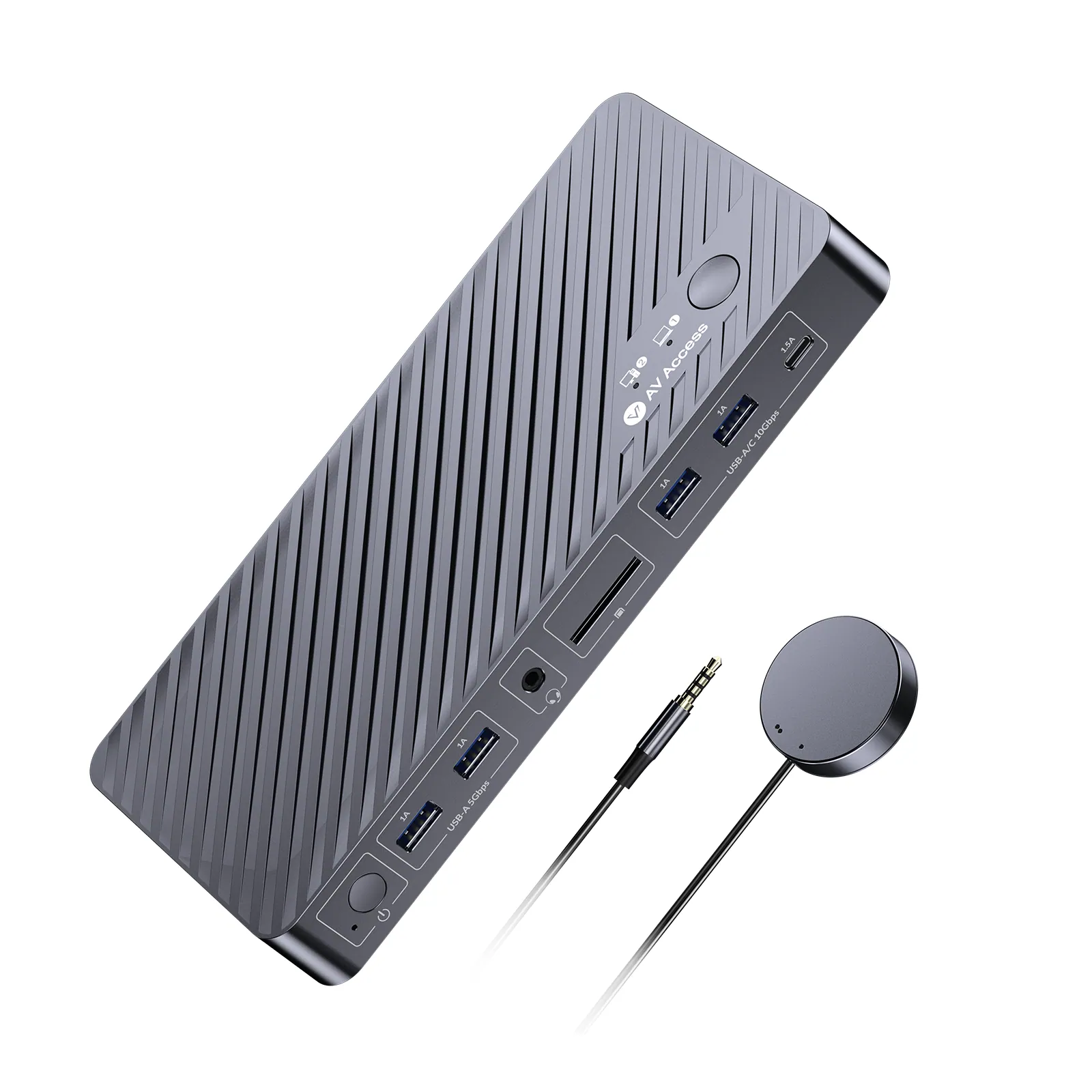
Dual-monitor KVM docking station for MacBook and desktop PC
ModeliDock M10
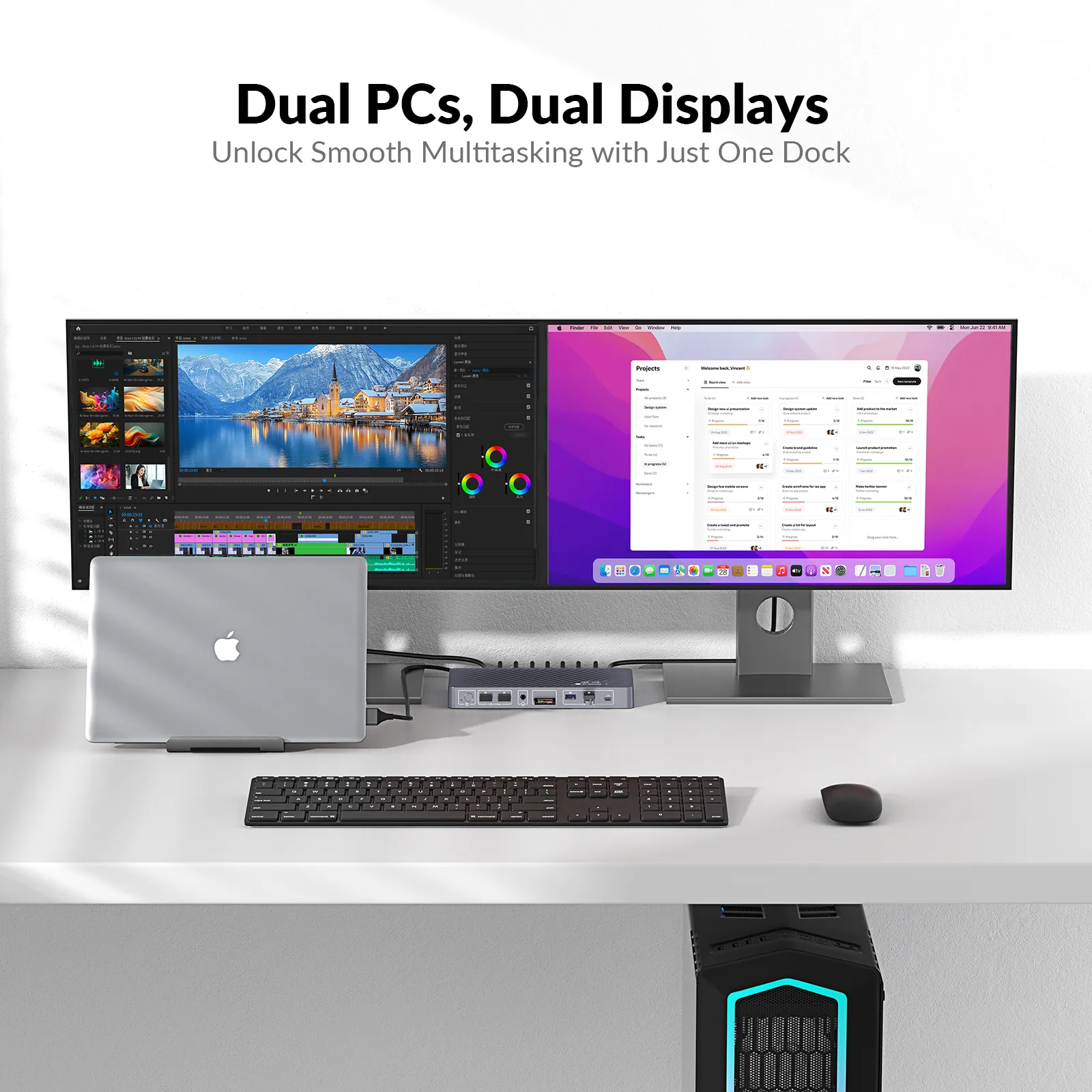
Switch two 4K@60Hz displays, keyboard, mouse, USB devices, audio, and Ethernet between a compatible MacBook and desktop PC—without DisplayLink software.
Dual-monitor KVM docking station for MacBook and desktop PCPrice on request Request a quotation
01SpecificationManufacturer's data · 6 groups · 24 values
What this product is, in numbers.
PDFUser ManualEN · 12 pages · 665 KB
The manufacturer's published values. We confirm the configuration and the values that matter for your project before an order.
01General10
- Main function
- Switch two 4K@60 Hz displays, keyboard, mouse, USB devices, audio, and Ethernet between a compatible MacBook and desktop PC.
- Target audience
- IT professionals, developers, gamers, cerative professionals, hybrid workers, and home office users who need to switch between MacBook and PC.
- Critical scenarios
- Hybrid Work, Professional Workstation, Creative Studio, IT & Office Deployment, Gaming & Personal Entertainment
- Key features
- 1. 1 Macbook, 1 Desktop Switching: Connect both your MacBook and desktop. Switch effortlessly between them with one button. / 2. Dual Monitor Outputs: Support two 4K@60 Hz displays for multitasking. / 3. Plug and Play for Macbook: Plug and play with supported MacBook models. No DisplayLink driver is required. / 4. 100 W Laptop Charging: Keep your MacBook fully powered with fast and stable 100 W charging. / 5. Constant Connection: EDID emulation keeps monitors connected to the PCs. No more desktop reshuffling after switching. / 6. 10-in-1 Docking Station: Expand your workspace with multiple ports, including HDMI, USB, Ethernet, SD card slot and more. / 7. Stable Internet Connection: 1G LAN connection for both your MacBook and desktop with a shared Ethernet port.
- Inputs
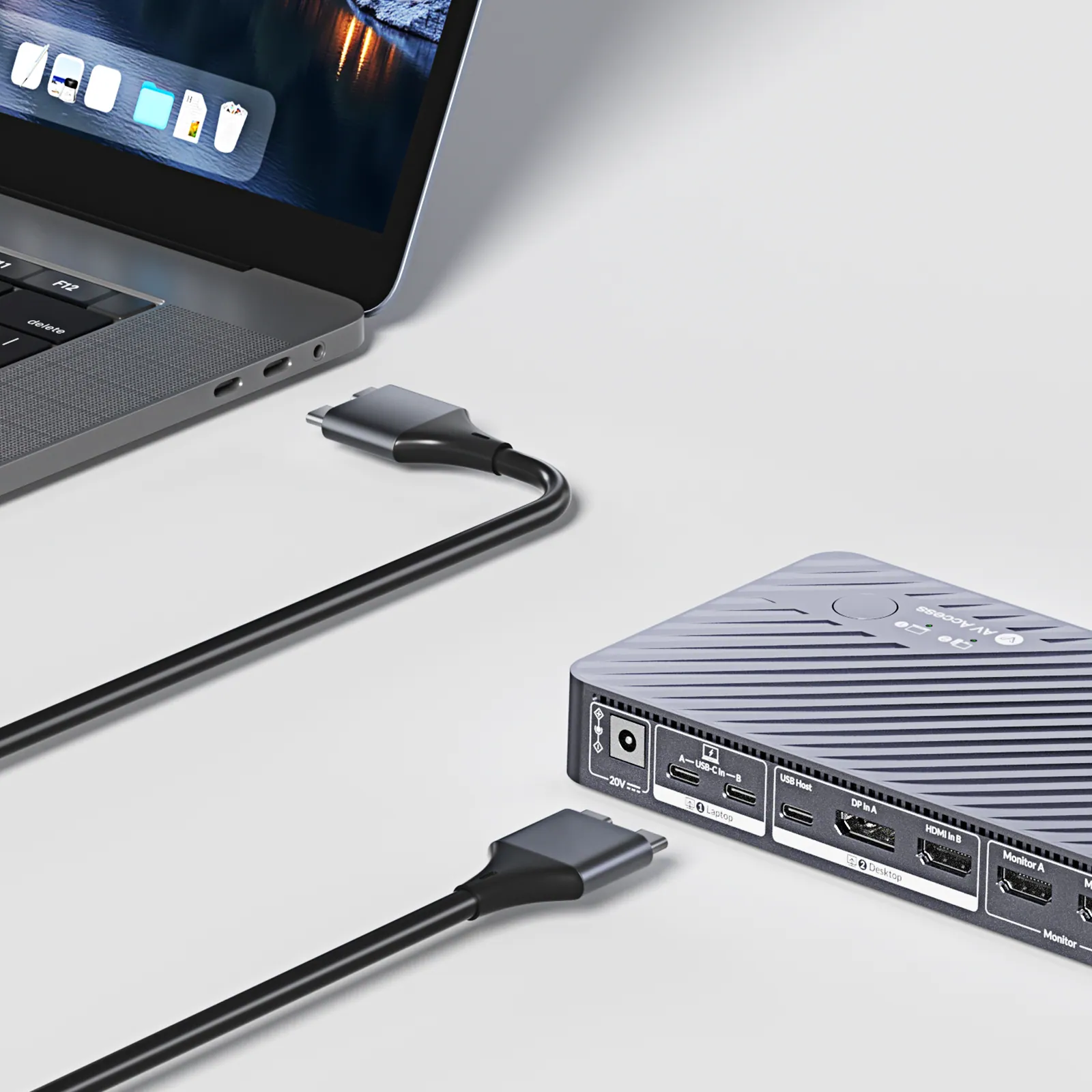
- 2 × USB C, 1 x DP, 1 x HDMI, 1 x USB Host
- Outputs
- 2 x HDMI
- SKU/Parameters
- iDock B12 / iDock M10 / iDock B10 / iDock C10 / iDock C20 / iDock B30 / iDock B23 / iDock D23 / iDock D23i / KD-E10 / KD-E20 / KD-E30
- Desk setup
- For 1 Desktop, 1 Laptop / For 1 Desktop, 1 Laptop / For 1 Desktop, 1 Laptop / For 1 Desktop, 1 Laptop / For 2 Laptops / For 2 Desktops, 1 Laptop / For 1 Desktop, 1 Laptop / For 2 Desktops / For 2 Desktops / For 1 Desktop, 1 Laptop / For 2 Laptops / For 2 Desktops, 1 Laptop
- Number of monitor
- 2 / 2 / 2 / 2 / 2 / 2 / 3 / 3 / 3 / 2 / 2 / 2
- Switching method
- Panel Button, Wired Remote Button (included) / Panel Button, Wired Remote Button (included) / Panel Button, Wired Remote Button (included) / Panel Button / Panel Button, Wired Remote Button (not included) / Panel Button, Keyboard Hotkey, IR Remote / Panel Button, Wired Remote Button / Panel Button, Keyboard Hotkey, Wired Remote Button (not included) / Panel Button, Wired Remote Button (included) / Panel Button / Panel Button, Wired Remote Button (included) / Panel Button
02Video7
- Video input
- 1x HDMI, 1x DP, 1x USB C / 1x HDMI, 1x DP, 2x USB C / 1x HDMI, 1x DP, 1x USB C / 1x HDMI, 1x DP, 1x USB C / 2x USB C / 4x HDMI, 1x USB C / 2x DP, 1x HDMI, 1x USB C / 6x DP / 4x DP, 2x HDMI / 1x HDMI, 1x DP, 1x USB C / 2x USB C / 4 x HDMI, 1 x USB C
- Video output
- 1x HDMI, 1x DP / 2x HDMI / 1x HDMI, 1x DP / 2x HDMI / 2x HDMI / 2x HDMI / 2x DP, 1x HDMI / 3x DP / 2x DP, 1x HDMI / 2x HDMI / 2x HDMI / 2x HDMI
- Resolutions
- 8K@60 Hz 4:4:4 / 4K@60 Hz 4:4:4 / 8K@60 Hz 4:4:4 / 4K@60 Hz 4:4:4 / 4K@60 Hz 4:4:4 / 4K@60 Hz 4:4:4 / 8K@60 Hz / 8K@60 Hz / 8K@60 Hz / 4K@60 Hz 4:4:4 / 4K@60 Hz 4:4:4 / 4K@60 Hz 4:4:4
- EDID emulation
- ➖ / ✔️ / ➖ / ✔️ / ✔️ / ✔️ / ➖ / ➖ / ➖ / ✔️ / ✔️ / ✔️
- HDCP support
- HDCP 2.3 / HDCP 2.2 (4K) / 2.3 (8K) / HDCP 2.3 / HDCP 2.2 / HDCP 2.2 / HDCP 2.2 / HDCP 2.3 / HDCP 2.3 / HDCP 2.3 / HDCP 2.2 / HDCP 2.2 / HDCP 2.2
- Windows laptop display mode
- Extended / / Extended / Extended / Extended / Extended / Extended / / / Extended / Extended / Extended
- Macbook display mode
- Mirrored / Extended / Mirrored / Mirrored / Mirrored / Mirrored / Mirrored / / / Mirrored / Mirrored / Mirrored
03Audio1
- Audio port
- 1 × 3.5 mm Combo / 1 × 3.5 mm Combo / 1 × 3.5 mm Combo / 1 × 3.5 mm Combo, 1x Toslink Out / 1 × 3.5 mm Combo / 1x Mic In, 1x Line Out / 1 × 3.5 mm Combo / 1 × 3.5 mm Combo / 1 × 3.5 mm Combo / 1 × 3.5 mm Combo / 1 × 3.5 mm Combo / 1 × 3.5 mm Combo
04Control and interfaces4
- USB ports
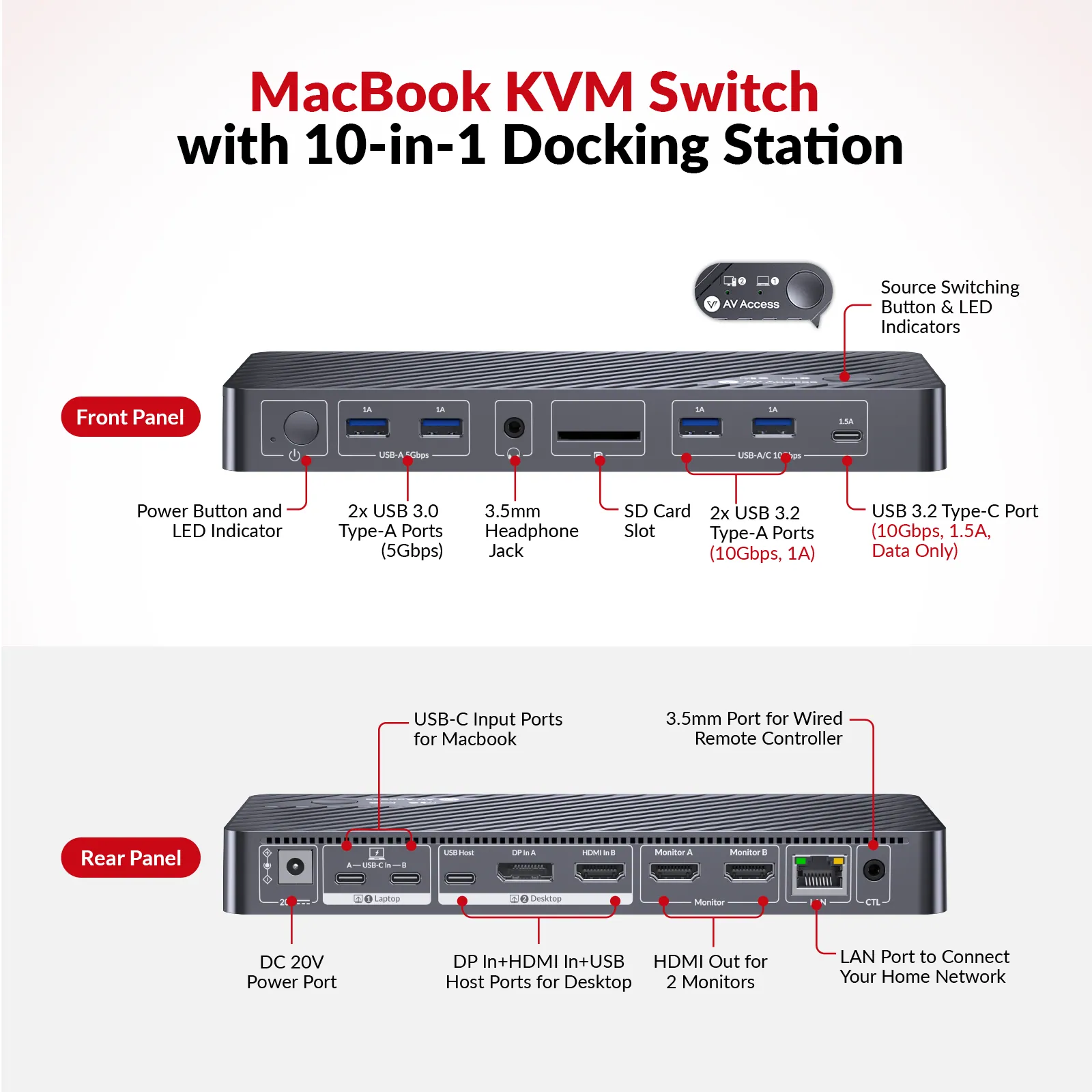
- 2 × USB 3.2 Type A (10 Gbps, 1 A) / 2 × USB 3.0 Type A (5 Gbps)
- Controls
- Panel Button, Wired Remote Button (included)
- USB peripheral
- 3x USB3.2, 2X USB 3.0, 1X USB C, 1X SD Card Reader / 2x USB3.2, 2X USB 3.0, 1X USB C, 1X SD Card Reader / 3x USB3.2, 2X USB 3.0, 1X USB C, 1X SD Card Reader / 3x USB3.0, 2X USB 2.0, 1X USB C, 1X SD Card Reader / 2x USB 3.0, 4x USB 2.0, 1x USB C, 1x SD Card Reader / 3x USB 3.0, 1x USB 2.0, 1x USB 1.1 / 3x USB 3.0, 2x USB 3.2, 1x USB C, 1x SD Card Reader / 3x USB 3.0, 1x USB 2.0, 1x USB 1.1, 1x USB C, 1x SD Card Reader / 3x USB 3.0, 2x USB 2.0, 1x USB C, 1x SD Card Reader / 3x USB 3.0, 2x USB 2.0, 1x USB C, 1x SD Card Slot / 3x USB 3.0, 2x USB 2.0, 1x USB C, 1x SD Card Slot / 3 x USB 3.0, 3 x USB 2.0
- LAN port
- ✔️ / ✔️ / ✔️ / ✔️ / ✔️ / ✔️ / ✔️ / ✔️ / ✔️ / ✔️ / ✔️ / ✔️
05Power1
- Power
- 1 x Power Adapter (DC 20 V / 6 A)
06Packaging1
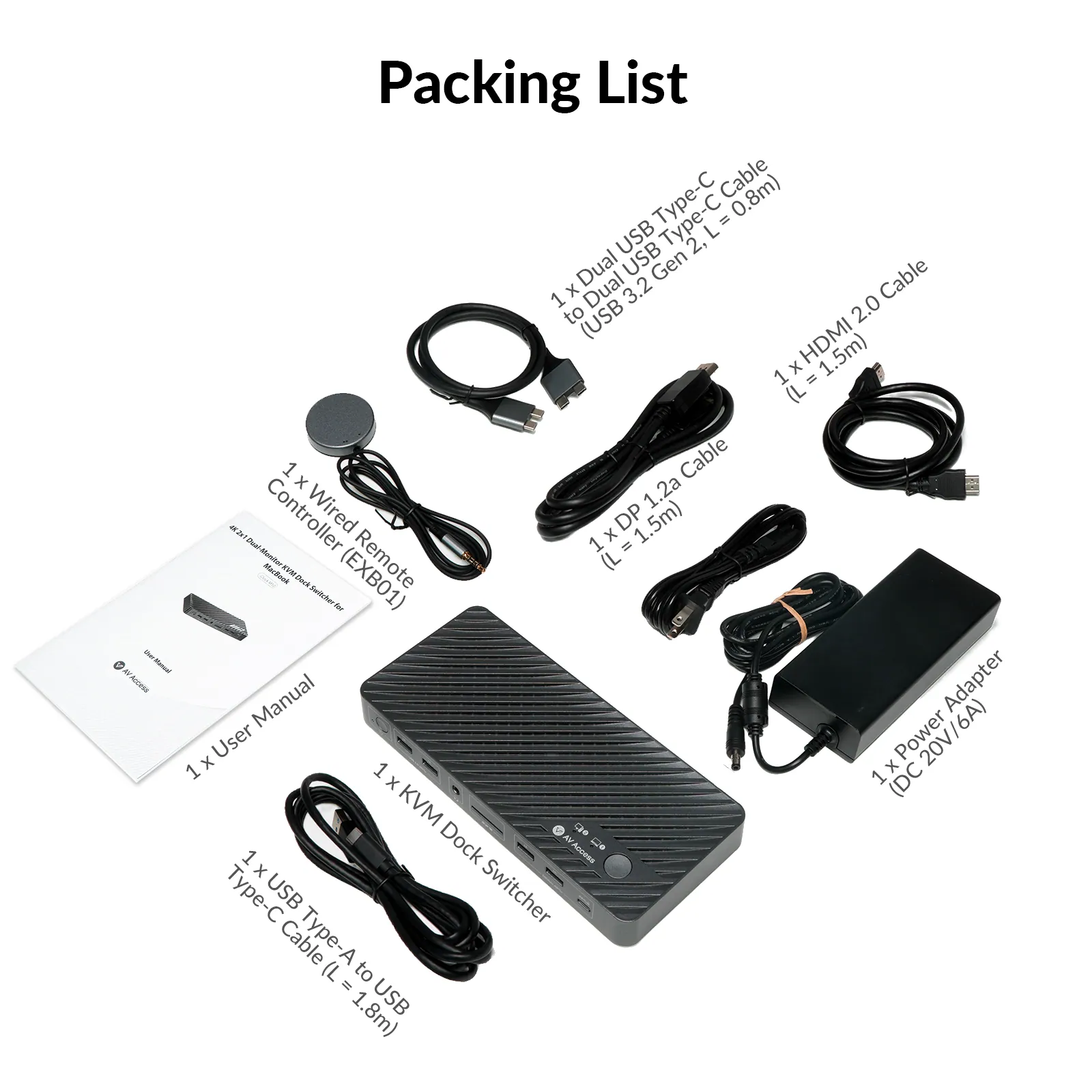
- Included cables
- 1 x HDMI 2.0 Cable (L = 1.5 m) / 1 x DP 1.2a Cable (L = 1.5 m) / 1 x Dual USB Type-C to Dual USB Type-C Cable (USB 3.2 Gen 2, L = 0.8 m) / 1 x USB Type-A to USB Type-C Cable (L = 1.8 m) / 1 x Wired Remote Controller (EXB01)
Show the full specificationHide the rest of the specification0 more groups · 0 values
02DescriptionManufacturer's description
What it is.
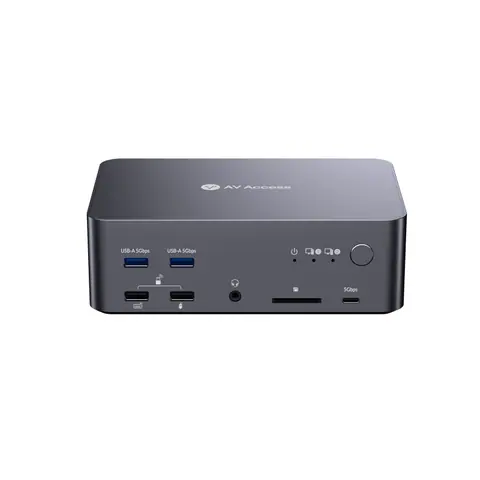
●Switch between 1 MacBook and 1 desktop with one button for a seamless workflow. ●Support dual 4K@60Hz displays for enhanced multitasking. ●Plug and play with most MacBook models without any drivers. ●Deliver 100W charging power to keep your MacBook fully powered. ●Use EDID emulation to maintain stable monitor connections after switching. ●Expand your setup with a 10-in-1 dock featuring HDMI, USB, Ethernet, SD card, and more. ●Share a stable 1G Ethernet connection between your MacBook and desktop.
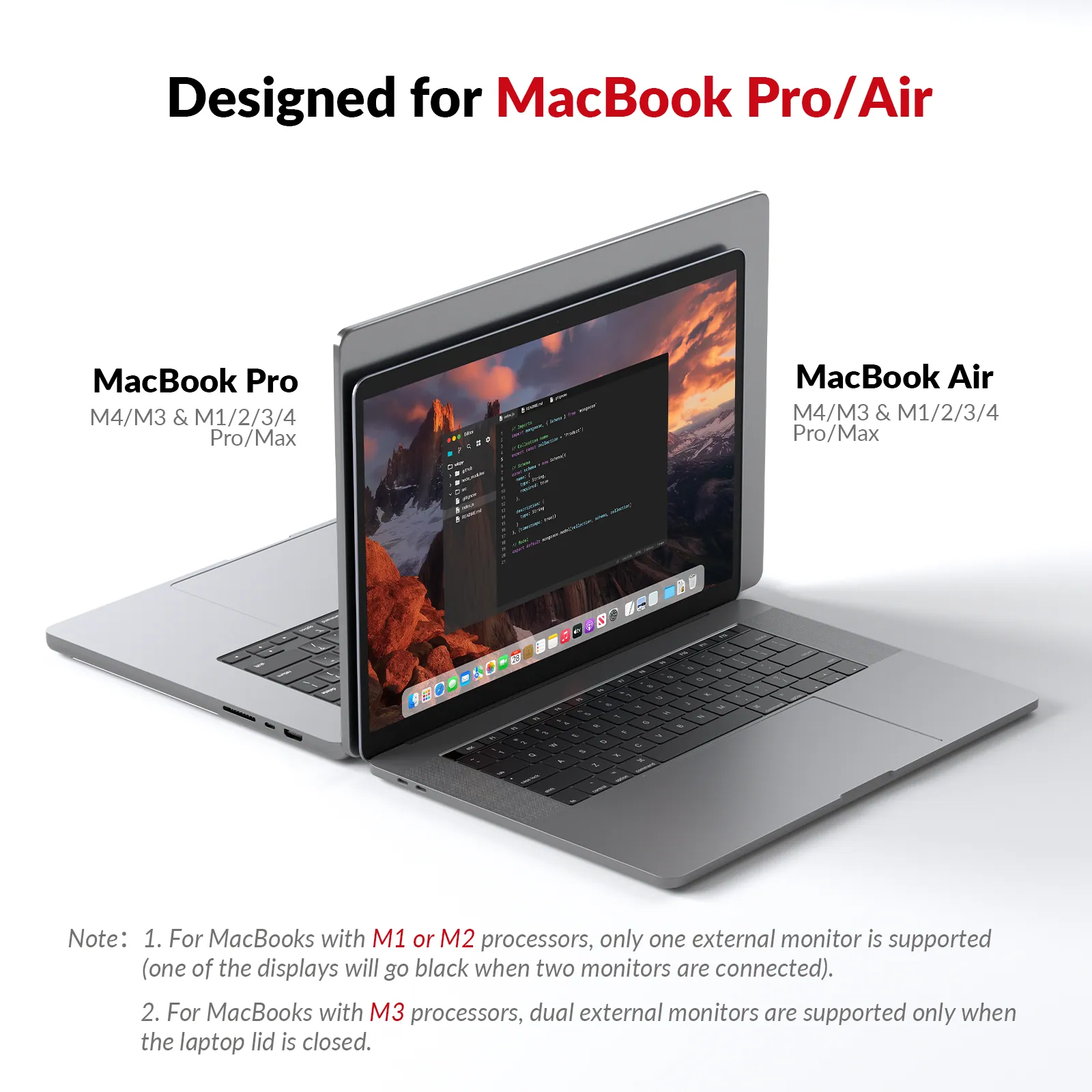
⚙ Check your MacBook chip before you buy
M1 / M2 (non-Pro)
M3 (non-Pro)
M4/M5 or any Pro/Max
Only 1 external display is supported — the second monitor will go black.
⚠
a. This model is not compatible with a MacBook + Windows laptop setup. b. Supports ultrawide resolutions up to 3440 × 1440 @ 60 Hz. When connected to a 5120 × 1440 display, the output resolution is limited to 3840 × 1080.
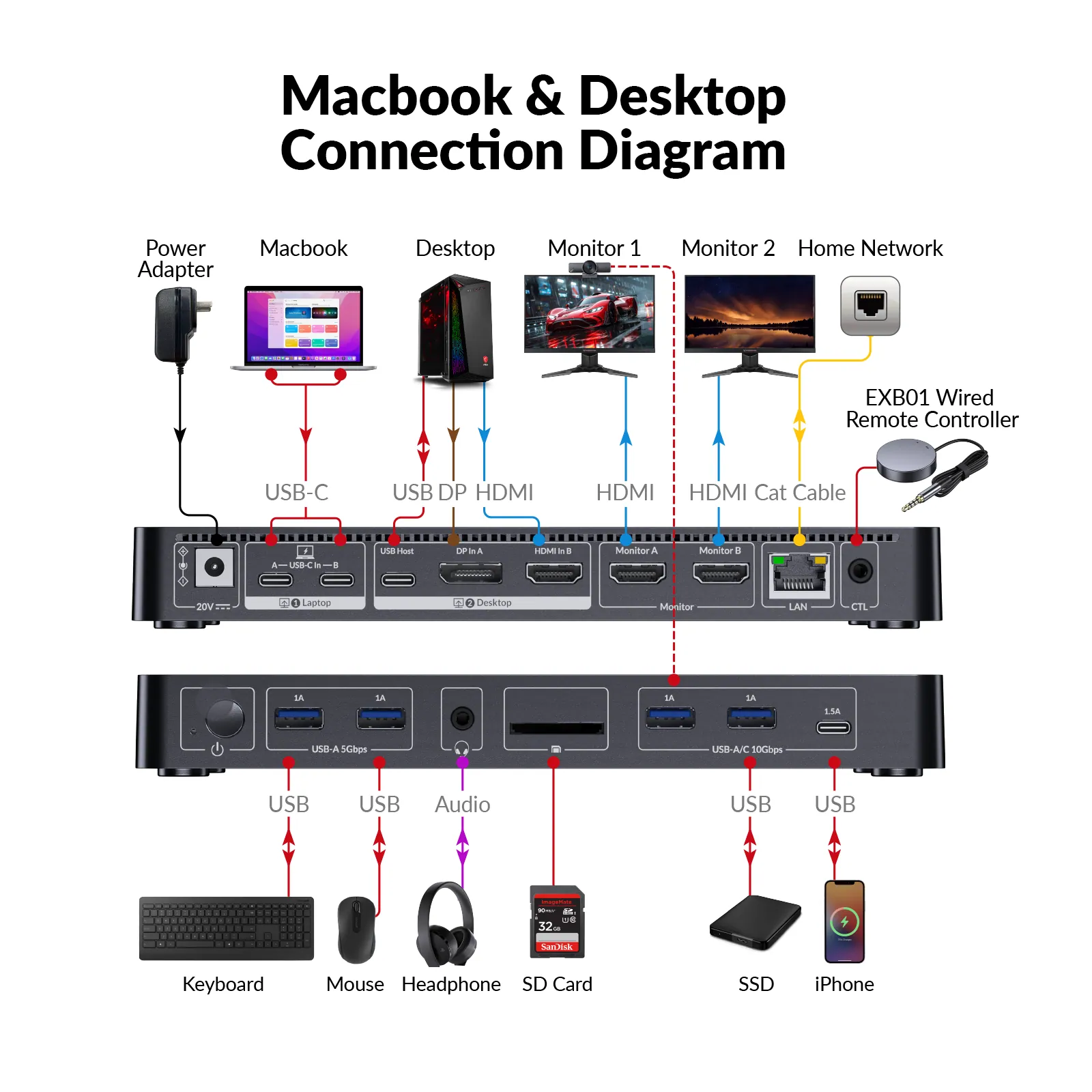
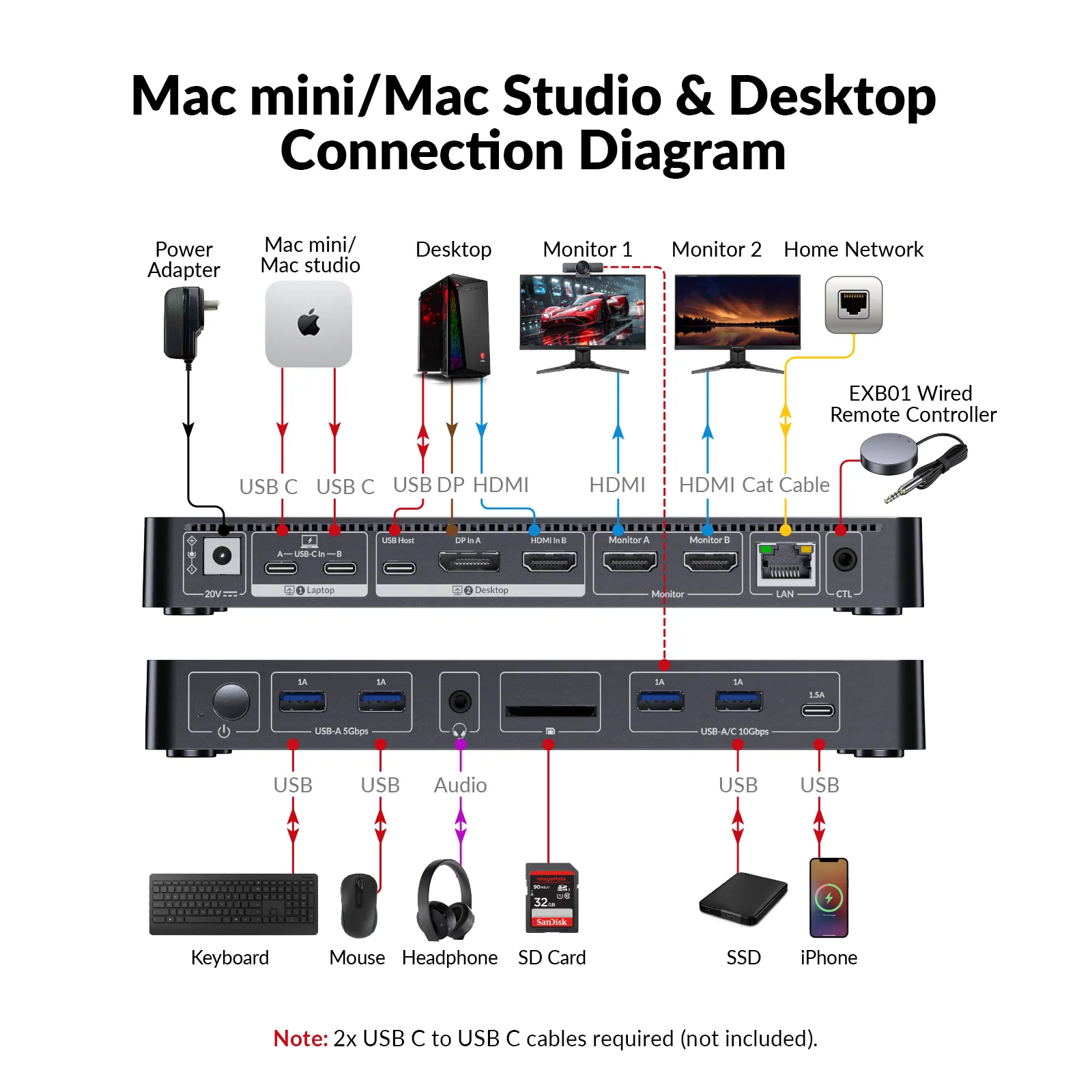
Connect your Macbook to dual monitors and all the peripherals, and you can switch everything to your desktop PC in one tap. Time to build yourself a clean and powerful workspace. View all supported setups →
EXTENDED DUAL DISPLAYS
One Cable.Native Dual Displays.
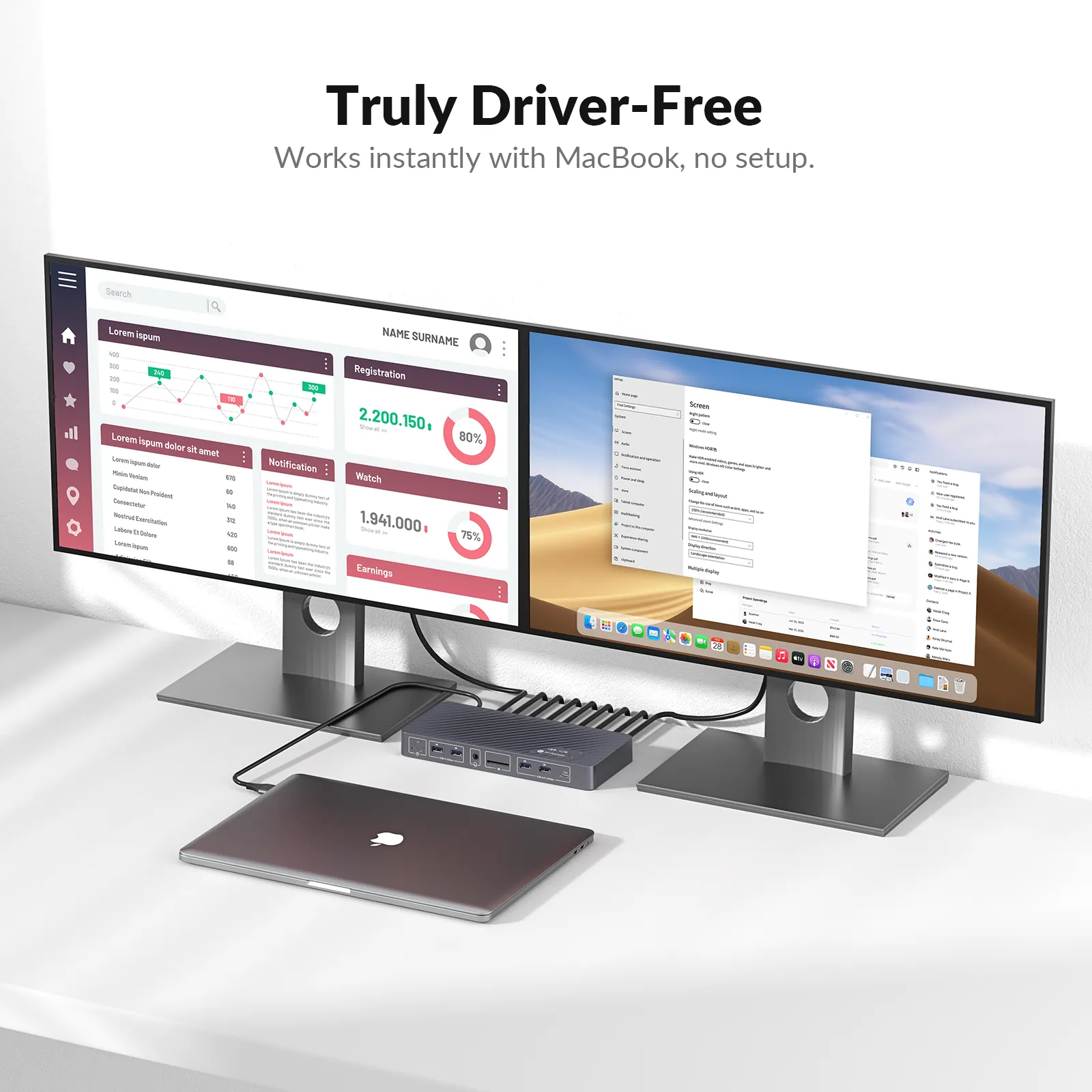
Featuring an innovative dual USB-C cable design, this dock enables native extended dual displays on MacBook with smooth performance and a true desktop experience. Unlike traditional docks that require third-party drivers, it works right out of the box with no software installation or system permissions needed — perfect for professional environments with restricted software access.
*Note: Two USB-C/Thunderbolt ports are required on the MacBook for dual extended displays.*
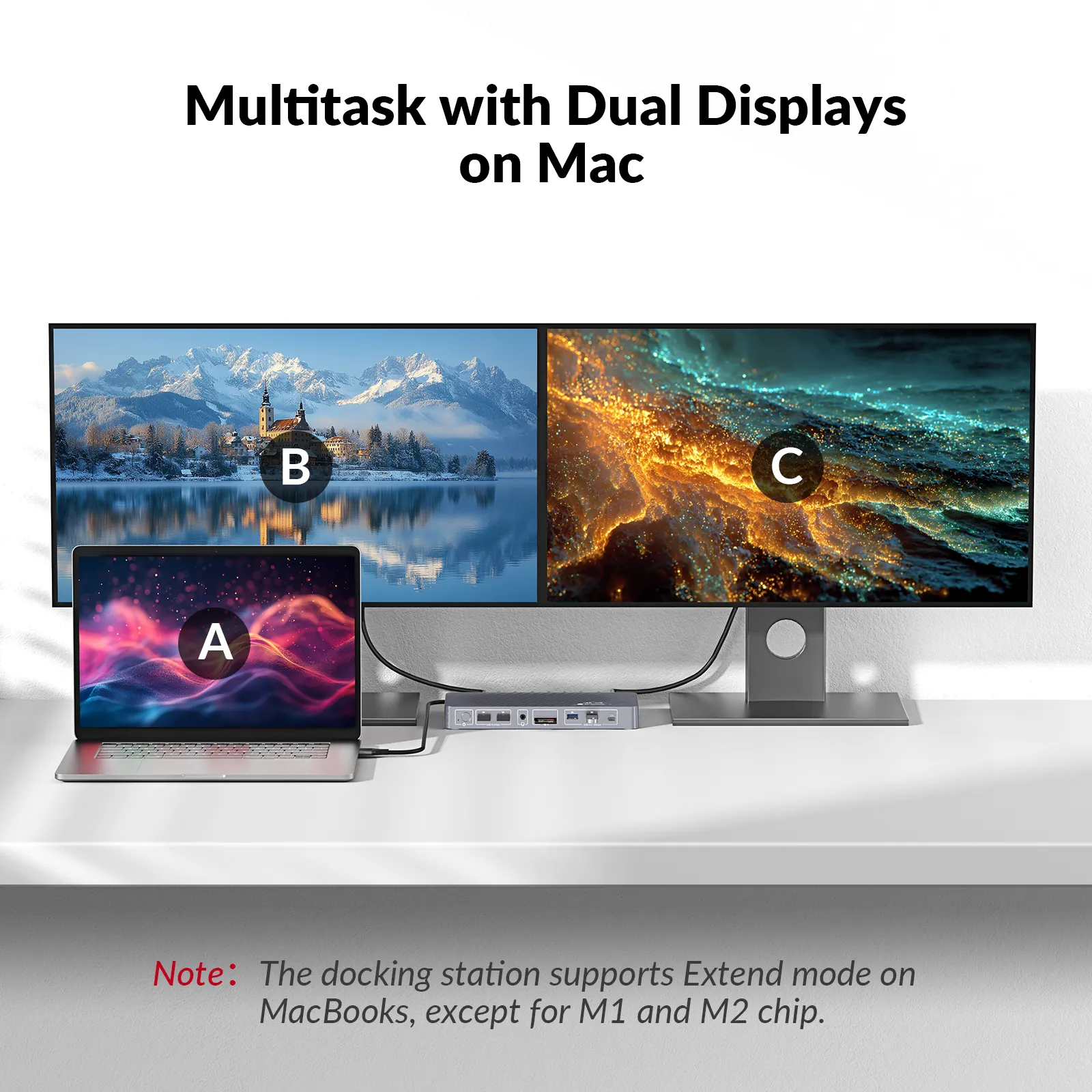
*• M1/M2 MacBooks: Support one external display only.* *• M3 MacBooks: Support two external displays only in clamshell mode (lid closed).*
POWER DELIVERY
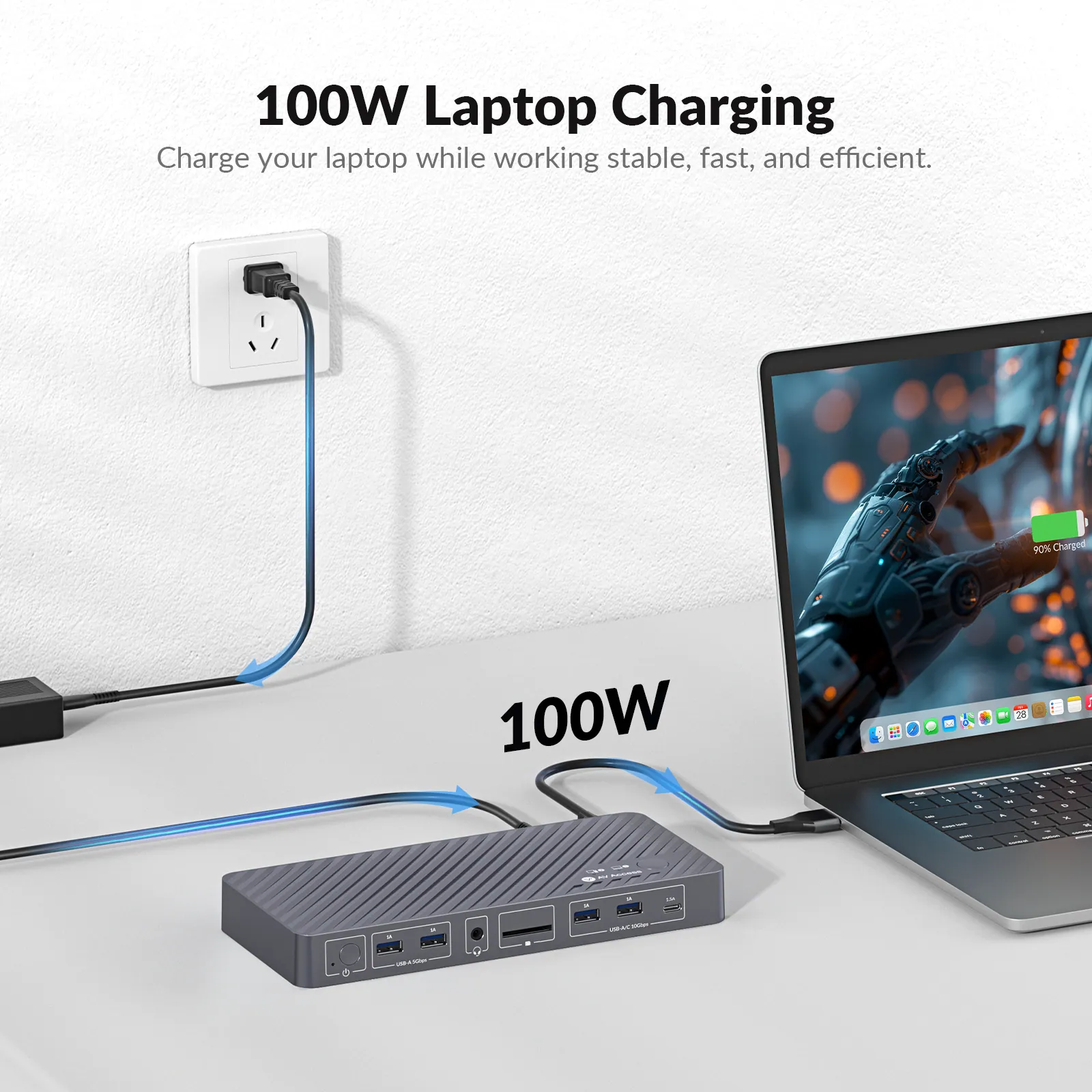
100W Power, Zero Downtime
Keep your laptop fully charged at all times with up to 100W power delivery through the included dual-head USB C cable. No interruptions, no low-battery anxiety.
EDID EMULATION
Stay in Flow When You Switch
With EDID emulation, your monitors stay consistently connected when switching between Macbook and PC. No icon mess, just a smoother transition that keeps your desktop layout intact.
AV Access KVM Docking Station
Other KVM Docking Station
Dual Screens. Double Productivity.
More screen real estate to get work done easier. Compare your files in different screens, or just assign different tasks to each dedicated screen. You can have your work done more productively.
10-IN-1 DOCK
More Ports, Better Productivity
Connect video, USB, audio, LAN, and more with 10 essential ports. Keep your workspace clean and your productivity flowing.
10Gbps USB
Faster USB, Faster Transfers
Transfer large files and connect high-speed drives with 3 USB ports up to 10Gbps. Get more done in less time.
Boost Connectivity with a Docking Station.
With iDock C10, you can easily share a 12-in-1 docking station between a laptop and a desktop PC. A variety of ports bring your connectivity to a next level.
1G LAN
Wired Internet, Shared Between Two PCs
With a built-in 1G LAN port, both your MacBook and desktop can share one wired network. Enjoy stable, high-speed internet on both devices, keep your workflow uninterrupted.
AUTO WAKE UP
One Tap to Wake Your PC Up
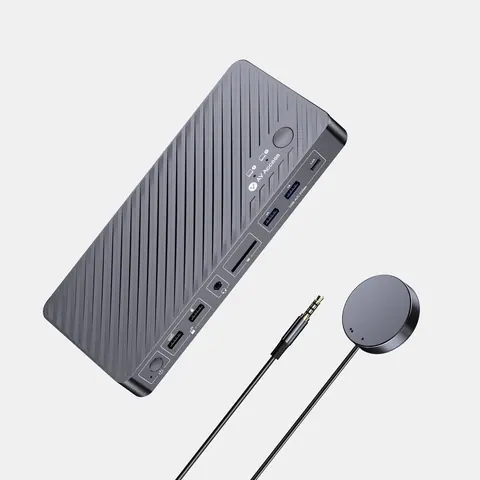
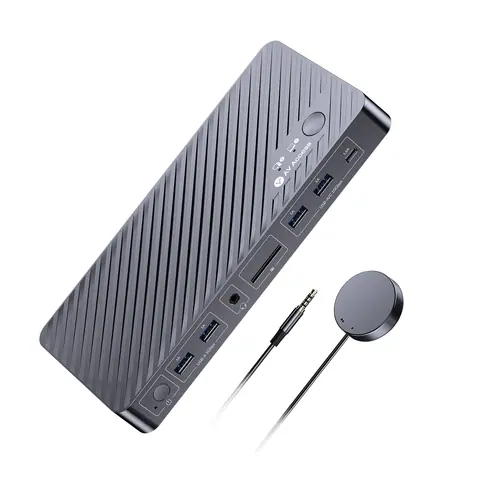
Easily wake your MacBook or desktop from sleep mode using the top panel button or the wired remote controller (Included in the package). Ideal for lid-closed MacBooks or idle desktop setups.
One KVM. Multiple Workflows.
Whether you work with a MacBook, Mac desktop, or Windows PC, iDock M10 keeps your entire workspace connected. Seamlessly share dual monitors, keyboard, mouse, and peripherals across your favorite devices with one simple switch.
- MacBook + Windows PC
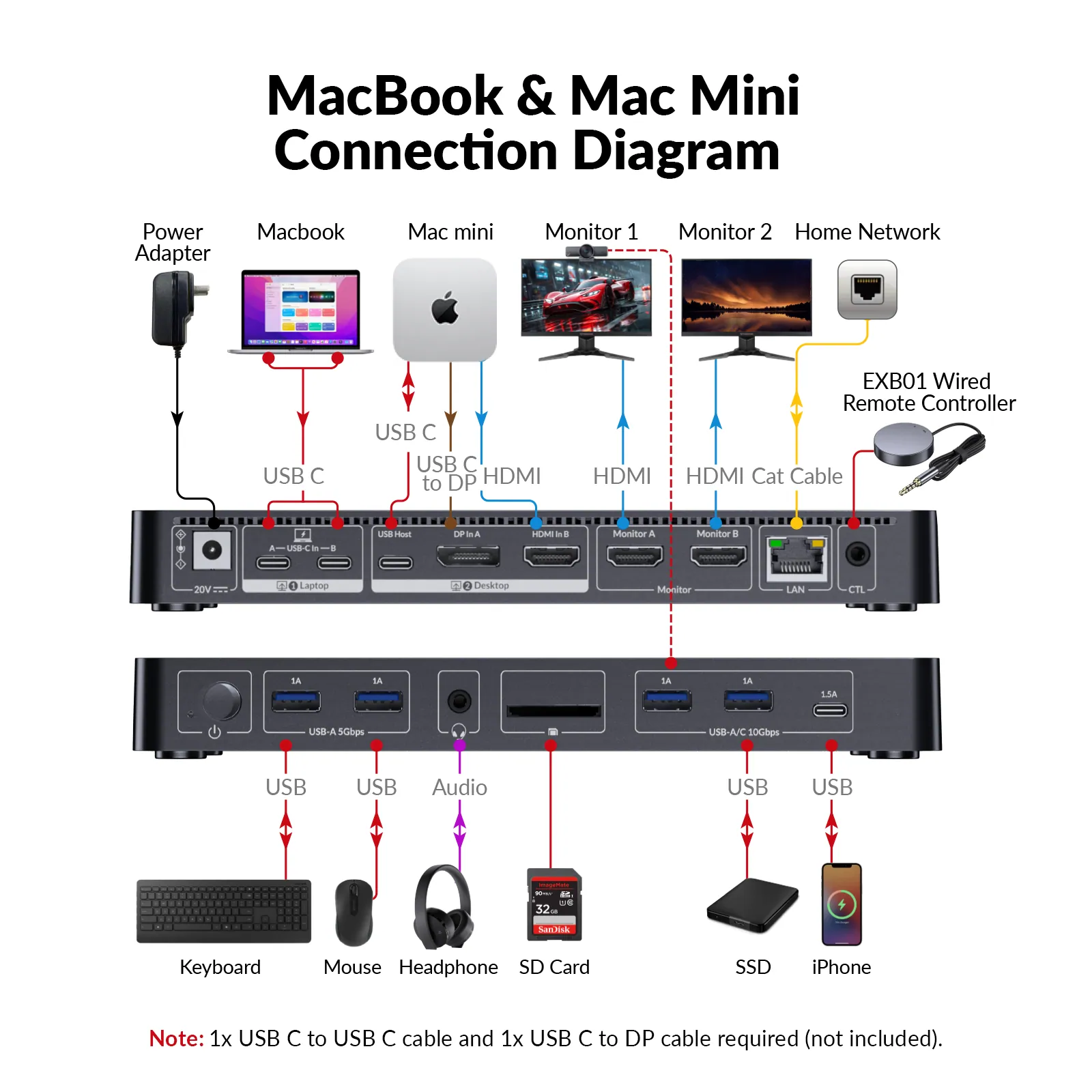
- MacBook + Mac mini
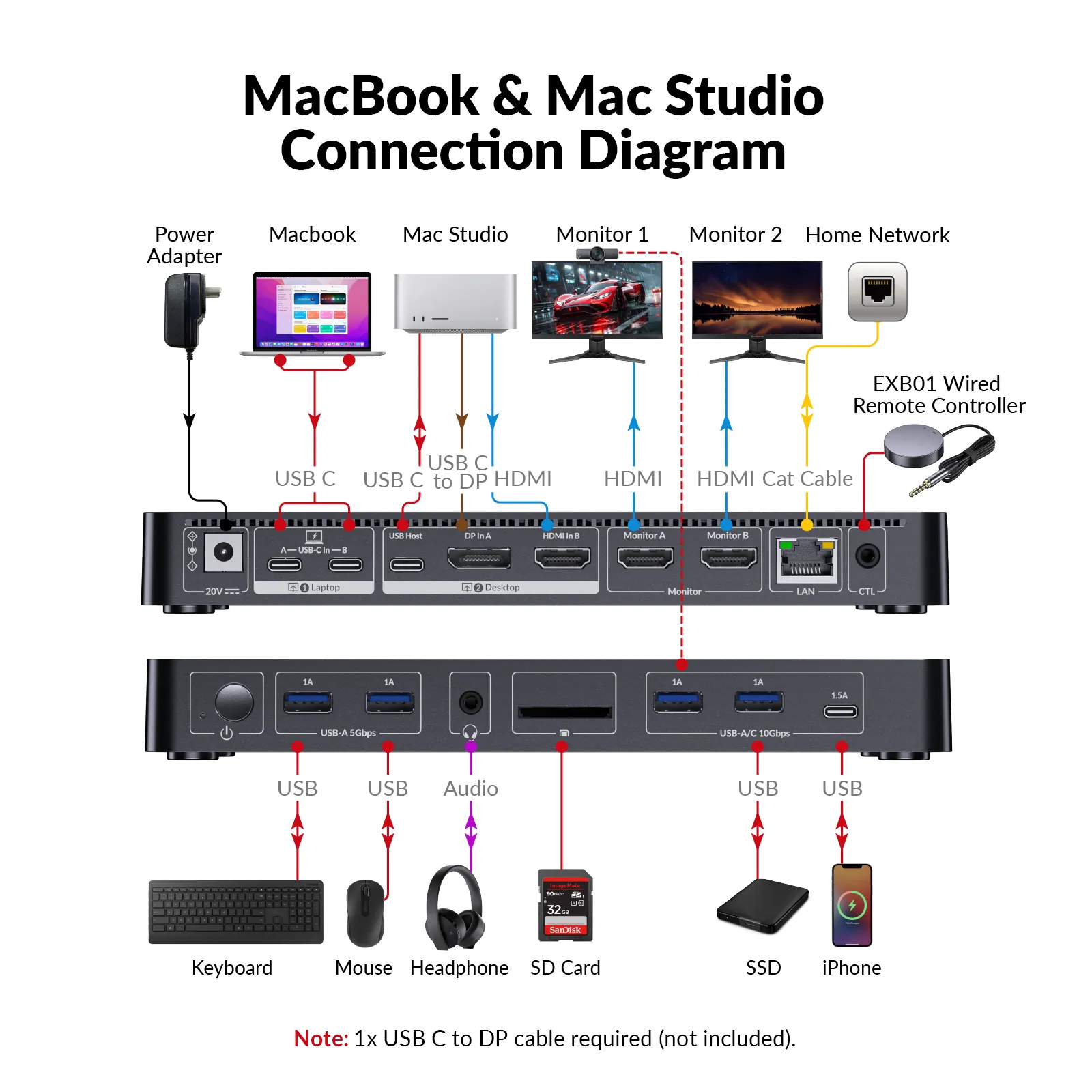
- MacBook + Mac Studio
- Mac mini/Studio + Windows Desktop
Empower Professionals from All Walks of Life
Whether you’re coding, designing, teaching, or managing office tasks, iDock M10 streamlines your workflow — offering dual 4K display support, effortless device switching, and essential connectivity for Macbook and PC users alike.
Developer
Develop on MacBook and test on Windows with shared displays and peripherals for a seamless cross-platform workflow.
Creative Professional
Design on MacBook and leverage Windows performance for rendering, 3D workloads, and demanding creative tasks.
Remote Learners
Switch between a MacBook and desktop instantly to attend classes, complete assignments, and share the same monitor and peripherals.
Hybrid Worker
Share monitors and peripherals between work and personal computers for a cleaner, more efficient workspace.
In the Box
- 1 x KVM Dock Switcher
- 1 x Power Adapter (DC 20V/6A)
- 1 x HDMI 2.0 Cable (L = 1.5m)
- 1 x DP 1.2a Cable (L = 1.5m)
- 1 x Dual USB Type-C to Dual USB Type-C Cable (USB 3.2 Gen 2, L = 0.8m)
- 1 x USB Type-A to USB Type-C Cable (L = 1.8m)
- 1 x Wired Remote Controller (EXB01)
- 1 x User Manual
Documents and Softwares
Download User Manual
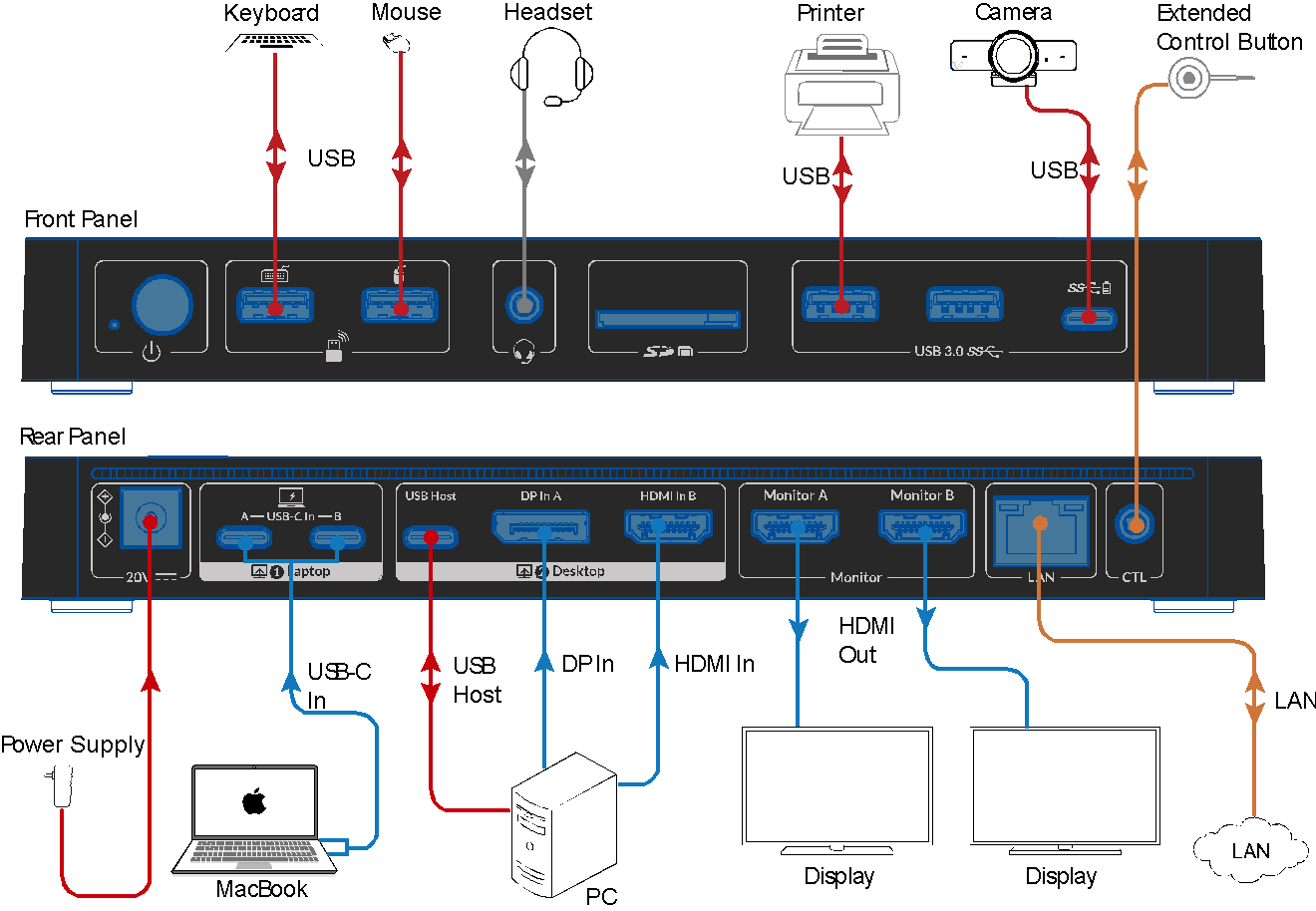
Download Connection Diagram
03Documents2 files · 699 KB
Documents and files.
Datasheets, manuals, drawings and certificates as the manufacturer publishes them.
Drawings01
04Related products
In the same range.
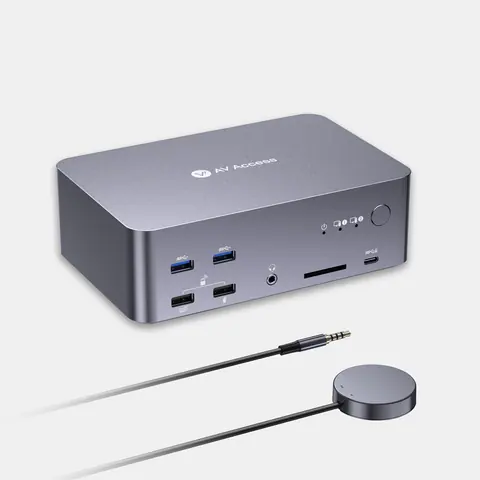 EQ-867AV Access8K DisplayPort/HDMI KVM docking station, triple monitor, 2 PCsiDock D23i · Switchers and KVM
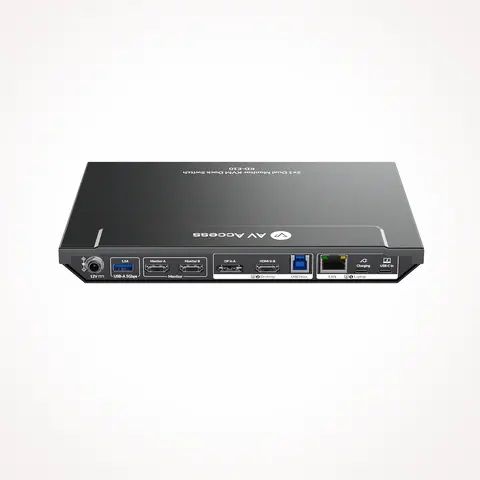 EQ-869AV AccessUSB-C KVM docking station, 2 PCs, 2 monitors, 100 W PDKD-E10 · Switchers and KVM
 EQ-866AV Access8K DisplayPort KVM docking station, triple monitor, 2 PCsiDock D23 · Switchers and KVM
 EQ-870AV AccessUSB-C KVM docking station, 2 laptops, 4K dual monitor, 100 W PDKD-E20 · Switchers and KVM
05Talk to us
 Dual-monitor KVM docking station for MacBook and desktop PCAV Access · EQ-868
Need this priced for your project?
- Quantity and site
- Configuration and interfaces
- Quotation