
















Sheet 05.848
AV Access · Switchers and KVM
Wireless presentation and conferencing system, dual 4K HDMI out, quad view
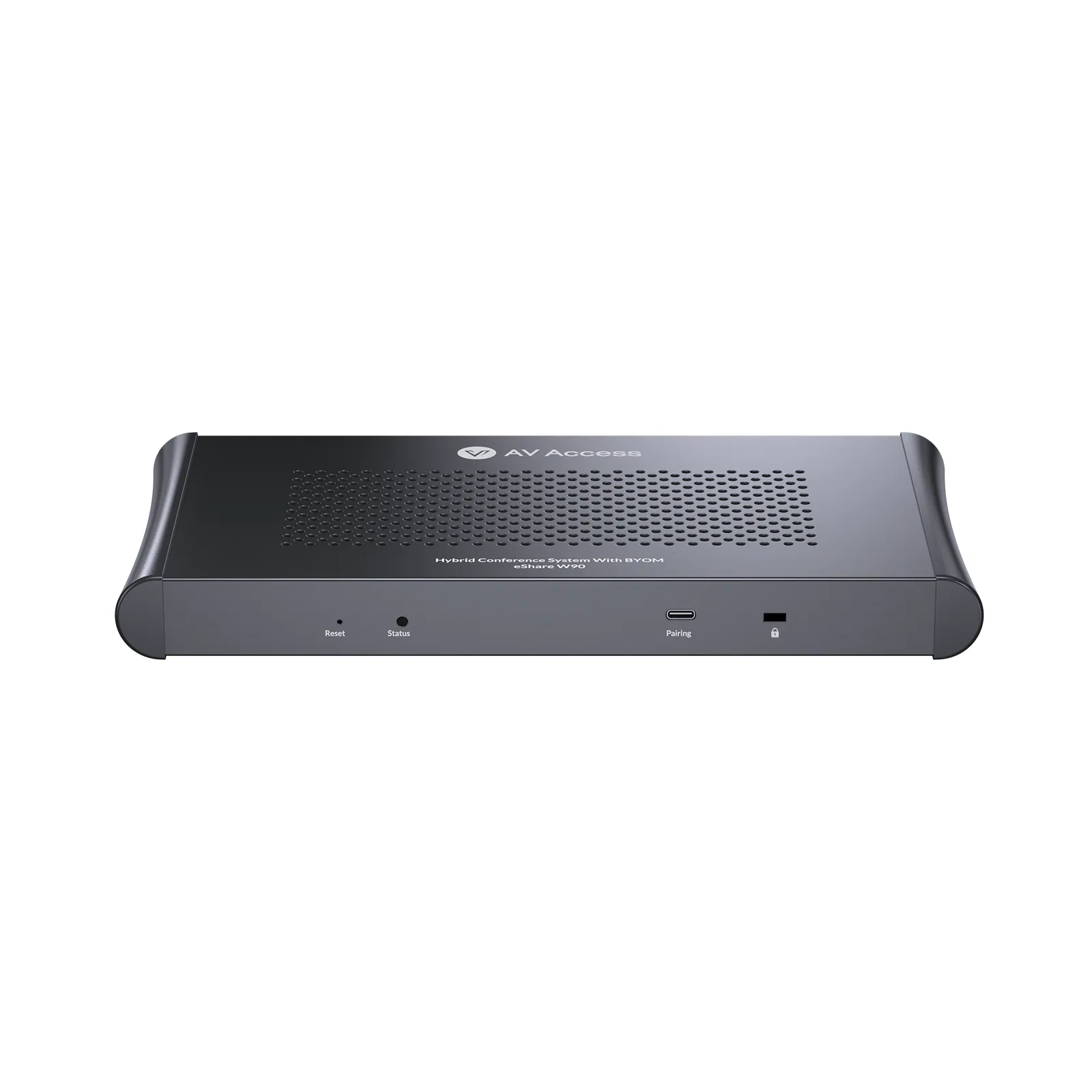
ModeleShare W90
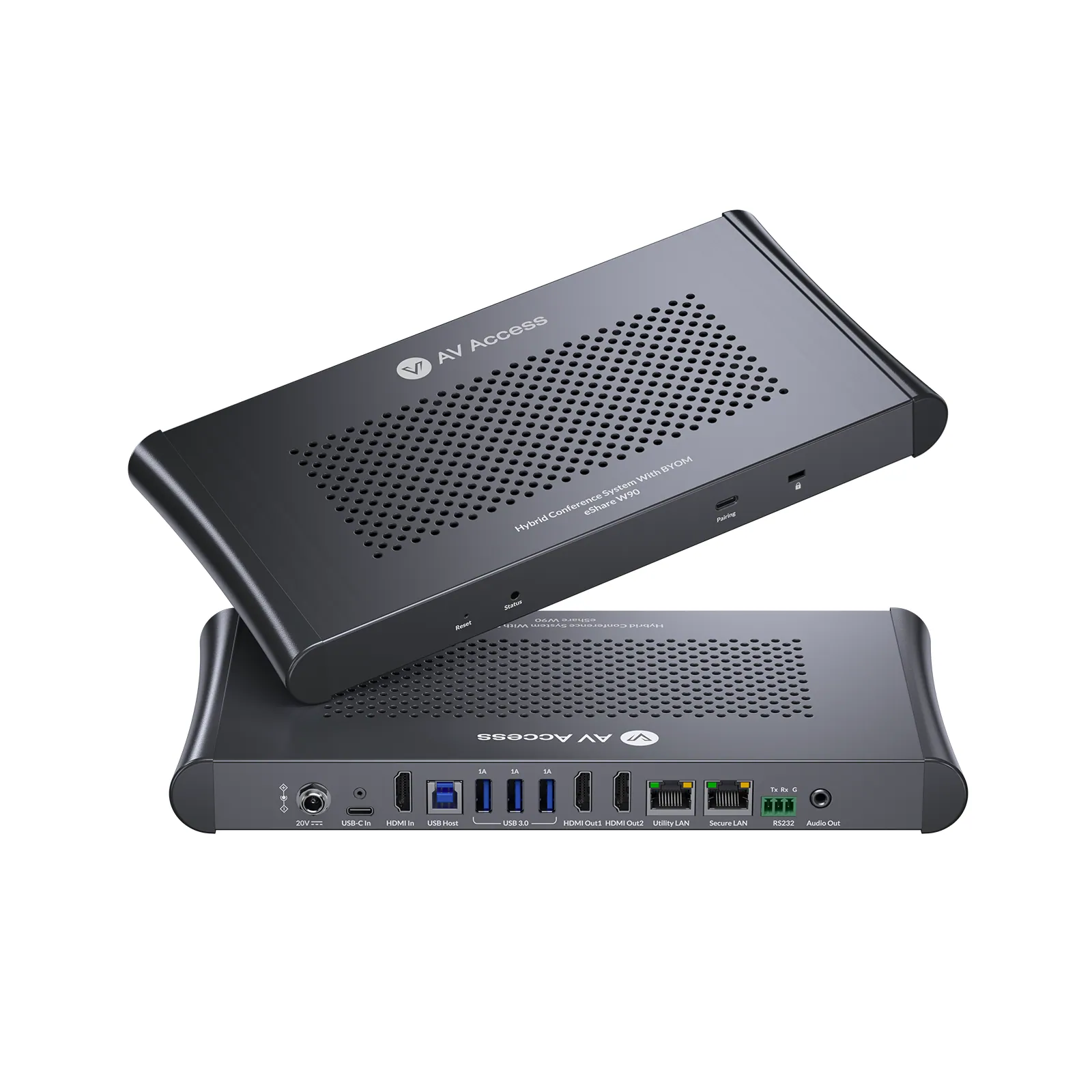
eShare W90 is an all-in-one wireless presentation and conferencing solution designed for flexible meeting spaces. It combines wired and wireless content sharing, dual-display output, multi-source collaboration, and BYOM conferencing in one streamlined system.
Wireless presentation and conferencing system, dual 4K HDMI out, quad viewPrice on request Request a quotation
01SpecificationManufacturer's data · 4 groups · 19 values
What this product is, in numbers.
PDFTechnical Specification2 pages · 67 KB
The manufacturer's published values. We confirm the configuration and the values that matter for your project before an order.
01General7
- Main function
- Wired & wireless presentation with BYOM conferencing support
- Wired inputs
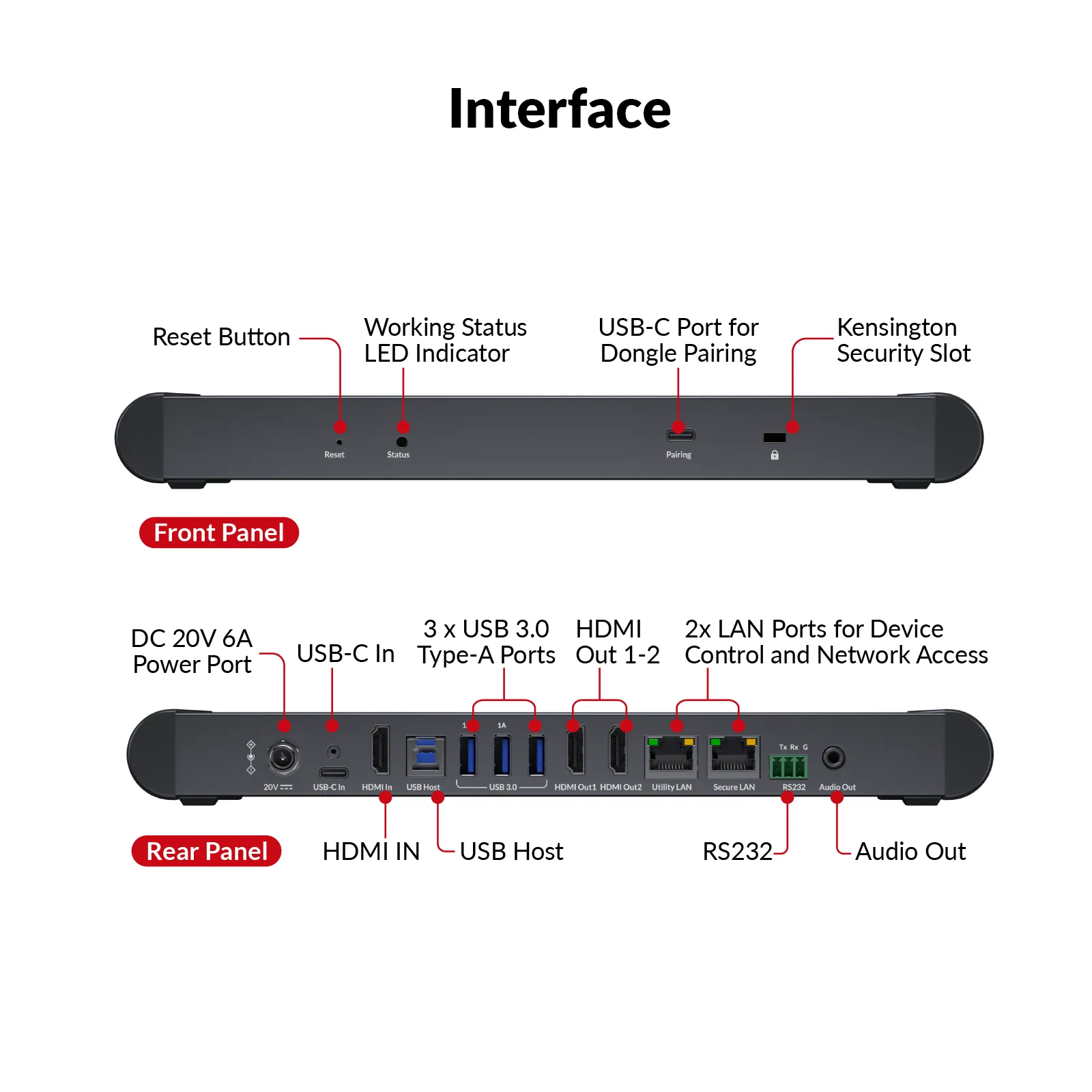
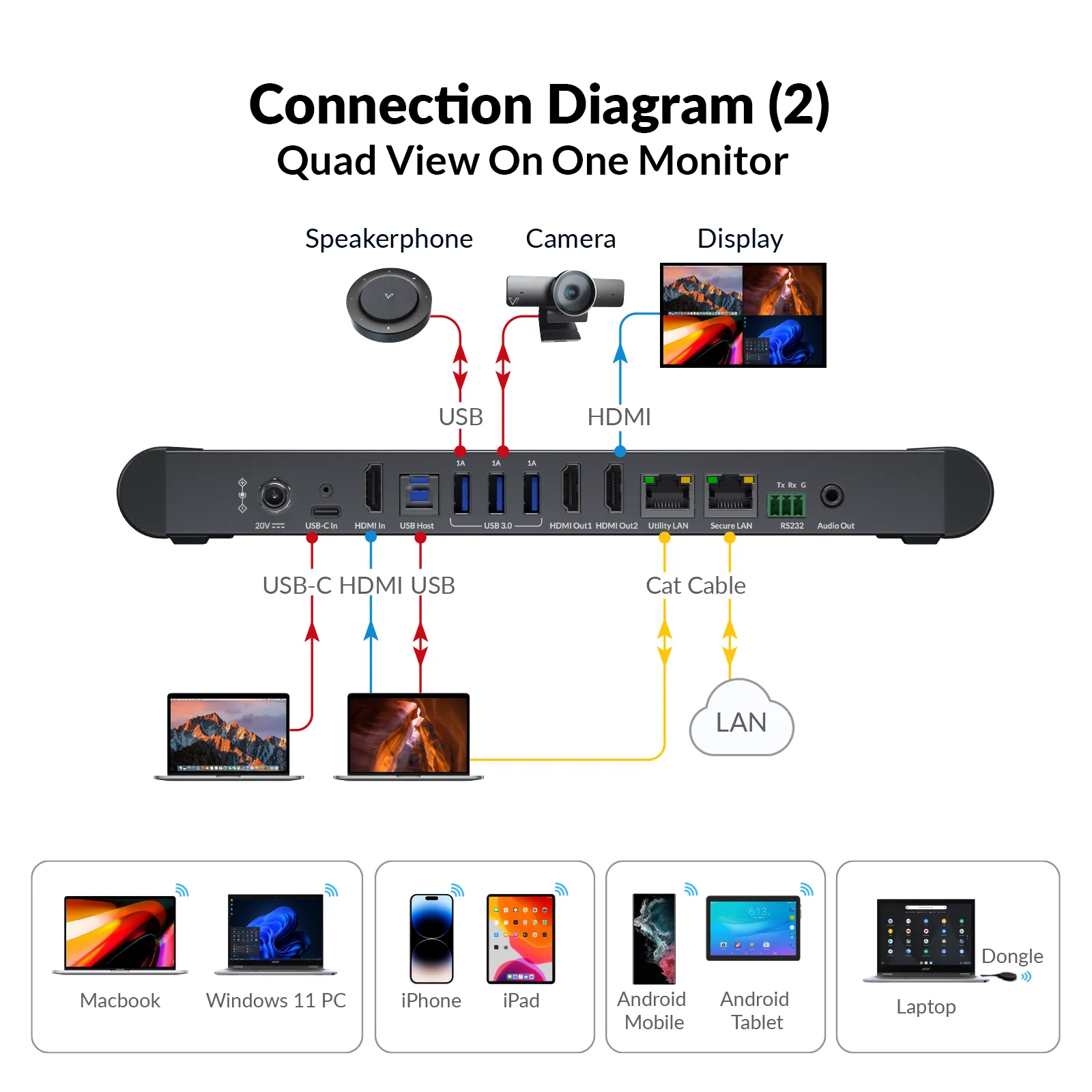
- 1 × USB C input with up to 65 W PD; 1 × HDMI input
- Wireless sharing
- AirPlay, Miracast, and compatible eShare USB C dongles
- Multiview
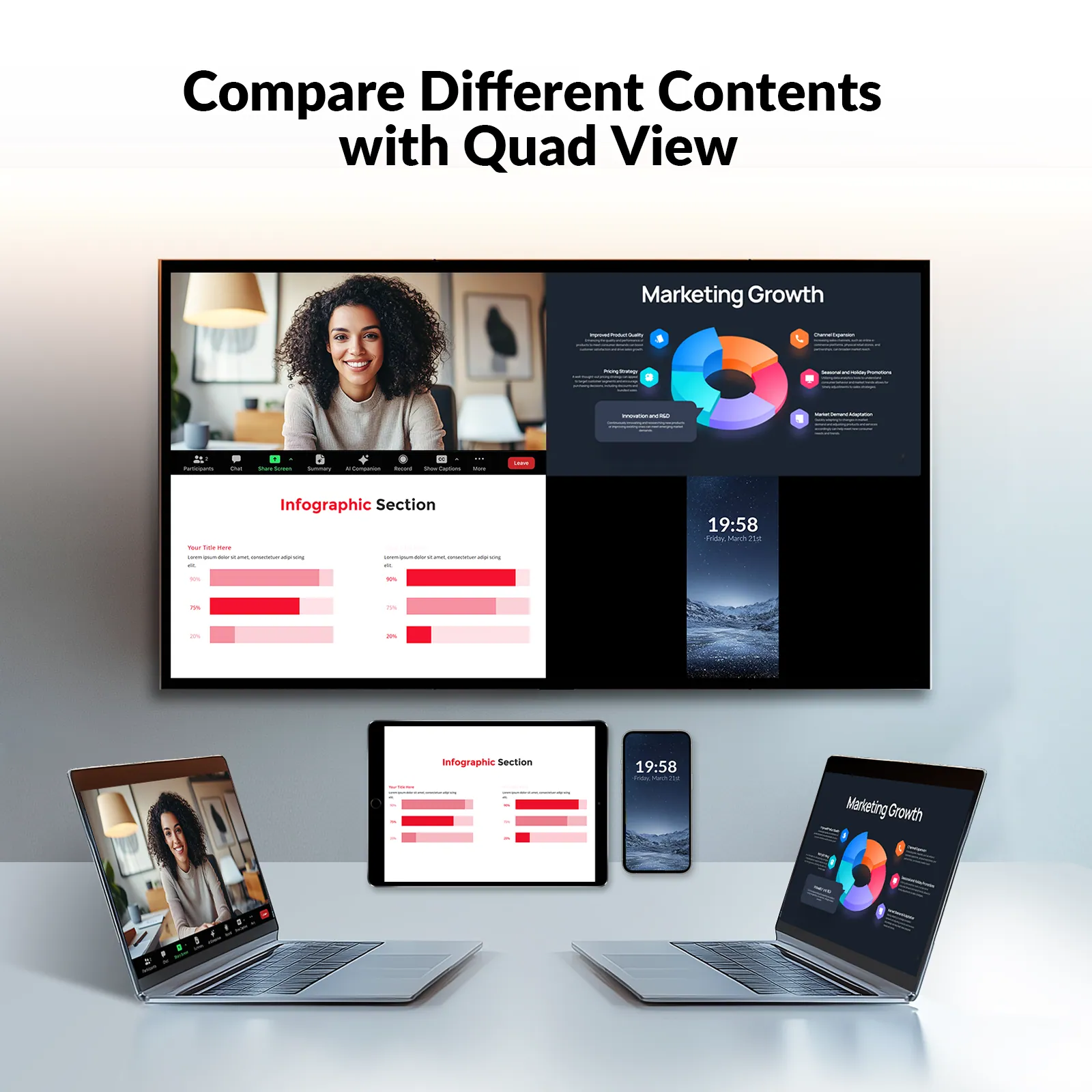
- Quad View with up to 4 sources on one display
- Compatibility
- Windows, macOS, iOS, and Android
- Management
- Web UI for system control and advanced settings
- Wireless conferencing
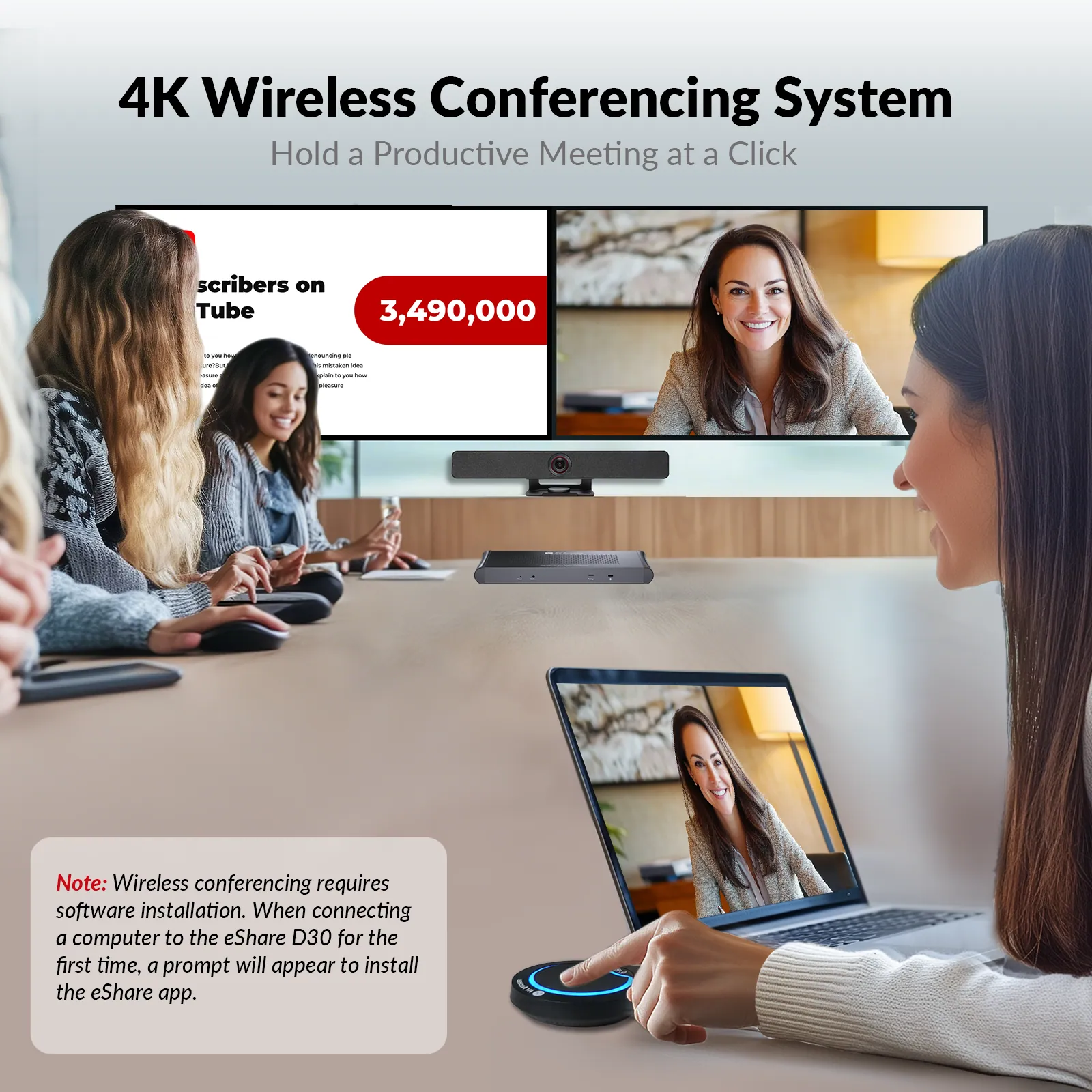
- With eShare D30; one-time eShare app installation required for USB conferencing
02Video1
- Video output
- 2 × HDMI outputs
03Control and interfaces3
- USB
- 3 × USB 3.0 ports for compatible conferencing and touch devices
- USB C functions
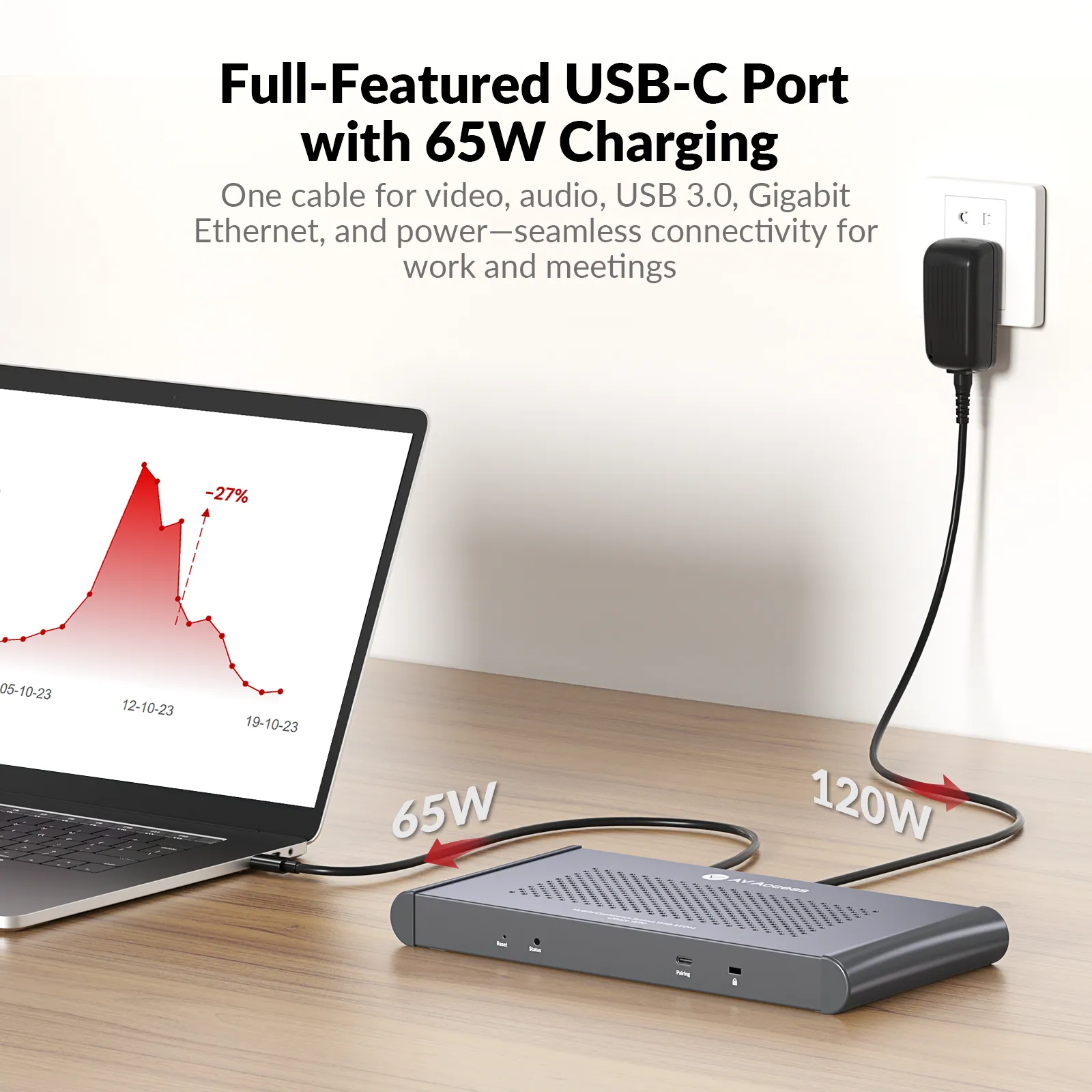
- Video, USB 3.0 data, Gigabit Ethernet, and up to 65 W laptop charging
- Network
- 2 × Gigabit Ethernet ports; network access through USB C; network isolation mode
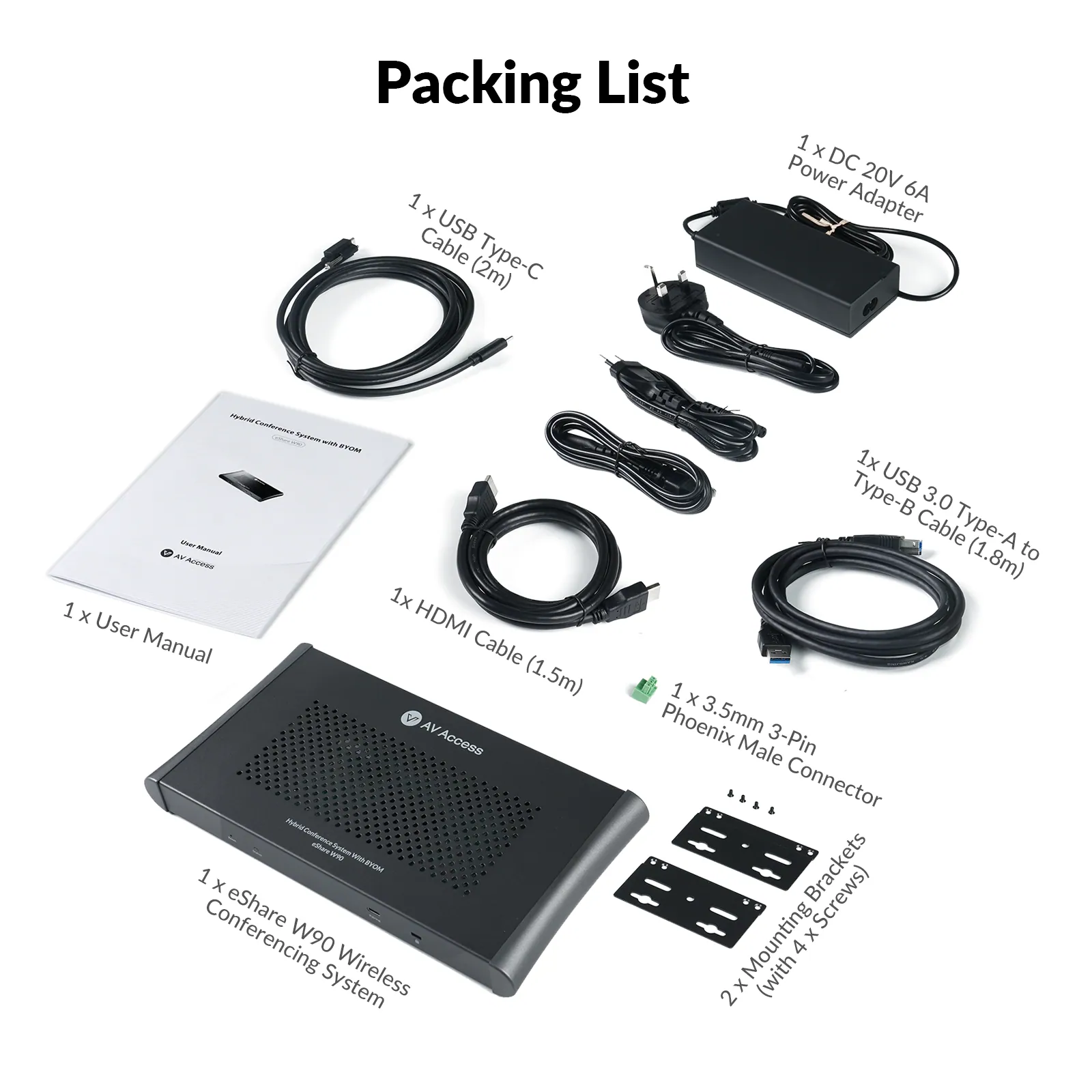
04Packaging8
- eShare W90 wireless conferencing system
- × 1
- DC 20 V 6 A power adapter
- × 1
- 3.5 mm 3-Pin Phoenix male connector
- × 1
- HDMI cable (1.5 m)
- × 1
- USB Type-C cable (2 m)
- × 1
- USB 3.0 Type-A to Type-B cable (1.8 m)
- × 1
- Mounting brackets (with 4 × screws)
- × 2
- User manual
- × 1
Show the full specificationHide the rest of the specification0 more groups · 0 values
02DescriptionManufacturer's description
What it is.
All-in-One USB C Connection: One cable for audio/video, 5Gbps data transfer, network access, and 65W laptop charging.
- Dual HDMI Output: Connect two monitors for clear and efficient presentations.
- Quad View Mode: Display up to four sources on one screen for easy comparison and collaboration.
- One-Click Wireless Conferencing: Instantly control USB 3.0 conferencing devices with the eShare D30 dongle.
- Multiple Casting Options: Share content via HDMI/USB C or wirelessly using AirPlay, Miracast, and Dongle.
Smooth & Reliable Connectivity: Supports both wired and wireless screen sharing for flexible meeting setups. Plug and play, with no software or driver installation required for screen casting.
Dual Gigabit Ethernet Ports: Separate internal and guest networks for enhanced security and convenience.
!PLEASE NOTE
•eShare W90 supports the eShare D30 for one-click wireless conferencing.
•Wireless casting is driver-free, while USB conferencing requires a one-time software installation.
WHY IT MATTERS
More Ways to Connect. Less to Rebuild.
eShare W90 brings wired presentation, wireless sharing, USB conferencing, dual-display output, networking, and laptop charging into one room system—so teams can support more meeting workflows without adding more boxes to the table.
01 / CONNECT YOUR WAY
Flexible Connections
Present through USB C, HDMI, AirPlay, Miracast, or an eShare D30 dongle so different users can connect in the way that fits their device.
02 / USE MORE SCREEN SPACE
Dual-Display Workflows
Use two HDMI outputs to keep more meeting content visible across two displays instead of forcing every workflow onto one screen.
03 / SIMPLIFY THE LAPTOP
One-Cable USB C
Carry video, USB data, Gigabit Ethernet, and up to 65W charging through one full-featured USB C connection.
04 / SEE MORE TOGETHER
Quad-View Collaboration
Display up to four sources on one screen for side-by-side review, comparison, and multi-presenter collaboration.
MADE FOR REAL WORKSPACES
Designed for Every Collaboration Space
Start with eShare W90 and eShare D30, then match the camera, audio coverage, and presentation workflow to the way each space is actually used.
Large Room
Medium Room
Small Room
Training Room
Classroom
LARGE MEETING ROOM
PTZ Coverage. Distributed Audio.
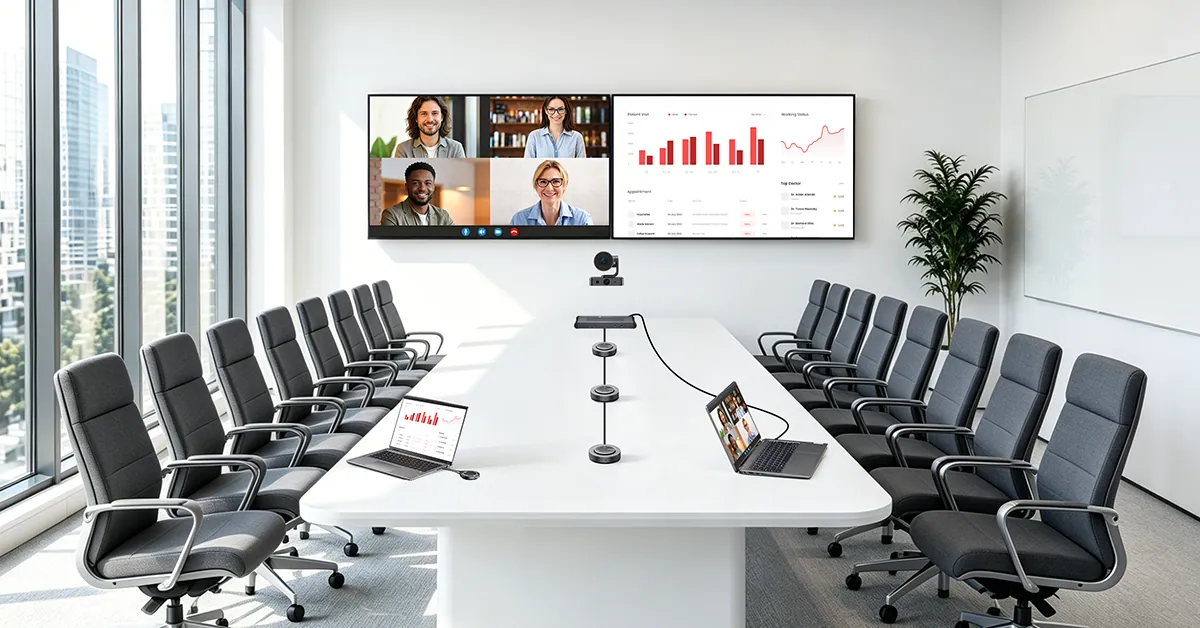
eShare W90 + eShare D30 + BizEye P30 + AnyCo A6 ×3
Built for larger rooms that need stronger camera reach and more even audio coverage. BizEye P30 combines PTZ speaker tracking with a panoramic room view, while three AnyCo A6 speakerphones distribute microphone and speaker coverage across the table.
Explore this solution
MEDIUM MEETING ROOM
Extend Voice Pickup.
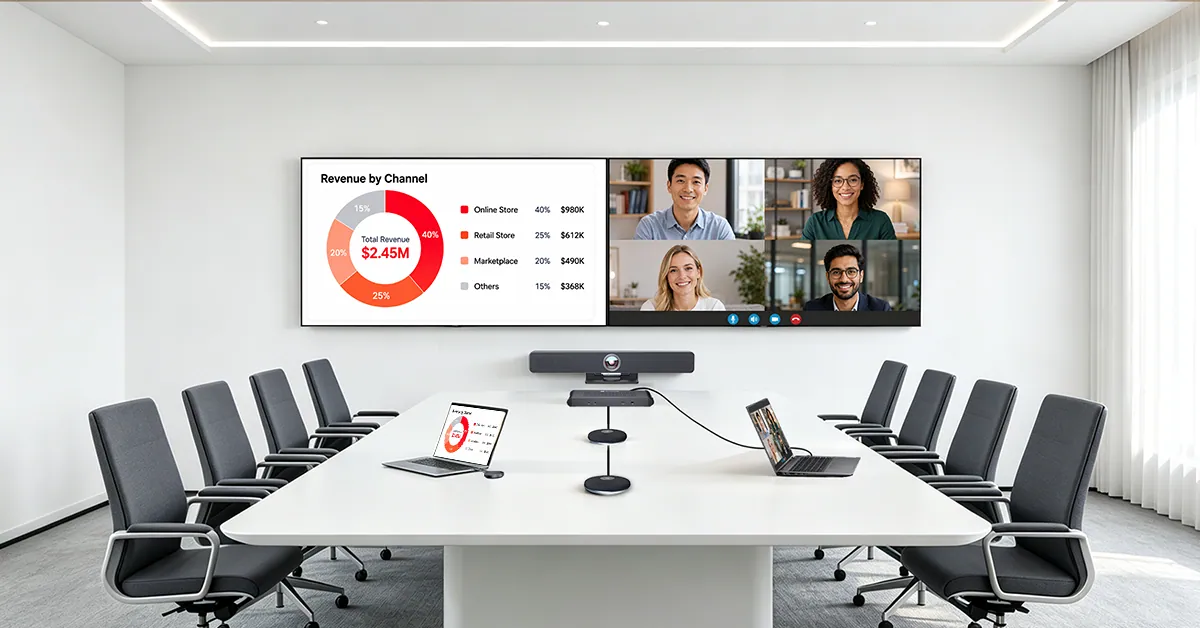
eShare W90 + eShare D30 + AnyCo V8 + AnyCo M1 ×2
A practical all-in-one video setup for medium rooms. AnyCo V8 combines a 4K AI camera, microphone array, and stereo speakers at the front of the room, while two AnyCo M1 add-on microphones extend voice pickup farther along the table.
SMALL MEETING ROOM
Wide-Angle Video. Simple Audio.
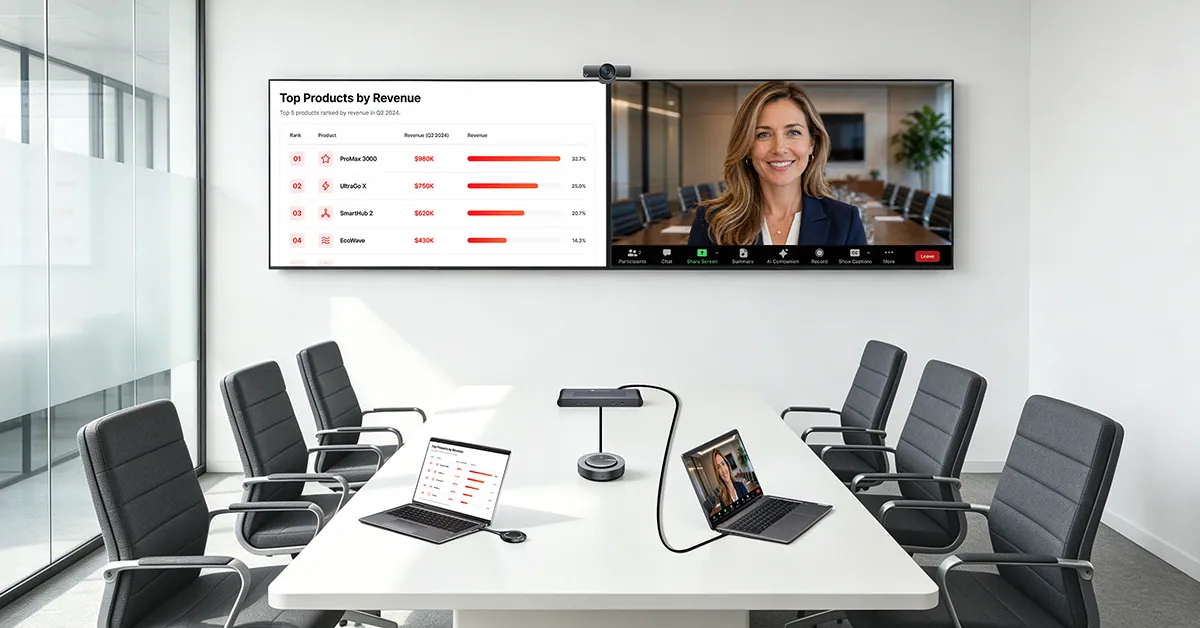
eShare W90 + eShare D30 + BizEye 90 + AnyCo A5
Designed for tighter meeting spaces where everyone needs to stay in frame without a complex AV build. BizEye 90 adds a 120° 4K camera with smart framing, while AnyCo A5 provides full-duplex tabletop audio with 360° voice pickup.
TRAINING ROOM
Keep Presenters Moving.
Switch easily between wired and wireless presenters while dual displays and quad view keep more training content visible.
CLASSROOM
Make Lessons Easier to Share.
Let teachers present from USB C, HDMI, AirPlay, Miracast, or eShare D30, with dual displays and quad view for flexible teaching.
Connect. Present. Meet.
Use the same room for quick sharing, dual-display presentation, and BYOM conferencing.
VIDEO CONFERENCING
Meet Wirelessly
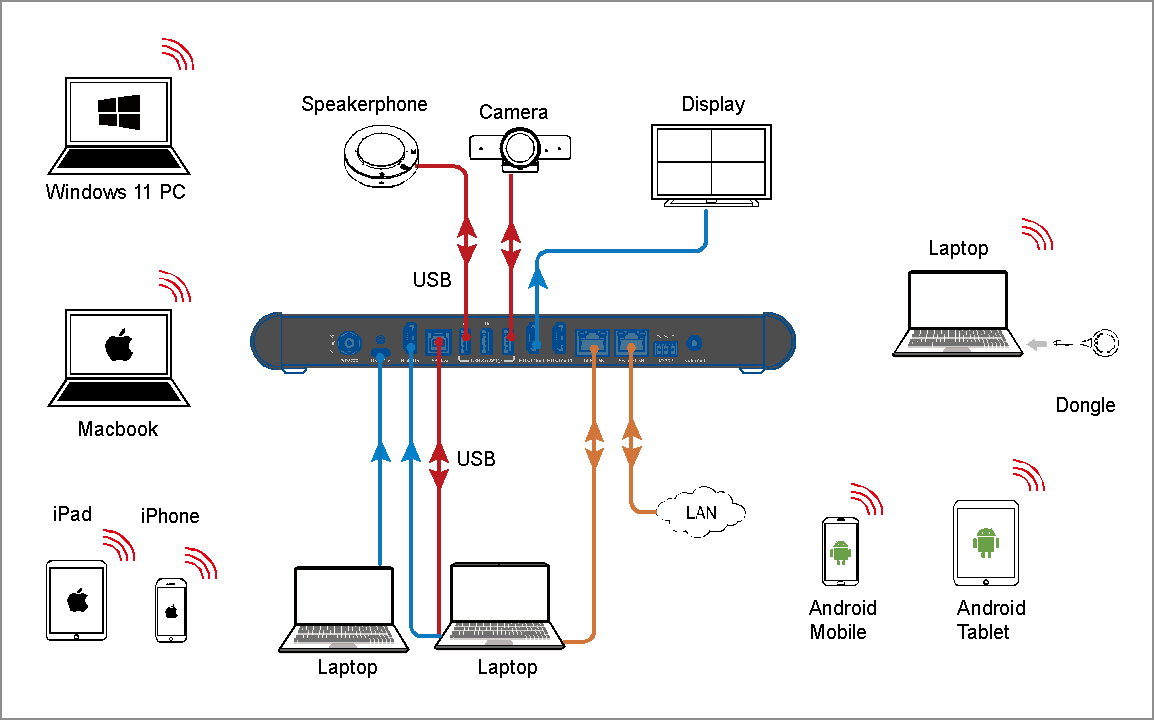
Pair eShare W90 with eShare D30 to access compatible room USB cameras, microphones, speakerphones, and video bars from your laptop. Wireless casting is driver-free; USB conferencing with eShare D30 requires a one-time eShare app installation.
FLEXIBLE PRESENTATIONS
Dual Wired Inputs & Dual HDMI Outputs
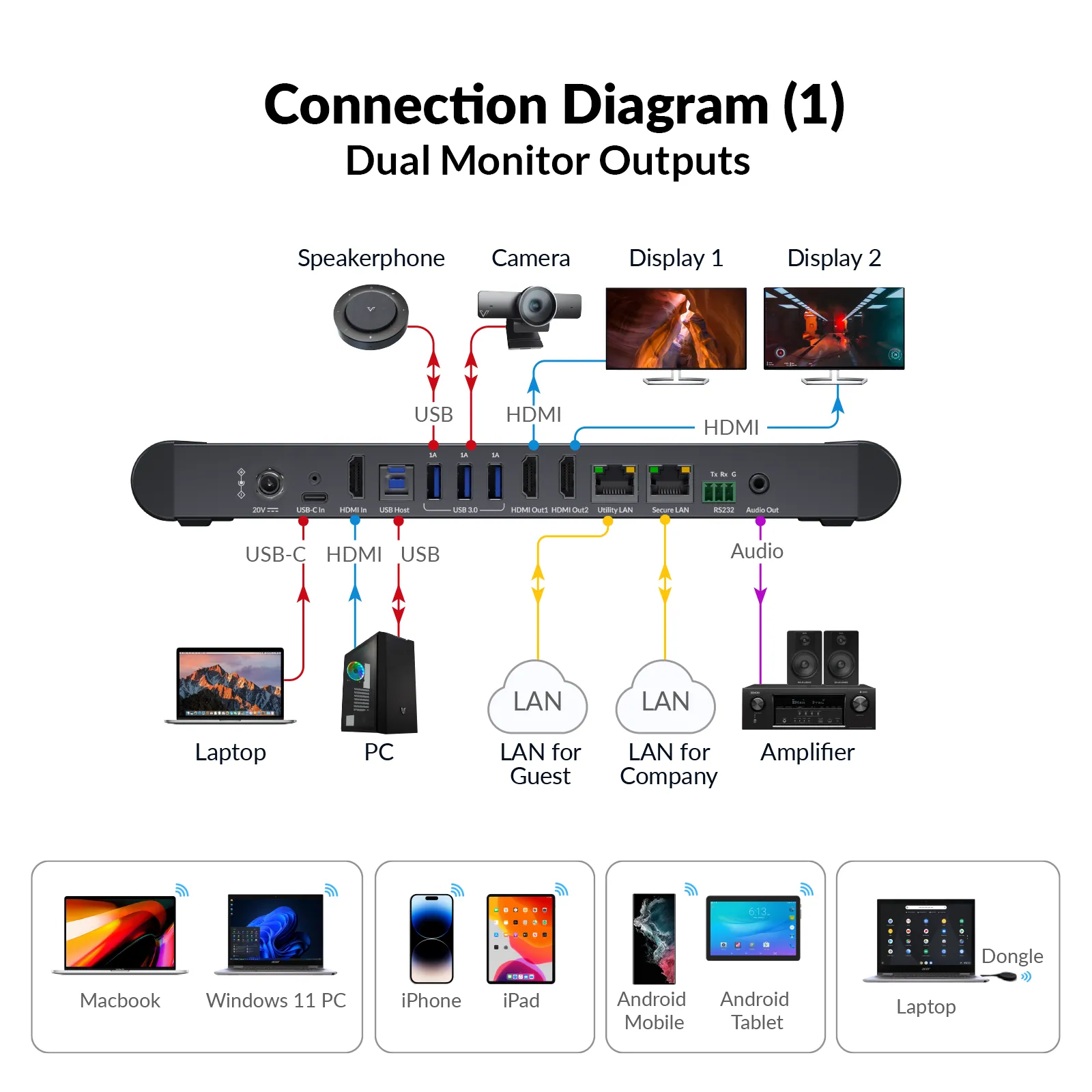
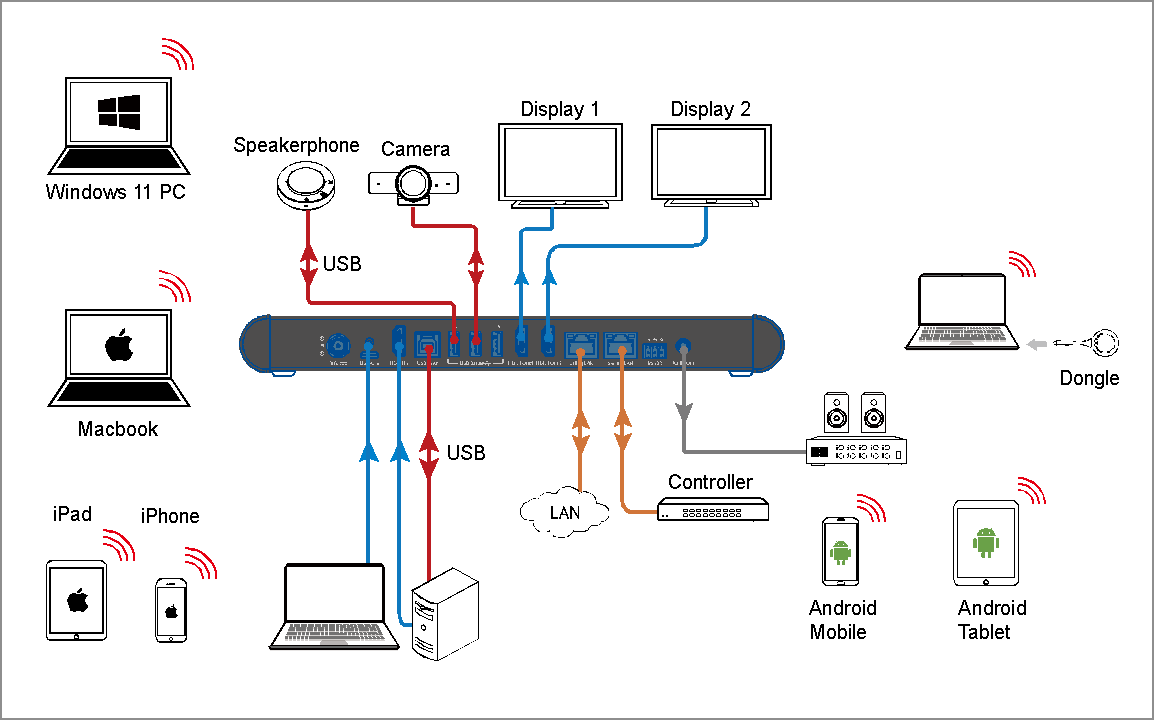
With USB C and HDMI inputs, seamlessly connect both a Room PC and a laptop for flexible presentations. Dual HDMI outputs let you showcase different content on two screens in stunning 4K, enhancing collaboration and meeting efficiency.
SEAMLESS USB CONNECTIVITY
Powerful 3-in-1 USB 3.0 Hub
Connect compatible webcams, speakerphones, video bars, touch displays, and other USB conferencing devices through three USB 3.0 ports for a more flexible meeting-room setup.
Use your preferred meeting app
Microsoft Teams
Zoom
Google Meet
Webex
ALL-IN-ONE USB C CONNECTION
Power, Video & Data, One Cable Does It All
The eShare W90’s full-function USB C port delivers up to 65W charging while carrying video, audio, USB data, and network access through one connection. Plug in the laptop once and keep the meeting setup cleaner and easier to use.
QUAD VIEW
Four Sources. One Shared View.
Show up to four sources on one display at the same time. Compare documents, review multiple ideas, or keep reference material visible while the discussion continues.
SMARTER NETWORKING
Two Gigabit Ports. Cleaner Network Access.
Use the two Gigabit Ethernet ports and network access through USB C to simplify laptop connectivity. Network isolation mode can separate internal and guest networks when the deployment requires it.
HOW IT WORKS
Pair Once. Connect. Share.
For wireless sharing with eShare D30, pair eShare D30 with eShare W90 once, connect eShare D30 to the laptop, and start presenting.
Pair
Connect eShare D30 to the front USB C port on eShare W90 for pairing.
Connect
Plug the paired eShare D30 into the laptop’s compatible USB C port.
Share
Start wireless presentation with eShare D30. Install the eShare app for wireless conferencing.
CHOOSE THE CONFIGURATION
Build the Setup Your Room Needs.
Each configuration starts with eShare W90 and eShare D30, then adds video and audio devices matched to the room size and coverage needs.
BYOD & presentation
Small Room
Medium Room
Large Room
BYOD Meeting Kit
eShare W90 + eShare D30
Flexible wired and wireless presentation with BYOM conferencing.
Best choice when
The room already has compatible USB conferencing devices, or the priority is flexible presentation, dual-display output, and wireless BYOM without adding a full camera-and-audio bundle.
Small Meeting Room Kit
eShare W90 + eShare D30 + BizEye 90 + AnyCo A5
120° 4K room video with simple full-duplex tabletop audio.
A compact room needs wireless BYOM plus a dedicated wide-angle camera and speakerphone, with simple installation and no need for extended microphone coverage.
Medium Meeting Room Kit
eShare W90 + eShare D30 + AnyCo V8 + AnyCo M1 ×2
All-in-one video bar with extended microphone pickup.
The room benefits from an integrated front-of-room camera, microphones, and speakers, but also needs additional microphone pickup farther along a medium-length meeting table.
Large Meeting Room Kit
eShare W90 + eShare D30 + BizEye P30 + AnyCo A6 ×3
Dual-lens PTZ video with distributed daisy-chain tabletop audio.
A larger room needs stronger camera reach, speaker-focused PTZ framing, full-room visual context, and audio coverage distributed across a longer meeting table.
CHOOSE YOUR ESHARE
Find the eShare Setup That Fits Your Room.
03Documents4 files · 2.0 MB
Documents and files.
Datasheets, manuals, drawings and certificates as the manufacturer publishes them.
Datasheets and manuals01
04Related products
In the same range.
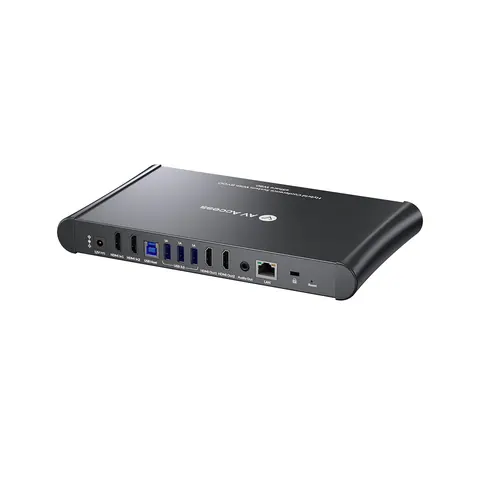 EQ-847AV Access4K wireless conferencing system, dual HDMI out, multivieweShare W80 · Switchers and KVM
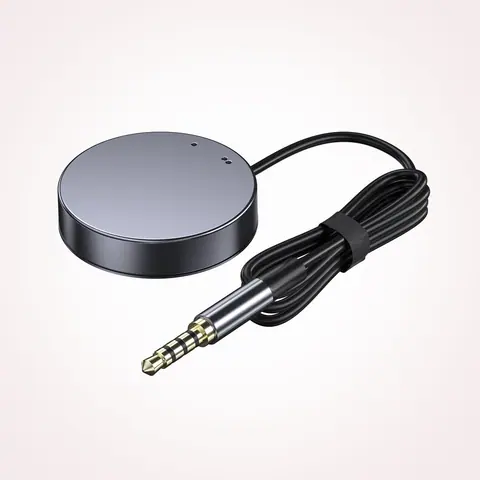 EQ-849AV AccessRemote switch button for KVM docking stations, LED indicator, 1.2 m cableEXB01 · Switchers and KVM
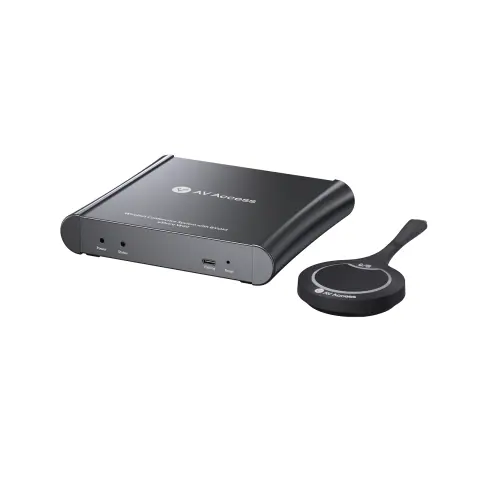 EQ-846AV AccessWireless conferencing system, USB-C dongleeShare W60 Kit · Switchers and KVM
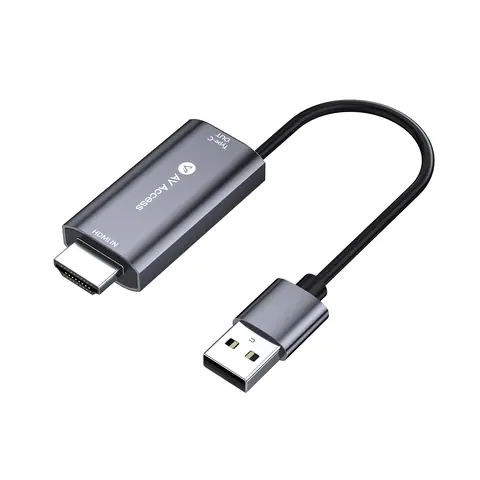 EQ-850AV Access4K HDMI and USB-A to USB-C adapter for eShare donglesH2C01 · Conferencing accessories
05Talk to us
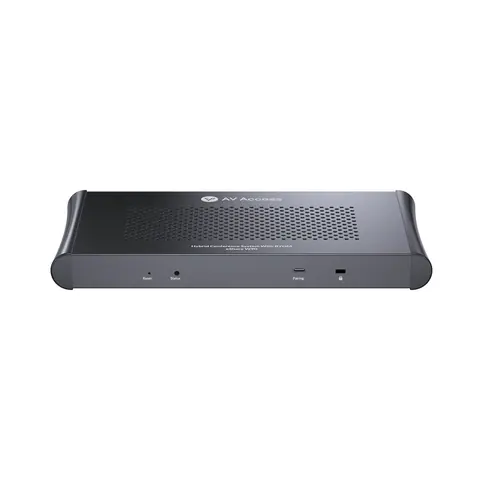 Wireless presentation and conferencing system, dual 4K HDMI out, quad viewAV Access · EQ-848
Need this priced for your project?
- Quantity and site
- Configuration and interfaces
- Quotation